
1. Introduction
Thank you for choosing the eSeedy Mini Heat Press Machine. This compact and versatile heat press is designed for various heat transfer projects, including T-shirts, hats, bags, and more. Its user-friendly design, rapid heating, and multiple safety features make it an ideal tool for both beginners and experienced crafters. Please read this manual thoroughly before use to ensure safe and optimal operation.
2. Safety Information
WARNING: To reduce the risk of fire, electric shock, or injury, read and understand all instructions before using this appliance.
- Always place the heat press on a heat-resistant, stable surface.
- Do not leave the heat press unattended while it is powered on or heating.
- Keep out of reach of children and pets.
- Avoid touching the hot plate directly during or immediately after use. Use the insulated safety base provided.
- Ensure the power cord is not damaged and is properly plugged into a grounded outlet.
- Do not immerse the heat press in water or any other liquid.
- If the button isn't pressed within 15 minutes, the machine will automatically power off.
- The device has overheating protection; it will automatically cut off the fuse if the temperature exceeds 216°C or input voltage exceeds 275V or 8A.

Overheating Protection: The heat press is equipped with a safety mechanism that automatically cuts off power if the temperature exceeds 216°C or if there's an electrical overload, preventing potential hazards.

15-Minute Auto-Off: For enhanced safety, the heat press will automatically power off if no button is pressed within 15 minutes, reducing the risk of accidental overheating or energy waste.
3. Package Contents
Please check the box for the following items:
- 1 x eSeedy Mini Heat Press Machine
- 1 x Safety Insulation Base
- 1 x User Manual

Package Contents and Dimensions: This image illustrates the compact size of the eSeedy Mini Heat Press Machine, measuring 4.52 inches in length, 2.95 inches in width, and 5.1 inches in height. It also confirms the inclusion of the heat press, safety insulation base, and user manual, with a total weight of 0.79 lbs.
4. Product Overview
Familiarize yourself with the components of your eSeedy Mini Heat Press Machine:

Product Components: This diagram highlights the key parts of the mini heat press, including the ergonomic handle for comfortable grip, the switch button for power and temperature control, the LED display for clear temperature readings, the precision tip for detailed work, and the safety insulation base for secure placement.
- Ergonomic Handle: Designed for comfortable and secure grip during use.
- Switch Button: Controls power and temperature settings.
- LED Display: Shows the current temperature.
- Precision Tip: Allows for accurate heat application on small or intricate designs.
- Safety Insulation Base: Provides a safe resting place for the hot heat press and protects your work surface.
5. Setup
- Unpack all components from the box.
- Place the heat press on a flat, stable, and heat-resistant surface.
- Ensure the safety insulation base is placed securely on the surface.
- Plug the power cord into a standard electrical outlet. Ensure the power cord is fully inserted and secure.

Secure Power Cord Connection: This image demonstrates the correct way to plug in the power cord, ensuring it is fully inserted and not easily dislodged, which is crucial for stable operation and safety.
6. Operating Instructions
Follow these steps for effective heat transfer:
6.1 Power On/Off and Temperature Control

One-Button Operation: This visual guide explains the simple controls: long press to power ON/OFF, single press to increase temperature (L1→L2→L3), double press to decrease temperature (L3→L2→L1), and triple press to switch between Celsius (°C) and Fahrenheit (°F).
- Power ON/OFF: Long-press the switch button to turn the heat press on or off.
- Increase Temperature: Press the button once to cycle through temperature levels: L1 (Low) → L2 (Medium) → L3 (High).
- Decrease Temperature: Press the button twice to cycle downwards through temperature levels: L3 (High) → L2 (Medium) → L1 (Low).
- Change Temperature Unit (°C/°F): Press the button three times to toggle between Celsius and Fahrenheit.
6.2 Heat Settings
The eSeedy Mini Heat Press offers three distinct heat settings:

Three Heat Settings: This image clearly displays the three available temperature levels: L1 at 284°F (140°C), L2 at 320°F (160°C), and L3 at 356°F (180°C), allowing users to select the appropriate heat for different materials and transfer types.
- L1 (Low): 284°F (140°C) - Reaches temperature in approximately 3 minutes.
- L2 (Medium): 320°F (160°C) - Reaches temperature from L1 in approximately 40 seconds.
- L3 (High): 356°F (180°C) - Reaches temperature from L2 in approximately 50 seconds.
The heat press retains your last selected setting for future use.
6.3 Application Process
This heat press is versatile for various projects, including T-shirts, shoes, bags, socks, masks, pillows, and mouse pads.
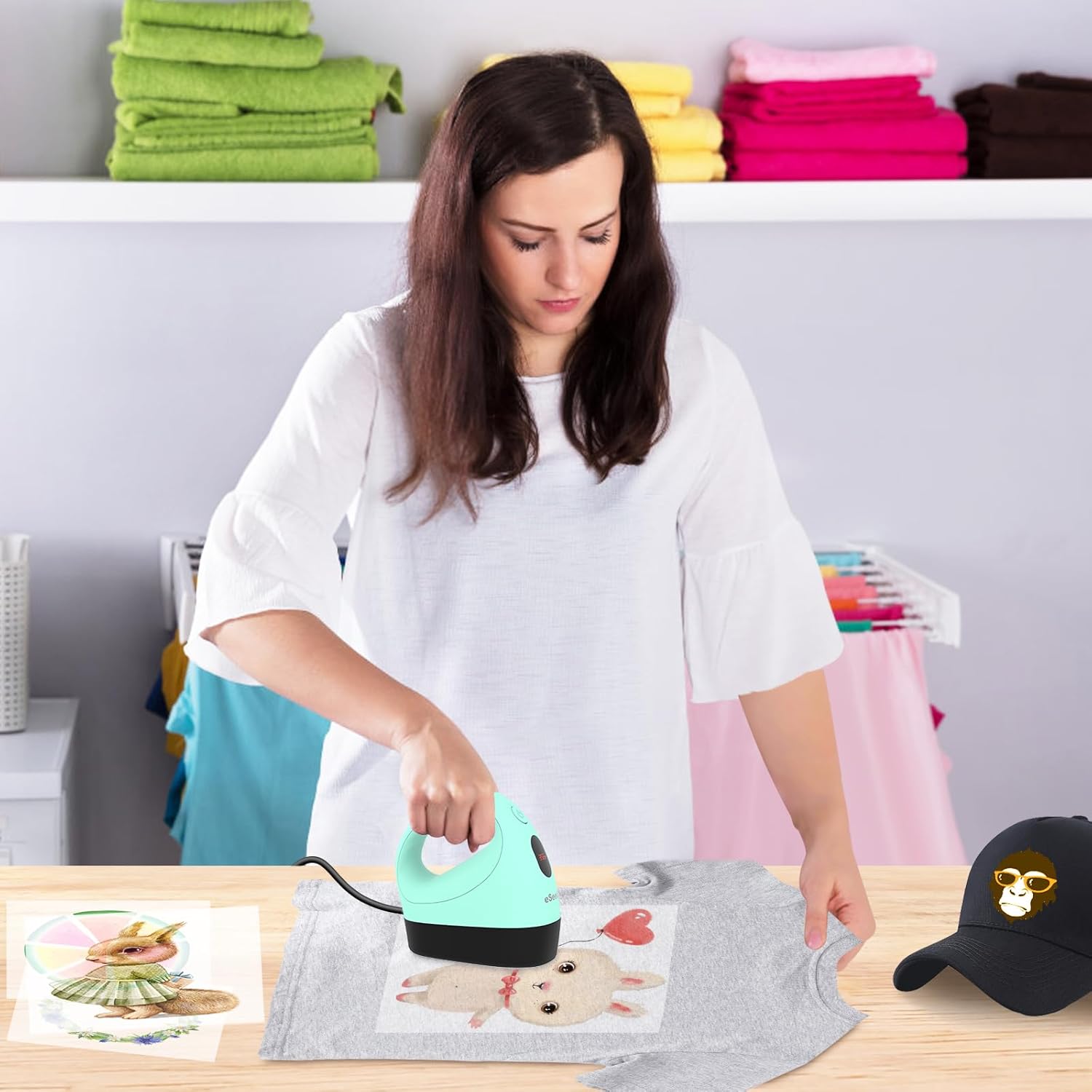
Applying a Design: A user is shown carefully pressing a heat transfer design onto a light green T-shirt using the eSeedy Mini Heat Press, demonstrating the practical application of the device for custom apparel.
- Prepare Your Item: Place your fabric or item on a firm, flat, heat-resistant surface. Ensure the surface is smooth and free of wrinkles.
- Position Your Design: Place your heat transfer vinyl (HTV), DTF, or sublimation design onto the item in the desired position.
- Preheat the Heat Press: Turn on the heat press and select the appropriate temperature setting for your material and transfer type. Wait for the LED display to show the desired temperature.
- Apply Heat: Gently press the heat press onto the design. Apply even pressure and move the heat press slowly over the entire design area. Refer to your transfer material's specific instructions for recommended time and pressure.
- Cool Down & Peel: Once the application is complete, carefully lift the heat press and place it back on its safety base. Allow the design to cool according to your transfer material's instructions (hot peel or cool peel). Carefully peel off the carrier sheet.
Product Demonstration Video: This video provides a visual demonstration of the eSeedy Mini Heat Press Machine in action, showcasing its ease of use and effectiveness in applying heat transfers to various items like T-shirts, bags, and socks.
7. Maintenance
Proper maintenance ensures the longevity and performance of your heat press:
- Cleaning: After the heat press has completely cooled down, wipe the heating plate with a soft, damp cloth to remove any residue. Do not use abrasive cleaners or solvents.
- Storage: Store the heat press in a dry, cool place, preferably in its original packaging or the provided storage bag, away from direct sunlight and moisture. Always place it on the safety insulation base when not in use.
- Cord Care: Do not wrap the power cord tightly around the heat press. Store it loosely to prevent damage.
8. Troubleshooting
If you encounter issues, refer to the following common problems and solutions:
| Problem | Possible Cause | Solution |
|---|---|---|
| Heat press does not turn on. | Not plugged in; power outlet issue; damaged cord. | Ensure the power cord is securely plugged in. Try a different outlet. Check for visible damage to the cord. |
| Temperature not reaching desired level. | Incorrect setting; auto-off activated. | Verify the correct temperature setting (L1, L2, L3). If auto-off activated, restart the device. |
| Design not adhering properly. | Insufficient heat/pressure/time; incorrect material. | Increase heat, apply more pressure, or extend pressing time. Ensure your transfer material is compatible with the heat press. |
| Heat press automatically shuts off during use. | Overheating protection activated; 15-minute auto-off. | Allow the device to cool down. If not overheated, ensure you press a button within 15 minutes to prevent auto-off. |
9. Specifications
Key technical details of the eSeedy Mini Heat Press Machine:

Rapid and Even Heating: This graphic demonstrates the quick heat-up times of the heat press, reaching 284°F in 3 minutes, then 320°F in an additional 40 seconds, and finally 356°F in another 50 seconds, ensuring efficient and consistent heat distribution across the plate.

Constant Temperature Control: This image highlights the heat press's ability to maintain a precise and consistent temperature throughout the application process, which is crucial for successful heat transfers and prevents temperature fluctuations.
| Specification | Detail |
|---|---|
| Model Number | eSHP01 |
| Manufacturer | eSeedy |
| Product Dimensions | 4.53 x 6.02 x 5.98 inches (11.5 x 7.5 x 13 cm) |
| Heat Plate Dimensions | 2.87 x 4.43 inches (7.29 x 11.25 cm) |
| Item Weight | 1.41 pounds (0.64 kg) |
| Material | Aluminum, Plastic |
| Color | Full Green |
| Temperature Settings | L1: 284°F (140°C), L2: 320°F (160°C), L3: 356°F (180°C) |
| Auto-Off Feature | 15 minutes of inactivity |
| Safety Features | Insulated Safety Base, Overheating Protection |
10. Warranty and Support
eSeedy products are manufactured with high-quality materials and undergo strict quality control. For warranty information, technical support, or any inquiries regarding your Mini Heat Press Machine, please contact eSeedy customer service through the retailer's platform or the official eSeedy website. Please have your model number (eSHP01) and purchase details ready when contacting support.

eSeedy Brand Logo: The official logo of eSeedy, the manufacturer of this mini heat press machine.