
RASTAR 94700
RASTAR 1/12 F1 Red Bull RB18 Remote Control Car Instruction Manual
Brand: RASTAR | Model: 94700
1. Introduction
This manual provides essential information for the safe and optimal operation of your RASTAR 1/12 F1 Red Bull RB18 Remote Control Car. This officially licensed replica of the Oracle Red Bull Racing F1 RB18, driven by Max Verstappen and Sergio Perez, features highly restored details and advanced remote control capabilities. Please read this manual thoroughly before use to ensure proper setup, operation, and maintenance.

Image: The RASTAR 1/12 F1 Red Bull RB18 Remote Control Car, its steering wheel-style remote controller, and the product packaging.
2. Safety Information
WARNING: CHOKING HAZARD – Small parts. Not for children under 3 years.
- Always operate the RC car in a safe environment, away from people, pets, and obstacles.
- Do not operate the car near water or in wet conditions to prevent damage to electronic components.
- Ensure all battery compartments are securely closed before operation.
- Adult supervision is recommended for younger users.
- Do not attempt to modify or disassemble the product, as this may cause damage or injury.
3. What's in the Box
- 1x 1/12 RASTAR F1 Red Bull Racing Car (Model: 94700)
- 1x Dual-grip Remote Controller
- 1x Sheet of Car Body Stickers (for DIY customization)
- 1x User Manual (this document)
4. Setup
4.1 Battery Installation
The RASTAR F1 Red Bull RC Car requires 5 AA batteries for the car and 2 AA batteries for the remote controller. Batteries are not included.
- For the Car: Locate the battery compartment on the underside of the car. Open the cover and insert 5 AA batteries, ensuring correct polarity (+/-). Close the cover securely.
- For the Remote Controller: Locate the battery compartment on the back of the controller. Open the cover and insert 2 AA batteries, ensuring correct polarity (+/-). Close the cover securely.

Image: Underside view of the RC car, highlighting the rear power motor and the battery compartment area.
4.2 Initial Assembly & Customization
The car comes pre-assembled. You can personalize your F1 car using the included sticker sheet. Carefully apply the stickers to the car body as desired, following the provided DIY label guide for authentic placement.

Image: The included sticker sheet for customizing the F1 Red Bull RC car with various sponsor logos and racing decals.
5. Operating Instructions
Your RASTAR F1 Red Bull RC Car operates on a 2.4GHz frequency, allowing multiple cars to race simultaneously without interference. The remote controller provides full directional control.
5.1 Pairing the Controller
Typically, the car and controller will automatically pair upon turning both on. If pairing issues occur, ensure both devices have fresh batteries and are within range (up to 98 feet / 18-25 meters).
5.2 Basic Controls
- Forward: Press the 'Up' arrow button on the controller.
- Reverse: Press the 'Down' arrow button on the controller.
- Turn Left: Press the 'Left' arrow button on the controller.
- Turn Right: Press the 'Right' arrow button on the controller.
- Stop: Release all directional buttons.
The car can reach speeds of up to 5 mph (8.2 km/h) and features a 4-wheel independent suspension system for smooth operation.

Image: A user's hands operating the dual-grip remote controller, with the RASTAR F1 Red Bull RC car shown in action, highlighting its 1/12 scale, licensed design, 5 km/h speed, and shock absorber features.

Image: An overhead diagram of the F1 RC car demonstrating its 2.4GHz radio control system and omnidirectional movement capabilities.
6. Maintenance
- Cleaning: Use a soft, dry cloth to wipe down the car and controller after each use. Avoid using water or chemical cleaners.
- Battery Storage: Remove batteries from both the car and controller when not in use for extended periods to prevent leakage and damage.
- Storage: Store the product in a cool, dry place away from direct sunlight and extreme temperatures.
- Inspection: Periodically check for any loose parts, damaged wires, or signs of wear.
7. Troubleshooting
| Problem | Possible Cause | Solution |
|---|---|---|
| Car does not respond to controller. | Low batteries in car or controller; Car/controller not turned on; Pairing issue. | Replace or recharge batteries; Ensure power switches are ON; Re-pair car and controller by turning both off and then on again. |
| Car moves slowly or erratically. | Low batteries; Operating on unsuitable surface (e.g., thick carpet, sand). | Replace or recharge batteries; Operate on flat, smooth surfaces like pavement or hardwood floors. |
| Car does not drive straight. | Steering alignment needs adjustment. | Locate the steering alignment knob/lever on the underside of the car (usually near the front wheels). Adjust it slightly until the car drives straight. |
| Short control range. | Interference; Low batteries. | Move to an area with less electronic interference; Replace or recharge batteries. |
8. Specifications
| Feature | Detail |
|---|---|
| Model Number | 94700 |
| Scale | 1:12 |
| Product Dimensions | 18.5 x 6.7 x 3.9 inches (47 x 17 x 10 cm) |
| Item Weight | 2.55 pounds (1.16 kg) |
| Recommended Age | 6 years and up |
| Car Batteries | 5 x AA (not included) |
| Controller Batteries | 2 x AA (not included) |
| Frequency | 2.4GHz |
| Speed | Up to 5 mph (8.2 km/h) |
| Remote Range | Up to 98 feet (18-25 meters) |
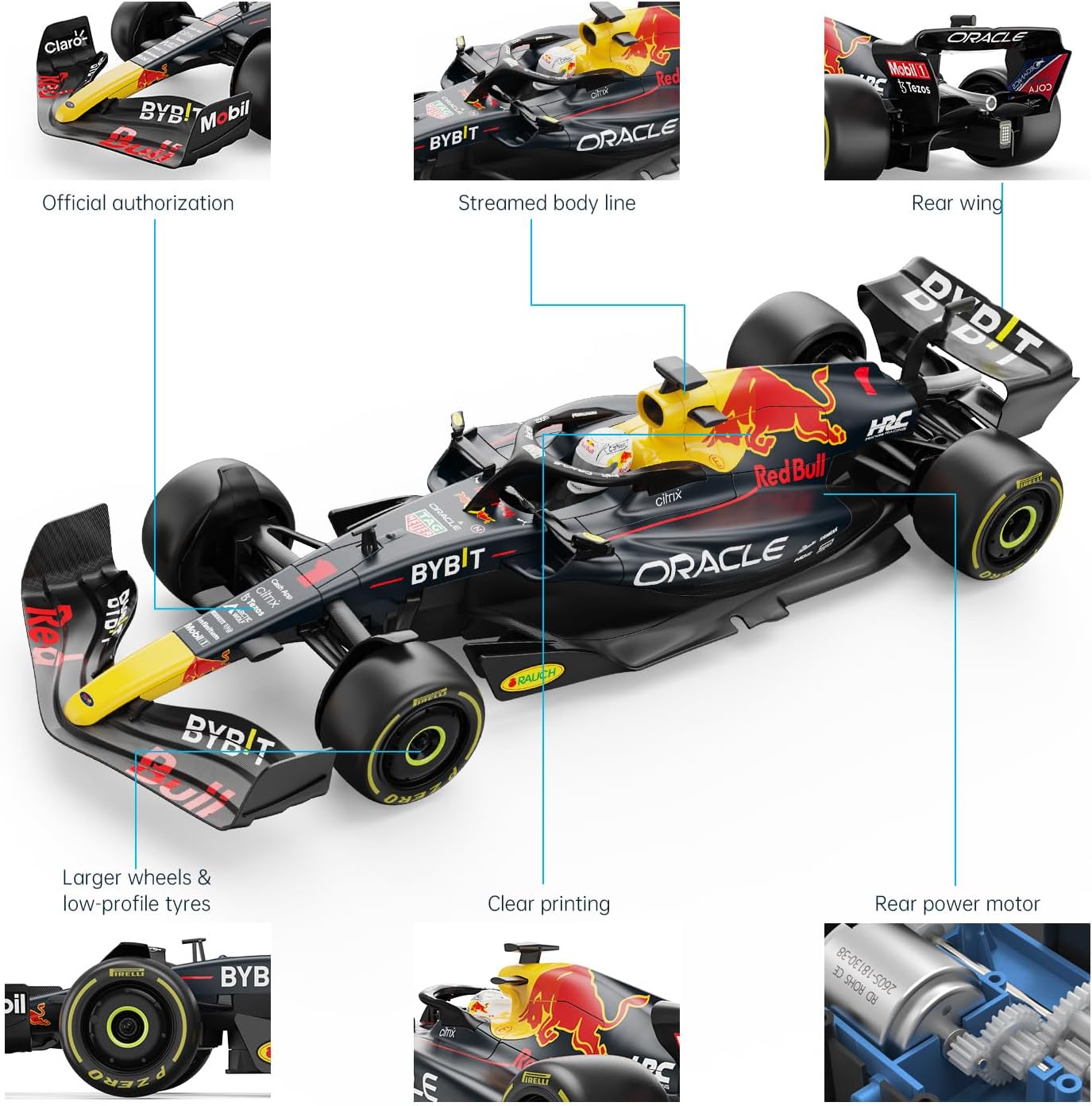
Image: A diagram illustrating the length (18.5 inches), width (6.7 inches), and height (3.9 inches) of the RASTAR 1/12 F1 Red Bull RB18 Remote Control Car.
9. Warranty and Support
For warranty information, technical support, or any inquiries regarding your RASTAR 1/12 F1 Red Bull RB18 Remote Control Car, please contact the manufacturer directly. Refer to the product packaging or the RASTAR official website for contact details.
You can also visit the official RASTAR Store on Amazon for more information: RASTAR Store
Related documents94700


Ask a question about this manual
Ask about setup, troubleshooting, compatibility, parts, safety, or missing instructions. Manuals+ will review the question and use this page’s manual context to help answer it.