
1. Product Overview
The Smatree Portable Power Stick is designed to enhance the functionality and battery life of your DJI Osmo Pocket 4/3. It integrates a 5000mAh power bank, a comfortable handheld grip, a smartphone holder, and a tripod, providing a versatile solution for extended shooting sessions and stable footage.
This device allows you to charge your Osmo Pocket 4/3 while in use, connect your smartphone for a larger viewing screen, and stabilize your setup with the integrated tripod. It also features a cold shoe mount for additional accessories like LED lights or microphones.
2. What's in the Box
Please verify that all items are present in your package:
- Smatree Portable Power Stick (with built-in 5000mAh battery)
- Convertible Charging Base for Osmo Pocket 4/3
- Convertible Knob
- Phone Holder
- Mini Tripod
- USB-C Charging Cable
- Short USB-C to USB-C Cable (for connecting Osmo Pocket)

Image: Contents of the Smatree Portable Power Stick package. This includes the main power stick, a separate mini tripod, a phone holder, a convertible knob, and two USB-C cables.
3. Setup Instructions
3.1 Attaching DJI Osmo Pocket 4/3 to the Power Stick
- Ensure the Osmo Pocket 4/3 is powered off.
- Align the charging port of your Osmo Pocket 4/3 with the connector on the Convertible Charging Base of the Power Stick.
- Gently push the Osmo Pocket 4/3 onto the connector until it is securely seated.

Image: This diagram illustrates three possible configurations: Combination 1 shows the Osmo Pocket 4/3 directly attached to the Power Stick. Combination 2 adds a smartphone holder to the side for monitoring. Combination 3 shows the Osmo Pocket 4/3 attached to the Power Stick with a smartphone mounted above it.
3.2 Attaching the Smartphone Holder (Optional)
For a larger viewing screen and enhanced control, you can attach your smartphone:
- Locate the Convertible Knob and the Phone Holder.
- Screw the Convertible Knob into the designated thread on the side of the Power Stick's charging base.
- Attach the Phone Holder to the Convertible Knob.
- Place your smartphone into the Phone Holder, ensuring it is secure. The holder supports phones up to 88mm wide and 15mm thick.
- Connect your smartphone to the Osmo Pocket 4/3 using the short USB-C cable provided, if desired, for live view and control via the DJI Mimo app.
Video: Official Smatree demonstration of assembling the Portable Power Bank with Tripod for DJI Osmo Pocket 3, showing how to attach the phone holder and tripod.
3.3 Attaching the Mini Tripod (Optional)
For stable, hands-free operation:
- Locate the 1/4" standard thread port at the bottom of the Power Stick.
- Screw the Mini Tripod onto this port until it is firmly attached.

Image: This image highlights the cold shoe mount at the top of the charging base for accessories and the 1/4" standard screw port at the bottom for tripods or other equipment.
4. Operating Instructions
4.1 Powering On/Off and Charging Connected Devices
The Power Stick automatically begins charging the connected DJI Osmo Pocket 4/3 once the Pocket is securely attached and the Power Stick is sufficiently charged. There is typically no separate power button for the charging function; it operates automatically upon connection.
4.2 Using the Cold Shoe Mount
The cold shoe mount located at the top of the charging base allows you to attach various accessories (not included), such as:
- LED lights for improved illumination.
- Microphone stands for enhanced audio recording.
- Flash lamps for photography.
4.3 Adjusting Smartphone Position
When using the smartphone holder, you can adjust the position of your mobile phone to suit your shooting preferences. Loosen the convertible knob, reposition the phone holder, and then tighten the knob to secure it.
5. Charging the Power Stick
The Smatree Portable Power Stick features a built-in 5000mAh rechargeable battery.
- Charging the Power Stick: Connect the Power Stick to a 5V/2A (or higher) USB power adapter using the provided USB-C charging cable. A full charge for the Power Stick typically takes approximately 4 hours.
- Charging DJI Osmo Pocket 4/3: The Power Stick can fully charge a DJI Osmo Pocket 4/3 approximately 2 times, extending its battery life by up to 4 hours. A full charge for the Osmo Pocket 4/3 from the Power Stick takes about 90 minutes.
- Output: The Power Stick provides a 5V/2A Type-C output for charging the Osmo Pocket 4/3 or a smartphone.

Image: This graphic highlights the 5000mAh high capacity of the power stick, stating it can fully charge the DJI Pocket 3 camera twice and increase its battery life by 4 hours.
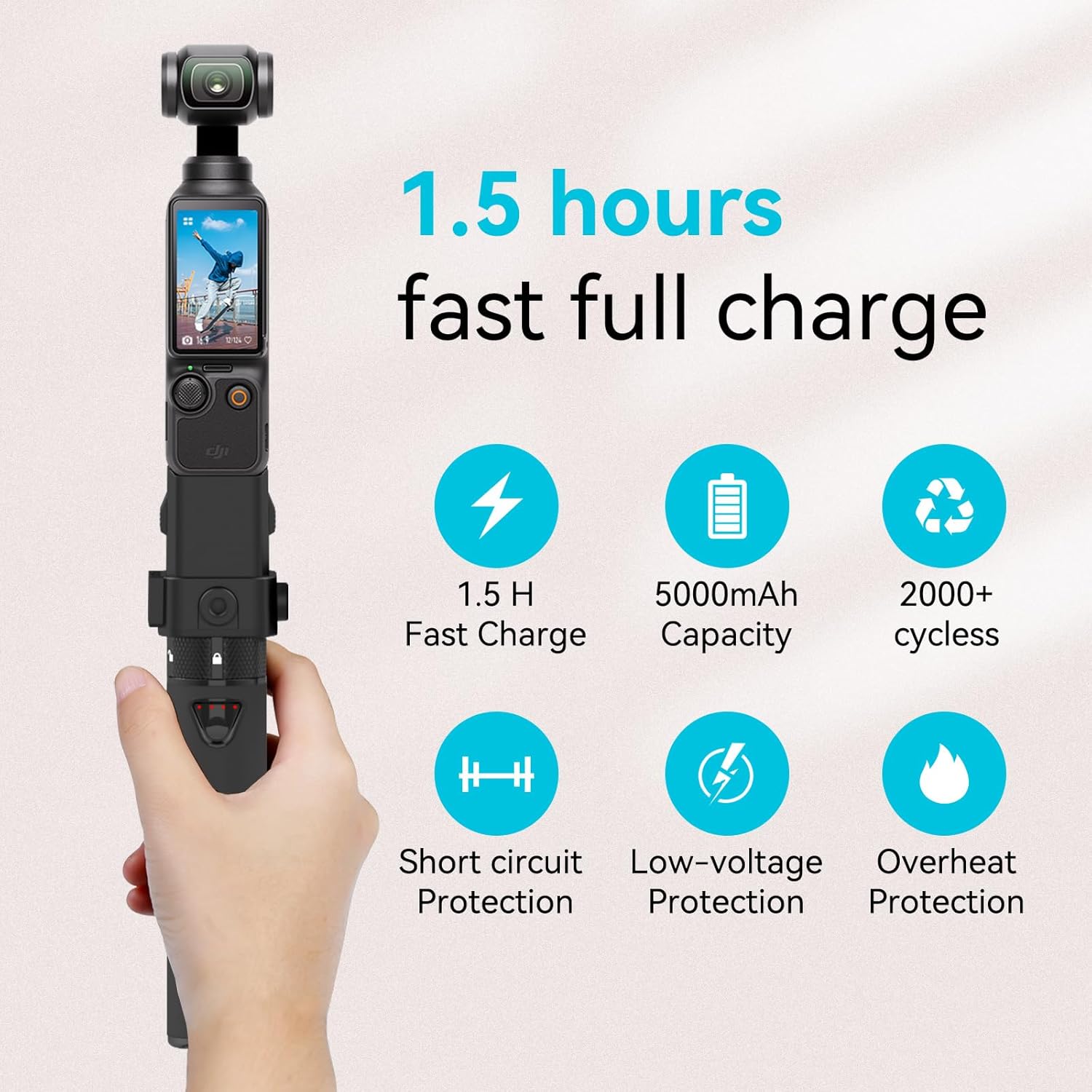
Image: This image details the charging capabilities and safety features, including 1.5 hours for fast full charge of the Pocket 3, 5000mAh capacity, 2000+ charging cycles, and built-in short circuit, low-voltage, and overheat protection.
6. Maintenance
- Cleaning: Use a soft, dry cloth to clean the exterior of the Power Stick. Avoid using harsh chemicals or abrasive materials.
- Storage: Store the Power Stick in a cool, dry place away from direct sunlight and extreme temperatures.
- Battery Care: To prolong battery life, fully charge the Power Stick at least once every three months if not in regular use. Avoid completely draining the battery frequently.
- Connection Ports: Keep all connection ports free from dust and debris to ensure proper functionality.
7. Troubleshooting
| Problem | Possible Cause | Solution |
|---|---|---|
| Osmo Pocket 4/3 not charging | 1. Power Stick battery is low or depleted. 2. Osmo Pocket 4/3 not securely connected. 3. Bluetooth audio mode is active on Osmo Pocket (for older models). | 1. Recharge the Power Stick. 2. Re-seat the Osmo Pocket 4/3 firmly onto the connector. 3. Disable Bluetooth audio mode on your Osmo Pocket if charging is inhibited. |
| Smartphone not charging/connecting | 1. USB-C cable is faulty or not properly connected. 2. Power Stick battery is low. | 1. Ensure the USB-C cable is securely connected at both ends. Try a different cable if available. 2. Recharge the Power Stick. |
| Phone holder feels loose | Convertible knob is not tightened sufficiently. | Tighten the convertible knob until the phone holder is secure. |
| Tripod is unstable | Tripod not fully screwed into the 1/4" port. | Ensure the tripod is fully and firmly screwed into the 1/4" standard thread port. |
8. Specifications
- Brand: Smatree
- Model Name: DP20S
- Model Number: DP20S P3-7
- Compatible Devices: DJI Osmo Pocket 3
- Battery Capacity: 5000mAh
- Output: 5V/2A Type-C
- Material: Silicone
- Special Feature: Non-Slip grip
- Tripod Head Type: 1/4" Standard Thread
- Manufacturer: Smatree
- Number of Items: 1 (main unit)
- Battery Average Life (extension): 4 Hours for Osmo Pocket 3
9. Warranty and Support
Warranty: This product comes with a 1-year manufacturer's warranty.
For warranty claims or technical support, please contact Smatree customer service through their official website or the retailer where the product was purchased. Please have your model number (DP20S P3-7) and proof of purchase ready.
