1. Introduction
Thank you for choosing the Artist hand Full Body Massage Chair. This advanced massage chair is designed to provide a luxurious and therapeutic experience, combining innovative features such as SL Track technology, Zero Gravity recline, AI voice control, heating functions, Bluetooth speakers, and wireless charging. This manual provides essential information for the safe and effective use of your new massage chair.

Image 1.1: The Artist hand Full Body Massage Chair, showcasing its elegant design and comfortable appearance.
2. Safety Information
Please read all safety instructions carefully before operating the massage chair. Failure to follow these instructions may result in injury or damage to the product.
- Ensure the chair is placed on a stable, level surface.
- Do not exceed the maximum weight recommendation of 400 pounds.
- Keep children and pets away from the chair during operation.
- Do not use the chair if you have any medical conditions that may be aggravated by massage. Consult your physician if unsure.
- Unplug the chair from the power outlet when not in use or before cleaning.
- Avoid placing the chair in direct sunlight or in areas with high humidity.
3. Product Features
The Artist hand Massage Chair is equipped with a range of features designed to enhance your massage experience:
3.1. AI Voice Control
Experience hands-free operation with 15 voice commands. The intelligent shoulder detection system personalizes massages to your body's curves, ensuring precision and comfort.
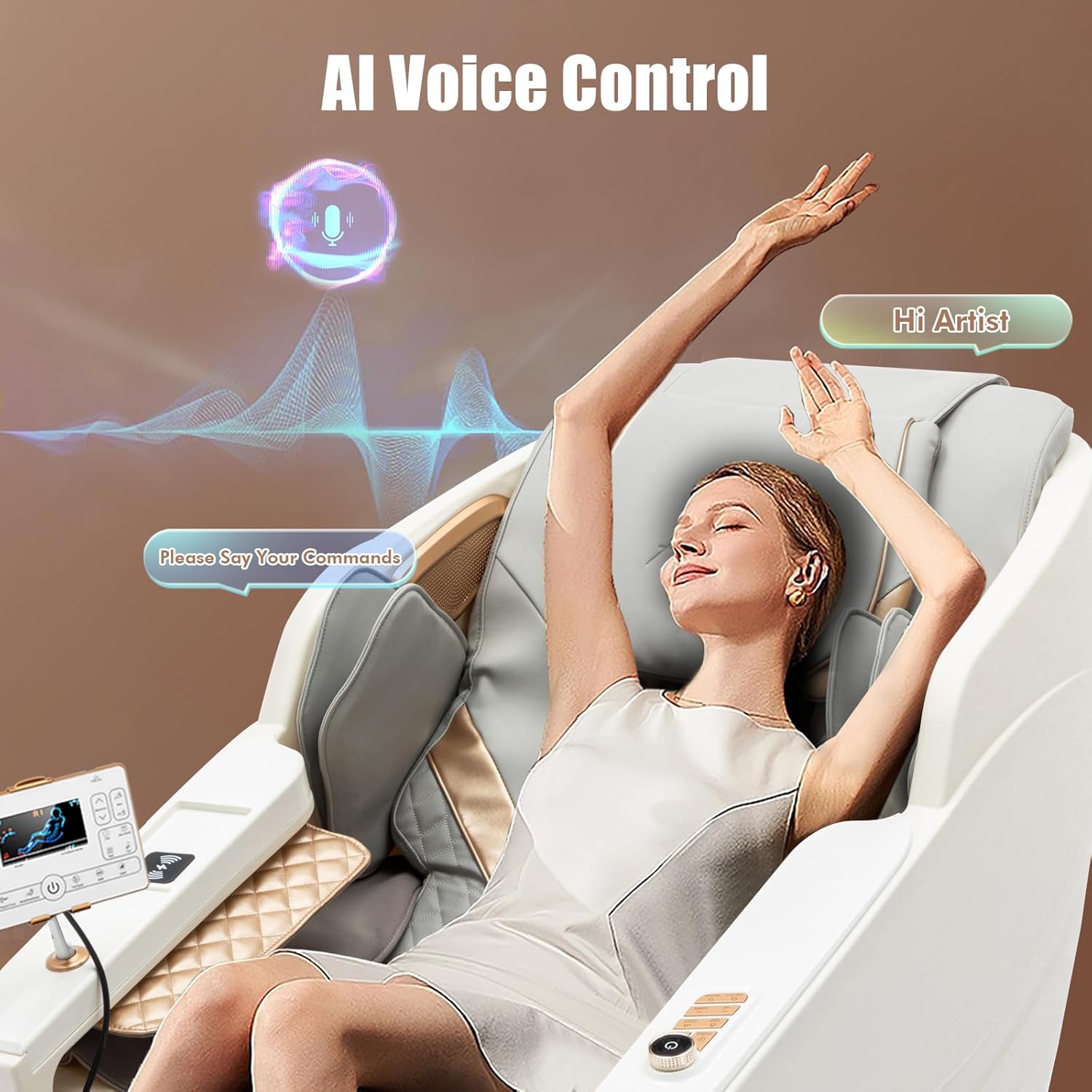
Image 3.1: AI Voice Control feature, allowing hands-free operation of the massage chair.
3.2. SL Track & Zero Gravity Recline
The advanced 3D technology and smooth SL-type guides ensure comprehensive massage coverage from your neck to your glutes. The chair offers three zero gravity recline settings, elevating your knees above your chest to reduce spinal pressure and improve circulation, creating a weightless sensation.

Image 3.2: Zero Gravity SL Track Recliner Massage Chair illustrating massage modes and body coverage.
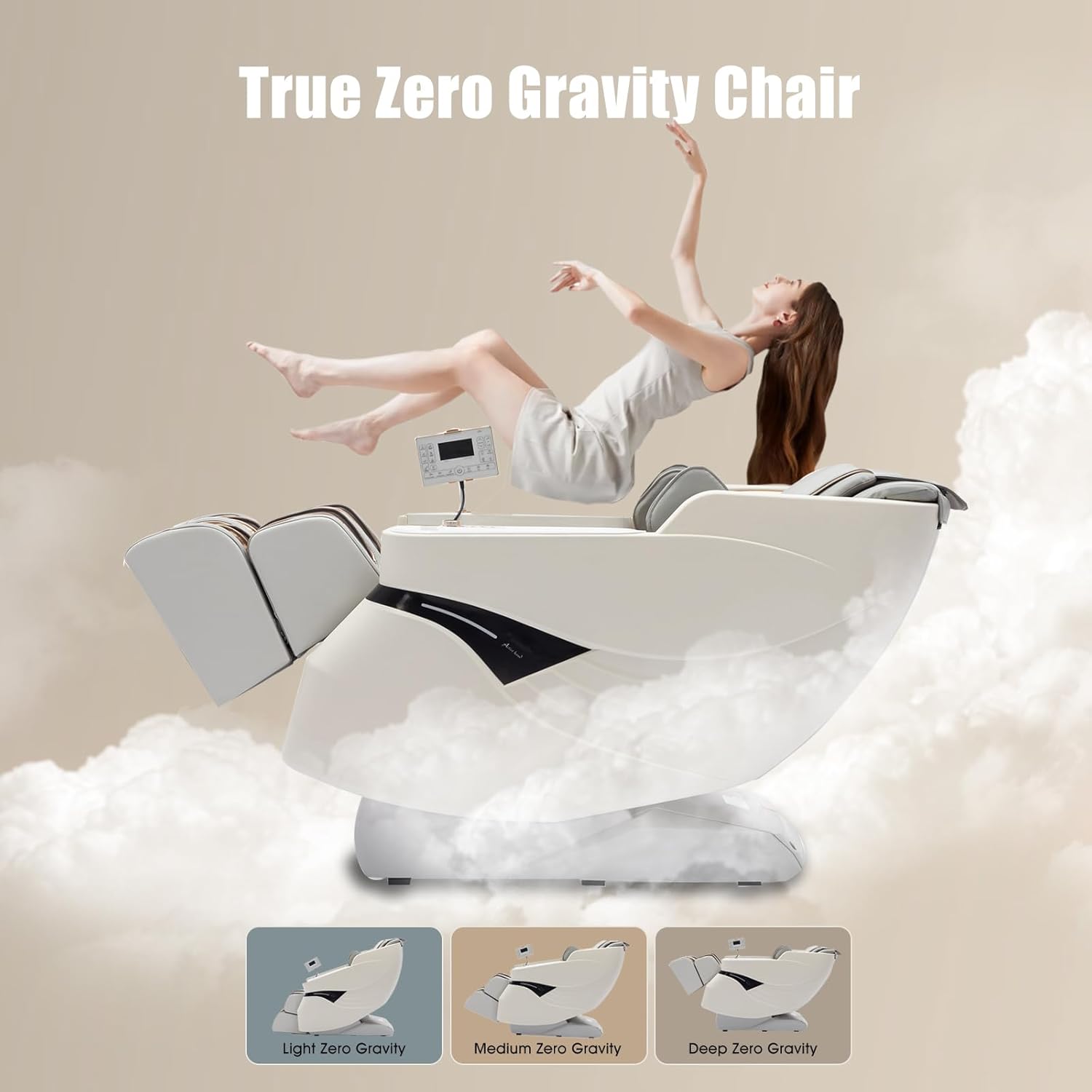
Image 3.3: Visual representation of the three Zero Gravity recline positions.
3.3. Massage Techniques & Programs
Choose from 12 automatic programs and 6 massage techniques (Kneading, Tapping, Rolling, Pressing, Shiatsu, Grasping) that mimic 90% of human touch. The rollers cover an extensive area for a thorough massage.
3.4. Heating Function
Enjoy constant-temperature comfort with nano carbon fiber therapy for your waist and back, soothing away fatigue and enhancing relaxation.

Image 3.4: Visual guide to the heating, foot roller, and airbag massage zones.
3.5. Foot Rollers & Airbags Massage
The footrest offers soothing acupressure with integrated foot rollers. Safety airbags target key areas including shoulders, arms, feet, and buttocks, providing effective relief and improving circulation.
3.6. Bluetooth Speaker & Wireless Charging
The massage recliner chair is equipped with Bluetooth speakers, allowing you to listen to your favorite music or podcasts. A wireless charging panel is integrated for convenient smartphone charging.
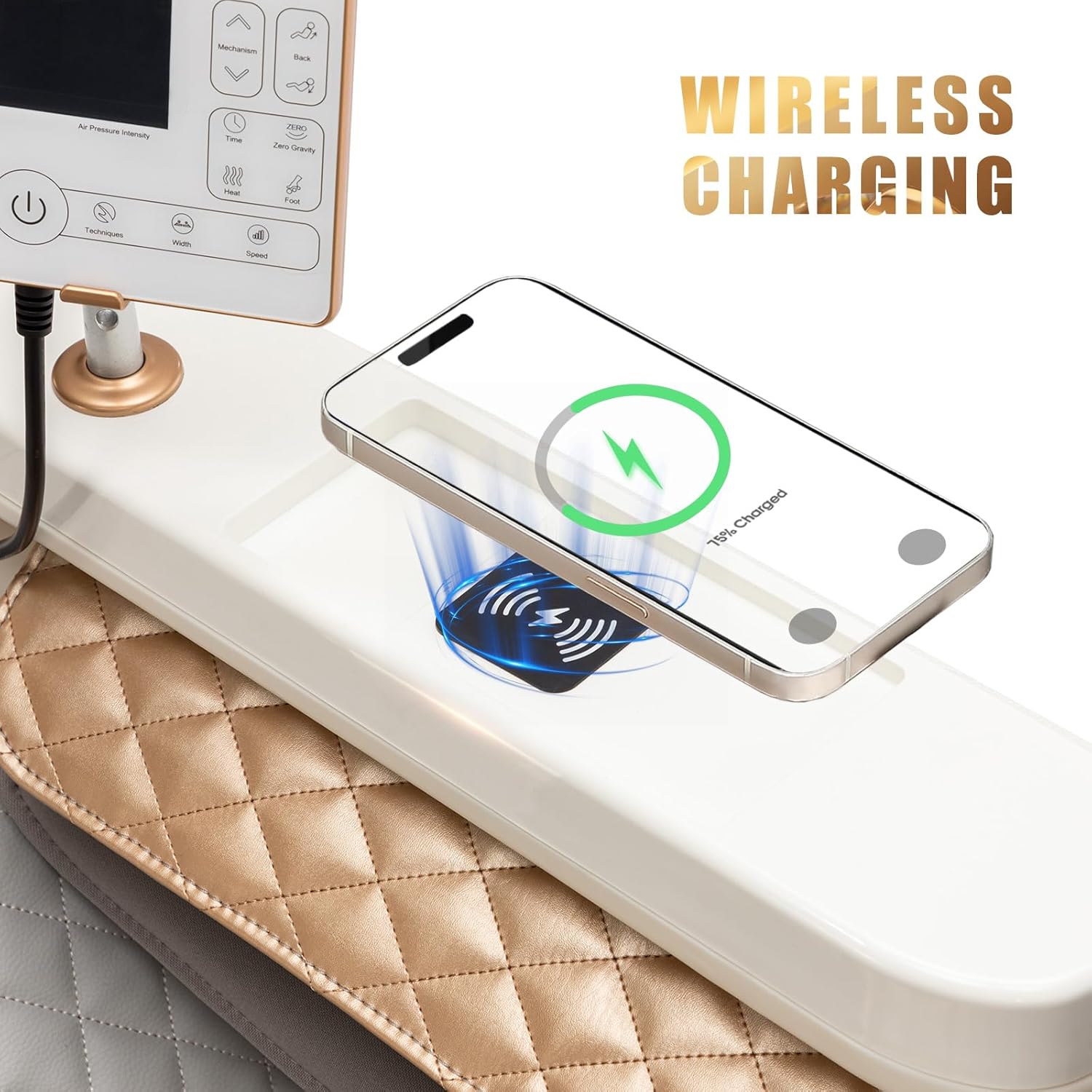
Image 3.5: Wireless charging feature on the massage chair's armrest.
3.7. Adjustable Calf Section
The calf section length can be extended by 6.3 inches through manual spring expansion and contraction, providing personalized comfort for users of various heights.

Image 3.6: Illustration of the adjustable footrest, extending up to 6.3 inches.
4. Setup & Assembly
The Artist hand Massage Chair arrives fully assembled in a single package, simplifying the setup process. No complex assembly is required.
4.1. Placement Considerations
Ensure the chair is placed in a location with sufficient space. The chair is designed to effortlessly fit through a 30-inch wide door.

Image 4.1: Minimum doorway size requirement for chair placement.
4.2. Power Connection
Connect the power cord to a grounded electrical outlet. Ensure the power switch on the chair is in the 'OFF' position before plugging it in.
5. Operating Instructions
Familiarize yourself with the control methods to fully utilize your massage chair.
5.1. Remote Controller
The chair comes with a user-friendly LCD remote controller to manage all functions. The display provides visual feedback on the current massage program, intensity, and recline position.

Image 5.1: The larger LCD remote controller for easy operation.
5.2. AI Voice Control Commands
To activate voice control, simply say "Hi Artist" followed by a command. Examples of commands include:
- "Start massage"
- "Change mode to [program name, e.g., Pain Relief]"
- "Adjust intensity up/down"
- "Zero gravity on/off"
- "Heat on/off"
- "Stop massage"
5.3. Selecting Massage Programs
Use the remote controller or voice commands to select from 12 automatic programs or customize your massage using 6 different techniques. Adjust intensity levels to your preference.
5.4. Using Zero Gravity Mode
Press the 'Zero Gravity' button on the remote or use the voice command to recline the chair into one of the three zero gravity positions. This position helps to evenly distribute body weight and reduce pressure on the spine.
5.5. Wireless Charging
Place your compatible smartphone on the designated wireless charging pad located on the armrest to charge your device during your massage session.
6. Maintenance
Proper maintenance ensures the longevity and optimal performance of your massage chair.
6.1. Cleaning
Wipe the chair with a dry, soft cloth. For stubborn stains, use a slightly damp cloth with mild soap, then wipe dry immediately. Do not use abrasive cleaners or solvents.
6.2. Storage
When not in use for extended periods, store the chair in a cool, dry place away from direct sunlight and extreme temperatures.
7. Troubleshooting
If you encounter any issues with your massage chair, please refer to the following common troubleshooting tips:
- Chair not powering on: Check if the power cord is securely plugged into both the chair and the wall outlet. Ensure the power switch is in the 'ON' position.
- Massage not starting: Confirm that you have selected a massage program or technique using the remote controller or voice commands.
- Unusual noises: Minor operational sounds are normal. If you hear loud or unusual noises, turn off the chair immediately and contact customer service.
- Remote controller not responding: Check the batteries in the remote controller. Ensure there are no obstructions between the remote and the chair's receiver.
For issues not listed here or if troubleshooting steps do not resolve the problem, please contact Artist hand customer service.
8. Specifications
Detailed specifications for the Artist hand Full Body Massage Chair:

Image 8.1: Product dimensions and packaging size for the massage chair.
| Feature | Detail |
|---|---|
| Brand | Artist hand |
| Model Number | #3030-100 |
| Color | White |
| Product Dimensions | 56"D x 29"W x 42"H |
| Item Weight | 150 pounds |
| Maximum Weight Recommendation | 400 Pounds |
| Special Features | Zero Gravity, Ergonomic, Heated, Speakers, Wide, AI Voice Control, Wireless Charging |
| Massage Track | SL Track |
| Massage Techniques | Kneading, Tapping, Rolling, Pressing, Shiatsu, Grasping |
| Automatic Programs | 12 |
| Calf Section Extension | 6.3 inches (manual spring) |
| Assembly | Fully Assembled |
9. Warranty & Support
Artist hand provides a 1-year warranty service for this massage chair. Our products undergo strict quality inspection before leaving the factory.
For any questions or concerns regarding your massage chair, please do not hesitate to contact our customer service team. We are available 24/7 to assist you.
Customer Service Contact: Please refer to your purchase documentation or the Artist hand official website for contact details.
Video 9.1: An official product video demonstrating the features and benefits of the Artist hand Full Body Massage Chair.


