
Panasonic KX-TGU432B
Contents
Panasonic KX-TGU432B Cordless Phone System User Manual
Model: KX-TGU432B | 2 Handsets
Introduction
This manual provides essential information for the safe and efficient operation of your Panasonic KX-TGU432B Cordless Phone System. Please read this manual thoroughly before using the product and retain it for future reference.
The Panasonic KX-TGU432B is designed for ease of use, featuring a large display, big buttons, and enhanced accessibility features such as a flashing Favorites Key, built-in flashlight, volume boost, and Talking Caller ID. It also includes advanced call blocking capabilities to help manage unwanted calls.
What's Included
Verify that all items listed below are present in your package:
- Base Unit
- AC Adaptor
- Telephone Line Cord
- 2 Handset Covers
- 2 Cordless Handsets
- 2 Handset Chargers
- 4 Rechargeable AAA Batteries (2 per handset)

Image: The Panasonic KX-TGU432B Cordless Phone System, showing the main base unit with one handset and a separate charger with the second handset.
Setup Guide
1. Battery Installation
- Open the battery compartment cover on the back of each handset.
- Insert the two supplied AAA rechargeable batteries into each handset, observing the correct polarity (+ and -).
- Close the battery compartment cover securely.
2. Charging the Handsets
- Place each handset on its respective charger (one on the main base unit, one on the auxiliary charger).
- Ensure the "CHARGE" indicator on the handset lights up, confirming proper contact.
- Allow the handsets to charge for at least 7 hours before initial use to ensure full battery capacity.
3. Connecting the Base Unit
- Connect the AC adaptor to the base unit's power jack and then plug it into a standard electrical outlet.
- Connect the telephone line cord to the base unit's line jack and then to your telephone wall jack.
- Place the base unit in a central location, away from other electronic devices that may cause interference.

Image: A close-up of the Panasonic cordless handset on its charging base, highlighting its 2.1-inch display and large buttons for easy readability and operation.
Operating Instructions
Making and Receiving Calls
- To Make a Call: Press TALK, then dial the phone number.
- To Answer a Call: Press TALK when the phone rings.
- To End a Call: Press OFF or place the handset back on the base/charger.
Volume Boost Feature
The Volume Boost feature amplifies the receiver volume up to +12 dB, making conversations clearer, especially for users with hearing difficulties.
- To Activate: During a call, press the VOLUME BOOST button (often located near the volume controls).
- To Deactivate: Press the VOLUME BOOST button again.
Flashing Favorites Key
The Favorites Key flashes to indicate incoming or missed calls from your registered favorite contacts. You can register up to 3 contacts for quick dialing.
- To Register Favorites: Refer to the detailed instructions in the full user manual for programming favorite contacts.
- To Call a Favorite: Press the Favorites Key and select the desired contact.

Image: A close-up of the handset display and keypad, highlighting the Flashing Favorites Key, which allows for easy connection with pre-programmed loved ones.
Built-in Flashlight
Each handset is equipped with a built-in flashlight for convenience and safety in low-light conditions or emergencies.
- To Turn On/Off: Locate the flashlight button (often on the top or side of the handset) and press it to toggle the light.

Image: Two views of the handset demonstrating its built-in flashlight feature, providing illumination in dark environments for enhanced safety.
Smart Call Block
This feature helps reduce unwanted calls, including robocalls and telemarketers.
- Automated Call Block: Pre-blocks known robocalls.
- Telemarketing Call Block: Allows you to block announced callers.
- 1-Touch Call Block: Press the CALL BLOCK button on the handset during or after a call to block up to 1,000 numbers.
- One-Ring Scam Alert: Helps identify and avoid one-ring scams.
Talking Caller ID
The phone announces the caller's name or number, making it easy to screen calls without looking at the display.
- Ensure your telephone service provider offers Caller ID service.
- The announcement feature can be enabled or disabled through the phone's menu settings.
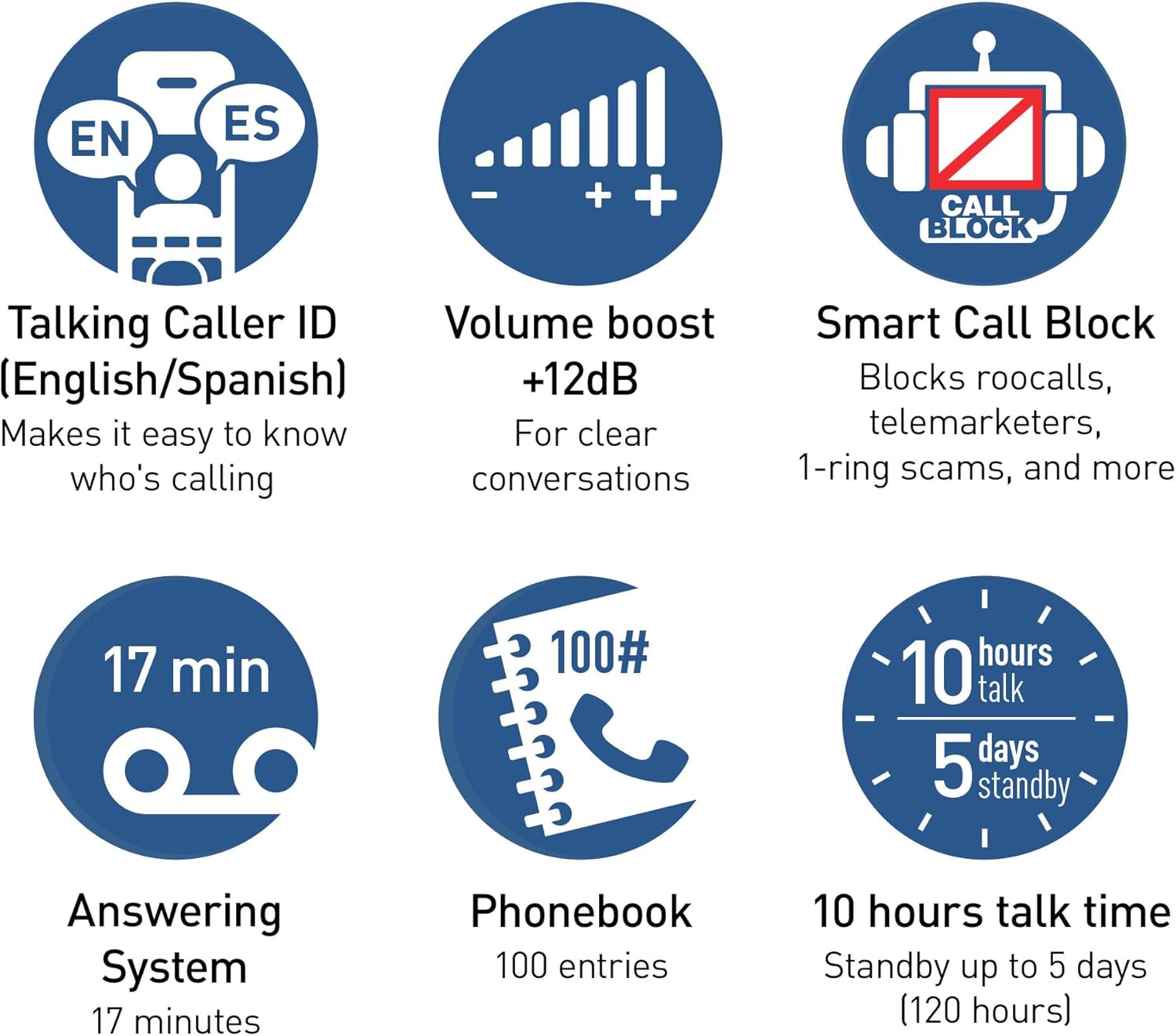
Image: An infographic illustrating the key features of the phone, including Talking Caller ID (English/Spanish), Volume Boost (+12dB), Smart Call Block, 17-minute Answering System, 100-entry Phonebook, and 10 hours talk time with 5 days standby.
Maintenance
- Cleaning: Wipe the phone and base unit with a soft, damp cloth. Do not use abrasive cleaners or solvents.
- Battery Care: Use only the specified rechargeable batteries. If the phone will not be used for an extended period, remove the batteries from the handsets.
- Location: Avoid placing the phone in direct sunlight, near heat sources, or in areas with high humidity.
Troubleshooting
| Problem | Solution |
|---|---|
| No dial tone. |
|
| Handset does not charge. |
|
| Poor sound quality or static. |
|
| Cannot block calls. |
|
Specifications
| Feature | Detail |
|---|---|
| Model Number | KX-TGU432B |
| Color | Black |
| Handsets Included | 2 |
| Display Size | 2.1 inches (diagonal) |
| Battery Type | AAA Ni-MH Rechargeable (4 included) |
| Talk Time | Up to 10 hours |
| Standby Time | Up to 5 days (120 hours) |
| Answering System Recording Time | Approx. 17 minutes |
| Phonebook Capacity | 100 entries |
| Call Block Capacity | Up to 1,000 numbers |
| Dimensions (Base Unit) | Approx. 7.3 x 4.1 x 9.4 inches (L x W x H) |
| Weight (Item) | Approx. 1.25 pounds |
Warranty and Support
For warranty information and technical support, please refer to the official Panasonic website or contact Panasonic customer service directly. Keep your proof of purchase for warranty claims.
Official User Manual (PDF): Download PDF
For additional assistance, visit the Panasonic Store on Amazon.
Documents and downloads
Ask a question about this manual
Ask about setup, troubleshooting, compatibility, parts, safety, or missing instructions. Manuals+ will review the question and use this page’s manual context to help answer it.