
1. Safety Information
Read all instructions carefully before using the appliance. Keep this manual for future reference. Failure to follow these instructions may result in electric shock, fire, or damage to the appliance.
- Ensure the appliance is properly grounded.
- Do not allow children to play with or operate the washing machine.
- Do not wash items that have been cleaned in, washed in, soaked in, or spotted with combustible or explosive substances.
- Always unplug the appliance before cleaning or performing maintenance.
- Do not open the detergent dispenser during the wash cycle.
- Do not touch the power plug with wet hands.
2. Installation and Setup
2.1 Unpacking
Carefully remove all packaging materials. Inspect the washing machine for any damage. Keep packaging materials out of reach of children.
2.2 Positioning
Place the washing machine on a firm, level surface. Ensure there is adequate space around the appliance for ventilation and maintenance. Avoid direct sunlight or extreme temperatures.
2.3 Leveling the Appliance
Adjust the leveling feet at the bottom of the washing machine to ensure it is stable and level. An unlevel machine can cause excessive vibration and noise during operation.
2.4 Water Connection
Connect the water inlet hose to a cold water tap. Ensure all connections are tight to prevent leaks. The appliance requires a water pressure between 0.1 MPa and 1 MPa.
2.5 Drain Hose Installation
Securely attach the drain hose to a standpipe or laundry tub. Ensure the drain hose is not kinked or blocked. The end of the drain hose should be positioned at a height between 60 cm and 100 cm from the floor.
2.6 Electrical Connection
Plug the power cord into a grounded electrical outlet. The power supply should match the voltage and frequency specified on the rating label of the appliance (240 Volt).
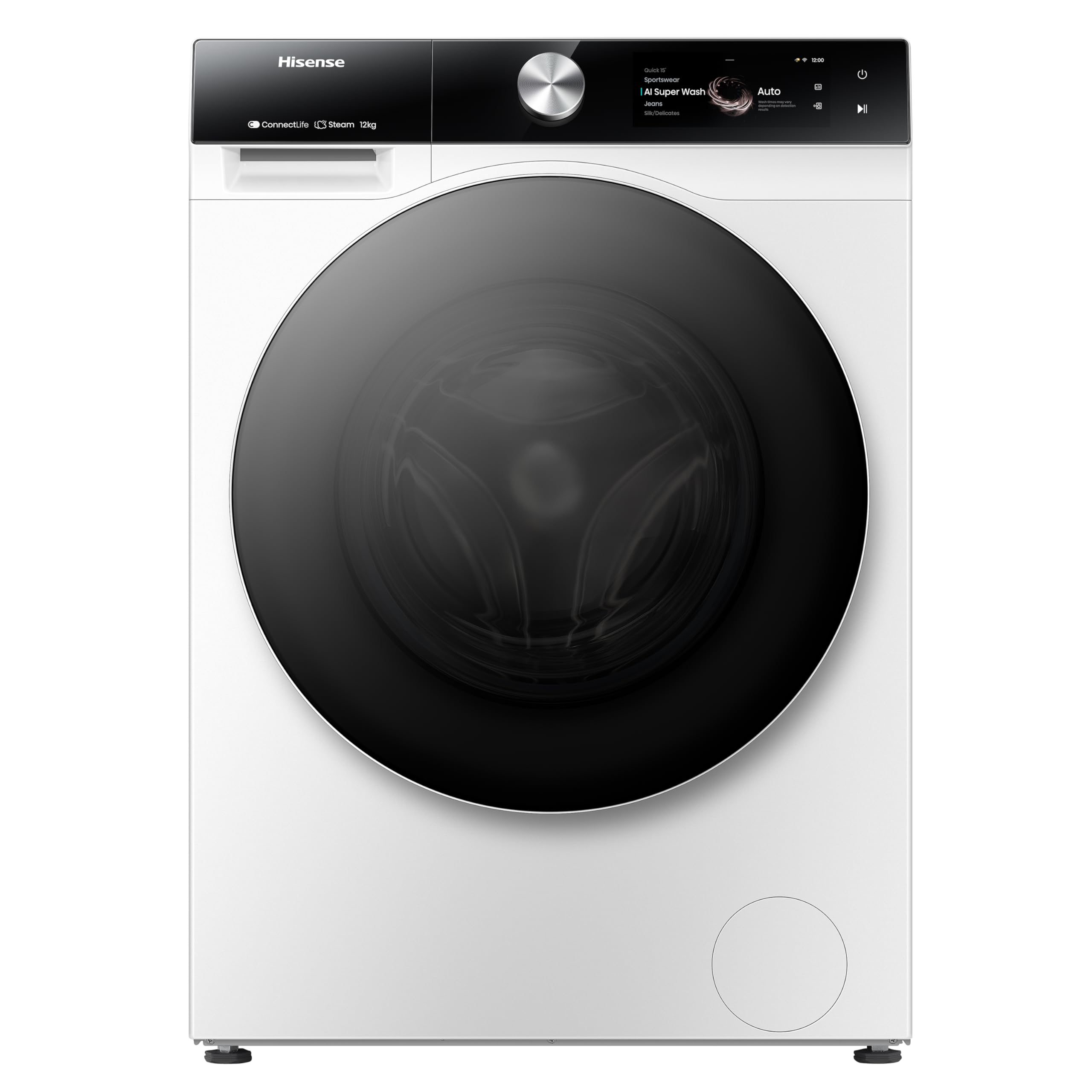
Figure 1: Front view of the Hisense WF7S1247BW Washing Machine. This image shows the main unit with its door, control panel, and detergent drawer.
3. Operating Instructions
3.1 Control Panel Overview
The Hisense WF7S1247BW features a touchscreen control panel for easy program selection and setting adjustments.
3.2 Loading Laundry
Open the door and load laundry into the drum. Do not overload the machine; ensure there is enough space for clothes to tumble freely. The maximum capacity is 12 kg.
3.3 Detergent Dispensing (Self-Dosing)
This washing machine features an automatic self-dosing system. Fill the detergent compartment with liquid detergent. The machine will accurately dispense the required amount for each wash cycle. One fill can last for approximately one month, depending on usage.
3.4 Program Selection
Use the touchscreen to select the desired wash program. Available cycle options include Active Steam, Eco, and Quick Clean. Refer to the program guide in the full manual for detailed descriptions of each program.
3.5 Special Features
- Wi-Fi Connectivity: Connect the washing machine to your home Wi-Fi network to use the Smart Connect Life app. This app allows for remote control and consumption monitoring.
- Consumption Monitoring: Through the Smart Connect Life app, monitor water and electricity usage and receive personalized recommendations for efficiency.
- Steam Function (99.9%): This function refreshes clothes, reduces wrinkles, and removes 99.9% of bacteria and allergens.
- Hygiene Guard: An innovative rubber seal prevents mold and bacteria formation on the door, ensuring a clean washing environment.
- Smart Pair (with compatible dryer): If paired with a compatible Hisense dryer, the washing machine can communicate to automatically select the most suitable drying program.
3.6 Starting a Wash Cycle
After loading laundry, adding detergent (if not using auto-dosing), and selecting a program, press the Start button on the touchscreen. The machine will begin the cycle.
3.7 Delayed Finish
Utilize the delayed finish option to set the machine to complete a wash cycle at a later time, up to 24 hours in advance.
4. Maintenance
Regular maintenance ensures optimal performance and extends the lifespan of your washing machine.
4.1 Cleaning the Exterior
Wipe the exterior surfaces with a soft, damp cloth. Do not use abrasive cleaners or solvents.
4.2 Cleaning the Detergent Dispenser
Periodically remove and clean the detergent dispenser drawer to prevent residue buildup. Rinse it under running water and dry thoroughly before reinserting.
4.3 Cleaning the Drum
Run a drum cleaning cycle regularly (if available) or a hot wash cycle with no laundry and a washing machine cleaner to remove any odors or residue.
4.4 Cleaning the Drain Filter
Locate the drain filter (usually at the bottom front of the machine). Open the cover, place a shallow tray underneath to catch water, and carefully unscrew the filter. Remove any lint or debris, then clean and reinsert the filter securely.
4.5 Hygiene Guard Maintenance
Regularly wipe the rubber seal around the door with a damp cloth to prevent mold and bacteria growth, complementing the Hygiene Guard feature.
5. Troubleshooting
Before contacting customer service, refer to the following table for common issues and solutions.
| Problem | Possible Cause | Solution |
|---|---|---|
| Machine does not start | Power cord unplugged; Door not closed properly; Program not selected. | Check power connection; Ensure door is securely latched; Select a wash program and press Start. |
| Excessive vibration/noise | Machine not level; Transit bolts not removed; Overloaded drum. | Adjust leveling feet; Remove all transit bolts (refer to installation guide); Reduce laundry load. |
| Water leakage | Hoses not properly connected; Drain filter loose or clogged. | Check and tighten all hose connections; Clean and securely fasten the drain filter. |
| Detergent residue in dispenser | Dispenser clogged; Too much detergent used (if not using auto-dosing). | Clean the detergent dispenser thoroughly; Use appropriate amount of detergent. |
| Wi-Fi connectivity issues | Incorrect Wi-Fi password; Router too far; App not updated. | Verify Wi-Fi password; Move router closer or use a repeater; Update Smart Connect Life app. |
6. Specifications
| Feature | Detail |
|---|---|
| Model Number | WF7S1247BW |
| Brand | Hisense |
| Capacity | 12 Kilograms |
| Product Dimensions (D x W x H) | 64D x 59.5W x 84.5H centimeters |
| Weight | 71 kg |
| Control Type | Touchscreen |
| Access Location | Front Loader |
| Drum Material | Stainless Steel |
| Voltage | 240 Volt |
| Noise Level | 70 Decibels |
| Installation Type | Freestanding |
| Special Features | Touchscreen, Automatic Dosing, Wi-Fi Connectivity, Consumption Monitoring, Steam Function, Hygiene Guard |
| Cycle Options | Active Steam, Eco, Quick Clean |
7. Warranty and Support
For warranty information and customer support, please refer to the warranty card included with your purchase or visit the official Hisense website. Keep your proof of purchase for warranty claims.
Online Support: www.hisense.com/support