Introduction
The Bushnell Wingman 2 GPS Golf Speaker is designed to enhance your golfing experience by combining high-quality audio with precise GPS distance information. This device features audible front, center, and back of green call-outs, an upgraded BITE remote with integrated magnet, and TWS technology for immersive sound. It also includes a built-in power bank and a new external battery life indicator.
What's in the Box
- 1x Bluetooth Speaker with Audible GPS
- 1x Remote Control
- 1x USB-C Charging Cable
- 1x Wearable4U Black EarBuds (TWS X7/X7-1)
- 1x Car Adapter
- 1x Wall Adapter
- 1x Quick Start Guide
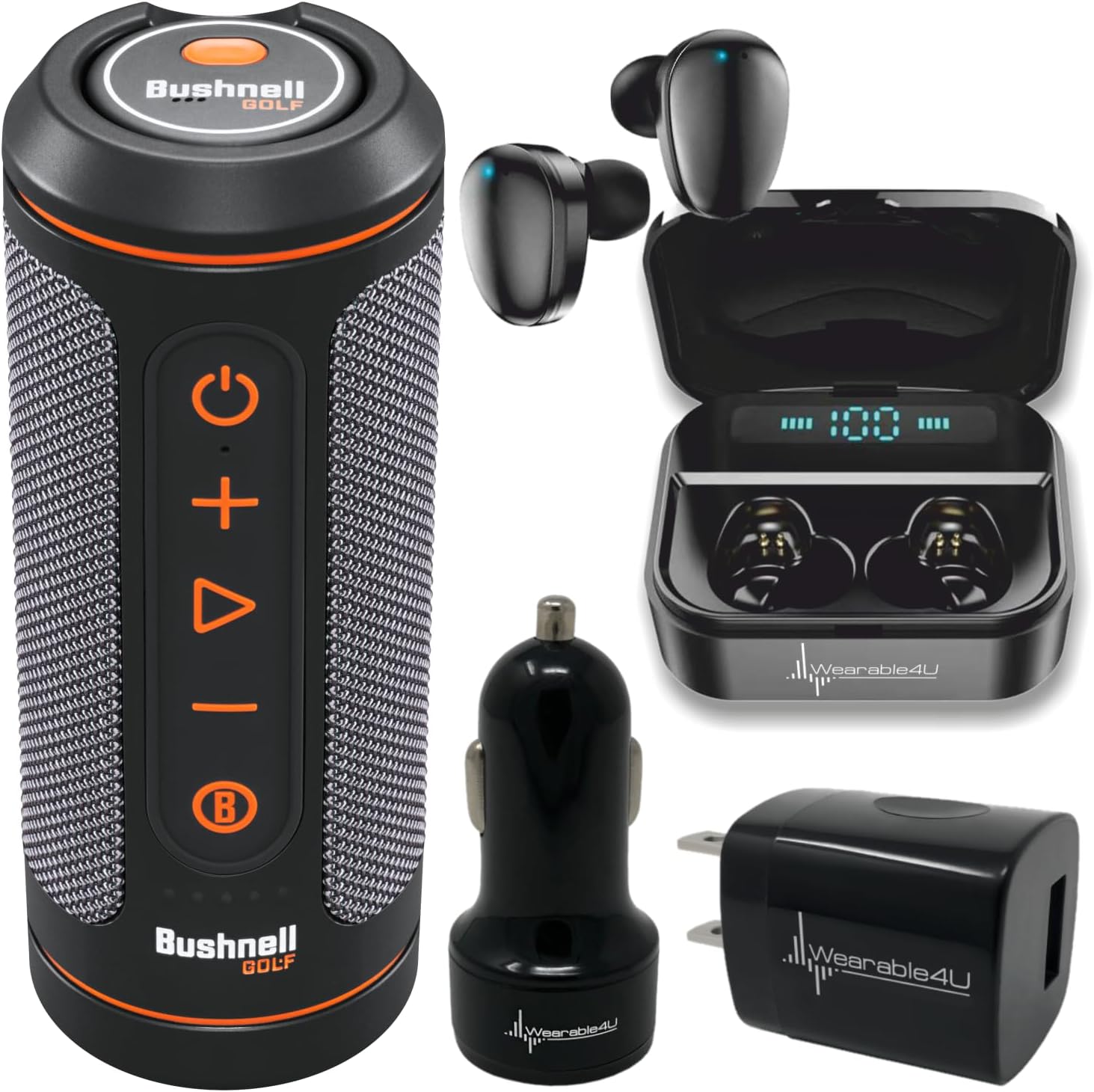
Figure 1: Contents of the Bushnell Wingman 2 GPS Golf Speaker bundle.
Setup
1. Charging the Device
Before first use, fully charge your Bushnell Wingman 2 GPS Golf Speaker. Use the provided USB-C charging cable with either the wall adapter or car adapter. The external battery life indicator lights will show charging progress.

Figure 2: The external battery life indicator provides a quick visual of remaining power.
2. Initial Pairing and App Installation
- Power on the Wingman 2 speaker by pressing and holding the power button.
- Enable Bluetooth on your smartphone or tablet.
- Search for "Bushnell Wingman 2" in your device's Bluetooth settings and pair.
- Download and install the "Bushnell Golf Mobile App" from your device's app store. This app is essential for accessing GPS features and course data.
3. Mounting the Speaker
The Wingman 2 features an upgraded BITE remote with a robust integrated magnet. This allows for secure attachment to golf cart frames or other metallic surfaces.
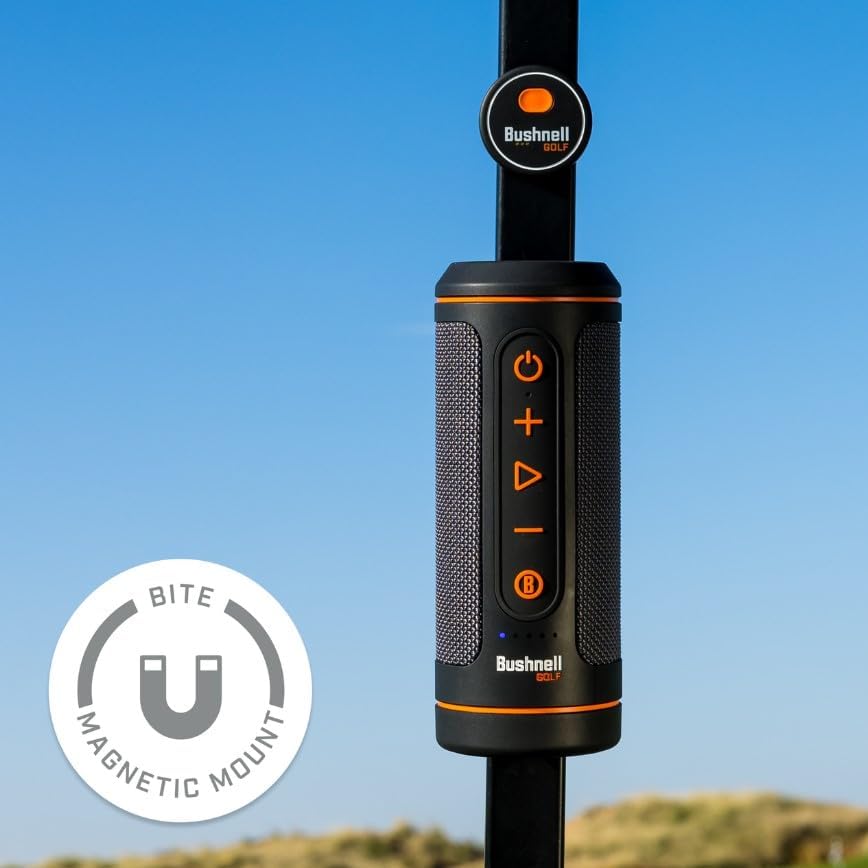
Figure 3: The BITE magnetic mount ensures the speaker stays securely in place during your round.
Operating Instructions
1. Basic Controls
- Power Button: Press and hold to turn the speaker on/off.
- Volume Buttons (+/-): Adjust the audio volume.
- Play/Pause Button: Control music playback.
- B Button (on remote): Press to get audible GPS distances.

Figure 4: Overview of the speaker's control panel and the detachable BITE remote.
2. GPS Features and Course Navigation
The Wingman 2 provides audible front, center, and back of green call-outs for over 38,000 pre-loaded courses worldwide. To utilize these features:
- Ensure the speaker is connected to the Bushnell Golf Mobile App on your smartphone.
- Select your course within the app. The app will track your location and provide real-time distances.
- Press the "B" button on the remote or the speaker to hear the current distances to the front, center, and back of the green.
- The app also allows you to track your score, tee time, and view aerial layouts of holes.

Figure 5: Visual representation of how the Wingman 2 provides precise yardage information.
3. TWS Technology (True Wireless Stereo)
Enhance your audio experience by pairing two Wingman 2 speakers (or a Wingman 2 with a Wingman View or Wingman Mini) for immersive surround sound. Refer to the Bushnell Golf Mobile App for instructions on TWS pairing.

Figure 6: TWS technology allows for pairing multiple speakers for an enhanced audio experience.
4. Custom Sound Bites
Personalize your golfing experience with audible 1st tee introductions and custom sound bites. This feature is managed through the Bushnell Golf Mobile App, allowing you to record and use your own unique audio clips.

Figure 7: Custom sound bites add a unique and personalized touch to your golf rounds.
Maintenance
1. Cleaning
Wipe the speaker with a soft, damp cloth. Do not use abrasive cleaners or solvents. Ensure the charging port cover is securely closed to maintain water resistance.
2. Battery Care
The Wingman 2 has a battery life of up to 14 hours. For optimal battery longevity, avoid fully discharging the device frequently. Store in a cool, dry place when not in use for extended periods.
Troubleshooting
- No GPS Information: Ensure the Bushnell Golf Mobile App is open and connected to the speaker via Bluetooth. Verify that location services are enabled on your smartphone and that the app has permission to access your location. Check for app updates.
- Speaker Not Pairing: Make sure the speaker is powered on and in pairing mode. Turn off and on Bluetooth on your device. If issues persist, try forgetting the device in your phone's Bluetooth settings and re-pairing.
- Audio Issues: Check volume levels on both the speaker and your connected device. Ensure no other Bluetooth devices are interfering.
- Remote Not Responding: Ensure the remote is properly seated on the speaker or within close proximity. Check if the remote's battery needs replacement (if applicable, though the product description implies it's integrated).
Specifications
| Feature | Detail |
|---|---|
| Item Weight | 1.5 pounds |
| Package Dimensions | 10.39 x 5.71 x 5.39 inches |
| Model Number | 362410 |
| Batteries | 1 CR2 batteries required (included) |
| Battery Life | 14 Hours |
| Voice Command | Buttons |
| Connectivity Technology | Bluetooth |
| Special Feature | Bluetooth, Waterproof, Built-In Powerbank |
| Map Type | Golf Course |
| Audio Output Mode | Stereo |
| Country of Origin | China |
Warranty Information
Your Bushnell Golf Wingman 2 GPS is warranted to be free of defects in materials and workmanship for one year after the date of purchase. In the event of a defect under this warranty, Wearable4U will, at its option, repair or replace the product, provided that you return the product postage prepaid. This warranty does not cover damages caused by misuse, improper handling, installation, or maintenance provided by someone other than a Bushnell Authorized Service Department.
Customer Support
For further assistance or inquiries, please refer to the official Wearable4U website or contact their customer support directly. Keep your purchase receipt for warranty claims.
Official Product Video
Video 1: An official product video demonstrating the features and use of the Bushnell Wingman 2 GPS Golf Speaker, including its magnetic mount and GPS capabilities.


