
1. Introduction
This manual provides detailed instructions for the safe and efficient use of your AFU MP3 Player with Bluetooth, Model A10. Please read this manual thoroughly before operating the device and retain it for future reference.

Image: The AFU MP3 Player, black in color, shown with its included wired headphones. The screen displays time and date.
2. Package Contents
Verify that all items are present in the package:
- AFU MP3 Player (Model A10)
- 64GB Micro SD Card
- 3.5mm Wired Headphones
- Type-C Charging Cable
- User Manual (this document)
3. Device Overview
Familiarize yourself with the physical components and controls of your MP3 player.

Image: A diagram illustrating the AFU MP3 Player's features, including the speaker, touch buttons, lock/on/off switch, Type-C port, Micro SD slot, and 3.5mm headphone jack.
- Screen: 2.4-inch display for navigation and content viewing.
- Touch Buttons: Capacitive buttons for menu navigation, playback control, and volume adjustment.
- Power/Lock Switch: Located on the side for turning the device on/off and locking the screen.
- Type-C Port: For charging and data transfer.
- Micro SD Card Slot: For expanding storage capacity (supports up to 256GB).
- 3.5mm Headphone Jack: For wired audio output.
- Built-in Speaker: For audio playback without headphones.
4. Setup
4.1 Charging the Device
Before first use, fully charge the MP3 player. Connect the included Type-C charging cable to the device and a USB power adapter (not included) or a computer's USB port. The battery indicator on the screen will show charging status. A full charge takes approximately 2 hours.
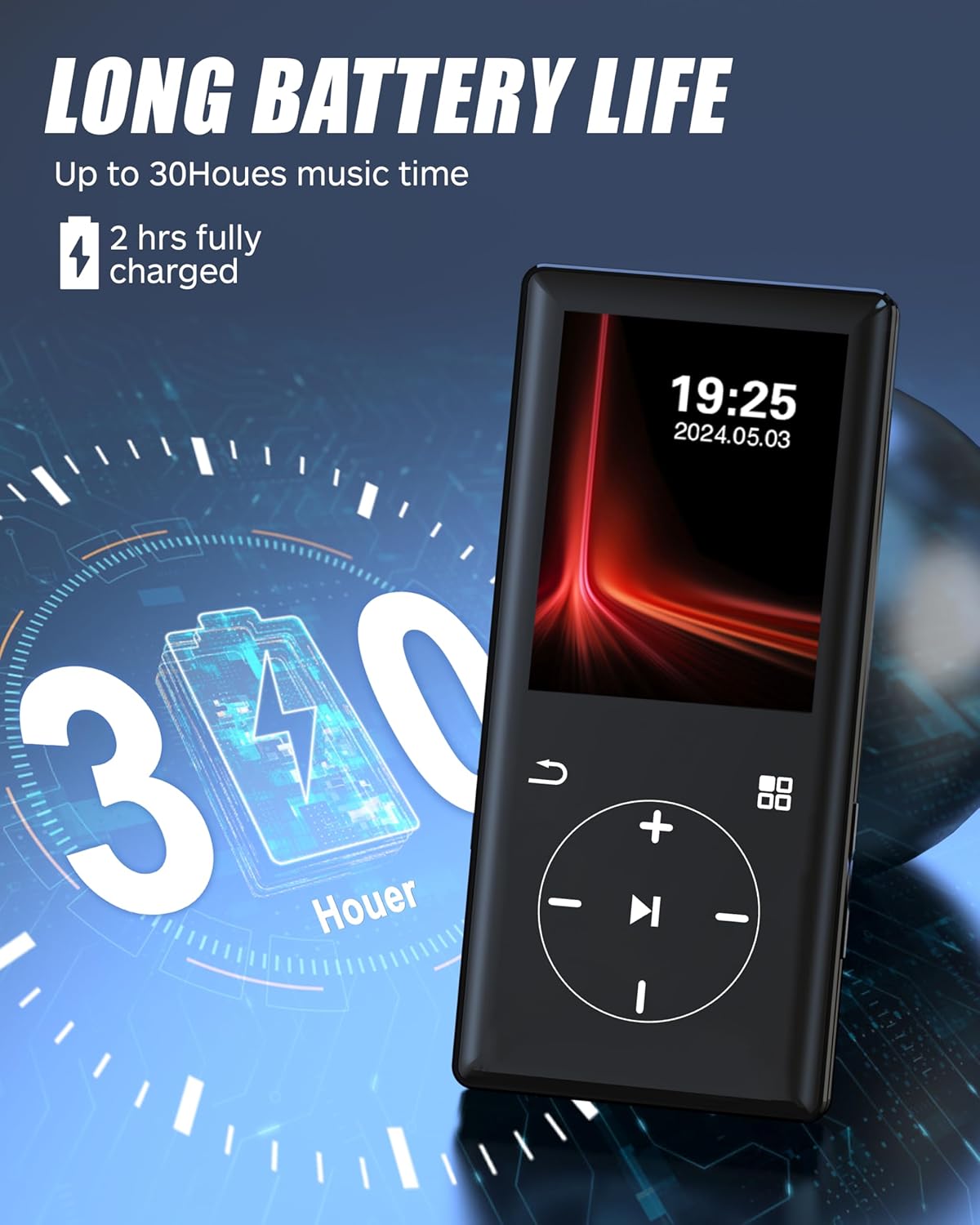
Image: The AFU MP3 Player displaying a battery icon and '30 Hours', indicating its long battery life after a 2-hour charge.
4.2 Inserting the Micro SD Card
The device comes with a 64GB Micro SD card pre-installed or included separately. If not pre-installed, locate the Micro SD card slot on the side of the player. Gently insert the Micro SD card with the gold contacts facing down until it clicks into place. To remove, push the card in slightly until it springs out.
4.3 Transferring Music and Files
You can transfer files from a computer or a compatible smartphone.
- From Computer: Connect the MP3 player to your computer using the Type-C cable. The player will appear as a removable disk. Drag and drop your music files (MP3, WMA, WAV, APE, FLAC, AAC-LC, M4A, OGG) into the designated music folder on the device or Micro SD card.
- From Smartphone (OTG Function): If your smartphone supports OTG (On-The-Go) functionality, you can connect the MP3 player directly to your phone using an OTG adapter (not included) and the Type-C cable to transfer files.

Image: The AFU MP3 Player connected to a smartphone via an OTG cable, demonstrating effortless file transfer without a computer.
5. Operating Instructions
5.1 Power On/Off
- To Power On: Slide the power switch to the 'On' position.
- To Power Off: Slide the power switch to the 'Off' position.
- Screen Lock: Briefly press the power button to lock/unlock the screen during operation.
5.2 Basic Navigation
The device features a 2.4-inch screen with sensitive touch buttons for navigation.

Image: The AFU MP3 Player with its 2.4-inch screen and sensitive touch buttons, including navigation and playback controls.
- Use the directional touch buttons (up, down, left, right) to navigate through menus.
- The center button typically acts as 'Enter' or 'Select'.
- The 'Back' button (usually an arrow icon) returns to the previous screen.
- The 'Menu' button (usually a grid icon) accesses additional options or the main menu.
5.3 Music Playback
- From the main menu, select 'Music'.
- Browse your music by Artist, Album, Songs, or Folder.
- Select a song to begin playback.
- Use the touch buttons for Play/Pause, Next/Previous Track, and Volume Up/Down.
The player supports various audio formats including MP3, WMA, WAV, APE, FLAC, AAC-LC, M4A, and OGG, ensuring high-fidelity lossless sound quality.

Image: The AFU MP3 Player showing a song playing, surrounded by icons representing compatible music formats like OGG, MP3, WMA, WAV, AAC-LC, FLAC, APE, and M4A.
5.4 Bluetooth Connection
The AFU MP3 Player features Bluetooth 5.0 for stable wireless audio transmission.
- From the main menu, select 'Bluetooth'.
- Turn on Bluetooth. The player will search for nearby Bluetooth devices.
- Ensure your Bluetooth headphones or speaker are in pairing mode.
- Select your device from the list to pair.
Note:
- The Bluetooth function only supports connecting to Bluetooth headphones and Bluetooth speakers.
- It does not support connection to car Bluetooth, smartphones, or computers.

Image: The AFU MP3 Player wirelessly connected to a pair of earbuds and a portable Bluetooth speaker, illustrating its Bluetooth 5.0 connectivity.
5.5 FM Radio
To use the FM Radio, ensure wired headphones are connected as they act as the antenna.
- From the main menu, select 'FM Radio'.
- Use the scan function to find available stations.
- You can save your favorite stations for quick access.

Image: A man smiling while listening to the AFU MP3 Player with wired headphones, with icons representing various FM radio frequencies around him.
5.6 Voice Recorder
The built-in voice recorder allows for clear audio recordings.
- From the main menu, select 'Record'.
- Press the appropriate button to start recording.
- Press again to pause or stop the recording.
- Recordings are saved and can be played back from the 'Record' menu.

Image: The AFU MP3 Player showing its voice recording interface with a microphone icon and sound wave visualizations, indicating its use for capturing audio.
5.7 Other Functions
The MP3 player includes additional utilities:
- Pictures: View image files stored on the device.
- E-book: Read text files (e.g., TXT format).
- Calendar: Access a basic calendar function.
- Stopwatch: Use for timing activities.
- Alarm Clock: Set alarms.
6. Maintenance
- Cleaning: Use a soft, dry cloth to clean the device. Avoid liquid cleaners or abrasive materials.
- Battery Care: To prolong battery life, avoid fully discharging the battery frequently. Charge the device regularly, even if not in use for extended periods.
- Storage: Store the device in a cool, dry place away from direct sunlight and extreme temperatures.
- Avoid Impact: While durable, avoid dropping the device or subjecting it to strong impacts.
7. Troubleshooting
If you encounter issues with your AFU MP3 Player, refer to the following common solutions:
| Problem | Possible Solution |
|---|---|
| Device does not power on. | Ensure the battery is charged. Connect to a power source and try again. Check the power switch position. |
| Cannot transfer files. | Ensure the Type-C cable is securely connected. On the player, select the 'Charge & Transfer' option if prompted. Try a different USB port or cable. |
| Bluetooth device won't connect. | Ensure your Bluetooth headphones/speaker are in pairing mode. Verify the MP3 player's Bluetooth is enabled. Ensure the device is within range. Remember, only Bluetooth headphones/speakers are supported. |
| No sound from headphones. | Check if headphones are properly plugged into the 3.5mm jack. Adjust volume levels. Test with different headphones. |
| Music files not recognized. | Ensure music files are in a supported format (MP3, WMA, WAV, APE, FLAC, AAC-LC, M4A, OGG). Verify files are stored in the correct music folder. |
| Screen is unresponsive. | Try restarting the device by powering it off and on. Ensure the screen is not locked. |
8. Specifications
- Model: A10
- Brand: AFU
- Manufacturer: LVLIZI
- Dimensions: 1.89 x 4.29 x 0.39 inches
- Item Weight: 2.86 ounces
- Screen Size: 2.4 Inches
- Internal Memory: 64 GB
- Expandable Memory: Supports up to 256GB Micro SD Card (64GB card included)
- Connectivity: Bluetooth 5.0
- Battery: 450mAh Lithium Ion (included)
- Charging Time: Approximately 2 hours
- Music Playback Time: Up to 30 hours
- Supported Audio Formats: MP3, WMA, WAV, APE, FLAC, AAC-LC, M4A, OGG
- Special Features: Built-In Speaker, FM Radio, Voice Recorder, E-book Reader, Picture Viewer, Calendar, Stopwatch, Alarm Clock, OTG Function
9. Warranty and Support
AFU provides 12 months of after-sales service for this product. We are committed to 100% customer and product responsibility, ensuring a positive experience. For any inquiries or support needs, please contact our customer service team.
Manufacturer: LVLIZI
For further assistance, please refer to the contact information provided with your purchase or visit the official AFU support channels.