
1. Introduction
The AGARO Grand Smart Door Lock is an advanced security solution designed for modern homes and offices. It offers multiple convenient access methods, including fingerprint recognition, RFID card, PIN code, Bluetooth app control, and traditional manual keys. This manual provides detailed instructions to ensure proper installation, operation, and maintenance of your smart door lock.
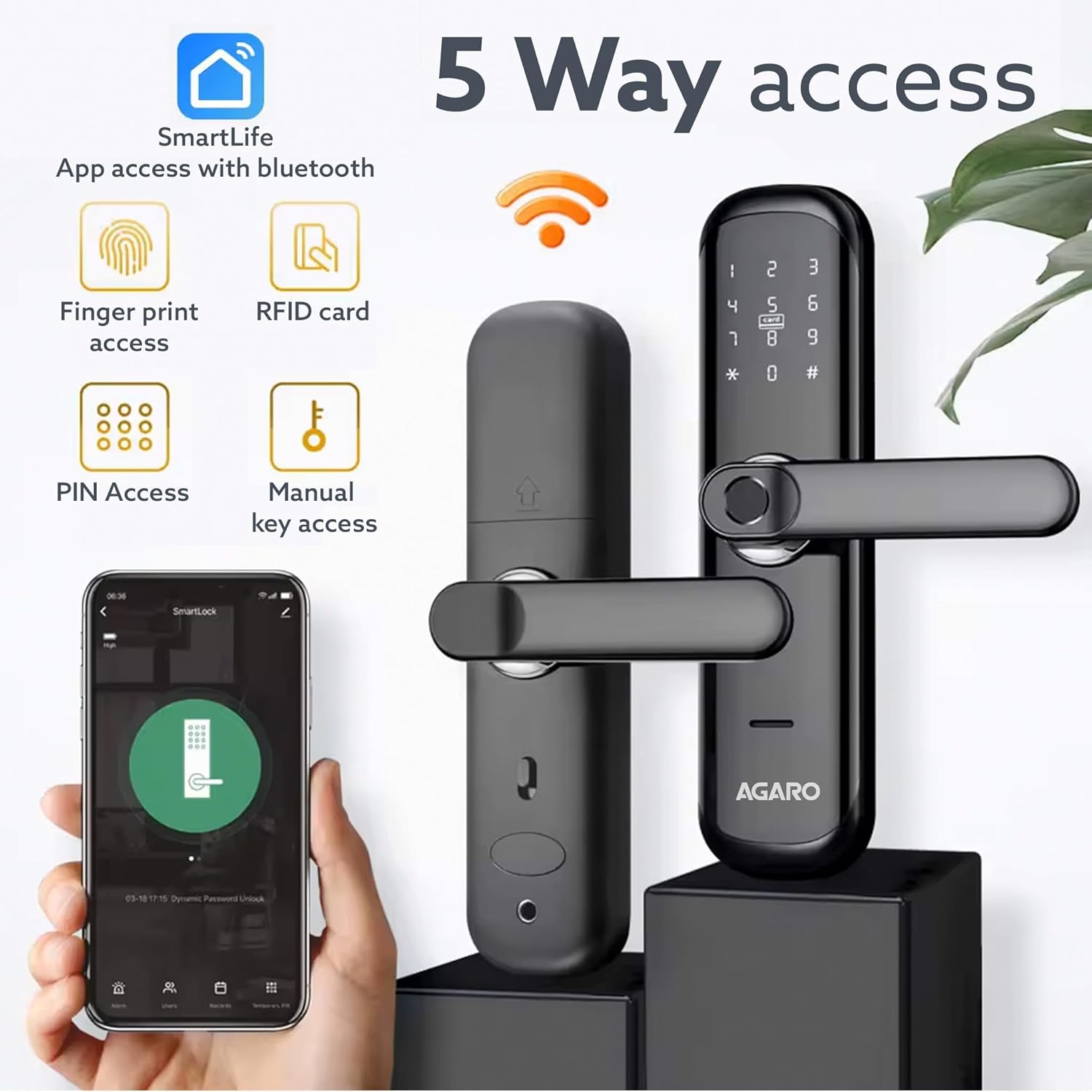
Figure 1: AGARO Grand Smart Door Lock showcasing its five access methods.
2. What's in the Box
Before beginning installation, verify that all components are present in the package:
- Front Panel (Exterior Handle Unit)
- Back Panel (Interior Handle Unit)
- 2 x RFID Cards
- 2 x Manual Keys
- Screw Pack (for installation)
- Side Plate
- Mortise Lock Body

Figure 2: Package contents and dimensions of the AGARO Grand Smart Door Lock.
3. Setup and Installation
3.1 Door Compatibility
The AGARO Grand Smart Door Lock is designed for specific door types and dimensions:
- Door Type: Ideal for wooden doors.
- Door Thickness: Applicable for doors with a thickness between 38 mm and 50 mm (3.8 cm - 5 cm).
- Door Handing: Suitable for both left-handed and right-handed doors due to its reversible handle design.
- Door Configuration: Designed for single doors. Not suitable for double doors.

Figure 3: Door thickness compatibility for installation.
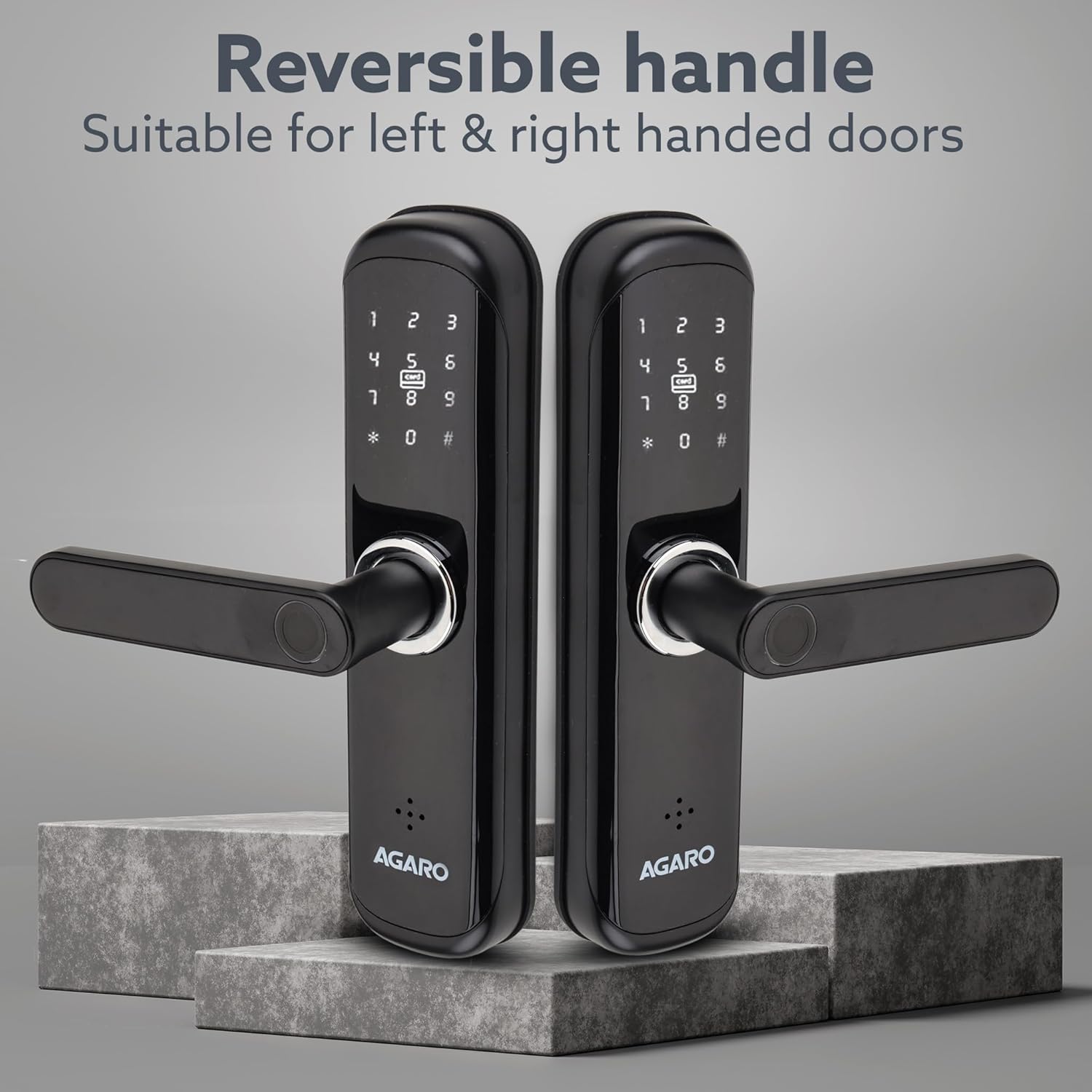
Figure 4: Reversible handle design for left and right-handed doors.

Figure 5: Door opening and configuration compatibility.
3.2 Installation Process (General Guidelines)
While professional installation is recommended for optimal performance and security, the general steps involve:
- Prepare the Door: Ensure the door meets the thickness and type requirements. Mark and drill holes according to the provided template (not included in this manual, refer to packaging).
- Install Mortise Lock: Insert the mortise lock body into the door edge and secure it with screws.
- Install Spindles and Posts: Insert the necessary spindles and mounting posts through the mortise lock.
- Mount Front Panel: Attach the exterior handle unit, ensuring cables are routed correctly.
- Mount Back Panel: Connect the interior handle unit, ensuring proper cable connections and alignment with the front panel. Secure with screws.
- Install Batteries: Insert the required batteries into the battery compartment on the back panel.
- Test Functionality: Verify all access methods (fingerprint, PIN, RFID, key) and the auto-lock feature.
For detailed, step-by-step installation instructions, please refer to the dedicated installation guide included with your product packaging.
4. Operating Instructions
The AGARO Grand Smart Door Lock offers multiple ways to unlock and secure your door.

Figure 6: Multiple access options for the smart door lock.
4.1 Unlocking Methods
- Fingerprint Access: Place your registered finger on the fingerprint sensor. The lock will unlock upon successful verification.
- RFID Card Access: Present a registered RFID card to the card reader area on the lock. The lock will unlock.
- PIN Access: Enter your registered PIN code on the keypad, followed by the '#' key. The lock will unlock if the PIN is correct.
- Bluetooth App Access: Use the SmartLife mobile application (available for download) to connect to the lock via Bluetooth. Follow the app's instructions to remotely unlock the door.
- Manual Key Access: In case of emergencies or battery depletion, use the provided physical key to manually unlock the door.
4.2 Auto-Lock Feature
The lock is equipped with an auto-lock system that automatically secures the door after a set period once it is closed. This feature enhances security by ensuring the door is always locked.
4.3 Battery Depletion Override
If the lock's battery discharges completely, you can still gain access. Connect a power bank to the emergency power port on the lock (usually a micro-USB or Type-C port) to temporarily power it. Once powered, you can unlock it using your registered fingerprint, PIN, or RFID card. Alternatively, use the manual key.
5. Maintenance
5.1 Cleaning
To maintain the appearance and functionality of your smart door lock:
- Wipe the lock's surface with a soft, dry cloth.
- Avoid using abrasive cleaners, solvents, or chemical sprays, as these can damage the finish and electronic components.
- Keep the fingerprint sensor and keypad clean and free from dust or debris for optimal performance.
5.2 Battery Replacement
The lock will typically provide a low battery warning. Replace all batteries simultaneously with new, high-quality alkaline batteries of the specified type (refer to the battery compartment or full manual for type). Do not mix old and new batteries or different battery types.
6. Troubleshooting
- Lock not responding: Check battery levels. If batteries are low or depleted, replace them or use a power bank for emergency access.
- Fingerprint not recognized: Ensure your finger is clean and dry. Try re-registering your fingerprint if the issue persists.
- PIN code not working: Verify that the correct PIN is being entered. Ensure the keypad is clean.
- RFID card not working: Ensure the card is correctly presented to the reader. Check if the card is registered.
- Auto-lock not engaging: Ensure the door is fully closed and the latch is properly aligned with the strike plate.
- Wrong Password Alarm: The lock features an alarm that activates after multiple incorrect PIN attempts, enhancing security against unauthorized access.
For persistent issues, refer to the detailed troubleshooting section in the complete product manual or contact customer support.
7. Specifications
Key technical specifications for the AGARO Grand Smart Door Lock:
| Feature | Detail |
|---|---|
| Brand | AGARO |
| Model Name | Grand |
| Item Model Number | 34226 |
| Special Features | Fingerprint, RFID Card, PIN Access, Bluetooth App, Manual Key |
| Lock Type | Smart Door Lock with Handle |
| Material | Metal (Aluminum alloy body, 304 Grade stainless steel mortise) |
| Color | Black |
| Item Dimensions (L x W x H) | 6 x 1 x 24 Centimeters |
| Item Weight | 1 kg |
| Connectivity Protocol | Bluetooth |
| Control Method | App, Touch Control |
| Recommended Uses | Home, Office |
| Door Thickness Compatibility | 38-50 mm |

Figure 7: Detail of the 304 Grade stainless steel mortise.
8. Warranty and Support
8.1 Warranty Information
The AGARO Grand Smart Door Lock comes with a 1-year warranty from the date of purchase. Please retain your purchase receipt for warranty claims. The warranty covers manufacturing defects under normal use conditions.
8.2 Customer Support
For any assistance, technical support, or warranty-related inquiries, please contact our customer care team:
- Phone: +91 9821486487
- Email: info@uclindia.com

Figure 8: Customer support contact information.


