
1. Introduction
Thank you for choosing the Mebus Model 19813 Radio-Controlled Wall Clock. This clock is designed to provide accurate timekeeping with the convenience of automatic radio signal synchronization. Its silent movement ensures a peaceful environment, making it suitable for any room. This manual will guide you through the setup, operation, and maintenance of your new clock.

Image 1.1: Overview of the Mebus Model 19813 Wall Clock highlighting its key features.
2. Safety Information
- Keep batteries out of reach of children.
- Do not mix old and new batteries, or different types of batteries.
- Remove exhausted batteries promptly to prevent leakage.
- Dispose of batteries according to local regulations.
- Do not expose the clock to extreme temperatures, direct sunlight, or high humidity.
3. Package Contents
Please check the package for the following items:
- 1 x Mebus Model 19813 Radio-Controlled Wall Clock
- 1 x Instruction Manual
Note: 1 AA battery is required and is not included in the package.
4. Setup
4.1 Battery Installation
- Locate the battery compartment on the back of the clock.
- Insert one (1) AA battery, ensuring the correct polarity (+ and -) as indicated inside the compartment.
- Close the battery compartment cover securely.
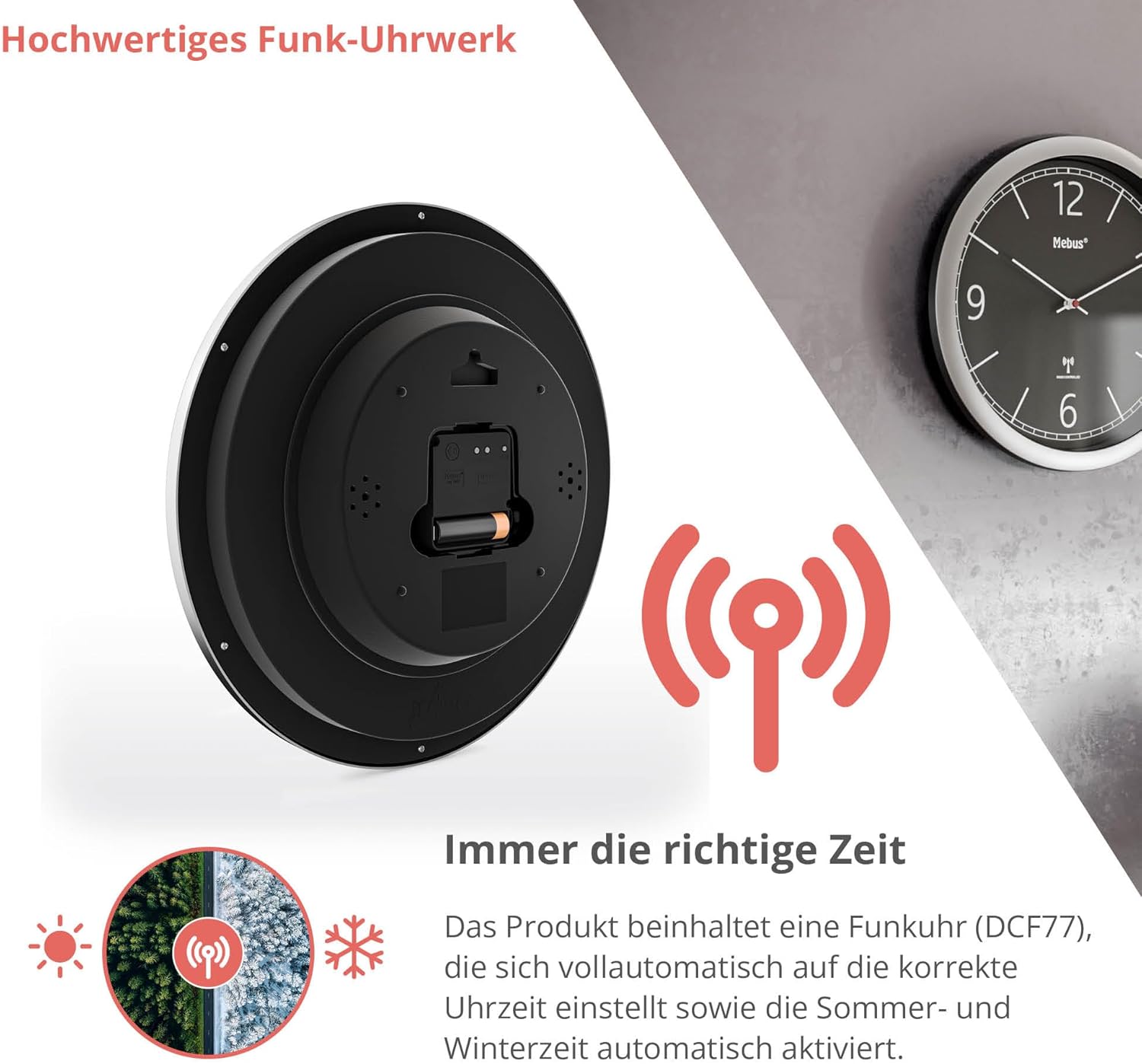
Image 4.1: Rear view of the clock with battery compartment.
4.2 Initial Synchronization
After inserting the battery, the clock will automatically search for the DCF77 radio signal to set the correct time. This process may take several minutes, or up to 24 hours depending on your location and signal strength. During synchronization, the hands will typically move to the 12 o'clock position and then adjust to the current time.
- Place the clock near a window or in an open area for better signal reception.
- Avoid placing the clock near electronic devices that may cause interference (e.g., TVs, computers, microwaves).
4.3 Mounting
The clock is designed for easy wall mounting. Use a suitable screw or hook (not included) in your desired location. The clock features a hanging slot on the back for secure placement.
5. Operating
Once synchronized, the Mebus Model 19813 Radio-Controlled Wall Clock operates automatically. It will continuously receive the DCF77 radio signal to maintain accurate time, including automatic adjustments for Daylight Saving Time (DST) changes.
- No manual time setting is typically required.
- The silent quartz movement ensures no audible ticking sound.
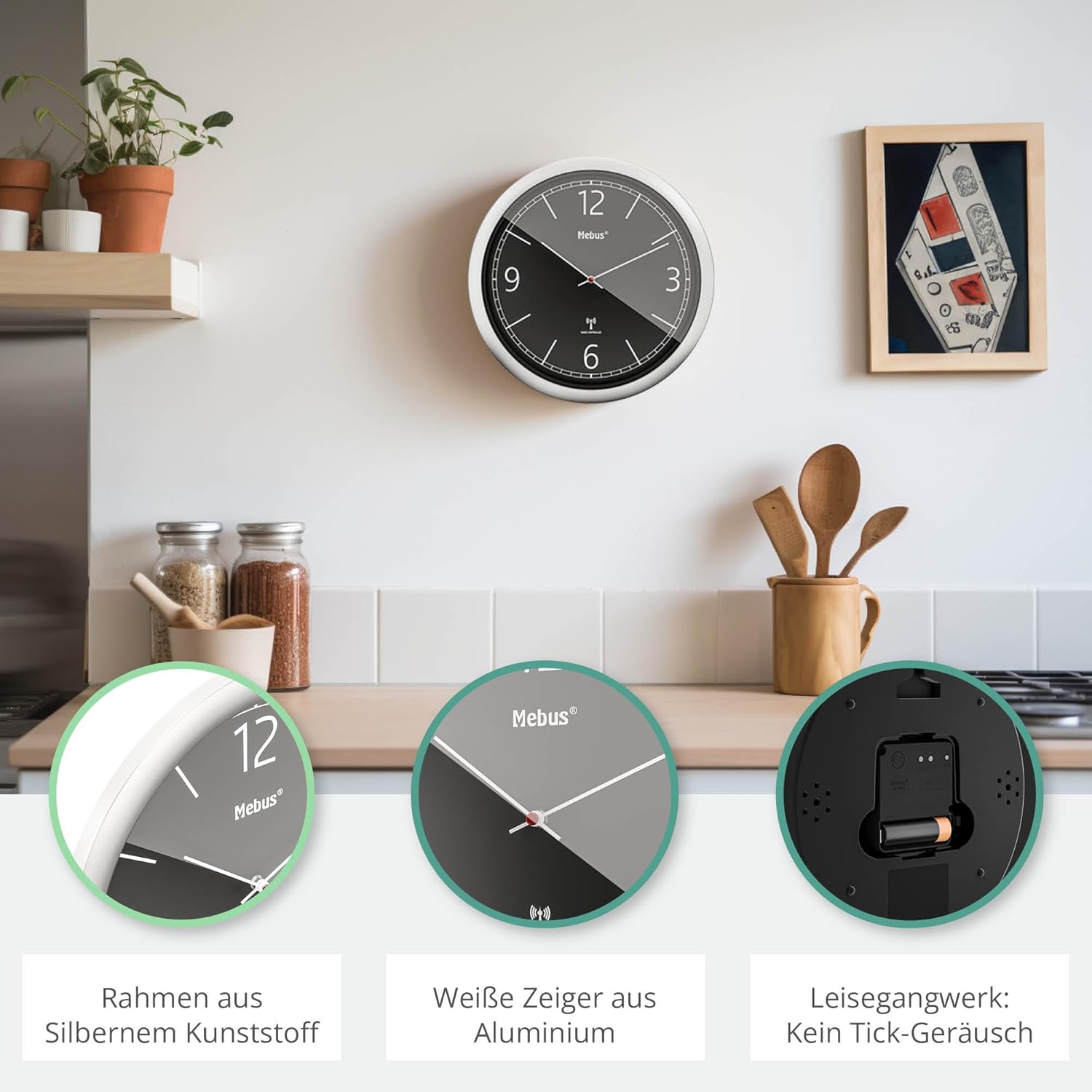
Image 5.1: Clock in a kitchen environment, highlighting design elements and silent operation.
6. Maintenance
6.1 Battery Replacement
When the clock hands stop moving or the time becomes inaccurate, it is likely time to replace the battery. Follow the steps in Section 4.1 to replace the AA battery.
6.2 Cleaning
To clean the clock, wipe it gently with a soft, dry cloth. Do not use abrasive cleaners, solvents, or chemical sprays, as these may damage the clock's finish or internal components.
7. Troubleshooting
- Clock not setting time:
- Ensure the battery is inserted correctly and is not depleted.
- Move the clock to a location with better radio signal reception, away from potential interference sources.
- Allow up to 24 hours for initial synchronization.
- Clock hands are stuck or moving erratically:
- Replace the battery with a fresh AA battery.
- If the issue persists, contact customer support.
- Time is incorrect after DST change:
- The clock should automatically adjust. If it doesn't, check battery and signal reception. It may take a few hours for the adjustment to occur.
8. Specifications
| Feature | Specification |
|---|---|
| Model Number | 19813 |
| Dimensions (L x W x H) | 26 x 3.81 x 26 cm (10.24 x 1.5 x 10.24 inches) |
| Diameter | 26 cm (10.24 inches) |
| Weight | 370 grams (0.82 lbs) |
| Power Source | 1 x AA Battery (not included) |
| Movement Type | Quartz, Radio-Controlled (DCF77) |
| Display Type | Analog |
| Special Features | Radio-controlled, Silent movement |
| Material | Plastic (frame), Aluminum (hands) |
| Color | Silver frame, Black dial |
| Intended Use | Indoor |

Image 8.1: Key specifications and design origin.
9. Warranty and Support
This product comes with a 1-year availability of spare parts. For further assistance, troubleshooting, or warranty claims, please contact your retailer or the Mebus customer support.
Please retain your proof of purchase for warranty purposes.