
Bushnell 202450
Contents
Bushnell Pro X3+ Golf Rangefinder User Manual
Model: 202450 | Brand: Bushnell
Introduction
The Bushnell Pro X3+ Golf Rangefinder is engineered for precision and performance, offering advanced features to enhance your golf game. This manual provides comprehensive instructions for setting up, operating, and maintaining your device, ensuring you get the most out of its innovative technology.
The Pro X3+ is the most powerful and precise laser rangefinder to date, incorporating market-leading innovations such as Wind Speed and Direction, and LINK-Enabled Technology for seamless data integration.
What's Included
Your Bushnell Pro X3+ package includes the following items:
- Bushnell Pro X3+ Laser Rangefinder
- Premium Carry Case
- CR2 Battery
- Quick Start Guide
- Cleaning Cloth

Figure 1: Included components of the Bushnell Pro X3+ package.
Key Features
The Pro X3+ is equipped with advanced features designed to provide accurate and comprehensive data for golfers:
Wind Speed and Direction
When connected to the Bushnell Golf mobile app, the Pro X3+ provides real-time wind speed and direction directly in the reticle display, helping you account for environmental factors.

Figure 2: Wind speed and direction displayed in the reticle.
Dual Display Technology
Easily switch between a bright red or crisp black display setting based on lighting conditions and personal preference for optimal visibility.

Figure 3: Dual display options for varied lighting.
Slope with 'Elements' Compensated Distances
This feature provides compensated distances by factoring in slope, temperature, barometric pressure, and adjustable home elevation, giving you a true "play as" distance.
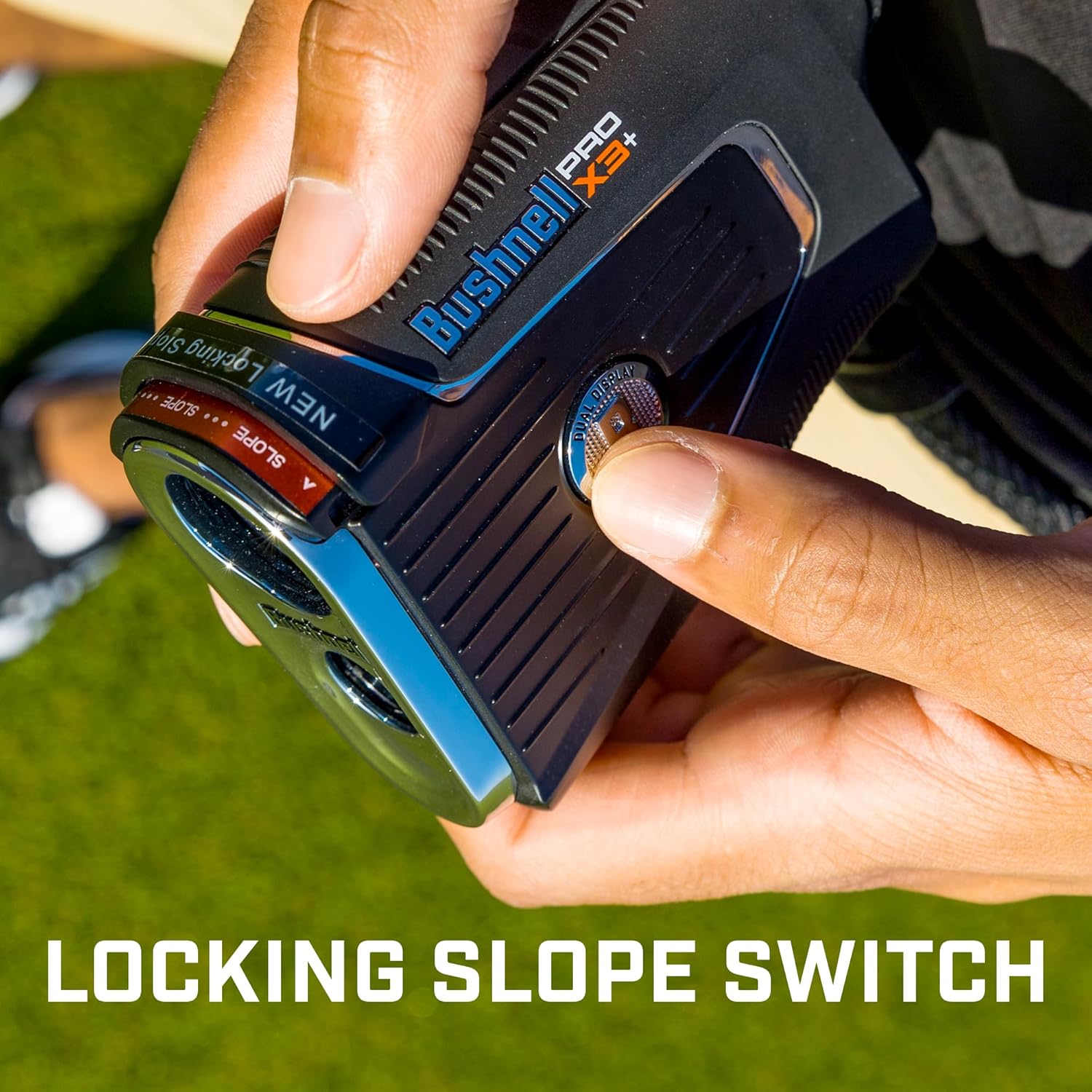
Figure 4: Slope compensation with 'Elements' calculation.
Locking Slope Switch
Conveniently utilize slope compensation when needed, and easily switch it off for USGA-conforming play during tournaments.

Figure 5: The locking slope switch mechanism.
PinSeeker with Visual JOLT
The PinSeeker technology ensures you lock onto the flag, not background objects. Visual JOLT provides a vibrating pulse and a red flashing ring to confirm flag acquisition.

Figure 6: PinSeeker with Visual JOLT confirmation.
Integrated BITE Magnetic Cart Mount
The powerful integrated BITE magnet allows for secure attachment of the rangefinder to a golf cart bar or other metal surfaces.

Figure 7: Integrated BITE magnetic mount in use.
Durable and Waterproof Design (IPX7)
Constructed with a rubber-armored metal housing, the Pro X3+ is IPX7 fully waterproof, ensuring durability and reliability in various weather conditions.

Figure 8: Waterproof design for all-weather use.
Bluetooth Connectivity
Connect your Pro X3+ to the Bushnell Golf mobile app via Bluetooth for enhanced features, data synchronization, and personalized recommendations.

Figure 9: Bluetooth connectivity with the Bushnell Golf app.
Magnification and Range
The Pro X3+ features 7x magnification and a ranging capability of 5-1,300 yards, with specific ranges for different targets:
- Flag: 5-457 yards (5-418 meters)
- Tree: 5-700 yards (5-640 meters)
- Reflective: 5-1,300 yards (5-1189 meters)

Figure 10: Magnification and ranging specifications.
Setup
Battery Installation
The Pro X3+ requires one CR2 battery (included). To install or replace the battery:
- Locate the battery compartment on the side of the rangefinder.
- Twist the battery cap counter-clockwise to open.
- Insert the CR2 battery with the positive (+) end facing in, as indicated inside the compartment.
- Replace the battery cap and twist clockwise to secure.

Figure 11: Bushnell Pro X3+ overview.
Initial Power On and Focus Adjustment
After installing the battery, press the Power/Fire button to turn on the device. Adjust the eyepiece by rotating it until the display and target appear sharp and clear.
Operating Instructions
Basic Ranging
To obtain a distance measurement:
- Look through the eyepiece and aim the reticle at your desired target.
- Press and release the Power/Fire button. The distance will be displayed in the reticle.
Understanding the Reticle Display
The Pro X3+ reticle provides various pieces of information to assist your game:

Figure 12: Pro X3+ Reticle Diagram.
- Aiming Circle: Center point for targeting.
- Headwind/Tailwind Speed: Indicated by arrows and numerical value.
- Crosswind Speed: Indicated by arrows and numerical value.
- Line of Sight Distance: Raw distance to target.
- Slope (% grade): Percentage of slope.
- 'Play As' Distance: Compensated distance based on slope and elements.
- Bluetooth Enabled/Connection: Icons indicating Bluetooth status.
- Battery Level: Indicator for remaining battery life.
- Elements Mode: Icon indicating 'Elements' compensation is active.
Mode Button Functionality
The Mode button allows you to cycle through various settings and measurement units. Refer to the Quick Start Guide for detailed instructions on specific mode selections and adjustments.
Using the Bushnell Golf Mobile App
Download the Bushnell Golf app to unlock full features, including wind data, home elevation adjustment, and device settings management. The app is available on both iOS and Android platforms.
Download the app here: Bushnell Golf App

Figure 13: Home Elevation Adjustment via the Bushnell Golf app.
Video 1: Official introduction to the Bushnell Pro X3+ Laser Rangefinder, highlighting its key features and benefits.
Maintenance
Cleaning the Lenses
Gently wipe the lenses with the included cleaning cloth or a soft, lint-free cloth. Do not use abrasive materials or harsh chemicals, as they may damage the optical coatings.
Storage
Store the rangefinder in its premium carry case when not in use to protect it from dust, dirt, and physical damage. Remove the battery if storing for extended periods to prevent leakage.
Troubleshooting
| Problem | Possible Cause | Solution |
|---|---|---|
| No display/Device not powering on | Dead or improperly installed battery. | Replace the CR2 battery, ensuring correct polarity. |
| Inaccurate readings | Dirty lenses, unstable aiming, or target too far/small. | Clean lenses, ensure steady aim, or try a larger/closer target. |
| Bluetooth connectivity issues | Bluetooth off on device/phone, app not open, or interference. | Ensure Bluetooth is enabled on both devices, open the Bushnell Golf app, and try reconnecting. |
| Display not clear/blurry | Eyepiece not properly focused. | Rotate the eyepiece to adjust focus until the display is sharp. |
Specifications
| Attribute | Detail |
|---|---|
| Brand | Bushnell |
| Model Number | 202450 |
| Magnification | 7x |
| Measuring Range | 5-1,300 Yards |
| Water Resistance Level | Waterproof (IPX7) |
| Battery Type | 1 CR2 battery (included) |
| Material | Plastic, Metal |
| Color | Black/Silver |
| Item Weight | 1.5 pounds (24 Ounces) |
| Product Dimensions | 6 x 6 x 6 inches |
| UPC | 029757019349 |
Warranty Information
The Bushnell Pro X3+ Golf Rangefinder comes with a 2-year manufacturer's warranty. This warranty covers defects in materials and workmanship under normal use. Please retain your proof of purchase for warranty claims.
For detailed warranty terms and conditions, please refer to the official Bushnell website or contact their customer support.
Support & Resources
For additional support, FAQs, and product registration, please visit the official Bushnell Golf website:
You can also contact Bushnell customer service for assistance with your Pro X3+ rangefinder.
Ask a question about this manual
Ask about setup, troubleshooting, compatibility, parts, safety, or missing instructions. Manuals+ will review the question and use this page’s manual context to help answer it.