
1. Introduction
The INIA Flare 3-in-1 Red Light Therapy Device is designed to provide advanced skincare treatments for the face and neck. It integrates three distinct modes—Lift, Tighten, and Infuse—to address various skin concerns such as puffiness, skin firmness, and product absorption. This manual provides essential information for the safe and effective use of your device.
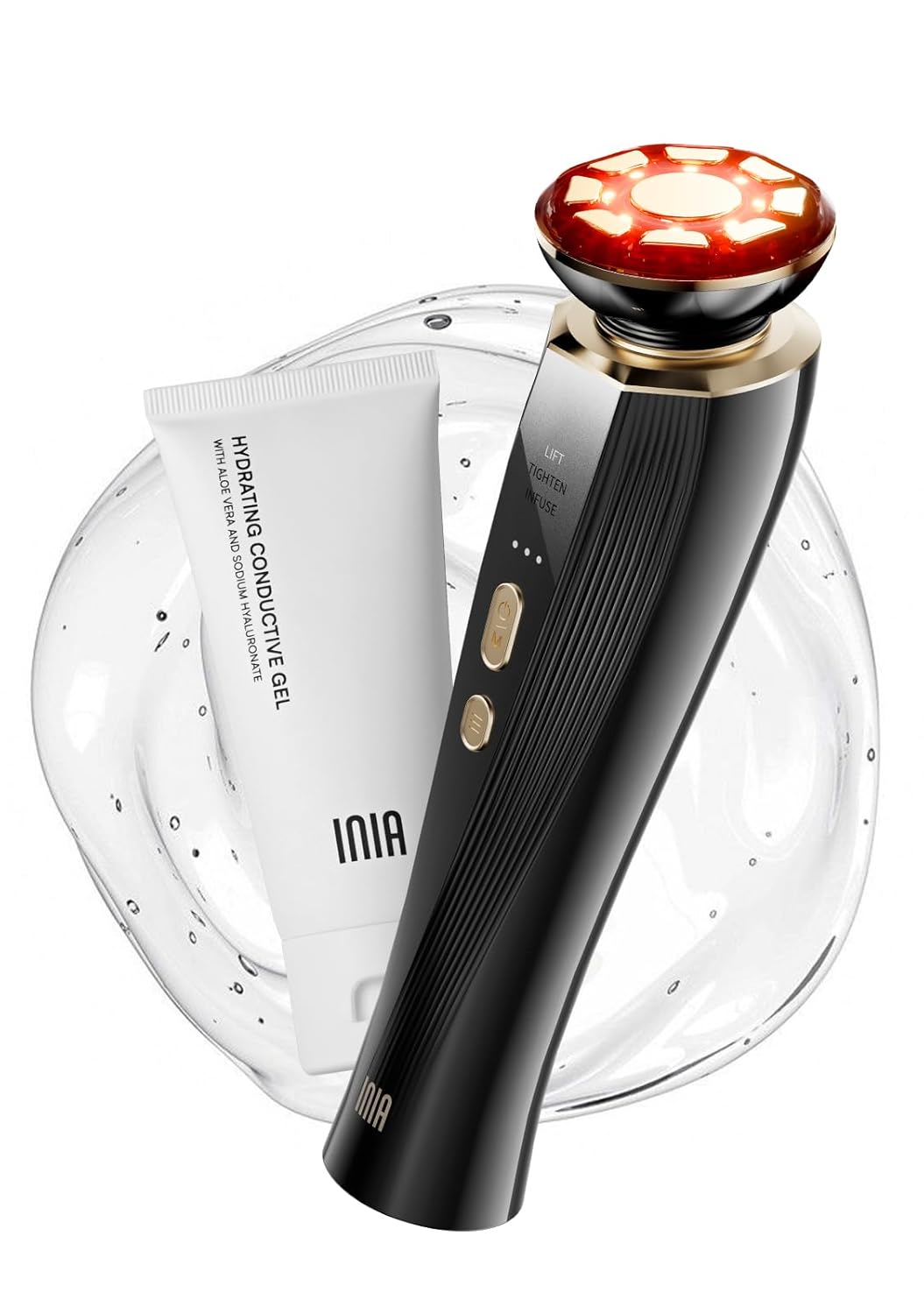
Image 1.1: The INIA Flare 3-in-1 Red Light Therapy Device, shown with its accompanying hydrating conductive gel.
2. Important Safety Information
Please read all instructions carefully before using the device. Failure to follow these guidelines may result in injury or device malfunction.
- Do not use LIFT and TIGHTEN modes on the same day to prevent excessive skin stimulation.
- Adjust the frequency of use according to your skin condition.
- The maximum duration for each use should not exceed 15 minutes (excluding gel application time).
- Avoid direct contact with eyes.
- Do not use on broken, irritated, or infected skin.
- Consult a physician before use if you have any medical conditions, are pregnant, or have electronic implants.
- Keep out of reach of children.
3. Package Contents
Verify that all items are present in your package:
- 1 x INIA Flare 3-in-1 Red Light Therapy Device
- 1 x Hydrating Conductive Gel
- 1 x USB Charging Cable
- 1 x User Manual

Image 3.1: The INIA Flare device and its included hydrating conductive gel, essential for proper operation.
4. Device Overview
The INIA Flare device features an ergonomic design with advanced components for effective skincare.
- 3D Articulating Head: Conforms to facial contours for consistent application.
- Zinc Alloy Electrodes: Nine advanced electrodes facilitate treatment delivery.
- Control Buttons: Power/Mode selection and intensity adjustment.
- Indicator Lights: Display selected mode and intensity level.

Image 4.1: A detailed view of the device head, highlighting the 9 advanced zinc-alloy electrodes and the 3D floating head mechanism for optimal skin contact.
5. Setup
5.1 Charging the Device
Before first use, fully charge the device. Connect the USB charging cable to the device's charging port and a suitable power adapter. The indicator lights will show charging status and turn solid when fully charged.
5.2 Preparing for Use
- Ensure your face and hands are clean and dry before application.
- Apply a generous layer of the provided hydrating conductive gel (or a compatible serum) to the areas of your skin you intend to treat. The gel is crucial for effective conductivity and comfortable use.
6. Operating Instructions
6.1 Modes of Operation
The INIA Flare device offers three distinct modes:

Image 6.1: Visual representation of the three operational modes and their effects on skin layers.
- LIFT Mode: Combines microcurrents with red light therapy to boost collagen, tone facial muscles, and sculpt natural contours.
- TIGHTEN Mode: Utilizes vibrations and LED red light therapy to promote skin elasticity and reduce the appearance of fine lines.
- INFUSE Mode: Incorporates negative ion technology and zinc alloy electrodes to enhance the absorption of skincare products and strengthen the skin barrier.
6.2 Usage Steps
- Clean and dry your face and hands.
- Apply the selected gel or essence to the targeted areas of your skin.
- Press and hold the power/mode button for 1 second to switch on the device and select the desired treatment mode.
- Follow the directions indicated in the reference diagram (refer to Image 6.3) to treat each area for 3-5 operations.
- Thoroughly clean the electrode head with a soft, damp cloth or a wet paper towel after turning off the device.

Image 6.2: Step-by-step visual guide for preparing, operating, and cleaning the INIA Flare device.
6.3 Treatment Duration
- LIFT/TIGHTEN Mode: 10 minutes total (4 minutes on left cheek, 4 minutes on right cheek, 2 minutes on forehead).
- INFUSE Mode: 4 minutes total (2 minutes on left cheek, 2 minutes on right cheek).
- If using LIFT/TIGHTEN mode with INFUSE mode, use LIFT/TIGHTEN first. After treatment, wash off the gel on your face before proceeding with INFUSE mode.
6.4 Recommended Skincare Routine
The following is a suggested weekly routine. Adjust based on your skin's needs and sensitivity.

Image 6.3: A suggested weekly schedule for using the INIA Flare device's LIFT, TIGHTEN, and INFUSE modes.
Note: It is advised not to use LIFT and TIGHTEN modes on the same day to prevent dry skin.
7. Maintenance
7.1 Cleaning
- After each use, turn off the device.
- Wipe the electrode head with a soft, damp cloth or a wet paper towel to remove any residual gel or product.
- Do not rinse the device under running water or immerse it in liquid.
- Do not use abrasive cleaners or solvents.
7.2 Storage
- Store the device in a cool, dry place, away from direct sunlight and extreme temperatures.
- Keep the device away from moisture.
8. Troubleshooting
If you encounter any issues with your INIA Flare device, refer to the following common solutions:
| Problem | Possible Cause | Solution |
|---|---|---|
| Device does not turn on | Low battery or not charged | Charge the device fully using the provided USB cable. |
| No sensation during use | Insufficient conductive gel or low intensity setting | Apply more conductive gel. Increase the intensity level. Ensure full contact with skin. |
| Skin irritation | Overuse or sensitive skin | Reduce frequency or duration of use. Ensure proper gel application. If irritation persists, discontinue use and consult a dermatologist. |
| Device stops during use | Automatic shut-off or low battery | The device has an automatic shut-off feature for each mode. If it stops prematurely, recharge the device. |
9. Specifications
| Feature | Detail |
|---|---|
| Product Dimensions | 3 x 2 x 9 inches |
| Item Model Number | X3B |
| Manufacturer | INIA |
| ASIN | B0CZ77FTG1 |
| Brand | INIA |
| Color | Black |
| Model Name | X3 |
| Item Weight | 0.82 Kilograms (1.81 Pounds) |
| Material | Acrylonitrile Butadiene Styrene (ABS) |
10. Warranty and Support
INIA products are manufactured to high-quality standards. For information regarding product warranty, please refer to the documentation included with your purchase or visit the official INIA store.
For customer support, technical assistance, or to inquire about protection plans, please visit the INIA Store on Amazon.

