
Introduction
This instruction manual provides essential information for the proper use and maintenance of your ZdalaMit Universal Replacement Remote Control (Model CT90479) for Toshiba Regza TVs. This remote is designed to be a direct replacement for several original Toshiba Regza remote models, offering immediate functionality without complex setup.
Compatibility: This remote control is compatible with a wide range of Toshiba Regza TV models, including but not limited to: 40/50/58M510X, 49/55BZ710X, 43/49/55J10X, 50/58/65/84Z9X, 43/49/55Z700X, 32/40V30, 32/40V31, 43/49/55G20X, 40/50/58M500X, 43/49C310X, 43/49/55J10. It also replaces original remote models such as CT-90467, CT-90466, CT-90453, CT-90478, CT-90479, CT-90475, CT-90463, CT-90481, and CT-90480.

Image: ZdalaMit remote control with a list of compatible Toshiba Regza TV models.

Image: A visual comparison showing the ZdalaMit remote alongside several original Toshiba Regza remote models (CT-90453 to CT-90481), illustrating its broad compatibility.
Setup
Battery Installation
This remote control requires two AAA alkaline batteries (sold separately). No programming or complex setup is needed. Simply insert the batteries, and the remote is ready for use with your compatible Toshiba Regza TV.
- Open the battery compartment cover on the back of the remote control.
- Insert two AAA alkaline batteries, ensuring the positive (+) and negative (-) terminals match the indicators inside the compartment.
- Close the battery compartment cover securely.
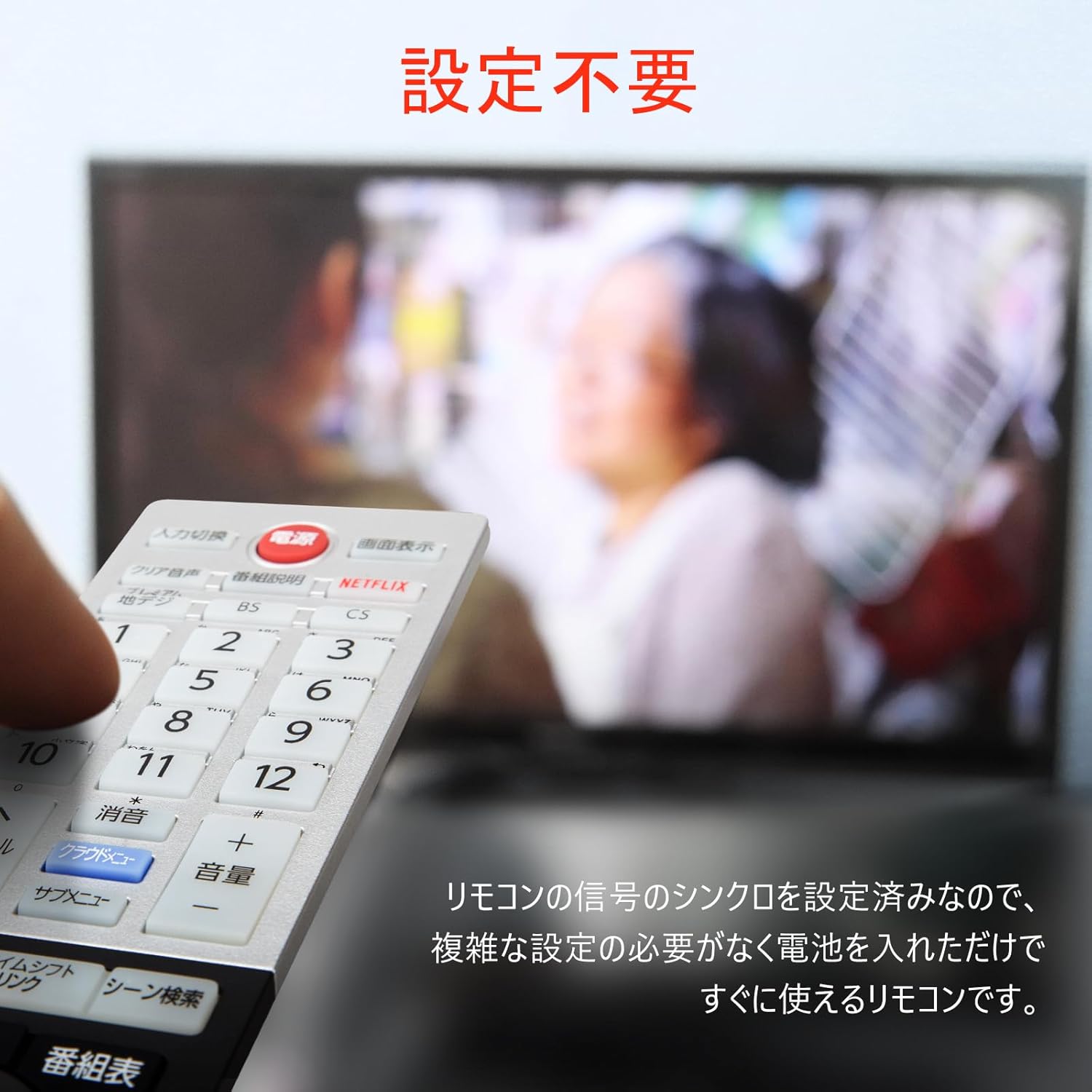
Image: A hand holding the remote control in front of a television, emphasizing the 'No Setup Required' feature. The remote is ready to use after battery insertion.

Image: Side and back views of the remote control, illustrating its dimensions (240mm length, 52mm width, 19mm thickness) and the battery compartment for two AAA batteries.
Operation
The ZdalaMit remote control is designed for intuitive operation, mirroring the functions of original Toshiba Regza TV remotes. Point the remote directly at your TV's infrared receiver for optimal performance.
Button Functions
Refer to the diagram below for a detailed overview of each button's function:

Image: A comprehensive diagram illustrating the layout and function of each button on the ZdalaMit remote control. Key functions include: Input Selection, Power, Screen Display, Clear Audio, Program Guide, Netflix, Number Buttons (1-12), Channel Up/Down, Volume Up/Down, Mute, Sub-menu, Data, Time Shift Link, Scene Search, Record List, Program Guide, Navigation (Up/Down/Left/Right), OK/Enter, Back, Exit, Playback Controls (Play, Fast Forward, Rewind, Stop, Pause, Skip), Settings, Subtitles, Audio, and various colored function buttons.
Comfortable and Wide-Range Operation
The remote features soft, durable silicone buttons and an ergonomic design for comfortable handling. Its infrared signal provides an operating distance of approximately 10 meters (33 feet) and a wide control angle of up to 120 degrees, allowing flexible use within your room.

Image: Close-up views of the remote control, highlighting the comfortable silicone buttons and the ergonomic design that enhances usability and tactile feedback.

Image: A person using the remote control in a living room, demonstrating its wide operating range of approximately 10 meters and broad control angle, allowing for comfortable use from various positions.
Maintenance
- Cleaning: Wipe the remote control with a soft, dry cloth. Do not use liquid cleaners or abrasive materials, as they may damage the surface or internal components.
- Battery Replacement: Replace batteries when the remote's response becomes sluggish or it stops functioning. Always replace both batteries at the same time with new AAA alkaline batteries. Do not mix old and new batteries, or different types of batteries.
- Storage: If the remote control will not be used for an extended period, remove the batteries to prevent leakage and potential damage. Store in a cool, dry place away from direct sunlight.
Troubleshooting
- Remote not responding:
- Check if the batteries are inserted correctly with the correct polarity (+/-).
- Replace the batteries with new ones.
- Ensure there are no obstructions between the remote control and the TV's infrared receiver.
- Make sure you are within the operating range (approximately 10 meters) and pointing the remote directly at the TV.
- Some buttons do not work:
- While this remote is highly compatible, some specific functions or buttons on your original TV remote might not be present or might operate differently on this replacement remote. This is generally due to variations in TV models and original remote designs.
- Ensure your TV model is listed as compatible.
- Interference with other devices:
- This remote uses infrared technology, which is generally not prone to interference from other infrared devices unless they are directly in the line of sight and operating on the same frequency. If you experience interference, try to minimize other infrared device usage or reposition devices.
Specifications
| Feature | Description |
|---|---|
| Brand | ZdalaMit |
| Model Number | CT90479 |
| Compatibility | Toshiba Regza TVs (various models), replaces CT-90467, CT-90466, CT-90453, CT-90478, CT-90479, CT-90475, CT-90463, CT-90481, CT-90480 |
| Special Feature | No programming required |
| Color | As shown (typically silver/black) |
| Max Number of Supported Devices | 1 (Television) |
| Communication Interface | Infrared (IR) |
| Number of Buttons | 60 |
| Controller Type | Button Control |
| Maximum Range | 10 meters (approx. 33 feet) |
| Battery Type | AAA Alkaline (x2, not included) |
| Product Dimensions (L x W x H) | 24 cm x 5.3 cm x 2.1 cm (approx. 9.45 x 2.09 x 0.83 inches) |
Warranty Information
Please refer to the retailer or manufacturer's website for specific warranty terms and conditions. Typically, replacement remote controls come with a limited warranty covering manufacturing defects.
Customer Support
For further assistance or inquiries regarding your ZdalaMit Universal Replacement Remote Control, please contact the seller or refer to the product listing page where you made your purchase. Ensure you have your product model number (CT90479) and purchase details ready when contacting support.


