
Introduction
The OBSBOT Tiny 2 Lite is a 4K webcam designed for PC users, featuring AI tracking, pan-tilt-zoom (PTZ) capabilities, and gesture control. It includes a 1/2" sensor, supports 60 FPS, HDR, and integrated microphones, making it suitable for desktop computers, laptops, meetings, and video calls. This manual provides detailed instructions for optimal use.
Setup
The OBSBOT Tiny 2 Lite offers simple plug-and-play functionality, requiring no additional software installation for basic use. For advanced features, the OBSBOT Center application is available.
Package Contents
- OBSBOT Tiny 2 Lite Webcam x1
- USB-C to USB-A 3.0 Adapter x1
- USB-C to USB-C Cable x1
- User Guide x1
- Warranty Card x1
Connecting the Webcam
- Connect the provided USB-C to USB-C cable to the webcam's USB-C port.
- Connect the other end of the cable to a USB-C port on your computer. If your computer only has USB-A ports, use the included USB-C to USB-A 3.0 adapter.
- The webcam is plug-and-play. Your computer should recognize it automatically.
Mounting Options
The webcam features a versatile design for various mounting scenarios:
- Monitor Mount: The integrated base allows for secure placement on top of most monitors or laptop screens.
- Tripod Mount: A 1/4-inch screw hole is located at the bottom of the base for mounting onto a tripod or other compatible accessories.
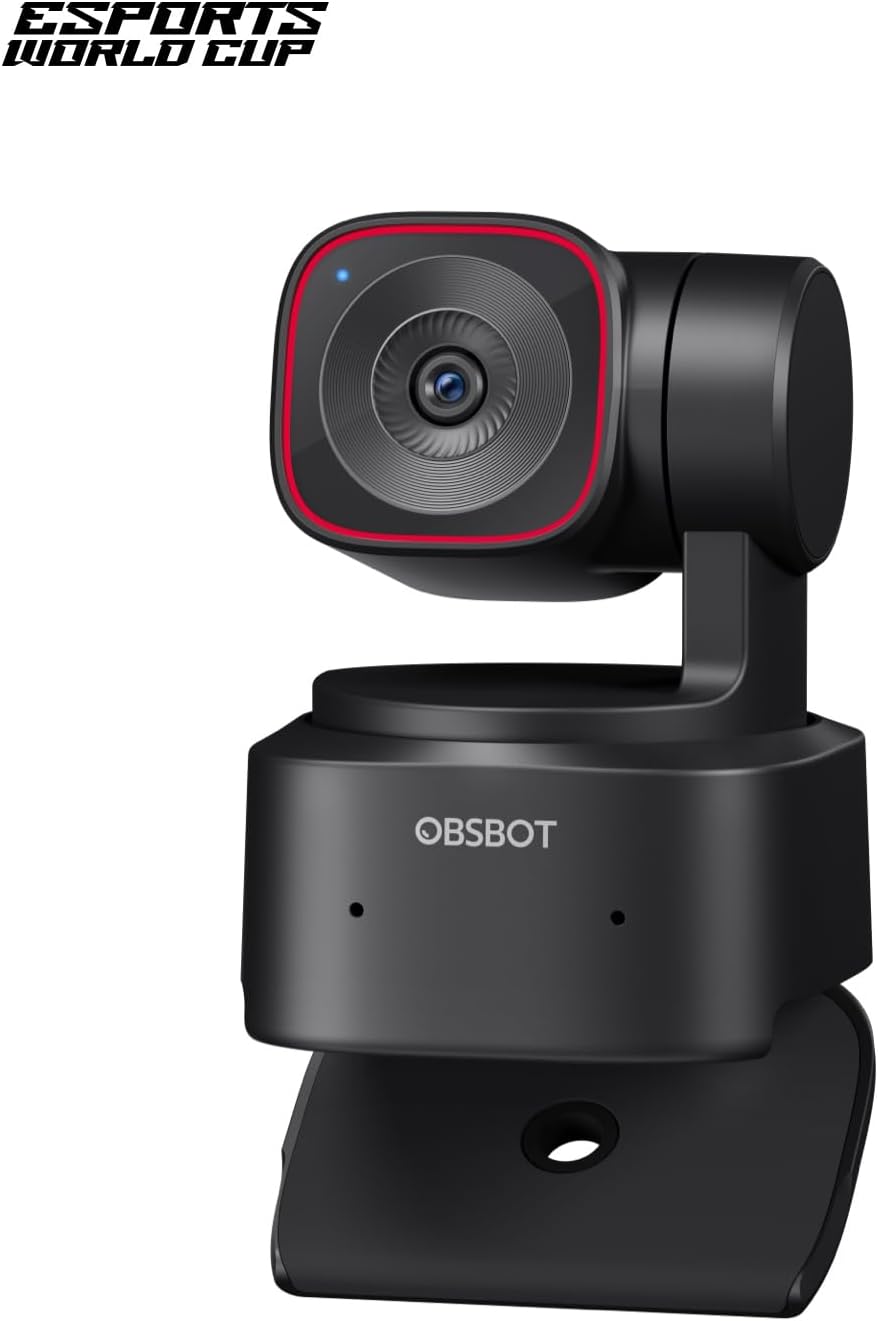
Figure 1: OBSBOT Tiny 2 Lite 4K Webcam mounted on a laptop screen.

Figure 2: Connecting the OBSBOT Tiny 2 Lite to a laptop via USB-C.
Operating Instructions
AI Tracking and Auto Framing
The webcam features advanced AI tracking to keep you centered in the frame. It supports various tracking modes, including upper body and hand tracking. You can also customize tracking and non-tracking areas for personalized control.

Figure 3: AI Tracking in action, keeping the subject centered.
Dynamic Gesture Control
Control key functions with simple hand gestures:
- Lock/Unlock Target: Make a 'V' gesture to lock onto a portrait tracking target.
- Zoom Control: Use an 'L' gesture to control the zoom level.

Figure 4: Hand gestures for zoom control.
Customizable Preset Modes
Set and save multiple preset positions with individual parameter settings and AI tracking modes. This feature reduces adjustment time when switching between scenes.

Figure 5: Customizing and switching between preset camera positions.
Multiple Shooting Modes
The webcam supports horizontal, portrait, and upside-down shooting modes. It automatically adjusts the screen orientation based on the camera's placement without compromising image quality.

Figure 6: Various shooting modes supported by the webcam.
Rapid PDAF Auto-Focus
The webcam features ultra-fast Phase Detection Auto-Focus (PDAF) for clear and sharp images, whether focusing on faces or objects.

Figure 7: Demonstrating rapid auto-focus on different subjects.
OBSBOT Center App and Integrations
For advanced control and customization, download the OBSBOT Center App. The webcam also supports SDK, OSC, Stream Deck, and Global Hotkey functions for seamless integration into professional workflows.

Figure 8: OBSBOT Tiny 2 Lite integrated into a multi-screen setup with Stream Deck.
Official Product Videos
Watch these official videos for visual demonstrations of the OBSBOT Tiny 2 Lite's features and capabilities.
Video 1: How to Use Tiny 2 Lite OBSBOT Camera. This video demonstrates the basic usage and features of the OBSBOT Tiny 2 Lite webcam.
Video 2: OBSBOT TINY 2 LITE AI-Powered 4K PTZ Webcam. This video provides an overview of the AI-powered 4K PTZ capabilities.
Video 3: Will it cover fast pace action? OBSBOT Tiny 2 Lite! This video tests the webcam's performance with fast-paced movements.
Video 4: Worst Focus EVER !!!! This video demonstrates the webcam's focus capabilities, including potential challenges.
Specifications
| Feature | Detail |
|---|---|
| Brand Name | OBSBOT |
| Item Weight | 8.8 ounces |
| Product Dimensions | 1.83 x 1.9 x 2.53 inches |
| Item Model Number | TINY 2 Lite |
| Color Name | Black |
| Special Features | Multiple AI-Tracking Modes, Customizable Preset Modes, Multiple Shooting Modes, Dynamic Gesture Control |
| Photo Sensor Technology | CMOS |
| Video Capture Resolution | 4K@30 FPS, 1080P@60 FPS |
| Maximum Focal Length | 26 Millimeters |
| Maximum Aperture | 1.8 f |
| Flash Memory Type | NOT Available, Rely on Your PC/Mac |
| Video Capture Format | YUV, MJPEG |
| Supported Audio Format | / |
| Screen Size | 2 Inches |
| Connectivity Technology | USB-C | No Wi-Fi |
Warranty and Support
A Warranty Card is included in the package. Please refer to the card for detailed warranty information and support contacts. For further assistance, visit the official OBSBOT website or contact customer support.