
Onvian SF-31
Onvian Smart Bike Tail Light with Turn Signals User Manual
Model: SF-31
1. Introduction
Thank you for choosing the Onvian Smart Bike Tail Light with Turn Signals. This multi-functional device integrates a tail light, turn signals, brake light, electric bell, and anti-theft alarm to significantly enhance your cycling safety and security. This manual provides detailed instructions for proper installation, operation, and maintenance to ensure optimal performance and a safe riding experience.
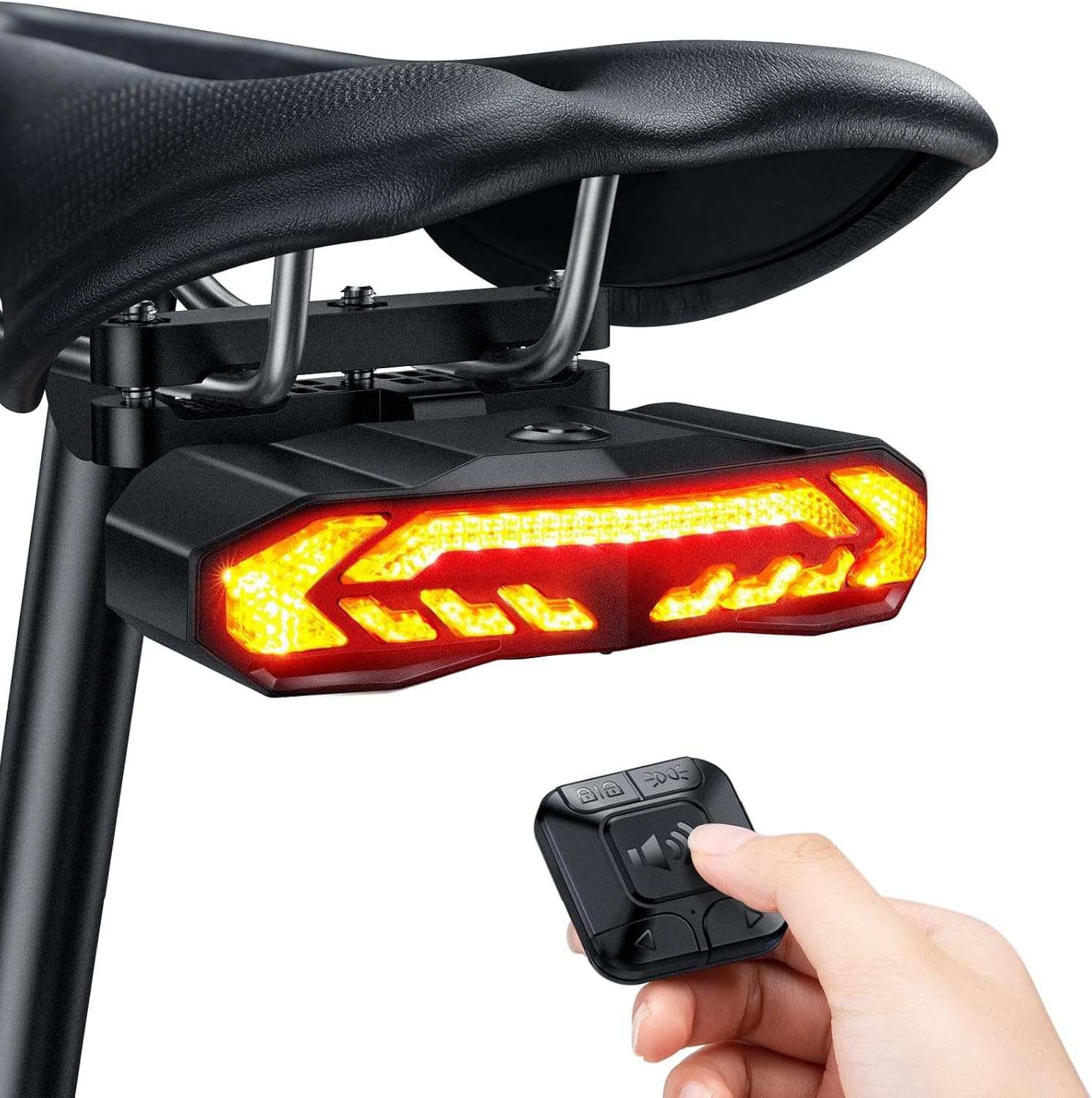
Image: The Onvian Smart Bike Tail Light mounted under a bicycle seat with its remote control held in a hand.
2. Product Features
- Multi-functionality: Combines brake light, turn signals, warning light, electric bell, and anti-theft alarm in one compact unit.
- Intelligent Auto On/Off: Features "Slowing Flashing" and "Breathing" modes that automatically adjust light operation based on ambient brightness and motion to conserve power.
- Rear Bike Rack Quick Mount: Designed for easy and secure mounting to bicycle rear seats or cargo racks with bolt distancing between 35-85mm.
- Turn Signals with Clicking Sound: Audible clicking sound accompanies turn signals to remind the rider and alert others.
- USB Rechargeable & IP65 Waterproof: Built-in 2000mAh battery provides up to 70+ hours of use on a 7-hour charge. IP65 rating ensures resistance to heavy rain and dust.
- 110dB Anti-theft Alarm: Loud alarm deters theft and alerts the owner.
- Wireless Remote Control: Strong wireless range up to 70m/229ft for convenient operation.
3. Package Contents
Please check the package for the following items:
- Onvian Smart Bike Tail Light Unit
- Wireless Remote Control
- Tail Light Mounting Bracket (for seat bow/cargo rack)
- Remote Control Handlebar Bracket
- USB-C Charging Cable
- Installation Hardware (screws, bolts, nuts)
- User Manual (this document)
4. Setup
4.1 Charging the Tail Light
Before first use, fully charge the tail light. Connect the provided USB-C cable to the charging port on the tail light and to a USB power source (computer, power bank, or charging plug). The charging indicator will show the charging status.
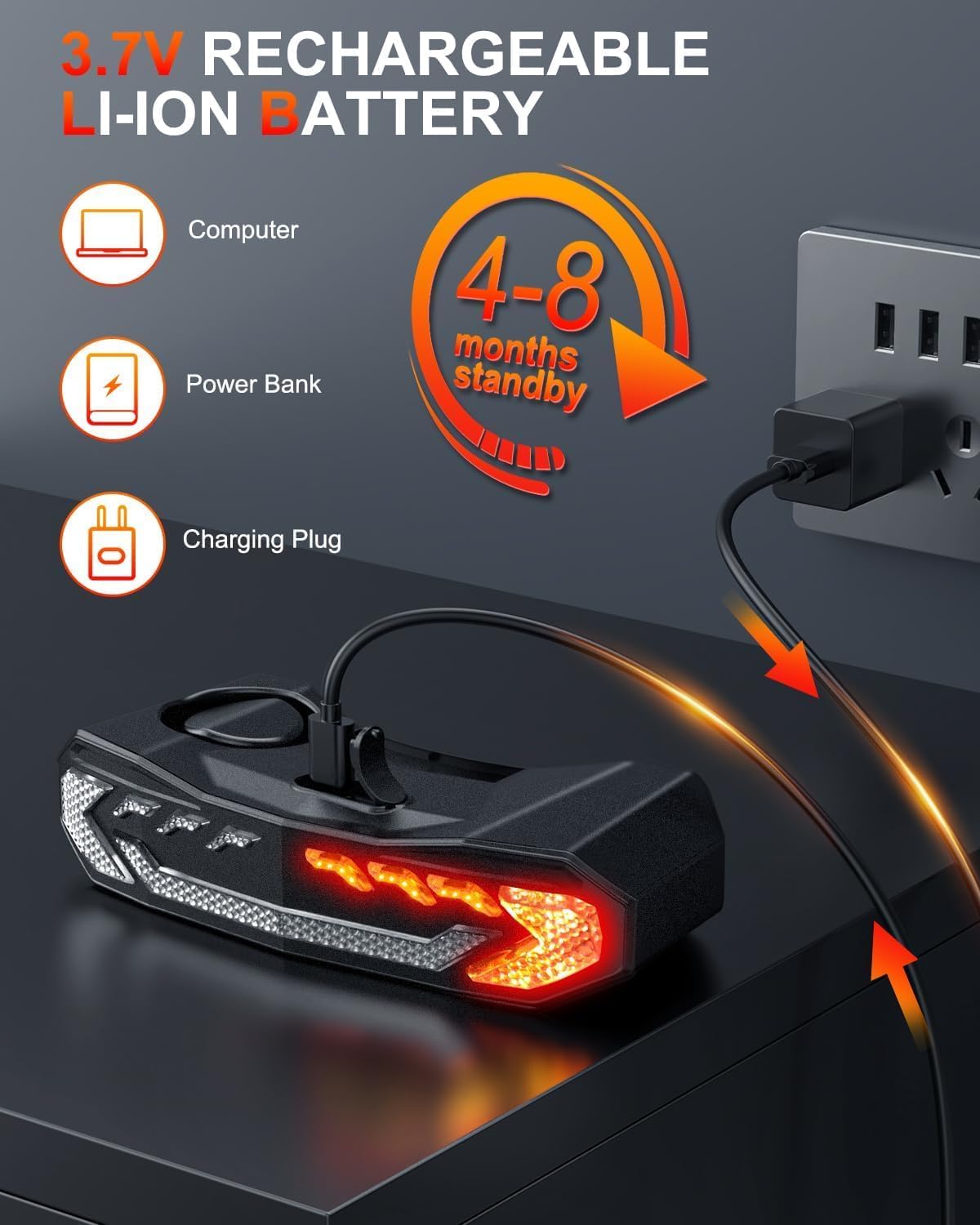
Image: The tail light connected to a USB power source for charging.
4.2 Rear Bike Rack Installation
The tail light is designed for mounting on a rear bike rack or under the seat. Ensure the bolt distancing on your rack is between 35-85mm.
- Install the connection part onto the seat bow bracket pad using the provided bolt and nut.
- Slide the bolt through the holes of the two pads and thread the bolt onto the nut.
- Place the bracket on the seat bow and screw it up with bolts and nuts securely.
- Insert the tail light into the bracket until you hear a "ka" sound, indicating it is locked in place.

Image: Step-by-step guide for installing the tail light on a rear bike rack.
4.3 Remote Control Installation
Install the remote control on your bicycle handlebar for easy access.
- Place the silicone ring onto the remote bracket.
- Install the bracket on the handlebar in a convenient position.
- Fix the bracket securely with the provided screw.
- Snap the remote into the bracket clockwise until it is firmly in place.
5. Operating Instructions
The Onvian Smart Bike Tail Light offers various functions controlled by the remote and intelligent sensors.
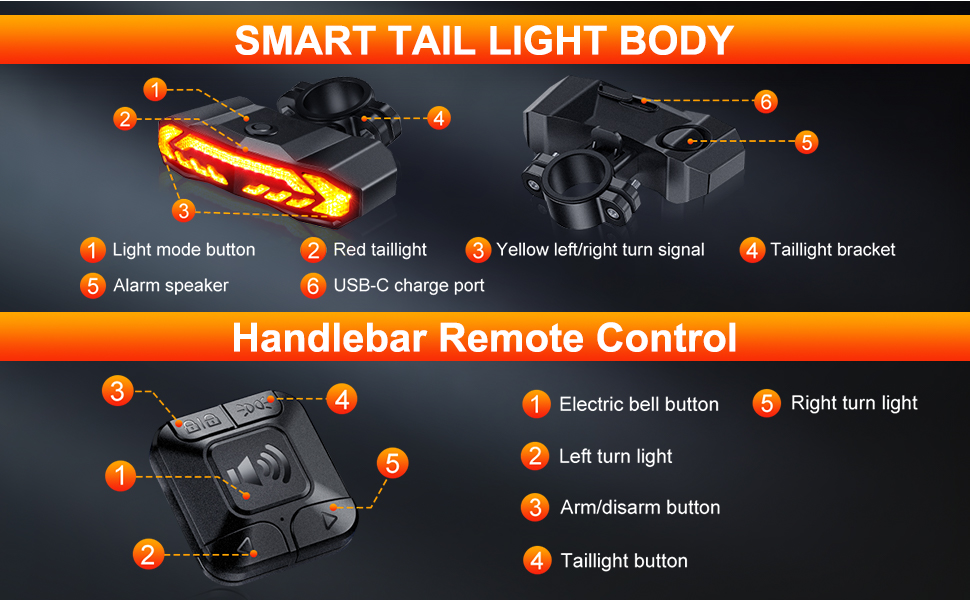
Image: Detailed view of the tail light components and remote control buttons.
5.1 Power On/Off and Light Modes
The tail light features intelligent auto modes:
- Intelligent Auto On/Off: In "Slowing Flashing" and "Breathing" modes, the light will illuminate for 30 seconds upon detecting motion. It then senses ambient brightness, turning off automatically in bright conditions and turning on in dark conditions. If stationary for more than 30 seconds in a dark environment, it will turn off to save power and reactivate upon vibration.
- Manual Light Mode Button: Press the light mode button on the tail light unit to cycle through available light modes (e.g., steady, various flashing patterns).
5.2 Turn Signals
Use the remote control to activate turn signals:
- Press the Left Turn Light button on the remote for a left turn signal.
- Press the Right Turn Light button on the remote for a right turn signal.
- The corresponding turn signal will flash with an audible clicking sound. Remember to turn off the signal after completing your turn.
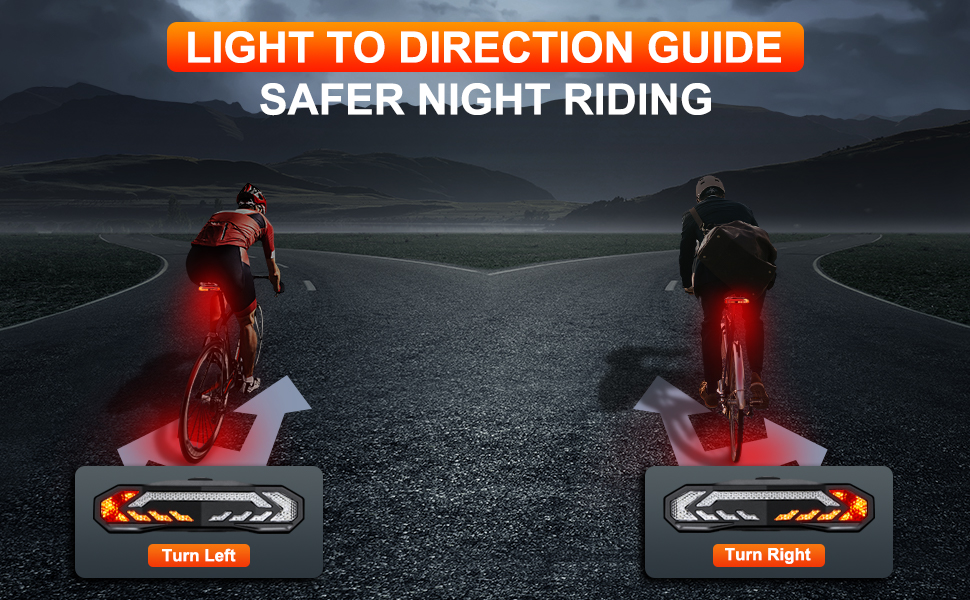
Image: Illustration of using turn signals for safer night riding.
5.3 Brake Light Function
The tail light features an intelligent brake light function:
- When you decelerate or brake, the tail light will automatically highlight for 2 seconds to alert following traffic.
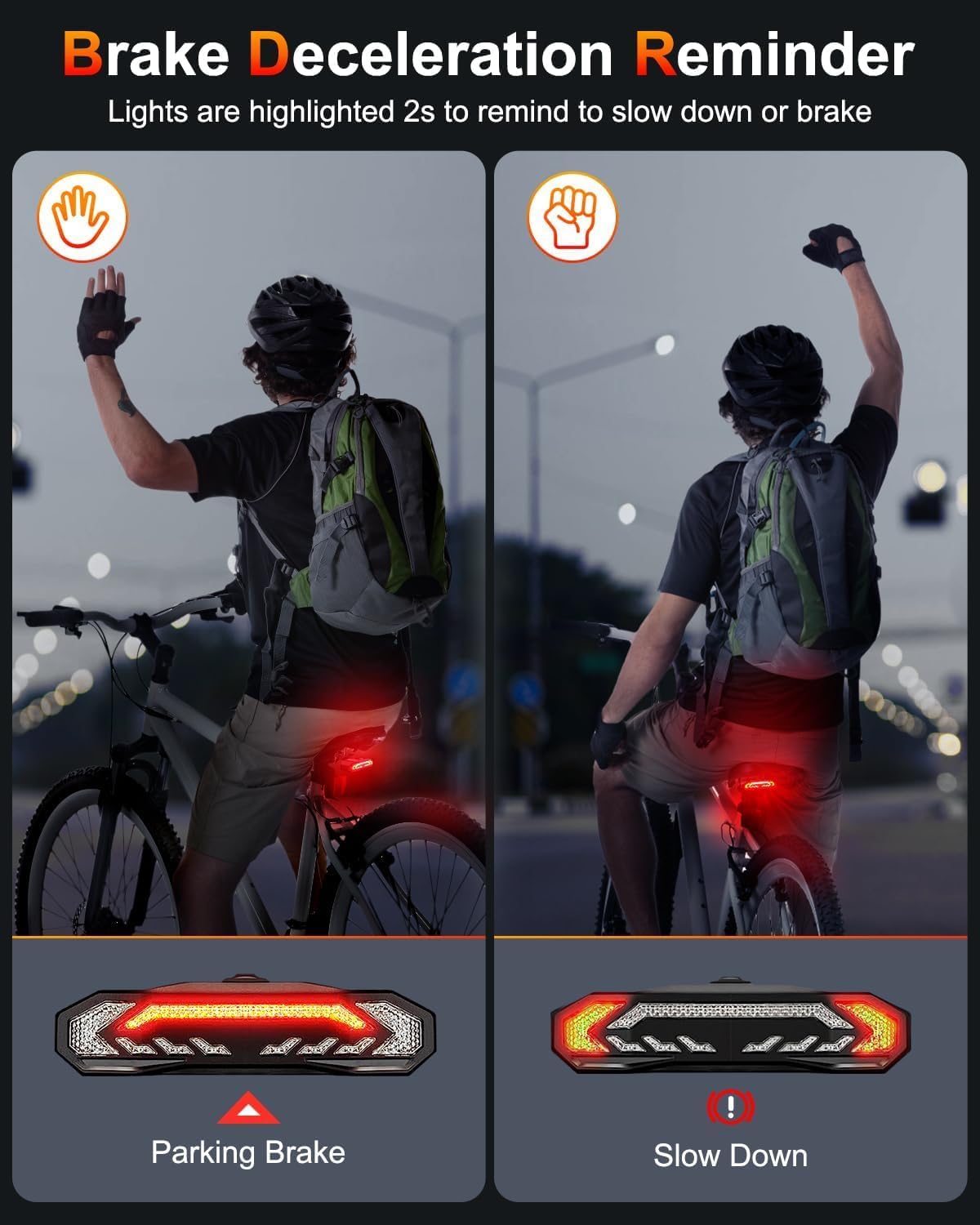
Image: Visual representation of the brake deceleration reminder feature.
5.4 Electric Bell (Horn)
Use the electric bell to warn pedestrians or other cyclists:
- Press the Electric Bell Button on the remote control.
- The bell has 3 switchable ringtones.
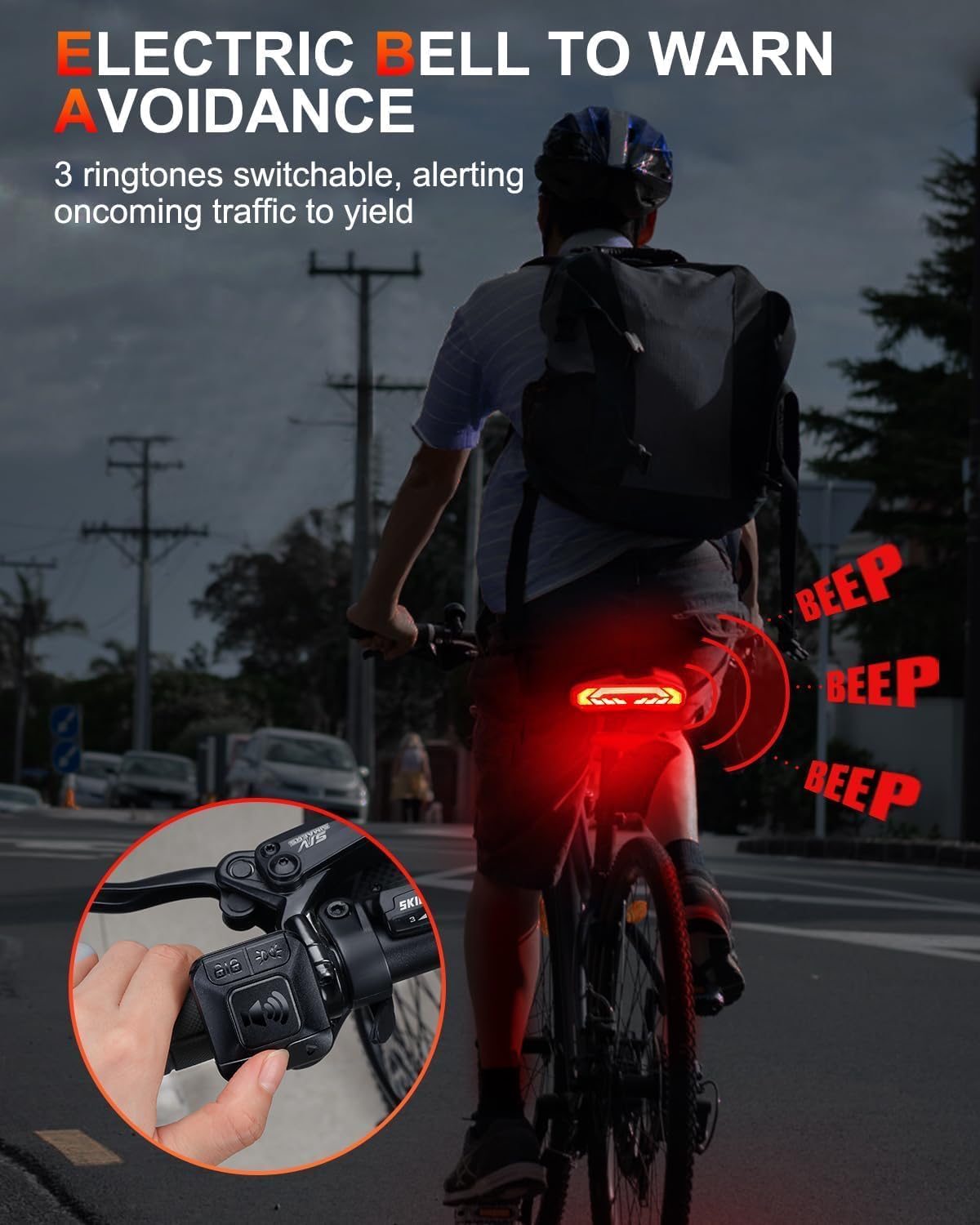
Image: A cyclist using the electric bell function to alert others.
5.5 Anti-theft Alarm
Protect your bike with the integrated anti-theft alarm:
- Press the Arm/Disarm Button (lock icon) on the remote control to arm or disarm the alarm.
- When armed, any significant vibration or movement of the bike will trigger a loud 110dB alarm.

Image: The bike tail light acting as a 110dB anti-theft alarm.
6. Maintenance
- Charging: Recharge the tail light regularly, especially if it will be stored for an extended period, to maintain battery health. A full charge can last up to 70+ hours.
- Cleaning: Wipe the tail light and remote control with a soft, damp cloth. Do not use abrasive cleaners or solvents.
- Water Resistance: The device is IP65 waterproof, meaning it is protected against dust and low-pressure water jets from any direction. While it can withstand heavy rain, avoid submerging it in water.
- Storage: Store the device in a cool, dry place when not in use.
- Remote Control Battery: The wireless remote control is equipped with a replaceable button cell battery. Replace it when the remote's range or responsiveness decreases.

Image: The tail light demonstrating its IP65 water and dust-proof capabilities in a rainy environment.
7. Troubleshooting
| Problem | Possible Cause | Solution |
|---|---|---|
| Tail light not turning on. | Low battery; Intelligent auto mode in bright environment; Device off. | Charge the tail light; Move to a darker environment or manually activate light mode; Press the light mode button on the tail light. |
| Remote control not responding. | Remote battery low/dead; Out of range; Interference. | Replace remote battery; Move closer to the tail light; Avoid strong electromagnetic interference. |
| Alarm triggers too easily/not at all. | Sensitivity setting (if adjustable, not specified); Loose mounting. | Ensure secure mounting; If sensitivity is an issue, contact support for guidance (no user adjustment specified). |
| Turn signals not clicking. | Feature malfunction. | Ensure the signal is fully activated; If issue persists, contact support. |
8. Specifications
- Model Name: SF-31
- Brand: Onvian
- Color: Black
- Material: Plastic
- Power Source: Battery Powered (Built-in 2000mAh rechargeable battery)
- Brightness: 160 lumen
- Water Resistance Level: IP65 Waterproof
- Item Weight: 0.31 Kilograms
- Mounting Type: Seat Mount / Rear Bike Rack
- Alarm Volume: 110dB
- Wireless Remote Range: Up to 70m / 229ft
9. Warranty and Support
This Onvian Smart Bike Tail Light comes with a 1-year warranty from the date of purchase.
For warranty claims, technical support, or any questions regarding your product, please contact Onvian customer service through the retailer's platform or visit the official Onvian website for contact information.
Please retain your proof of purchase for warranty purposes.
Ask a question about this manual
Ask about setup, troubleshooting, compatibility, parts, safety, or missing instructions. Manuals+ will review the question and use this page’s manual context to help answer it.