
1. Introduction
Thank you for choosing the IFECCO X5 IP68 Waterproof Bone Conduction Headphones. These headphones are designed to provide a unique audio experience through bone conduction technology, allowing you to enjoy music while remaining aware of your surroundings. With IP68 waterproofing and a built-in 32GB MP3 player, they are ideal for various activities including swimming, running, and cycling.

Image 1.1: IFECCO X5 Bone Conduction Headphones. These headphones feature an open-ear design and a flexible neckband.
2. Safety Information
- Do not attempt to disassemble or modify the headphones. This may cause damage and void the warranty.
- Keep the charging port dry before charging to prevent damage.
- Avoid prolonged exposure to high volume levels to prevent hearing damage.
- When using the headphones during outdoor activities, ensure you can hear your surroundings for safety.
- The IP68 rating allows submersion up to 3 meters. Do not exceed this depth or use in hot water.
3. Package Contents
Please check the package contents upon unboxing:
- IFECCO X5 Bone Conduction Headphones
- Magnetic Charging Cable
- User Manual (this document)
- Storage Bag
- Earplugs (for swimming)
- MP3 Music Download Guide
4. Setup
4.1. Charging the Headphones
Before first use, fully charge the headphones. Connect the magnetic charging cable to the charging port on the headphones and plug the USB end into a power adapter (not included) or a computer's USB port. A full charge takes approximately 2 hours and provides up to 8 hours of playback time.

Image 4.1: The headphones are shown with a charging cable, illustrating the 8 hours of continuous work after a full charge.
4.2. Loading Music to the MP3 Player
The headphones feature a built-in 32GB MP3 player. To load music:
- Connect the headphones to your computer using the magnetic charging cable.
- The headphones will appear as a removable disk drive on your computer.
- Drag and drop your desired MP3 or WAV audio files into the headphone's storage folder.
- Safely eject the removable disk from your computer before disconnecting the cable.

Image 4.2: The headphones connected to a laptop, demonstrating how to transfer music files to the 32GB built-in memory.
4.3. Adjusting the Headband for Fit
The headphones come with an adjustable strap to ensure a secure fit, especially during activities like swimming. To adjust:
- Locate the adjustable strap.
- Thread the ends of the strap through the loops on the headphone's neckband.
- Adjust the length to achieve a snug fit around the back of your head, ensuring the bone conduction transducers rest comfortably on your cheekbones.
5. Operating the Headphones
5.1. Power On/Off
- Power On: Press and hold the Multi-Function Button (MFB) for 3 seconds.
- Power Off: Press and hold the MFB for 3 seconds.
5.2. Bluetooth Pairing
To connect via Bluetooth:
- Ensure the headphones are powered off.
- Press and hold the MFB for 5-7 seconds until the LED indicator flashes red and blue, indicating pairing mode.
- On your device (smartphone, tablet), enable Bluetooth and search for "IFECCO X5".
- Select "IFECCO X5" to pair. The LED will turn solid blue when connected.

Image 5.1: The headphones are shown next to a smartphone displaying a music player, highlighting the Bluetooth 5.3 connectivity for fast and stable connection.
5.3. Switching Between Bluetooth and MP3 Mode
The headphones support both Bluetooth streaming and local MP3 playback. To switch modes, quickly double-click the MFB.
Note:
- When swimming underwater, Bluetooth signals can be significantly interfered with. It is recommended to switch to MP3 mode for uninterrupted music playback.
- Use the included earplugs when swimming to enhance sound quality in MP3 mode.

Image 5.2: A person swimming with the IFECCO X5 headphones, emphasizing the IP68 waterproof rating and the ability to switch to MP3 mode when the phone is not nearby or underwater.
5.4. Controls
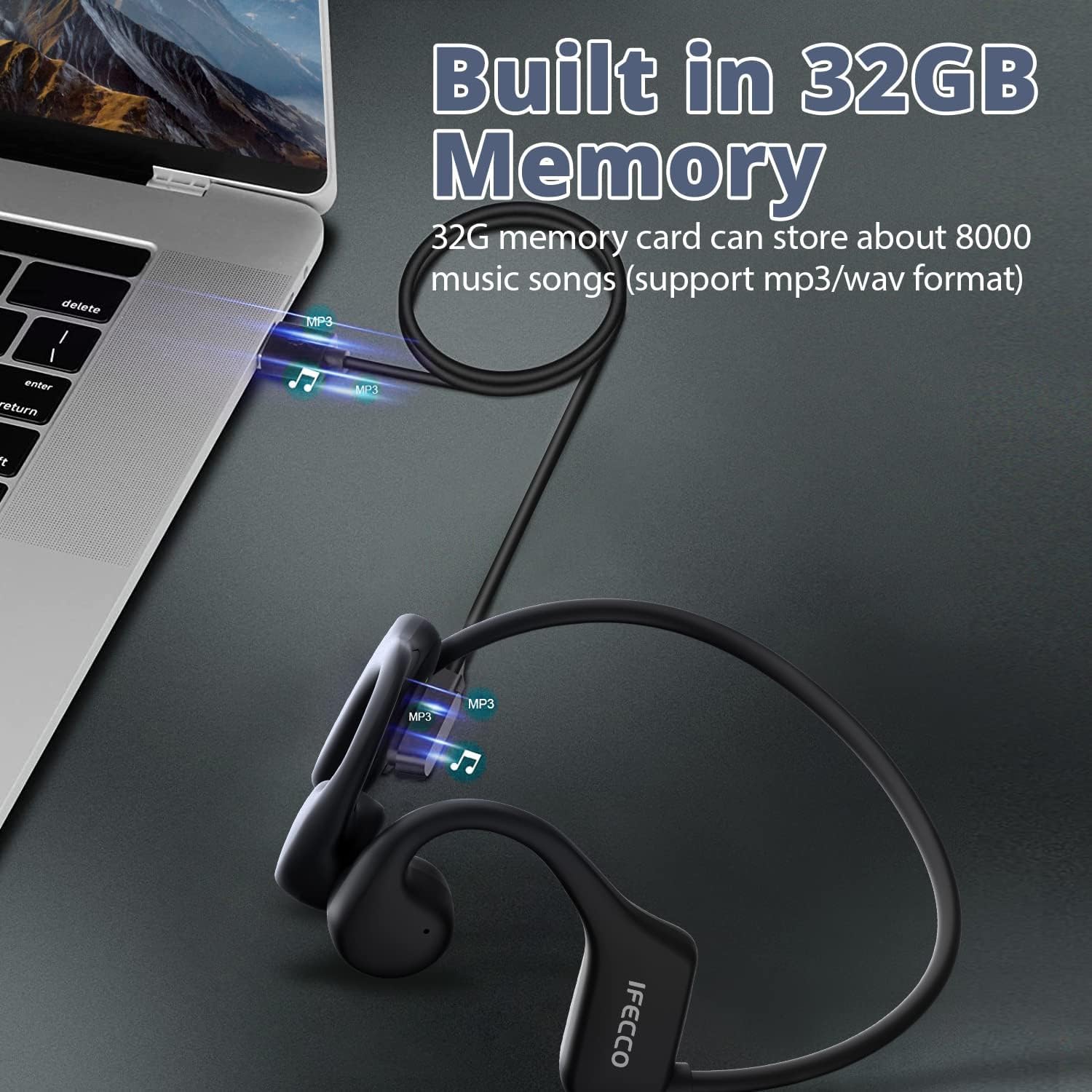
Image 5.3: Diagram illustrating the control buttons on the IFECCO X5 headphones.
| Function | Action |
|---|---|
| Power On/Off | Press and hold MFB for 3 seconds |
| Play/Pause Music | Tap MFB once |
| Answer/End Call | Click MFB once |
| Reject Call | Double click MFB |
| Activate Voice Commands | Quickly click MFB three times |
| Previous Track | Press and hold the '+' button |
| Increase Volume | Tap the '+' button once |
| Next Song | Keep the '-' button pressed |
| Lower Volume | Click the '-' button once |
| Low Battery Alert | A message will appear: "Low Battery" when battery level is less than 10% |
6. Maintenance
6.1. Cleaning
- Wipe the headphones with a soft, damp cloth after each use, especially after swimming or intense exercise.
- Ensure the charging port is clean and dry before charging.
- Do not use harsh chemicals or abrasive cleaners.
6.2. Storage
- Store the headphones in the provided storage bag when not in use to protect them from dust and scratches.
- Keep the headphones in a cool, dry place, away from direct sunlight and extreme temperatures.
7. Troubleshooting
| Problem | Possible Cause | Solution |
|---|---|---|
| Headphones do not power on. | Low battery. | Charge the headphones fully. |
| Cannot pair via Bluetooth. | Headphones not in pairing mode; device Bluetooth off. | Ensure headphones are in pairing mode (flashing red/blue LED). Turn on Bluetooth on your device and search again. |
| Poor sound quality or disconnections during swimming. | Bluetooth signal interference in water. | Switch to MP3 mode for underwater use. Use the provided earplugs for optimal sound. |
| Music not playing from MP3 player. | No music files loaded; incorrect file format. | Ensure MP3 or WAV files are loaded correctly. Switch to MP3 mode. |
| Headphones feel loose during activity. | Improper fit. | Adjust the headband strap for a more secure fit. |
8. Specifications
| Feature | Detail |
|---|---|
| Model Number | X5 |
| Connectivity | Wireless (Bluetooth 5.3) |
| Water Resistance | IP68 (up to 3 meters) |
| Internal Storage | 32GB (supports MP3/WAV) |
| Battery Life | Up to 8 hours playback |
| Standby Time | 240 hours |
| Charging Time | Approx. 2 hours |
| Battery Type | Lithium-polymer |
| Weight | 32 Grams |
| Material | Acrylonitrile Butadiene Styrene (ABS) |
| Ear Placement | Open-ear (Extra-auricular) |
| Form Factor | Bone Conduction |
| Impedance | 32 Ohms |
| Frequency Response | 20 KHz |
| Microphone | Included |
| Compatible Devices | Tablet, Phone, Music production equipment |
9. Warranty and Support
IFECCO is committed to providing a high-quality product and excellent customer service. If you encounter any issues or have questions regarding your IFECCO X5 headphones, please contact our customer support team. We aim to resolve any problems within 24 hours to ensure your satisfaction.
For support, please refer to the contact information provided with your purchase or visit the official IFECCO website.


