
1. Introduction
The DJI Power 1000 is a portable power station designed to provide reliable and efficient power for various applications, including home backup, outdoor activities, and professional use. Featuring a 1024Wh LiFePO4 battery, it delivers a stable 2200W continuous output (2600W peak) and offers ultra-silent operation at 23 dB. This manual provides essential information for the safe and effective use of your device.

Image: DJI Power 1000 Portable Power Station, showcasing its design and display.
2. Safety Information
Adhering to safety guidelines is crucial for preventing damage and ensuring user safety. The DJI Power 1000 incorporates advanced safety features, including a robust LiFePO4 battery and a comprehensive Battery Management System (BMS).
2.1 General Safety Precautions
- Do not expose the device to extreme temperatures, direct sunlight, or high humidity.
- Avoid dropping or subjecting the device to strong impacts.
- Keep the device away from flammable materials and liquids.
- Ensure proper ventilation during use and charging to prevent overheating.
- Do not disassemble, repair, or modify the device yourself. Contact authorized service personnel for assistance.
2.2 Battery Safety
The DJI Power 1000 utilizes a LiFePO4 battery, known for its stability and long lifespan (up to 4000 cycles, approximately 10 years). The integrated BMS provides 14 dimensions of safety, including protection against over-current, over-voltage, and over-discharge.
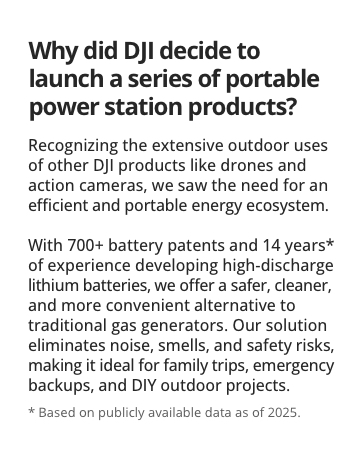
Image: Internal components of the DJI Power 1000, highlighting the LiFePO4 battery cells.
3. Package Contents
Verify that all items are present in your package:
- DJI Power 1000 Portable Power Station x 1
- DJI Power AC Power Cable x 1

Image: DJI Power 1000 and its included AC power cable.
4. Product Overview
The DJI Power 1000 features a user-friendly interface with multiple output ports and a clear display for monitoring status.
4.1 Components and Ports
- AC Output Ports: Two standard AC outlets for household appliances.
- USB-A Ports: Two 24W Max USB-A ports for charging smaller devices.
- USB-C Ports: Two 140W Max USB-C ports for fast charging high-power devices like laptops.
- AC Input Port: For recharging the power station from a wall outlet.
- SDC Port: 400W Max, for connecting accessories like solar panel adapters or drone charging cables.
- SDC Lite Port: 400W Max, similar to SDC port for additional accessories.
- Display Screen: Shows battery percentage, input/output wattage, and status indicators.
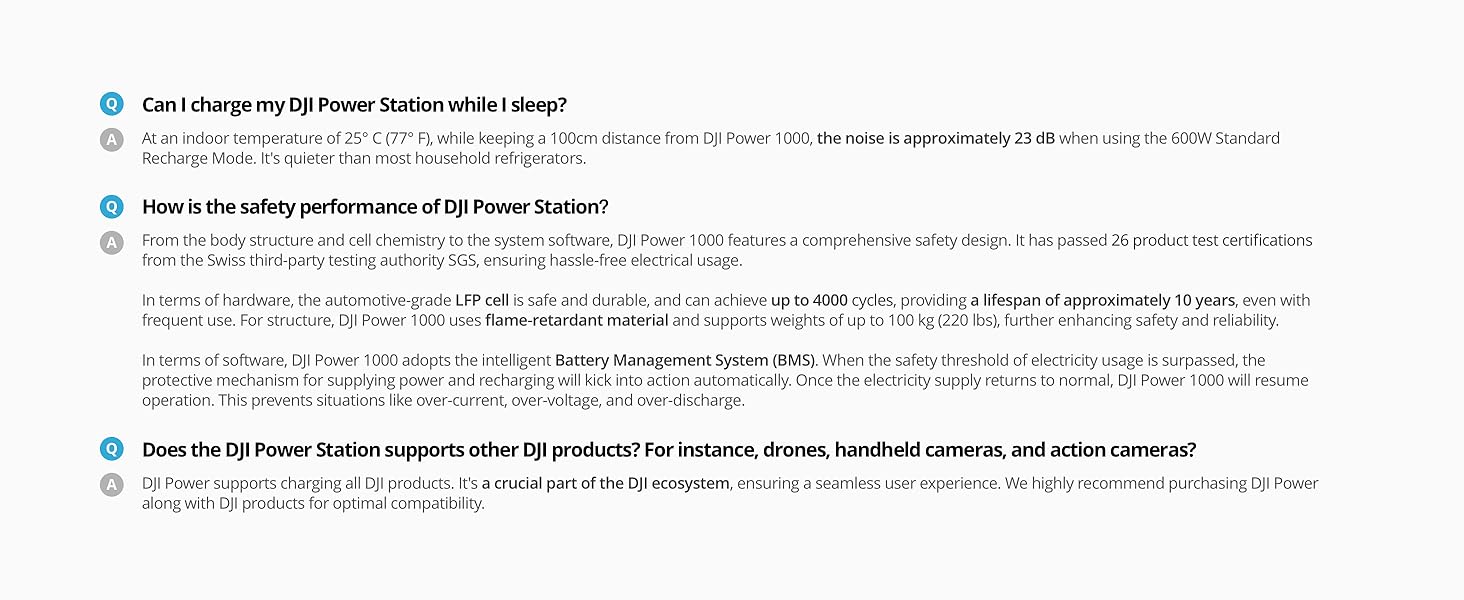
Image: Detailed diagram of DJI Power 1000 ports and their functions.
5. Setup
5.1 Initial Charging
Before first use, fully charge the DJI Power 1000. Connect the included AC power cable to the AC input port on the power station and then to a wall outlet. The display will indicate charging status. A full charge from 0-100% typically takes 70 minutes using grid power.
5.2 Placement
Place the power station on a stable, flat surface in a well-ventilated area. Ensure adequate space around the unit for heat dissipation. Avoid placing it near heat sources or in direct sunlight.
6. Operating Instructions
6.1 Powering On/Off
Press and hold the main power button for a few seconds to turn the unit on or off. The display will illuminate upon activation.
6.2 Using AC Outputs
Press the AC button once to activate the AC outlets. The green light next to the AC ports will indicate they are active. By default, the unit may enter ECO mode. To ensure continuous power, press the AC button a second time. The green light will become solid, indicating continuous output. Connect your devices to the AC outlets.
6.3 Using USB Outputs
The USB-A and USB-C ports are typically active when the unit is powered on. Connect your USB-compatible devices directly to these ports for charging.
6.4 Display Information
The display provides real-time information:
- Battery Percentage: Current charge level.
- Input Wattage: Power being drawn during charging.
- Output Wattage: Power being supplied to connected devices.
- Status Indicators: Icons for AC/DC output, fan status, and warnings.

Image: DJI Power 1000 in various operational scenarios, demonstrating versatility.
7. Charging Methods
The DJI Power 1000 supports multiple recharging methods to suit your needs.
7.1 Grid Power Recharging
Connect the AC power cable to a standard wall outlet. The power station can recharge from 0-80% in approximately 50 minutes and 0-100% in 70 minutes.
7.2 Solar Charging
The DJI Power 1000 can be recharged using solar panels via the DJI Power Solar Panel Adapter Module (MPPT), which is sold separately. This allows for efficient solar energy conversion. With optimal solar input, the unit can recharge to 100% in approximately 80 minutes.
7.3 Car Charging
Recharge the power station using a car power outlet via the DJI Power Car Power Outlet to SDC Power Cable (12V/24V), also sold separately. A full charge from 0-100% takes approximately 11 hours.
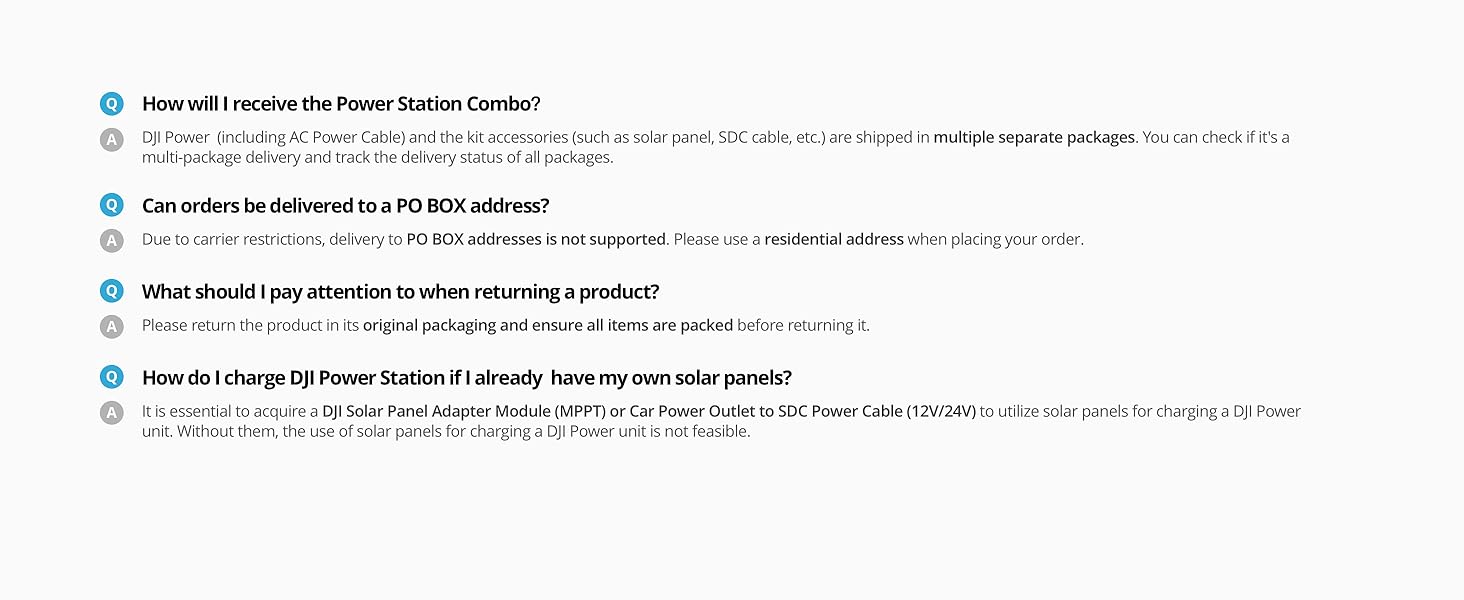
Image: Overview of grid, solar, and car charging methods and their respective times.
8. Maintenance
8.1 Battery Care
To maximize battery lifespan, it is recommended to fully discharge and recharge the unit at least once every three months if not in regular use. Store the unit in a cool, dry place, away from direct sunlight and extreme temperatures.
8.2 Cleaning
Use a soft, dry cloth to clean the exterior of the power station. Do not use harsh chemicals or abrasive materials. Ensure all ports are free from dust and debris.
8.3 Storage and Transportation
When shipping the power station, use the original packaging to comply with logistic regulations and ensure product safety. It is recommended to retain the original packaging during the product's refund period.
9. Troubleshooting
This section addresses common issues you might encounter with your DJI Power 1000.
9.1 Unit Not Powering On
- Ensure the battery is charged. Connect the unit to grid power and attempt to power on.
- Press and hold the power button firmly for a few seconds.
9.2 AC Output Turns Off Unexpectedly (ECO Mode)
The DJI Power 1000 features an ECO mode that automatically turns off the AC output after a period of low power draw to conserve energy. To enable continuous AC output, press the AC button twice. The green indicator light will change from pulsating to solid.
9.3 Slow Charging or No Charging
- Verify that the charging cable is securely connected to both the power station and the power source.
- Ensure the power source (wall outlet, solar panel, car outlet) is functioning correctly.
- For solar charging, confirm that the solar panels are correctly positioned and receiving adequate sunlight, and that the DJI Power Solar Panel Adapter Module (MPPT) is properly connected.
9.4 Software Updates
While software updates may be available, exercise caution. Some users have reported issues after updating firmware. If your unit is functioning normally, consider whether an update is necessary. If an update is performed, ensure the unit is fully charged and on continuous AC power during the process.
10. Specifications
| Feature | Specification |
|---|---|
| Model Name | DJI Power 1000 (DYM1000L) |
| Battery Capacity | 1024Wh |
| Battery Cell Type | LiFePO4 (Lithium Iron Phosphate) |
| Continuous Output Wattage | 2200W |
| Peak Output Wattage | 2600W |
| AC Voltage | 120 Volts (AC) |
| USB-C Output | Dual 140W Max |
| Item Weight | 32.6 Pounds |
| Product Dimensions | 17.6"L x 8.8"W x 9"H |
| Noise Level | 23 dB (Ultra-Silent) |
| Charging Time (Grid 0-100%) | 70 minutes |
| Charging Time (Solar 0-100%) | 80 minutes (with optional accessories) |
| Charging Time (Car 0-100%) | 11 hours (with optional accessories) |
11. Warranty
The DJI Power 1000 comes with a standard 3-year warranty. This warranty can be extended to 5 years with easy product registration. Please refer to the official DJI website for detailed warranty terms and conditions and registration instructions.
12. Support
For technical assistance, product inquiries, or warranty claims, please contact DJI customer support:
- Email: AMZ-DJIPower@dji.com
- Online Resources: Visit the official DJI website for FAQs, firmware updates, and additional product information.

Image: DJI Professional Support information.


