
ProLine UN3481
ProLine UN3481 Caution Lithium Battery Labels User Manual
Model: UN3481
1. Introduction
This manual provides essential instructions for the proper use and application of ProLine UN3481 Caution Lithium Battery Labels. These labels are designed to meet international shipping regulations for lithium batteries, ensuring safe transport and compliance.
2. Product Overview
The ProLine UN3481 Caution Lithium Battery Labels are high-quality, self-adhesive labels specifically designed for marking packages containing lithium batteries. Each roll contains 500 labels, each measuring 3.25 inches by 4.25 inches. They are manufactured from durable semi-gloss adhesive paper and feature a permanent adhesive backing for secure attachment. A dedicated writable area is provided for emergency response contact information, as required by regulations.

Figure 1: Front view of a single UN3481 Caution Lithium Battery Label, showing the battery hazard symbol, UN3481 code, and space for emergency contact information.
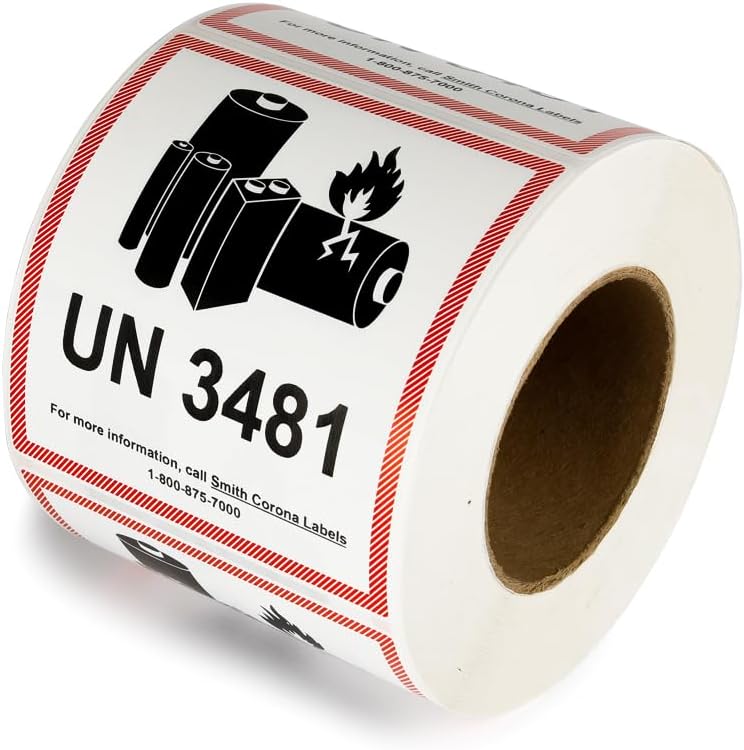
Figure 2: A roll of 500 UN3481 Caution Lithium Battery Labels, demonstrating the quantity and format of the product.
3. Application Instructions
- Prepare the Surface: Ensure the package surface where the label will be applied is clean, dry, and free from dust, grease, or other contaminants. A smooth, flat surface is recommended for optimal adhesion.
- Fill in Information: Before applying, use a permanent marker to legibly write the required emergency response contact information in the designated area on the label. This information is crucial for safety and compliance.
- Peel and Apply: Carefully peel one label from the roll. Align the label on the package and press firmly from the center outwards to remove any air bubbles and ensure full contact with the surface.
- Placement: Apply the label to a prominent and easily visible location on the package, ensuring it is not obscured by other labels or packaging materials.
4. Usage Guidelines
These labels are specifically designed for packages containing lithium batteries, identified by the UN3481 code. They are essential for complying with Department of Transportation (DOT) and International Civil Aviation Organization (ICAO) labeling requirements for shipping lithium batteries. Always ensure that the contents of the package match the UN number indicated on the label.
5. Maintenance and Storage
To maintain the quality and adhesive properties of the labels, store the roll in a cool, dry environment away from direct sunlight and extreme temperatures. Keep the labels in their original packaging until ready for use to protect them from dust and moisture.
6. Troubleshooting
- Poor Adhesion: If a label does not adhere properly, ensure the application surface is clean, dry, and smooth. Avoid applying labels to textured or oily surfaces.
- Illegible Writing: Always use a permanent marker for filling in emergency contact information to prevent smudging or fading during transit.
7. Specifications
| Feature | Detail |
|---|---|
| Model Number | UN3481 |
| Label Size | 3.25" x 4.25" (8.25 cm x 10.8 cm) |
| Quantity per Roll | 500 labels |
| Material | Semi-gloss adhesive paper |
| Adhesive Type | Permanent |
| Ink Color | Black (symbol/text), Red (border) |
| Compliance | DOT, ICAO labeling requirements |
| Item Weight (Roll) | 1.8 pounds (approx.) |
| Package Dimensions | 4 x 4 x 3.25 inches (approx.) |
| Manufacturer | Proline Ecopacking Company |
8. Compliance Information
These ProLine UN3481 Caution Lithium Battery Labels are manufactured to meet the stringent labeling requirements set forth by the Department of Transportation (DOT) and the International Civil Aviation Organization (ICAO) for the safe transport of lithium batteries. Proper application of these labels is crucial for adherence to these regulations.
9. Support
For further assistance or inquiries regarding ProLine UN3481 Caution Lithium Battery Labels, please contact ProLine customer service through their official channels. Refer to the product packaging or the vendor's website for specific contact details.
Ask a question about this manual
Ask about setup, troubleshooting, compatibility, parts, safety, or missing instructions. Manuals+ will review the question and use this page’s manual context to help answer it.