
Introduction
Thank you for choosing the YUSONIC Unicorn Kids Bluetooth Headphones. This manual provides essential information for the safe and effective use of your new headphones. Please read it thoroughly before operation and retain it for future reference.
Safety Information
- Volume Limit: These headphones feature a 93dB volume limit to protect children's hearing. Do not attempt to bypass or modify this limit.
- Supervision: Always supervise young children while they are using headphones.
- Cleaning: Use a soft, dry cloth for cleaning. Avoid harsh chemicals or abrasive materials.
- Water Resistance: This product is not water resistant. Avoid exposure to liquids.
- Battery Safety: The headphones contain a D battery. Do not attempt to replace the battery yourself. Dispose of batteries according to local regulations.
Package Contents
- YUSONIC Unicorn Kids Bluetooth Headphones (Black)
- USB-C Charging Cable
- 3.5mm Audio Cable
- User Manual
Product Overview
The YUSONIC Unicorn Kids Bluetooth Headphones feature a unique unicorn design with flashing LED lights on the cat ears and unicorn horn. They are foldable for easy storage and portability, and include soft, comfortable over-ear cushions. A built-in microphone allows for clear communication.

Image: YUSONIC Unicorn Kids Bluetooth Headphones in Black, showcasing the unicorn horn and cat ear design with LED lights.

Image: The headphones folded for compact storage, highlighting their portability.
Setup
1. Charging the Headphones
- Connect the provided USB-C charging cable to the charging port on the headphones and to a compatible USB power source.
- The LED indicator light will show charging status.
- A full charge takes approximately 1.5 to 2 hours.
- Once fully charged, the headphones provide up to 50 hours of playtime.
2. Bluetooth Pairing
- Ensure the headphones are charged.
- Press and hold the Power On/Off button for 5 seconds until the LED indicator light flashes blue and red, indicating pairing mode.
- On your device (smartphone, tablet, computer), enable Bluetooth and search for available devices.
- Select "UNICORN HEADPHONES stn27" or similar from the list of devices.
- Once paired, the LED indicator light will turn solid blue.
3. Wired Connection (Optional)
- Insert the 3.5mm audio cable into the auxiliary port on the headphones.
- Connect the other end of the cable to your audio device's 3.5mm jack.
- The headphones will function as wired headphones, conserving battery life.
Operating Instructions
1. Power On/Off
- To power on, press and hold the Power On/Off button until the LED indicator lights illuminate.
- To power off, press and hold the Power On/Off button until the LED indicator lights turn off.
2. LED Light Control
- To turn off the flashing LED lights and conserve battery, quickly press the "+" button twice.
- To turn the lights back on, quickly press the "+" button twice again.
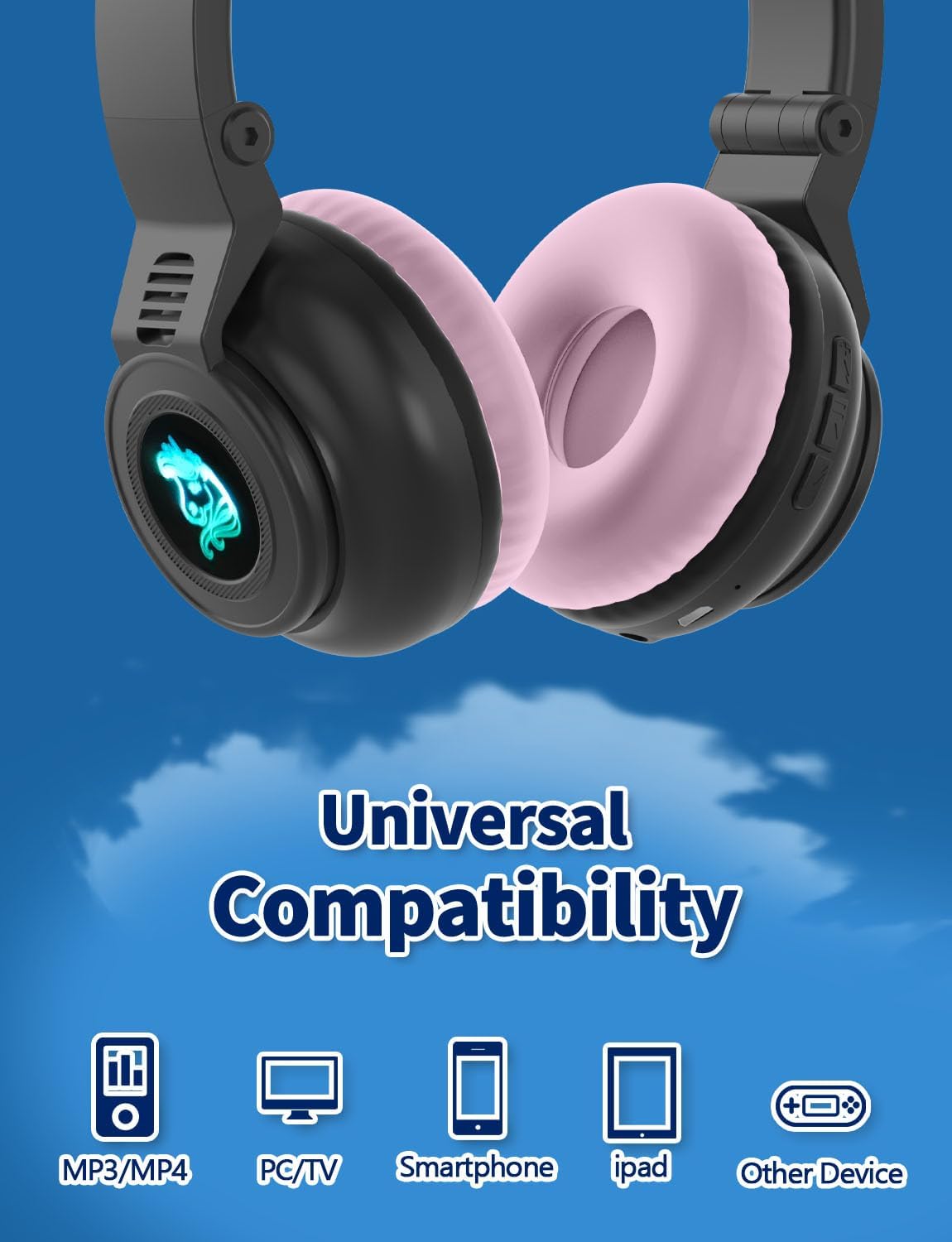
Image: The headphones with their colorful LED lights activated on the cat ears and unicorn logo.
3. Volume and Track Control
- Volume Up: Short press the "+" button.
- Volume Down: Short press the "-" button.
- Next Track: Long press the "+" button.
- Previous Track: Long press the "-" button.
4. Call Handling
- Answer/End Call: Short press the Play/Pause button.
- Reject Call: Long press the Play/Pause button.
5. Memory Card Mode (Optional)
These headphones support a memory card for direct audio playback without needing a Bluetooth connection. Insert a compatible memory card (not included) into the designated slot. Use the track control buttons to navigate your audio files.
Video: YUSONIC Unicorn Kids Bluetooth Headphones - Product Features Overview. This video demonstrates the headphones' foldable design, LED lights, and various control buttons, including the memory card slot.
Maintenance
- Cleaning: Wipe the headphones with a soft, dry cloth. Do not use liquid cleaners or sprays.
- Storage: When not in use, fold the headphones to their compact size and store them in a cool, dry place away from direct sunlight.
- Battery Care: To prolong battery life, charge the headphones regularly, even if not in frequent use. Avoid fully discharging the battery for extended periods.
Troubleshooting
- Headphones not turning on: Ensure the headphones are fully charged.
- Unable to pair via Bluetooth: Make sure the headphones are in pairing mode (flashing blue/red). Ensure your device's Bluetooth is enabled and within range (up to 10 meters). Try restarting both the headphones and your device.
- No sound: Check the volume levels on both the headphones and your connected device. If using a wired connection, ensure the 3.5mm cable is securely plugged into both devices.
- LED lights not working: Ensure the headphones are powered on. If the lights are off, try pressing the "+" button twice to reactivate them.
Specifications
| Feature | Specification |
|---|---|
| Model Name | UNICORN HEADPHONES stn27 |
| Item Model Number | STN-27 |
| Brand | YUSONIC |
| Connectivity Technology | Wireless (Bluetooth 5.0) |
| Wireless Communication Technology | Bluetooth |
| Headphones Jack | 3.5 mm Jack |
| Noise Control | Sound Isolation |
| Special Features | Adjustable Headband, Foldable, Microphone Included, Unicorn Headphones |
| Age Range (Description) | Teen, Kid, Adult |
| Material | Plastic, Silicone/Fabric |
| Item Weight | 180 Grams (6.3 ounces) |
| Bluetooth Range | 10 Meters |
| Battery | 1 D battery required (included) |
| Volume Limit | 93dB |
Warranty and Support
For warranty information and customer support, please refer to the documentation included with your product packaging or contact YUSONIC directly through their official channels.