
Introduction
The DJI Power Solar Panel Adapter Module (MPPT) is designed to facilitate eco-friendly solar recharging for DJI Power series stations. This module allows users to connect compatible solar panels via an XT60 interface, optimizing power delivery for efficient charging. It is an essential accessory for extending the utility of your DJI Power station in outdoor environments.
Included Components
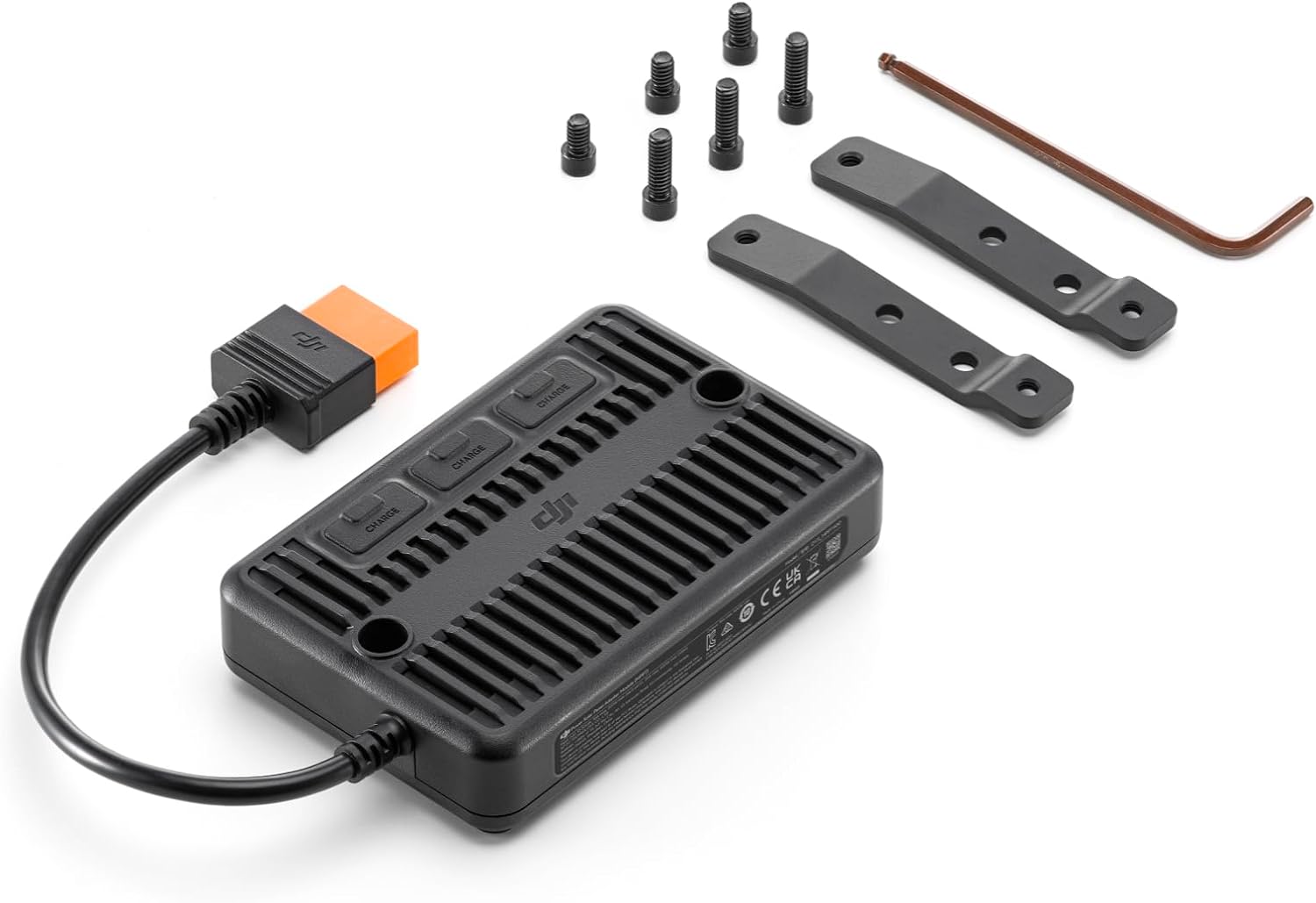
Before setup, ensure all components are present:
- DJI Power Solar Panel Adapter Module (MPPT) × 1
- Metal Heat Dissipation Bracket × 2
- Ball-End Hex Key × 1
- 10mm Screw × 3
- 20mm Screw × 3
Setup
1. Attaching the Heat Dissipation Brackets
The metal heat dissipation brackets are crucial for maintaining optimal operating temperature during solar charging. Attach these brackets to the DJI Power station using the provided screws and hex key.
2. Connecting the MPPT Module to the Power Station
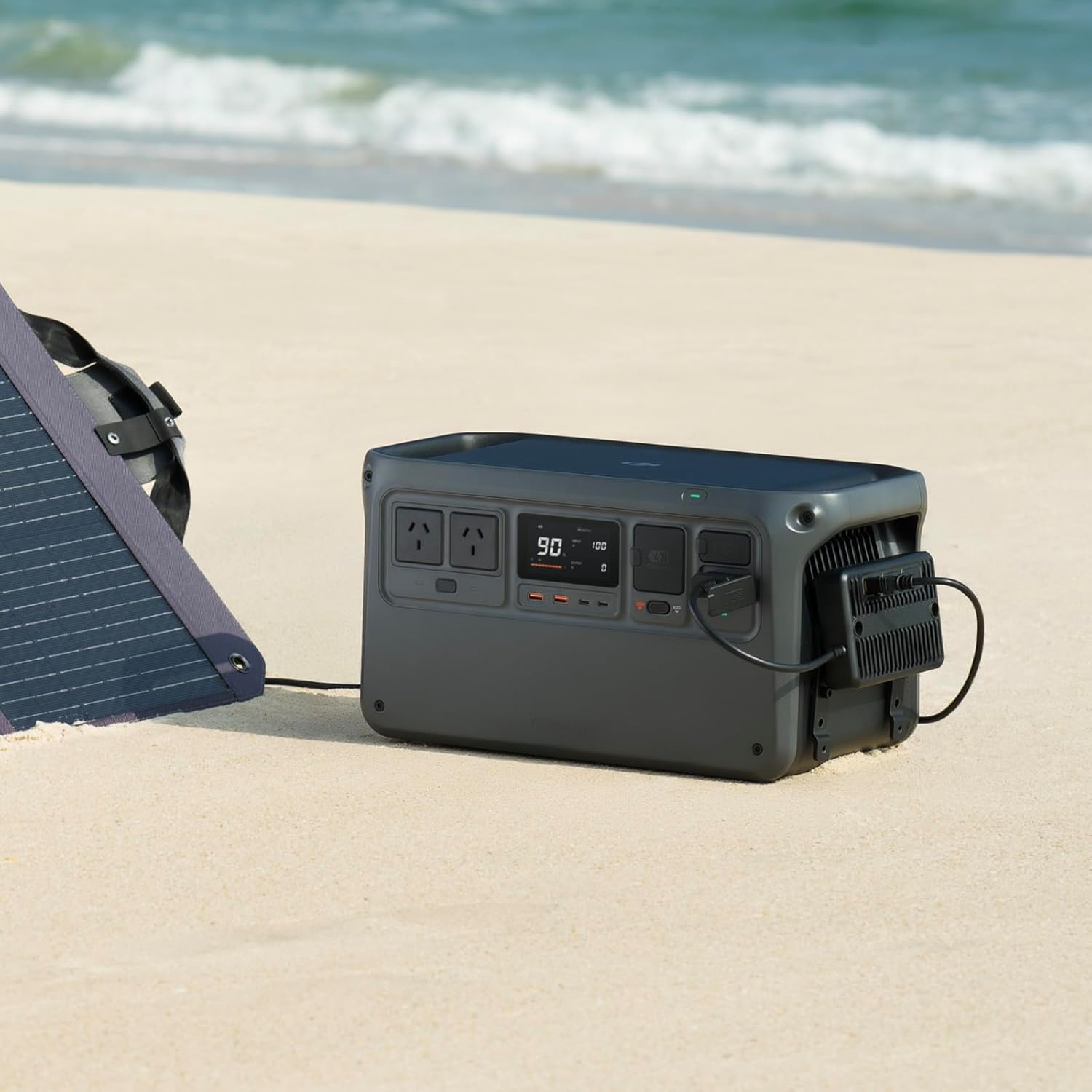
Align the DJI Power Solar Panel Adapter Module (MPPT) with the designated port on your DJI Power series station. Securely attach the module to the heat dissipation brackets using the remaining screws.
3. Connecting Solar Panels
Connect your solar panels to the XT60 interface(s) on the MPPT module. The module supports connection to up to three solar panels. Ensure all connections are firm.
Video: Solar Panel Adapter Module Overview
Operating Instructions
1. Solar Panel Compatibility
The DJI Power Solar Panel Adapter Module is compatible with DJI Power series stations and DJI-certified Zignes solar panels. When using solar panels from other brands, it is essential to ensure the open-circuit voltage of the solar panel is less than 30 V to prevent damage to the MPPT module and the power station. The power output of each solar panel should not exceed 200 W.
2. Power Output Limits
- Single Channel: Maximum 200 W
- Triple Channels (with DJI Power 1000/2000): Maximum 400 W total output.
- Triple Channels (with DJI Power 500): Maximum 300 W total output.
Adhere to these limits to ensure safe and efficient operation.
3. Monitoring Charging Status
The DJI Power station's display will indicate the input wattage from the solar panels and the charging status. Monitor this display to ensure proper operation and charging progress.
Maintenance
To ensure the longevity and optimal performance of your DJI Power Solar Panel Adapter Module (MPPT), follow these maintenance guidelines:
- Cleaning: Regularly wipe the module and its connectors with a dry, soft cloth to remove dust and debris. Avoid using harsh chemicals or abrasive materials.
- Inspection: Periodically inspect the XT60 interfaces and the connection points to the power station for any signs of wear, damage, or corrosion. Ensure all screws are tight.
- Storage: When not in use, store the module in a cool, dry place away from direct sunlight and extreme temperatures.
Troubleshooting
If you encounter issues with your DJI Power Solar Panel Adapter Module (MPPT), consider the following:
- No Charging: Ensure all cables are securely connected. Verify that the solar panels are receiving adequate sunlight and are not obstructed. Check the solar panel's open-circuit voltage and power output to ensure they are within the module's specified limits.
- Slow Charging: Optimize the angle and position of your solar panels towards the sun. Ensure the solar panels are clean. Verify that the total power output of connected panels does not exceed the module's maximum capacity for your specific DJI Power station model.
- Overheating: Confirm that the metal heat dissipation brackets are correctly installed. Ensure the module is not covered or placed in an area with poor ventilation. Reduce the load if necessary.
Specifications
| Feature | Detail |
|---|---|
| Brand | DJI |
| Model Name | DJI MPPT |
| Item Model Number | 6941565969644 |
| Total Output (Single Channel) | Max 200 W |
| Total Output (Triple Channels, DJI Power 1000/2000) | Max 400 W |
| Total Output (Triple Channels, DJI Power 500) | Max 300 W |
| Input Voltage | 12-30 V, DC |
| Max Input Current (Single Channel) | 10 A |
| Max Input Current (Triple Channels) | 20 A |
| Operating Temperature | -10° to 45° C (41° to 113° F) |
| Item Weight | 1.26 Pounds |
| Product Dimensions | 3.9"L x 2.3"W x 7.5"H |
| Material | Metal |
| Color | Black |
Warranty and Support
For warranty information and technical support, please refer to the official DJI website or contact DJI customer service directly. Keep your purchase receipt for warranty claims. Regular firmware updates for your DJI Power station may enhance compatibility and performance with the MPPT module.


