
1. Introduction
Thank you for choosing the Housoul Buffet Cabinet with LED Lights. This modern and versatile cabinet is designed to enhance your living space with ample storage and dynamic lighting. It features two acrylic doors, an internal shelf, and an adjustable LED system to create various atmospheres. This manual provides detailed instructions for assembly, operation, maintenance, and important safety information to ensure proper use and longevity of your product.
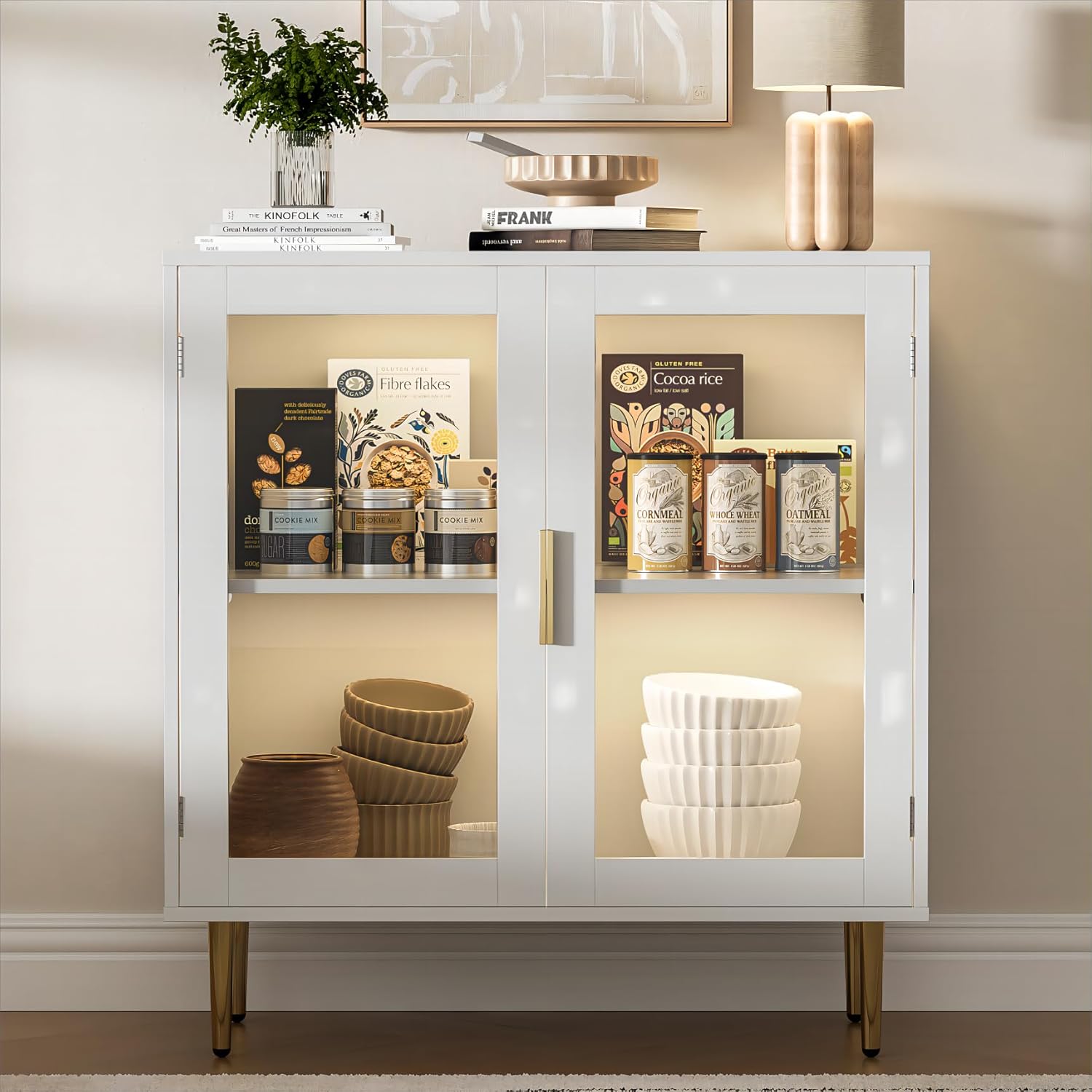
A modern white buffet cabinet featuring two acrylic doors, internal shelving, and illuminated by integrated LED lights, showcasing various kitchen or dining items.
2. Important Safety Information
Please read all instructions carefully before assembly and use. Keep this manual for future reference.
- Anti-Tipping Device: It is crucial to securely anchor the cabinet to the wall using the provided anti-tipping device. This prevents accidental tipping, especially in households with children or pets, ensuring stability and safety.
- Weight Capacity: Do not overload shelves. Distribute weight evenly to maintain stability.
- Assembly: Assemble the cabinet on a soft, clean surface to prevent scratches. Ensure all hardware is tightened securely before use.
- Electrical Safety: When connecting the LED system, ensure the power source is appropriate and connections are secure. Do not expose electrical components to water.
- Ventilation: Ensure adequate ventilation around the cabinet, especially if placing electronic devices inside.

A detailed view of the metal anti-tipping device designed to secure the cabinet to a wall, enhancing stability and safety.
3. Product Specifications
| Feature | Detail |
|---|---|
| Brand | Housoul |
| Model Name | FS-SMGLED-WH |
| Color | Flat Door - White |
| Product Dimensions | 31.5"W x 15.7"D x 33.5"H |
| Item Weight | 52 Pounds |
| Material | CARB/EPA certified sturdy wood, Acrylic doors |
| Special Feature | Adjustable LED Lights (12 colors, dynamic modes) |
| Number of Shelves | 1 (internal) |
| Mounting Type | Floor Mount (Freestanding) |
| Assembly Required | Yes |
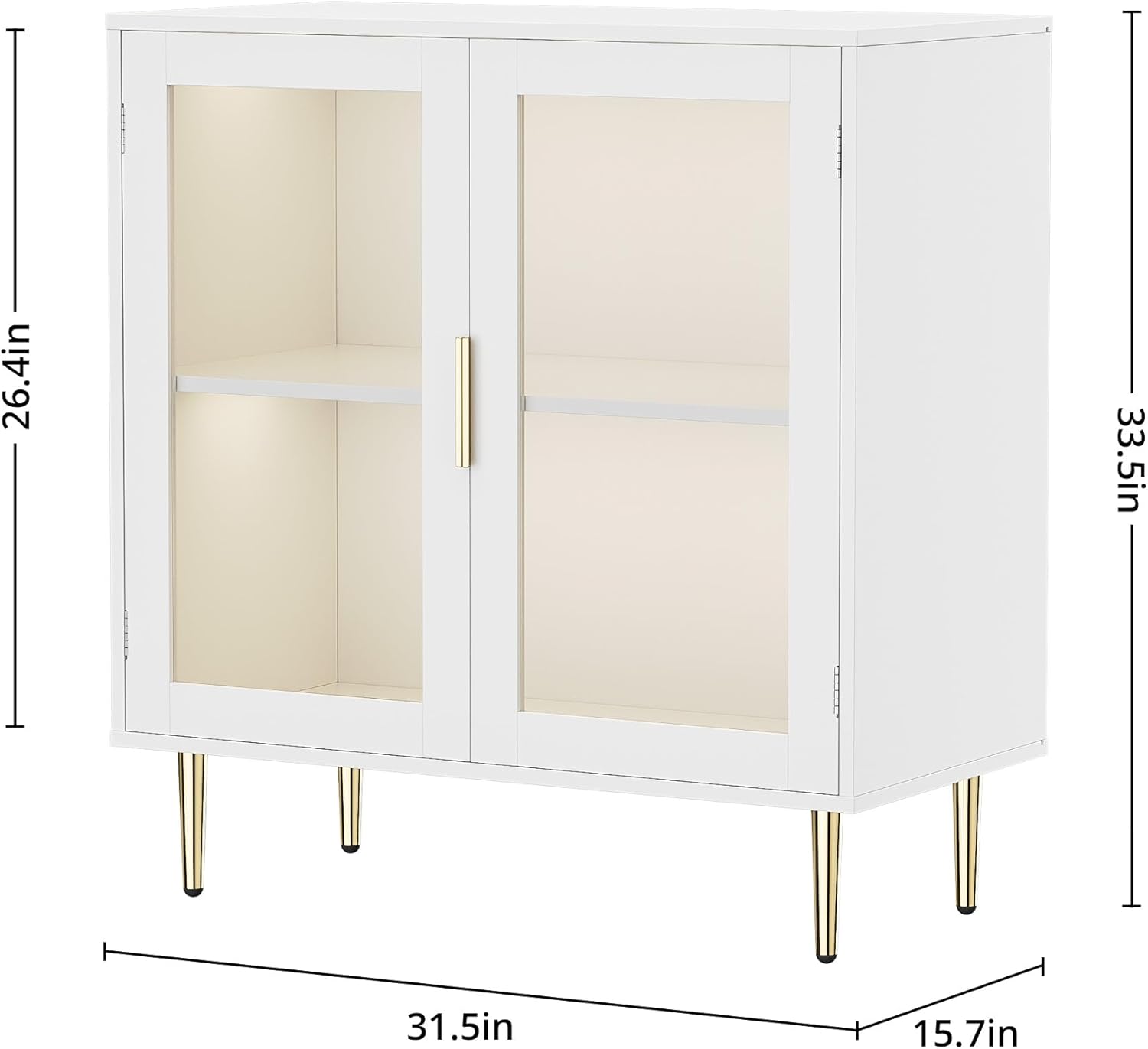
Diagram showing the dimensions of the buffet cabinet: 31.5 inches width, 15.7 inches depth, and 33.5 inches height.
4. Package Contents
Before beginning assembly, please verify that all parts listed below are present and undamaged. If any parts are missing or damaged, please contact customer service.
- Cabinet Panels (Top, Bottom, Sides, Back)
- Acrylic Doors (2)
- Internal Shelf (1)
- Legs (4)
- LED Light Strips (2)
- LED Remote Control
- Hardware Accessories (screws, dowels, cam locks, hinges, handles, magnetic devices)
- Anti-Tipping Device
- Installation Instructions Manual
5. Assembly Instructions
Assembly is required for this product. Please follow the step-by-step instructions provided in the included installation manual. All hardware components are individually packaged and labeled with codes for easy reference.
- Prepare the Area: Clear a spacious, clean, and soft area for assembly to prevent damage to the cabinet parts.
- Identify Parts: Unpack all components and identify them using the parts list in the separate instruction manual.
- Assemble Frame: Follow the manual to connect the main cabinet panels (sides, top, bottom, back).
- Install Shelf: Insert the internal shelf into the designated slots.
- Attach Legs: Securely attach the four legs to the bottom of the cabinet.
- Install Doors: Attach the hinges to the acrylic doors and then to the cabinet frame. Ensure magnetic devices are aligned for proper closing.
- Install LED Lights: Adhere the LED light strips inside the cabinet as indicated in the manual. Connect them to the power source.
- Secure Anti-Tipping Device: Attach the anti-tipping device to the top rear of the cabinet and then securely fasten it to a wall stud. This step is critical for safety.
The buffet cabinet with both acrylic doors open, providing a clear view of the internal shelf and the LED lighting system. A remote control for the LED lights is visible in the foreground.
6. Operating Instructions (LED Lights)
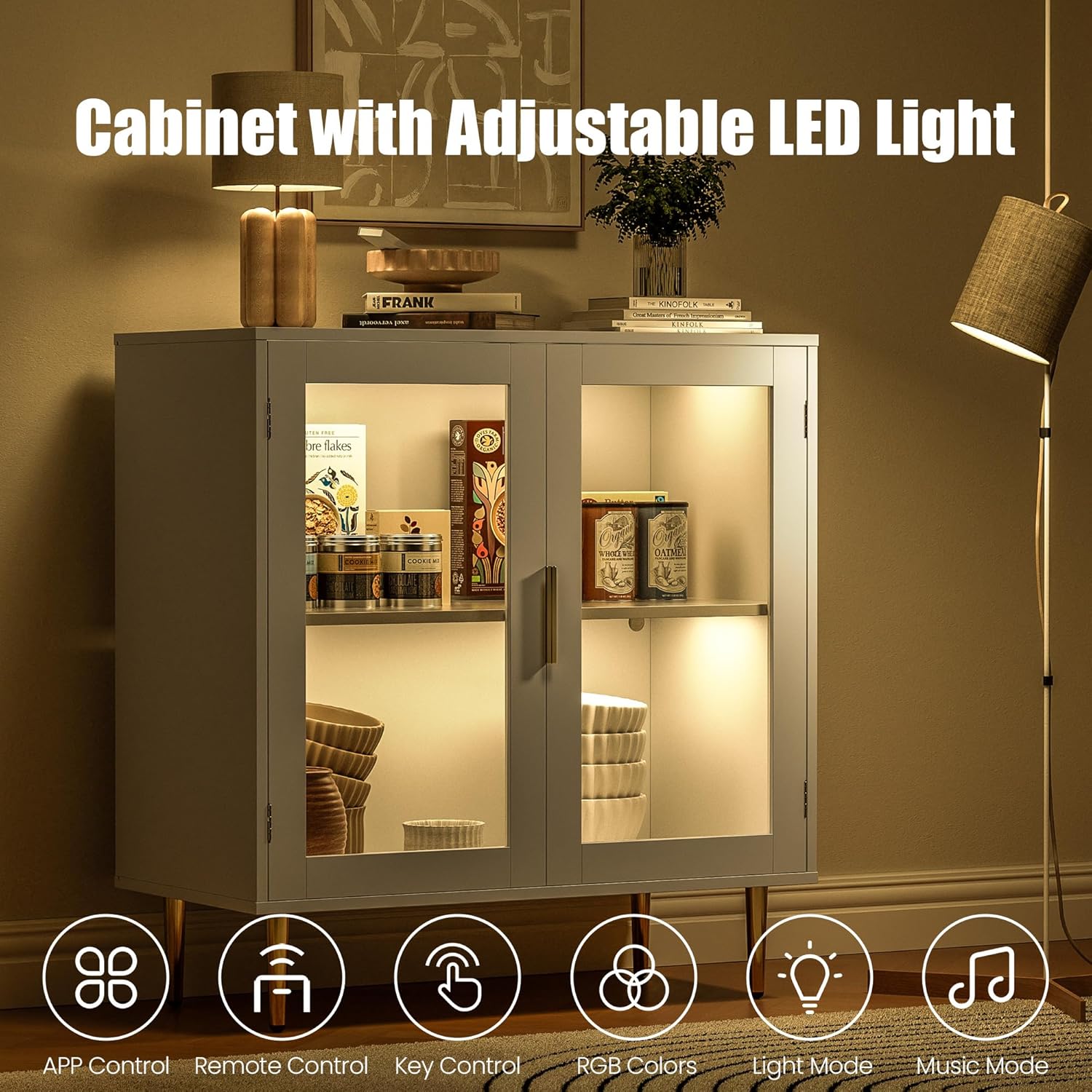
Your Housoul Buffet Cabinet comes with an adjustable LED system that can be controlled via the included remote control or a dedicated app.
- Power On/Off: Use the power button on the remote control to turn the LED lights on or off.
- Color Selection: The remote offers 12 static colors. Press the corresponding color button to select your desired hue.
- Dynamic Modes: Explore various dynamic modes (e.g., flash, strobe, fade, smooth) by pressing the mode buttons on the remote. These modes cycle through colors or create pulsating effects.
- Brightness Adjustment: Use the brightness up/down buttons to adjust the intensity of the light.
- App Control: For advanced control and additional features, download the compatible app (refer to the LED light manual for app details). The app typically allows for more precise color selection, custom modes, and sometimes music synchronization.

The buffet cabinet illuminated by its LED lights, with the multi-color remote control displayed prominently, indicating various lighting options.

An image of the buffet cabinet highlighting its adjustable LED light system, accompanied by icons for App Control, Remote Control, Key Control, RGB Colors, Light Mode, and Music Mode.
7. Care and Maintenance
Proper care will ensure the longevity and appearance of your buffet cabinet.
- Cleaning: Wipe surfaces with a soft, damp cloth. Avoid harsh chemicals or abrasive cleaners, which can damage the finish. For acrylic doors, use a non-abrasive cleaner specifically designed for acrylic to prevent scratching.
- Dusting: Regularly dust the cabinet with a dry, soft cloth.
- Spills: Clean up spills immediately to prevent staining or damage to the wood.
- LED Lights: Ensure the LED strips and connections remain dry. If the lights become dirty, gently wipe them with a dry cloth.
- Hardware Check: Periodically check all screws and fasteners to ensure they remain tight. Retighten if necessary.
8. Troubleshooting
If you encounter any issues with your buffet cabinet, refer to the following common problems and solutions:
| Problem | Possible Cause | Solution |
|---|---|---|
| Cabinet is wobbly/unstable | Loose fasteners; uneven floor; anti-tipping device not installed. | Ensure all assembly screws are tightened. Adjust leg levelers if applicable. Install the anti-tipping device securely to the wall. |
| LED lights not turning on | Power connection loose; remote battery dead; LED strip damaged. | Check if the power adapter is securely plugged in. Replace the remote control battery. Inspect LED strip connections. If issues persist, contact customer service. |
| LED lights change color unexpectedly or flicker | Interference; loose connection; faulty LED controller. | Ensure no other remote controls are interfering. Check all connections to the LED strips and controller. Reset the LED system by unplugging and replugging. |
| Doors do not close properly | Hinges misaligned; magnetic catches not aligned. | Adjust the hinges to ensure proper door alignment. Verify that the magnetic catches on the doors and cabinet frame are correctly positioned. |
9. Warranty and Customer Support
Housoul is committed to providing high-quality products. For specific warranty information regarding your buffet cabinet, please refer to the warranty card included in your package or visit the official Housoul website. If you have any questions, require assistance with assembly, or need to report missing/damaged parts, please do not hesitate to contact our professional customer service team. We are here to assist you and ensure you receive a satisfactory solution.
Contact Information: Please refer to the contact details provided on the Housoul official website or your purchase documentation.