
Introduction
This manual provides instructions for the operation and maintenance of your Mesqool Emergency Radio. This device is designed to provide essential information and utilities during emergencies, including NOAA weather alerts, AM/FM/SW radio reception, multiple power options, and integrated lighting features.

Image: The Mesqool Emergency Radio, ready for use in outdoor conditions.
Product Overview
Key Features
- NOAA Certified Weather Radio: Provides real-time alerts for severe weather.
- 24/7 Alert Guard: Monitors NOAA channels from standby or powered-off mode, activating with siren and lights upon alert.
- Multi-Band Radio: Receives FM, AM, and Shortwave (SW) broadcasts with digital tuning and LCD display.
- 5-Way Power System: Rechargeable 5000mAh Li-ion battery, solar panel, hand crank, Micro USB input, and 3 AAA batteries (not included).
- Emergency Power Bank: 5000mAh battery can charge external devices via USB.
- Integrated Lighting: High-intensity LED flashlight (3W, 150-300LM) and a 2-level brightness reading lamp (2.5W, 120-250LM).
- SOS Alarm: 105dB siren with synchronized red strobe for emergencies.
- Portable Design: Compact (6.8×3.7×2.48 inches, 0.9lb) with strap and carabiner.
- Additional Features: Key-lock protection, 3.5mm headphone jack, waterproof (IPX-3) and dust-proof.
What's in the Box
- Mesqool Emergency Radio
- USB C Charging Cable
- Portable Belt
- Metal hook
- Instruction Manual
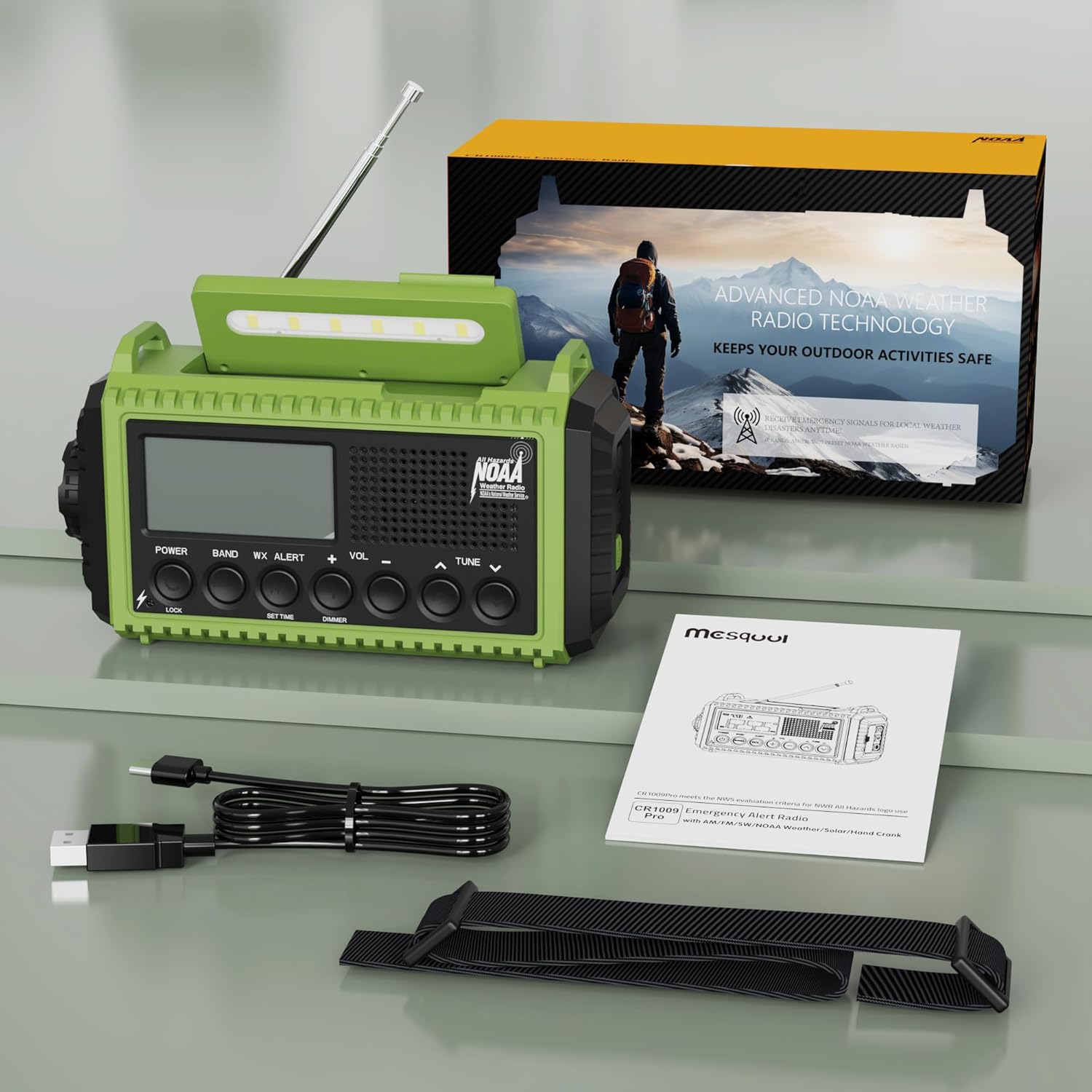
Image: All items included with your Mesqool Emergency Radio.
Setup
Initial Charging
Before first use, fully charge the internal 5000mAh Li-ion battery using the provided USB-C cable connected to a 5V/2A power adapter (not included). The LCD will display battery status. A full charge ensures optimal performance and readiness.
AAA Battery Installation (Optional)
For an additional power source, open the battery compartment and insert 3 AAA batteries (not included), ensuring correct polarity. This provides a backup power option.

Image: Visual representation of the five power options for the radio.
Operating Instructions
Powering the Radio
The radio offers five methods for power:
- Internal 5000mAh Li-ion Battery: Provides up to 13 hours of operation at medium volume.
- Micro USB Input: Connect the USB-C cable to a power source for charging the internal battery.
- Solar Panel: Extend the solar panel and place the radio in direct sunlight for passive charging.
- Hand Crank: Rotate the hand crank clockwise or counter-clockwise for manual power generation. Cranking for 1 minute can provide several minutes of radio use.
- 3 AAA Batteries: Inserted into the battery compartment as a backup power source.
Radio Functions (FM/AM/SW/NOAA)
- Power On/Off: Press the 'POWER' button.
- Band Selection: Press the 'BAND' button to cycle through FM, AM, SW, and NOAA bands.
- Tuning: Use the 'TUNE +' or 'TUNE -' buttons to manually adjust the frequency. For auto-scan, press and hold the 'BAND' button. The LCD will display the current frequency.
- Volume Control: Use the 'VOL +' or 'VOL -' buttons to adjust the audio level.
- NOAA Weather Alert: To activate the 24/7 alert guard, press the 'WX ALERT' button. You can set the monitoring duration (4-24 hours or constant). The radio will automatically activate with a siren and flashing lights upon receiving an alert.

Image: The radio tuned to a NOAA weather channel, illustrating its weather alert capability.
Lighting Functions
- Flashlight: Press the flashlight button on the side to turn it on. Press again to cycle through brightness levels (high/low) or turn off.
- Reading Lamp: Flip up the solar panel to reveal the reading lamp. Press the lamp button to turn it on. Press again to cycle through brightness levels (high/low) or turn off.
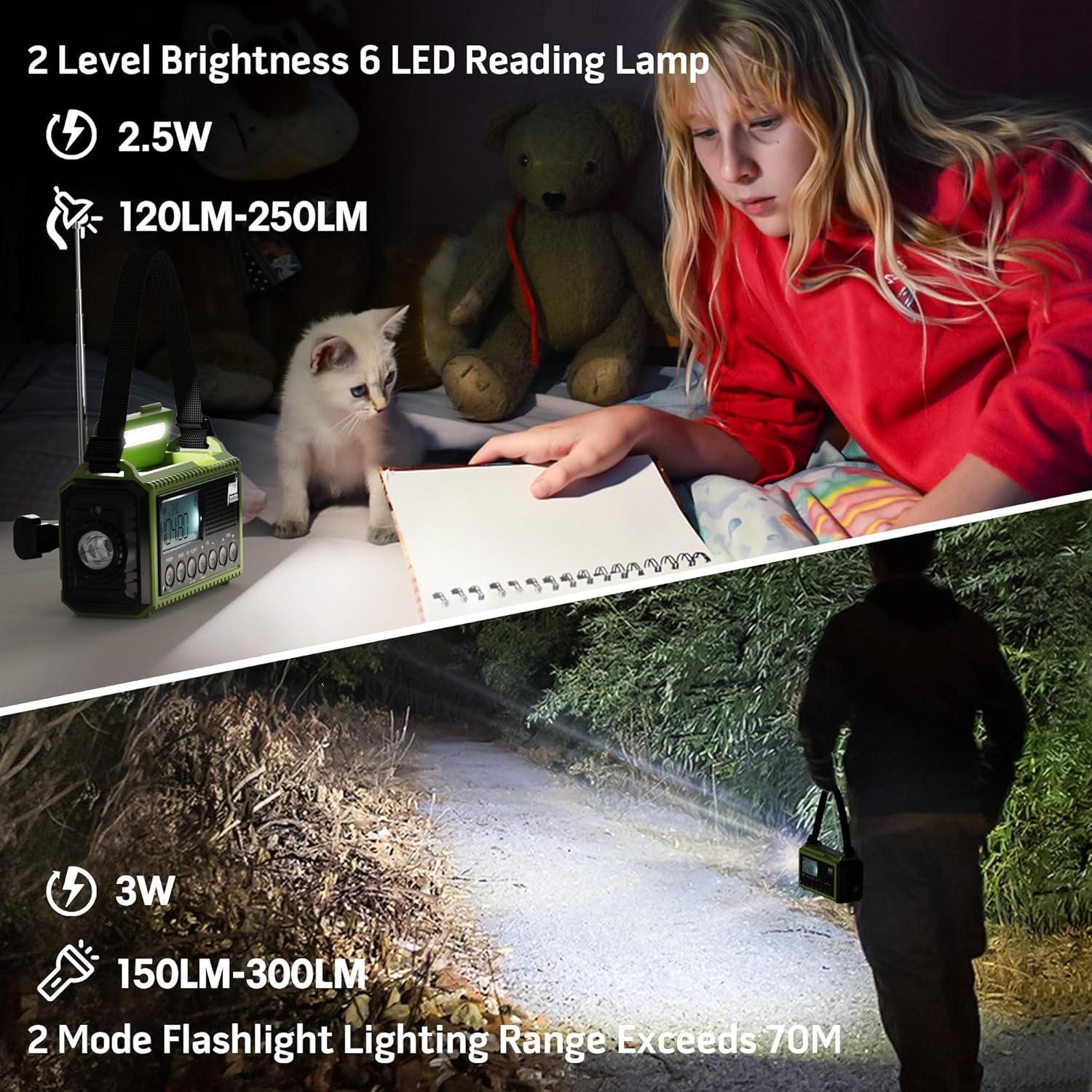
Image: The radio's flashlight and reading lamp providing illumination.
SOS Alarm
In an emergency, press and hold the 'SOS' button to activate the 105dB siren and synchronized red strobe light. Release the button to deactivate.

Image: Close-up of the SOS button and other features.
Charging External Devices
Connect your smartphone or other USB-powered device to the USB output port on the radio using your device's charging cable. The internal 5000mAh battery will act as a power bank.

Image: The radio being used to charge a mobile phone.
Headphone Jack
For private listening, plug standard 3.5mm headphones into the headphone jack located on the side of the radio.
Key Lock Protection
To prevent accidental button presses, activate the key-lock function by pressing and holding the 'LOCK' button. Repeat to unlock.
Video Demonstrations
Video: Demonstration of radio functions, power options, and testing of the Mesqool Weather Radio with charger.
Video: A detailed demonstration of the 5 ways to charge the Mesqool Weather Radio.
Maintenance
- Cleaning: Wipe the radio with a soft, damp cloth. Do not use harsh chemicals or abrasive cleaners.
- Storage: Store the radio in a cool, dry place away from direct sunlight and extreme temperatures. If storing for extended periods, ensure the internal battery is partially charged (around 50%) and recharge every 3-6 months to maintain battery health.
- Water Resistance: The radio is IPX-3 waterproof, meaning it can withstand splashing water. Do not submerge the radio in water. Ensure all port covers are securely closed to maintain water resistance.
Troubleshooting
| Problem | Possible Cause | Solution |
|---|---|---|
| Radio does not power on. | Low battery or no power source. | Charge the internal battery via USB, solar, or hand crank. Check if AAA batteries are correctly installed or need replacement. |
| Poor radio reception. | Antenna not extended, weak signal, or interference. | Fully extend the telescopic antenna. Try repositioning the radio. Move away from electronic devices that may cause interference. |
| NOAA alert not activating. | NOAA alert function not enabled or no active alerts. | Ensure 'WX ALERT' is activated and the monitoring duration is set. Verify you are in an area with NOAA weather radio coverage. |
| Cannot charge external devices. | Radio battery is low or device is incompatible. | Ensure the radio's internal battery has sufficient charge. Some devices may draw too much power or be incompatible. |
Specifications
| Feature | Detail |
|---|---|
| Brand | Mesqool |
| Model Number | cb4d3d5e-e2fb-4c19-976a-43afde88e7b |
| Color | Green with Black |
| Product Dimensions | 6.8"L x 3.7"W x 2.48"H |
| Item Weight | 14.8 ounces |
| Material | Acrylonitrile Butadiene Styrene (ABS) |
| Power Source | Rechargeable Lithium Battery | Type-C Input 5V/2A | 3 AAA Batteries | Solar Panel | Hand Crank |
| Battery Capacity | 5000mAh (1 Lithium Ion battery included) |
| Radio Bands Supported | NOAA Weather Radio, FM, AM, Shortwave (SW) |
| Tuner Technology | Digital Tuning |
| Flashlight Output | 3W (150-300LM) |
| Reading Lamp Output | 2.5W (120-250LM) |
| SOS Alarm Volume | 105dB |
| Water Resistance Level | IPX-3 (Waterproof) |
| Display Type | LCD |
| Connectivity Technology | NOAA RADIO, USB |
| Compatible Devices | Headphone, Smartphone |
Warranty and Support
Warranty Information
The Mesqool Emergency Radio comes with a 3-Year Limited Warranty Against Manufacturing Defects. Please retain your proof of purchase for warranty claims.
Customer Support
For further assistance, troubleshooting, or warranty inquiries, please contact Mesqool customer support through the retailer where the product was purchased or visit the official Mesqool website.