
Newday ND-52-1235
Newday 52-inch Ceiling Fan Instruction Manual
Model: ND-52-1235 | Brand: Newday
1. Introduction
This manual provides detailed instructions for the safe and efficient operation, installation, and maintenance of your Newday 52-inch Ceiling Fan. Please read this manual thoroughly before installation and use. Retain this manual for future reference.
2. Safety Precautions
Always follow basic safety precautions when installing and operating electrical appliances to reduce the risk of fire, electric shock, and personal injury.
- Ensure power is disconnected at the circuit breaker before installation or servicing.
- All wiring must be in accordance with national and local electrical codes. If you are unsure about wiring, consult a qualified electrician.
- The mounting structure must be capable of supporting the weight of the fan (12.1 lbs).
- Do not operate the fan with damaged blades or housing.
- Keep hands, clothing, and other objects clear of the fan blades when the fan is in operation.
3. What's in the Box
Carefully unpack all components and ensure all items are present before beginning installation.
- Ceiling Fan Motor Assembly
- Mounting Hardware
- Remote Control
- LED Light Kit
- Fan Blades (3) - Reversible Black/Wood Grain

Figure 3.1: All components included in the Newday 52-inch Ceiling Fan package.
4. Setup and Installation
The Newday 52-inch Ceiling Fan is designed for easy DIY installation, typically completed within an hour. All necessary tools are included in the box.
4.1 Pre-Installation Steps
- Turn off power at the main circuit breaker.
- Ensure the ceiling junction box is securely mounted and capable of supporting the fan's weight.
4.2 Mounting the Fan
Attach the mounting bracket to the ceiling junction box. Secure the fan assembly to the mounting bracket, ensuring all connections are firm.

Figure 4.1: DIY-friendly installation process, saving on electrician costs.
4.3 Wiring Connections
Connect the fan's electrical wires to the household wiring according to the provided wiring diagram in the manual. Ensure proper grounding.
Video 4.1: Step-by-step guide on how to install the ceiling fan.
4.4 Attaching Fan Blades
The fan blades are reversible, offering a classic black or natural wood finish. Choose your preferred side and securely attach the blades to the motor housing using the provided screws.

Figure 4.2: Reversible fan blades allow for customization between matte black and wood grain.
5. Operating Instructions
Your Newday ceiling fan comes with a remote control for convenient operation of all features.
5.1 Remote Control Functions
The remote allows you to adjust fan speed, light settings, and activate special modes.
- Fan On/Off: Power button in the center.
- Fan Speed: Buttons 1-6 for 6 levels of fan speed.
- Light On/Off: Separate buttons for light control.
- Timer: Set auto-off for 1, 3, or 6 hours.
- Reverse Airflow: Button to switch between summer (downward airflow) and winter (upward airflow) modes.
- Sleep Mode: Activates a simulated natural wind cycle (speeds 1, 2, 3 cycle every 20s) for quiet operation.
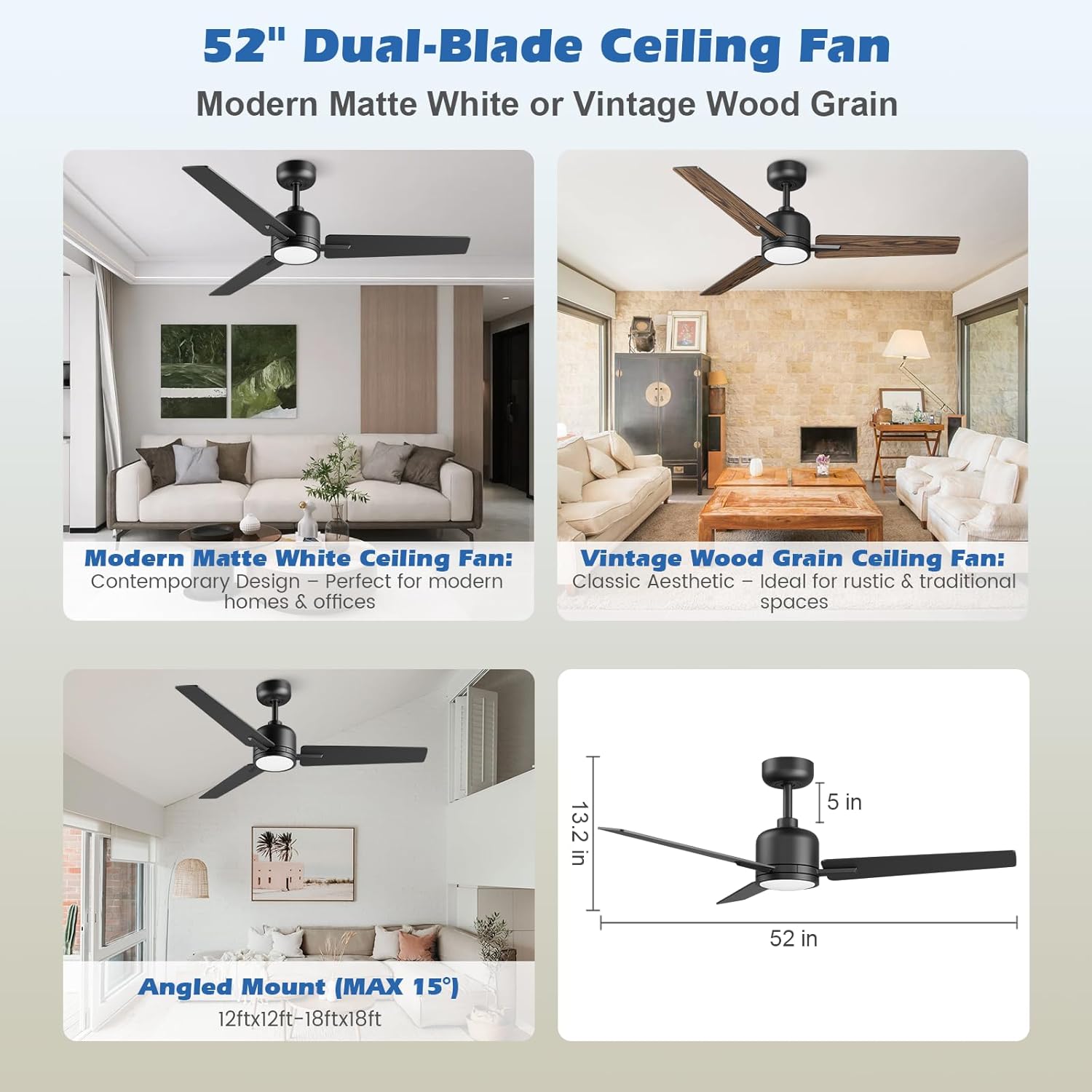
Figure 5.1: Overview of the remote control for the ceiling fan.
5.2 Light Control
The integrated LED light offers adjustable color temperature and brightness.
- Color Temperatures: Choose from Cool White (6500K), Natural White (4000K), and Warm White (3000K).
- Brightness: Dimmable from 0% to 100%.
- Memory Function: The light will restore to the last used color temperature and brightness if turned off for more than 10 seconds.
Video 5.2: Demonstration of dimmable LED lights with adjustable color temperatures.

Figure 5.2: Customizable light settings for various moods and activities.
5.3 Fan Speed and Modes
The fan provides powerful airflow and various modes for optimal comfort.
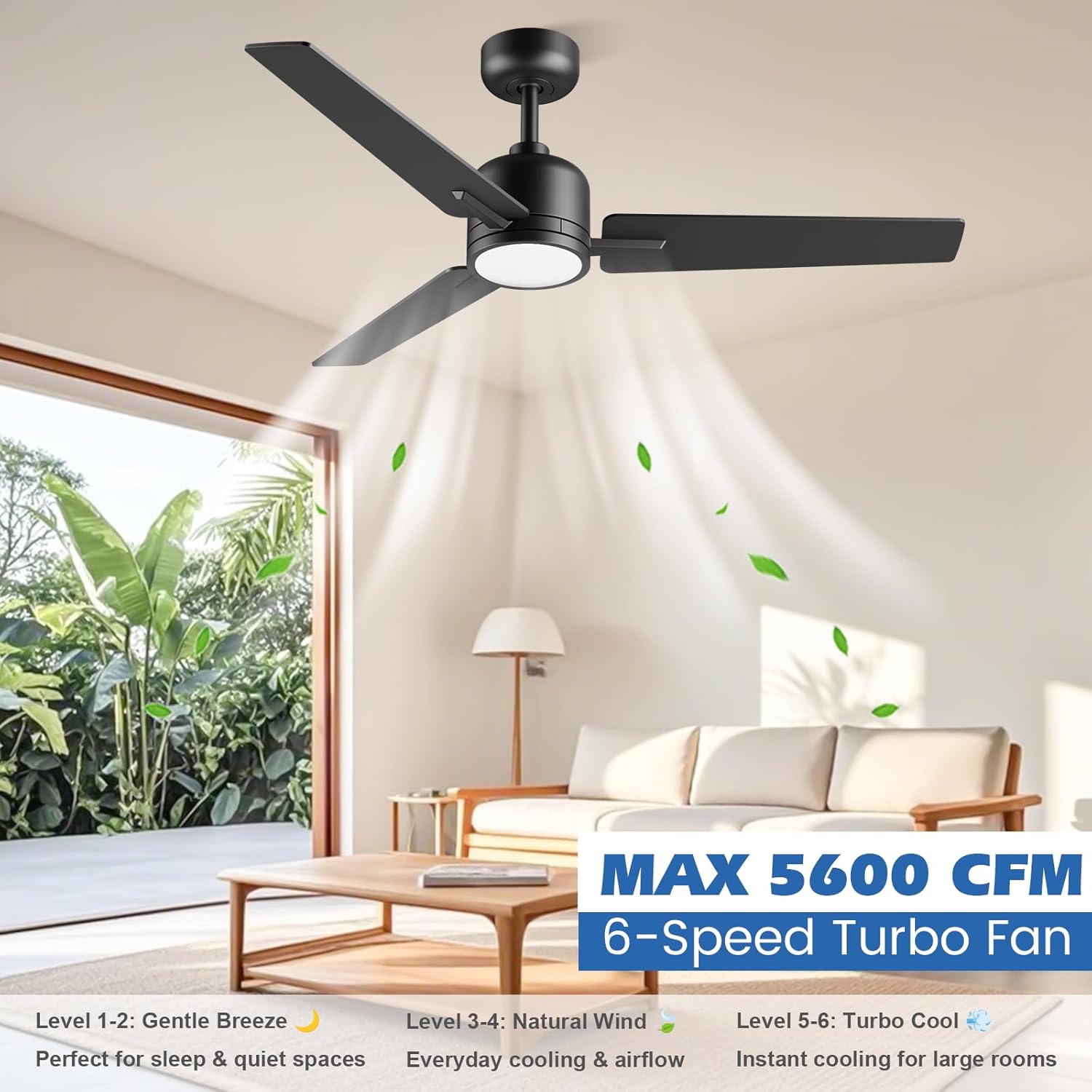
Figure 5.3: High CFM airflow for effective cooling.
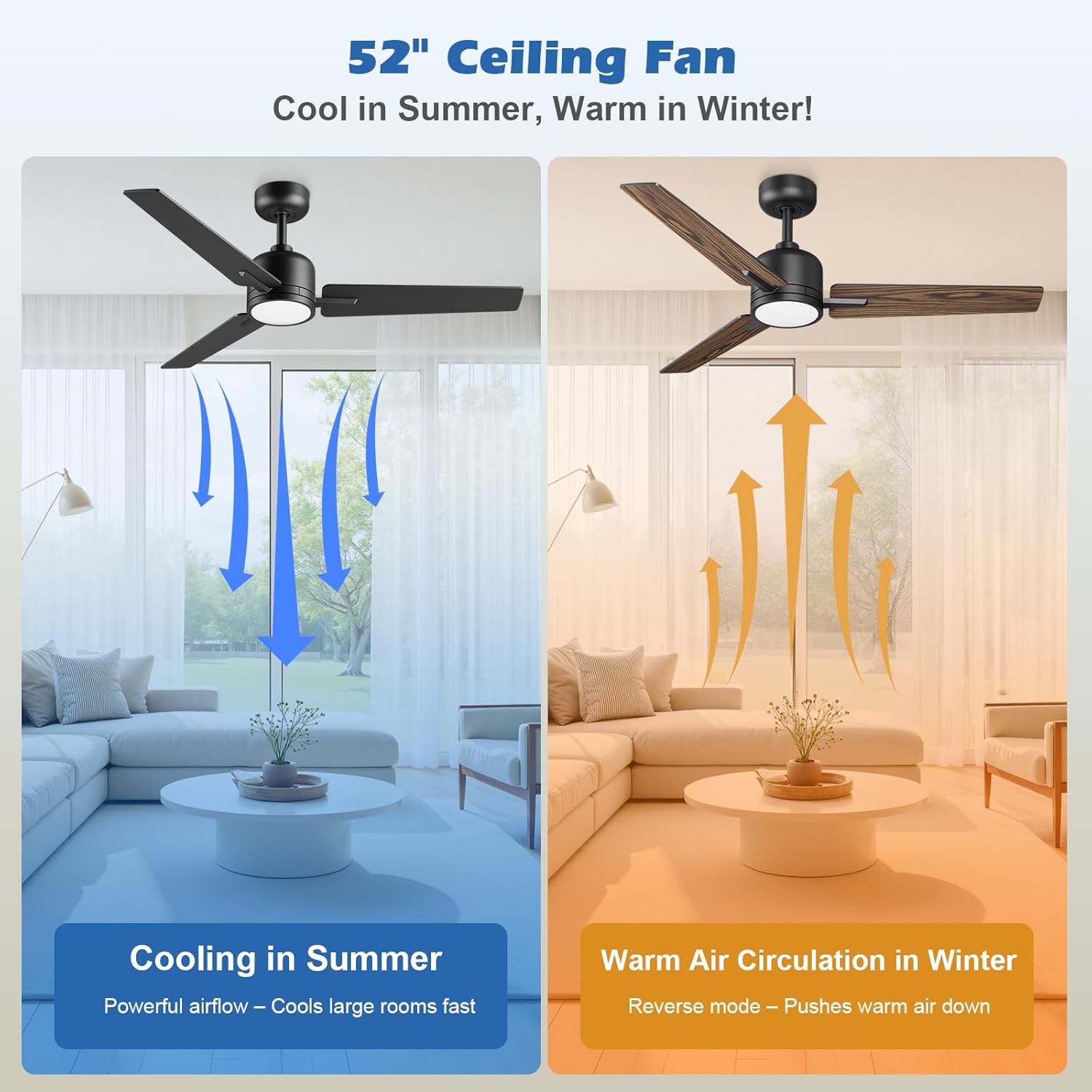
Figure 5.4: Reversible DC motor for year-round comfort.

Figure 5.5: Sleep mode for a quiet and comfortable environment.
6. Maintenance
Regular maintenance ensures optimal performance and longevity of your ceiling fan.
- Cleaning: Wipe the fan blades and motor housing with a soft, damp cloth. Do not use abrasive cleaners or solvents.
- Tightening Screws: Periodically check all screws on the fan and mounting bracket to ensure they are secure.
- Blade Balance: If the fan wobbles, check that all blades are securely attached and balanced.
7. Troubleshooting
If you experience issues with your fan, refer to the following common problems and solutions:
| Problem | Possible Cause | Solution |
|---|---|---|
| Fan does not start | No power to the fan; Loose wiring; Remote control battery low. | Check circuit breaker; Verify wiring connections; Replace remote battery. |
| Light does not work | Loose wire connection to LED kit; Faulty LED kit. | Check LED kit wiring; Contact customer service for replacement. |
| Fan wobbles | Loose blade screws; Unbalanced blades; Loose mounting bracket. | Tighten all blade screws; Use balancing kit (not included); Secure mounting bracket. |
| Remote not responding | Battery low/dead; Remote not paired. | Replace battery; Refer to manual for pairing instructions. |
8. Product Specifications
| Feature | Detail |
|---|---|
| Brand | Newday |
| Model Name | DY1235-3B/52 (ND-52-1235) |
| Size | 52 inches (Diameter) |
| Product Dimensions | 52"D x 52"W x 13.2"H |
| Color | Black |
| Power Source | DC Motor |
| Wattage | 24 watts (Light) |
| Voltage | 110 Volts |
| Airflow | 5600 CFM |
| Noise Level | Low (designed for light sleepers) |
| Indoor/Outdoor Usage | Outdoor, Indoor (covered patios) |
| Control Method | Remote |
| Special Features | Reversible, 6 Speeds, Timer, Customizable Light, Remote Control, Memory Function |
| Recommended Room Size | 12x12 to 20x20 feet |
9. Warranty and Customer Support
Newday is committed to providing high-quality products and excellent customer service.
- Warranty: Please refer to the product packaging or contact customer service for specific warranty details.
- Customer Service: For any questions or issues during use, please contact our 24/7 customer service team. You can find our contact information by locating your ceiling fan order and clicking for product support. We will send you replacement parts for free if needed.
Visit the Newday Store on Amazon for more products and information.
Ask a question about this manual
Ask about setup, troubleshooting, compatibility, parts, safety, or missing instructions. Manuals+ will review the question and use this page’s manual context to help answer it.