

1. Introduction
This manual provides detailed instructions for the installation, operation, and maintenance of your AINAVIGO 10.2 Inch Car Radio Stereo. This advanced infotainment system is designed to enhance your driving experience with its high-definition touchscreen, Android 12 operating system, wireless CarPlay/Android Auto, GPS navigation, and HD backup camera. Please read this manual thoroughly before installation and use to ensure proper functionality and safety.

Image: AINAVIGO 10.2 Inch Car Radio Stereo installed in a vehicle dashboard.
2. Safety Information
Always prioritize safety while operating your vehicle. Distracted driving can lead to accidents. Ensure all connections are secure and properly insulated to prevent electrical hazards. Do not attempt to install or repair the unit if you are not qualified. Consult a professional for complex installations. Keep the volume at a safe level to remain aware of your surroundings.
3. Applicable Car Models
This car radio stereo is compatible with the following vehicle models:
- Jeep Wrangler JK/Unlimited: 2007-2018
- Jeep Compass: 2009-2016
- Jeep Patriot: 2009-2016
- Jeep Grand Cherokee: 2011-2013
- Jeep Liberty: 2008-2011
- Jeep Commander: 2008-2011
- Chrysler Sebring: 2007-2010
- Chrysler Town&Country: 2007-2010
- Dodge Grand Caravan: 2011-2014
- Dodge Charger: 2008-2010
- Dodge Ram Pickup 1500/2500/3500: 2009-2012
4. What's in the Box
Your AINAVIGO Car Radio Stereo package includes the following components:
- 1x Car Radio Stereo GPS Navigation for Jeep
- 1x RCA Cable
- 1x Power Cable
- 1x Car Microphone
- 1x Rear View 1080P Camera
- 1x Reversing Control Cable (approx. 16.40 ft)
- 1x GPS Antenna
- 1x Frame Removal Tool
- 2x USB Cables
Video: Unboxing the AINAVIGO Jeep Touch Screen Radio, showing all included components.
5. Setup & Installation
Installation of the AINAVIGO Car Radio Stereo involves replacing your vehicle's existing head unit. The package includes a dash installation mount trim kit and a direct wiring harness for aftermarket stereo compatibility, simplifying the process. Professional installation is recommended for optimal results and to ensure all connections are correctly made.

Image: Comparison of a Jeep Wrangler JK dashboard before and after installing the AINAVIGO 10.2 Inch Car Radio Stereo.
Video: Demonstration of the Jeep stereo radio upgrade process.
Video: Overview of the radio stereo upgrade and replacement for Jeep vehicles.
6. Operating Instructions
6.1. User Interface & Display
The unit features a spacious 10.2-inch HD display powered by Android 12, allowing you to download apps from Google Play and personalize your in-car experience. The G+G Full Fit Ultra Clear Screen technology ensures a clearer display, smoother touch, and stronger durability.
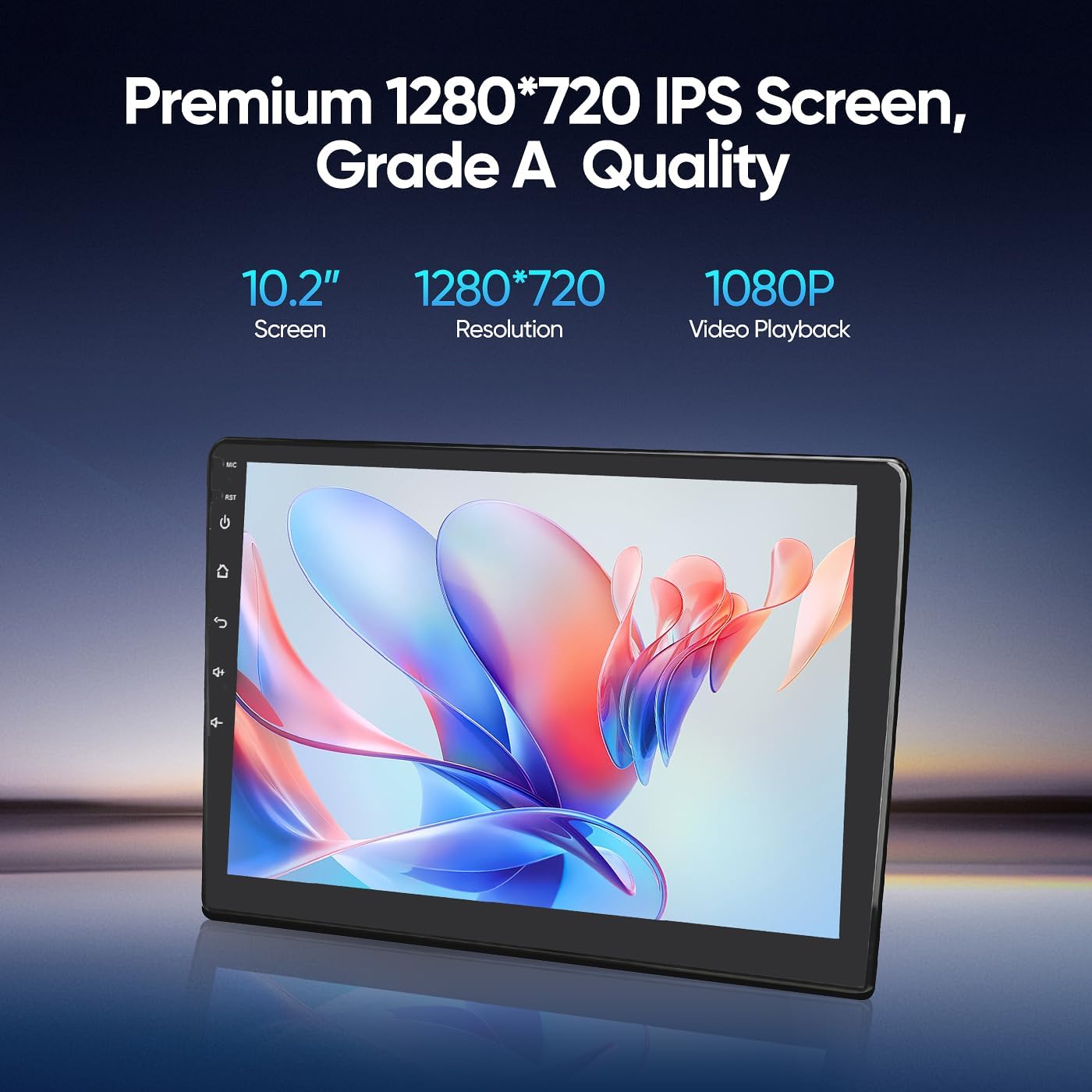
Image: Details of the 10.2-inch 1280x720 IPS screen with Grade A quality and 1080P video playback capability.

Image: Explanation of G+G Full Fit Ultra Clear Screen technology, highlighting full lamination for better transparency and clear display.
6.2. Wireless CarPlay & Android Auto
Seamlessly integrate your smartphone apps with wired/wireless CarPlay and Android Auto. Access phone calls, messages, navigation, music, and news directly from the car's infotainment system. Use voice commands (Siri or Assistant) for hands-free operation.

Image: Display showing the Wireless CarPlay and Android Auto interface with various app icons.

Image: Overview of CarPlay and Android Auto features including calls, messages, navigation, music, and news.
6.3. GPS Navigation
The stereo comes with pre-loaded North American maps and a GPS antenna for efficient route planning and navigation. Online navigation apps can also be downloaded from the Play Store.

Image: Display showing online and offline GPS navigation with various map applications.
6.4. Wi-Fi Connection
Utilize the built-in Wi-Fi hotspot feature to connect to the internet. This allows you to browse, download online navigation apps, and access social media platforms from the Play Store.
Video: Instructions on how to set up Wi-Fi and Bluetooth connections.
6.5. Bluetooth 5.0
Bluetooth 5.0 offers faster transfer speeds. Pair your smartphone for music playback, hands-free calls, and contact book synchronization. The unit includes both built-in and external microphones for clear audio quality.

Image: Graphic illustrating Bluetooth 5.0 technology with icons for calls, music, and contacts.
6.6. FM Radio
The high-quality FM radio receiver allows you to listen to real-time traffic updates, news broadcasts, and weather forecasts.

Image: Display showing the FM Radio interface with frequency tuning and preset stations.
6.7. Built-in DSP
The integrated Digital Sound Processor (DSP) allows for precise adjustment of audio sound patterns, providing a more immersive sound experience tailored to your preferences.
6.8. AHD 1080P Rear Camera
The included AHD 1080P waterproof backup camera with a 170° viewing angle automatically displays a crystal-clear image on the monitor screen when reversing, aiding in safer and easier parking.

Image: Display showing the backup camera view with parking guidelines and an illustration of steering wheel controls.

Image: Features of the AHD 1080P Rear View Camera, including 1920*1080px resolution, digital signal transmission, 170° wide angles, quick screen switching, and night vision.
6.9. Steering Wheel Control
Control various functions of the stereo directly from your steering wheel for convenience and safety.

Image: Illustration of steering wheel controls interacting with the car stereo for convenient function management.
6.10. Split Screen Function
The split-screen function allows you to run two applications simultaneously, such as navigation and music playback, enhancing multitasking capabilities.
6.11. Voice Control
Utilize voice commands to operate various features, ensuring a hands-free and safer driving experience.
7. Maintenance
To ensure the longevity and optimal performance of your AINAVIGO Car Radio Stereo, follow these maintenance guidelines:
- Cleaning: Use a soft, dry cloth to clean the screen and exterior. Avoid abrasive cleaners or solvents that could damage the surface.
- Temperature: Avoid exposing the unit to extreme temperatures, both hot and cold, for extended periods.
- Moisture: Keep the unit dry. Moisture can damage internal components.
- Software Updates: Periodically check for software updates to ensure the system runs efficiently and has the latest features.
8. Troubleshooting
If you encounter issues with your AINAVIGO Car Radio Stereo, refer to the following common troubleshooting tips:
- No Power: Check all power connections and fuses. Ensure the vehicle's ignition is on.
- No Sound: Verify speaker connections. Check volume levels on both the stereo and your connected device. Ensure the DSP settings are not muting audio.
- Bluetooth Disconnecting: Ensure your phone's Bluetooth is enabled and within range. Try re-pairing the device. Clear Bluetooth cache on your phone if issues persist.
- CarPlay/Android Auto Issues: Ensure your phone's operating system is up to date. Check USB cable connection for wired connections. Restart both the stereo and your phone.
- Backup Camera Not Displaying: Check the reversing control cable connection and ensure the camera is properly powered.
- System Freezing/Unresponsive: Perform a soft reset by pressing the RST button (if available) or by turning off the vehicle and restarting. If issues persist, a factory reset may be necessary (note: this will erase all personalized settings).
For persistent issues, please contact AINAVIGO technical support.
9. Specifications
| Feature | Detail |
|---|---|
| Item Weight | 4.2 pounds |
| Package Dimensions | 13.94 x 8.98 x 5.16 inches |
| Item Model Number | 2G+32G |
| Display Size | 10.2 Inches |
| Voice Command | Touchscreen |
| Vehicle Service Type | Car |
| Special Feature | HD Backup Camera, Touchscreen, Wired/Wireless CarPlay & Android Auto |
| Connectivity Technology | Bluetooth |
| Map Type | North America |
| Audio Output Mode | Stereo |
| Mounting Type | Dashboard Mount |
| Operating System | Android |
10. Warranty
The AINAVIGO 10.2 Inch Car Radio Stereo comes with a 12 Months Warranty. Please retain your proof of purchase for warranty claims.
11. Support
For technical assistance, installation guidance, or any product-related inquiries, please contact our professional technical support team. Provide your order ID for efficient service.

Image: AINAVIGO customer support contact details.
- Hotline: +1833 863 6989
- Working Hours (PST): 2:00 PM - 10:30 PM
- Working Hours (PDT): 3:00 PM - 11:30 PM
- Email: Info@ainavigo.com