
1. Introduction and Overview
The BAOFENG UV-5RM Plus is an advanced 10W dual-band two-way radio designed for reliable and versatile communication. This upgraded version of the UV-5R series offers enhanced features including expanded frequency coverage, increased battery capacity with convenient USB-C charging, and improved user functionality. It is suitable for a wide range of applications, from amateur radio enthusiasts to professional use requiring robust and clear communication.
Key enhancements of the UV-5RM Plus include:
- Expanded receiving frequency bands, now covering aviation and police bands.
- Extended battery capacity from 1800mAh to 2500mAh with integrated USB-C charging.
- New one-key frequency copy function for quick setup.
- Higher output power, upgraded from 5W to 10W.
- DTMF manual dial function for advanced signaling.
- A larger 1.77-inch color display for improved visibility.


2. What's in the Box
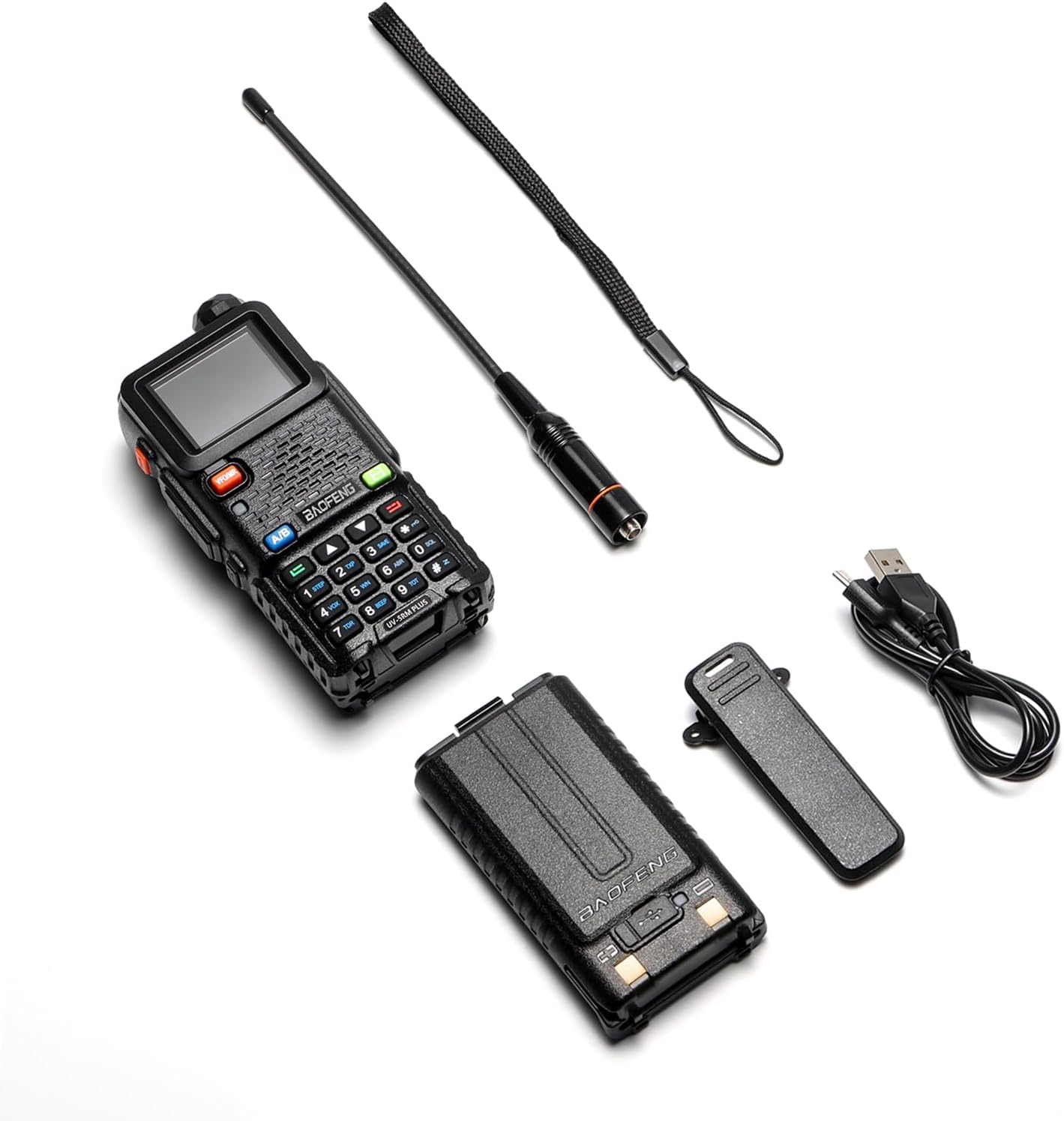
Upon opening the package, please verify that all the following components are included:
- UV-5RM Plus Radio x 1
- 2500mAh Battery x 1
- Type-C Charging Cable x 1
- Standard Antenna x 1
- Belt Clip x 1
3. Setup
3.1 Battery Installation and Charging
The UV-5RM Plus comes with a 2500mAh Lithium-Ion battery. Before initial use, ensure the battery is fully charged.
- Align the battery pack with the grooves on the back of the radio and slide it upwards until it clicks into place.
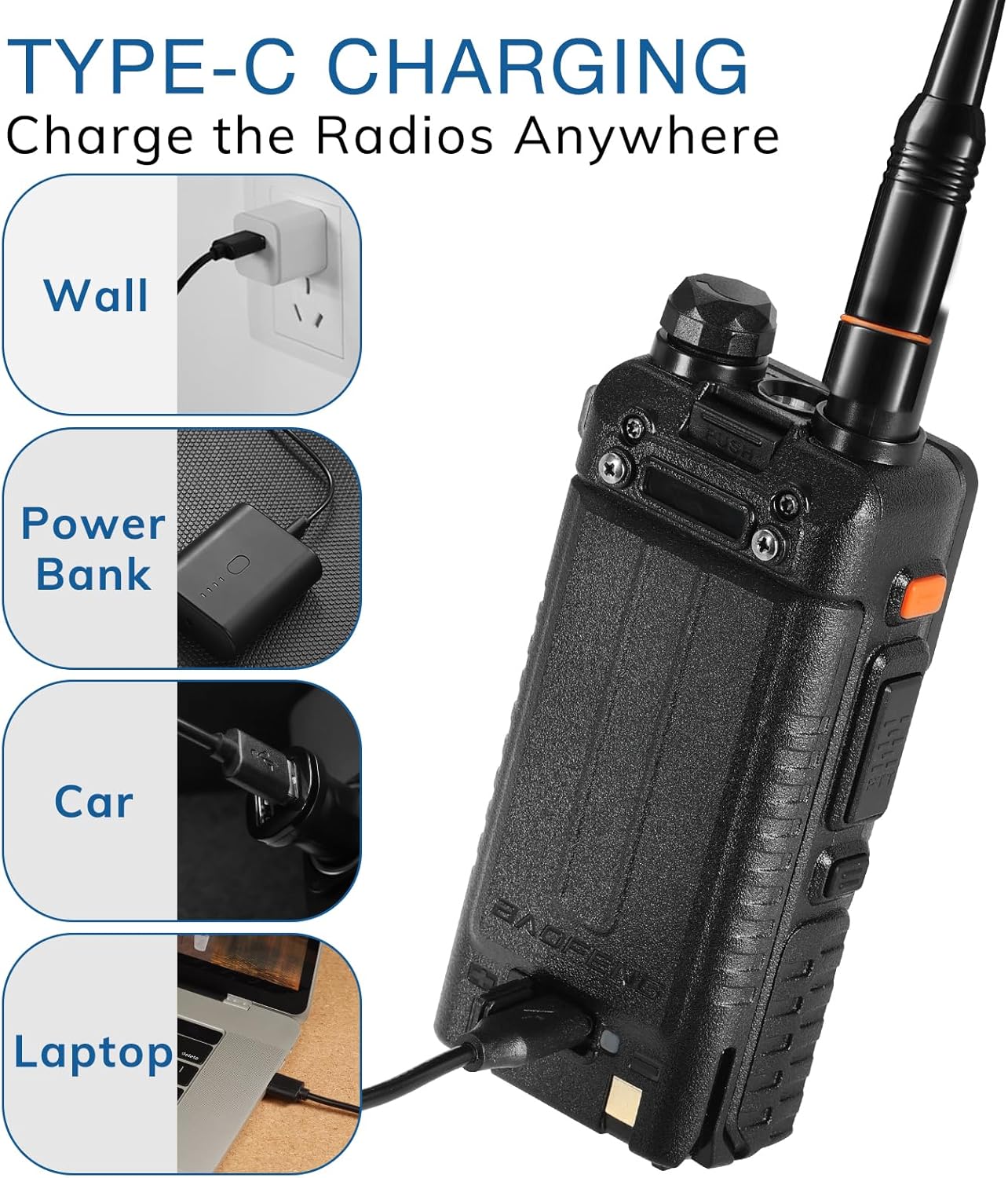
- To charge, connect the provided USB-C charging cable to the USB-C port on the side of the radio.
- Plug the other end of the USB-C cable into a compatible USB power source (e.g., wall adapter, power bank, car charger, laptop USB port).
- The charging indicator light on the radio will illuminate during charging and turn off when fully charged.
3.2 Antenna Attachment
Carefully screw the standard antenna clockwise onto the antenna connector at the top of the radio until it is finger-tight. Do not overtighten.
4. Operating Instructions
4.1 Power On/Off
To power on the radio, rotate the volume knob clockwise until you hear a click. To power off, rotate it counter-clockwise until it clicks.
4.2 Wide Frequency Coverage
The UV-5RM Plus offers extensive frequency coverage for both transmission and reception, allowing you to explore various airwaves with confidence.
- Transmit (TX): UHF, VHF
- Receive (RX):
- FM: 76-108 MHz
- AM (Airband): 108-136 MHz
- VHF: 136-174 MHz & 220-260 MHz
- UHF: 350-390 MHz & 400-520 MHz
- NOAA Weather Bands: 10 channels


4.3 10W Powerful Performance and Selectable Power Modes
The UV-5RM Plus delivers a robust 10 Watts of power, ensuring strong and clear signal transmission over long distances. It also features three selectable power modes (High, Medium, Low) to optimize battery life and transmission range based on your communication needs and environment.
4.4 One-Key Frequency Copy Function
This intuitive feature allows for quick and efficient frequency replication. Simply activate the frequency scan and copy key to instantly acquire and store frequencies from another radio, streamlining your communication setup.

4.5 DTMF Manual Dial Function
The radio supports DTMF (Dual-Tone Multi-Frequency) manual dialing, enabling advanced signaling capabilities for various applications.
4.6 NOAA Weather Bands
Stay informed about weather conditions with access to 10 NOAA Weather Bands. This feature provides real-time weather alerts and forecasts, crucial for outdoor activities and emergency preparedness.

4.7 Channel Management and Features
The UV-5RM Plus offers extensive channel management with 999 available channels. It supports 104 CDCSS (Continuous Tone-Coded Squelch System) and 50 CTCSS (Continuous Tone-Coded Squelch System) options for enhanced privacy and selective calling. Users can also effortlessly adjust VOX (Voice Operated Exchange) and squelch levels for optimal audio performance. The radio is compatible with Chirp programming software for advanced customization.

5. Maintenance
5.1 Battery Care
To maximize battery life and performance:
- Charge the battery fully before first use.
- Avoid overcharging or completely draining the battery.
- Store the radio and battery in a cool, dry place when not in use for extended periods.
5.2 Cleaning
Wipe the radio with a soft, damp cloth. Do not use harsh chemicals or abrasive cleaners. Ensure the USB-C port cover is securely closed to prevent dust and moisture ingress.
5.3 Storage
When storing the radio for long periods, remove the battery and store it separately. Keep the radio away from extreme temperatures, direct sunlight, and high humidity.
6. Troubleshooting
If you encounter issues with your UV-5RM Plus, please refer to the following common troubleshooting steps:
| Problem | Possible Cause | Solution |
|---|---|---|
| Radio does not power on | Low or dead battery; improperly installed battery | Charge the battery; ensure battery is correctly installed. |
| Poor reception or transmission | Antenna not properly attached; out of range; interference; incorrect frequency/settings | Check antenna connection; move closer to other radios; check for local interference; verify frequency and CTCSS/CDCSS settings. |
| Cannot transmit (PTT button unresponsive) | Incorrect frequency mode (e.g., receive-only band); radio locked | Ensure you are on a transmit-enabled frequency; check for keypad lock or other transmit restrictions. |
| Display is blank or dim | Low battery; display settings | Charge the battery; adjust backlight or contrast settings if available. |
If the problem persists after attempting these solutions, please contact BAOFENG customer support for further assistance.
7. Specifications
| Feature | Detail |
|---|---|
| Model Number | UV-5RM Plus |
| Brand | BAOFENG |
| Item Weight | 1.12 pounds |
| Package Dimensions | 8.15 x 7.24 x 2.52 inches |
| Country of Origin | China |
| Batteries | 1 Lithium Ion battery required (included) |
| Color | Black |
| Number of Channels | 999 |
| Special Features | Long Range, Digital Display, Rechargeable, Multiple Band, Scan & one key frequency copy |
| Frequency Range | TX: UHF VHF; RX: VHF 136-174 MHz, 220-260 MHz, UHF 350-390 MHz, 400-520 MHz, FM 76-108 MHz, AM 108-136 MHz |
| Talking Range Maximum | 5 Mile |
| Tuner Technology | UHF VHF NOAA FM AM Airband |
| Voltage | 3.7 Volts |
| Water Resistance Level | Not Water Resistant |
8. Warranty and Support
The BAOFENG UV-5RM Plus comes with an 18-month warranty from the date of purchase. Additionally, lifetime support is provided for any technical assistance or inquiries you may have regarding your radio.
For warranty claims, technical support, or any other questions, please contact BAOFENG customer service through their official channels or the retailer from whom you purchased the product.