
Introduction
This manual provides detailed instructions for the safe and efficient use of your UGREEN Nexode 65W 4-Port GaN Fast Charging Block. Please read this manual thoroughly before use and retain it for future reference. This compact and powerful charger is designed to provide fast and reliable charging for a wide range of devices, including laptops, smartphones, tablets, and more.
Safety Information
To ensure safe operation and prevent damage, please observe the following precautions:
- Use the charger only indoors and in dry conditions. Avoid exposure to water, moisture, or high humidity.
- Do not expose the charger to extreme temperatures, direct sunlight, or open flames.
- Do not disassemble, modify, or attempt to repair the charger. This will void the warranty and may cause electric shock or fire.
- Keep the charger out of reach of children and pets.
- Ensure the charger is properly ventilated during use. Do not cover it with clothing or other materials.
- Disconnect the charger from the power outlet during lightning storms or when unused for long periods.
- If the charger emits smoke, unusual odors, or makes strange noises, immediately unplug it and contact customer support.
Package Contents
Verify that all items are present in your package:
- UGREEN Nexode 65W 4-Port GaN Fast Charging Block (Model X559)
- User Manual
Product Overview
The UGREEN Nexode 65W charger is a compact and powerful charging solution featuring multiple ports for versatile use.

Front view of the UGREEN Nexode 65W 4-Port GaN Fast Charging Block, showcasing its compact design and port layout.
The charger is equipped with three USB-C ports and one USB-A port, allowing you to charge up to four devices simultaneously. Its compact size and foldable plug make it an ideal travel companion.

The UGREEN Nexode 65W charger features a convenient foldable plug for easy portability and is significantly smaller than traditional chargers of similar wattage.
Setup
Follow these steps to set up your UGREEN Nexode 65W charger:
- Unfold the AC plug from the charger body.
- Insert the charger into a standard wall power outlet.
- Connect your devices (laptops, smartphones, tablets, etc.) to the appropriate USB-C or USB-A ports on the charger using compatible charging cables.
- Ensure all connections are secure. The charger will automatically begin charging your connected devices.
Operating Instructions
The UGREEN Nexode 65W charger intelligently distributes power across its ports to optimize charging speed for connected devices.
Charging Single Devices
When only one device is connected to either USB-C1 or USB-C2 port, the charger can deliver its maximum output of up to 65W, enabling rapid charging for compatible laptops and other high-power devices.
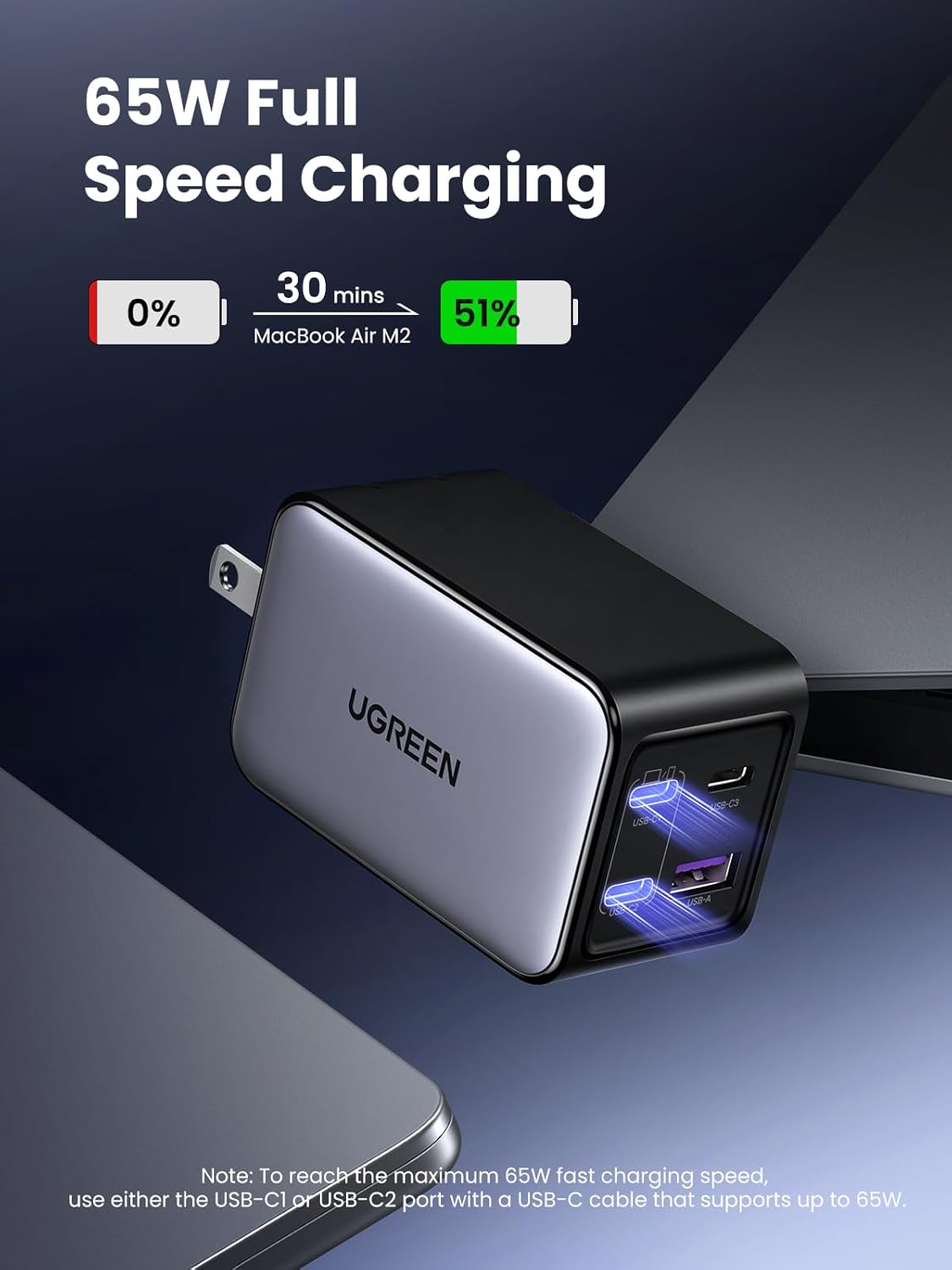
The UGREEN Nexode 65W charger can charge a MacBook Air M2 to 51% in approximately 30 minutes when utilizing a single USB-C port (C1 or C2) with a compatible USB-C cable.
Charging Multiple Devices
The charger can simultaneously charge up to four devices. The total 65W power output is dynamically shared among the active ports. For optimal performance, ensure your devices and cables support fast charging protocols.

The UGREEN Nexode 65W charger provides a 4-in-1 charging solution, allowing simultaneous power delivery to multiple devices like laptops, phones, and earbuds.
GaN Technology and Protection
This charger incorporates advanced GaN (Gallium Nitride) technology, which allows for a more compact design, higher efficiency, and improved heat dissipation compared to traditional silicon-based chargers. It also features an 8-layer protection system to safeguard your devices:

The charger is powered by GaNInfinity technology, offering 8-layer protection including overvoltage, overcurrent, short circuit, over power, anti-jam, low voltage, over temperature, and enclosure flame protection.
- Overvoltage Protection: Prevents damage from excessive voltage input.
- Overcurrent Protection: Safeguards against excessive current output.
- Short Circuit Protection: Automatically cuts off power in case of a short circuit.
- Over Power Protection: Prevents damage from exceeding the maximum power output.
- Anti-jam Protection: Ensures stable power delivery.
- Low Voltage Protection: Protects devices from insufficient voltage.
- Over Temperature Protection: Monitors and regulates internal temperature to prevent overheating.
- Enclosure Flame Protection: Constructed with flame-retardant materials for enhanced safety.
The charger is designed for use in various environments, from home and office to travel, providing a versatile charging solution.
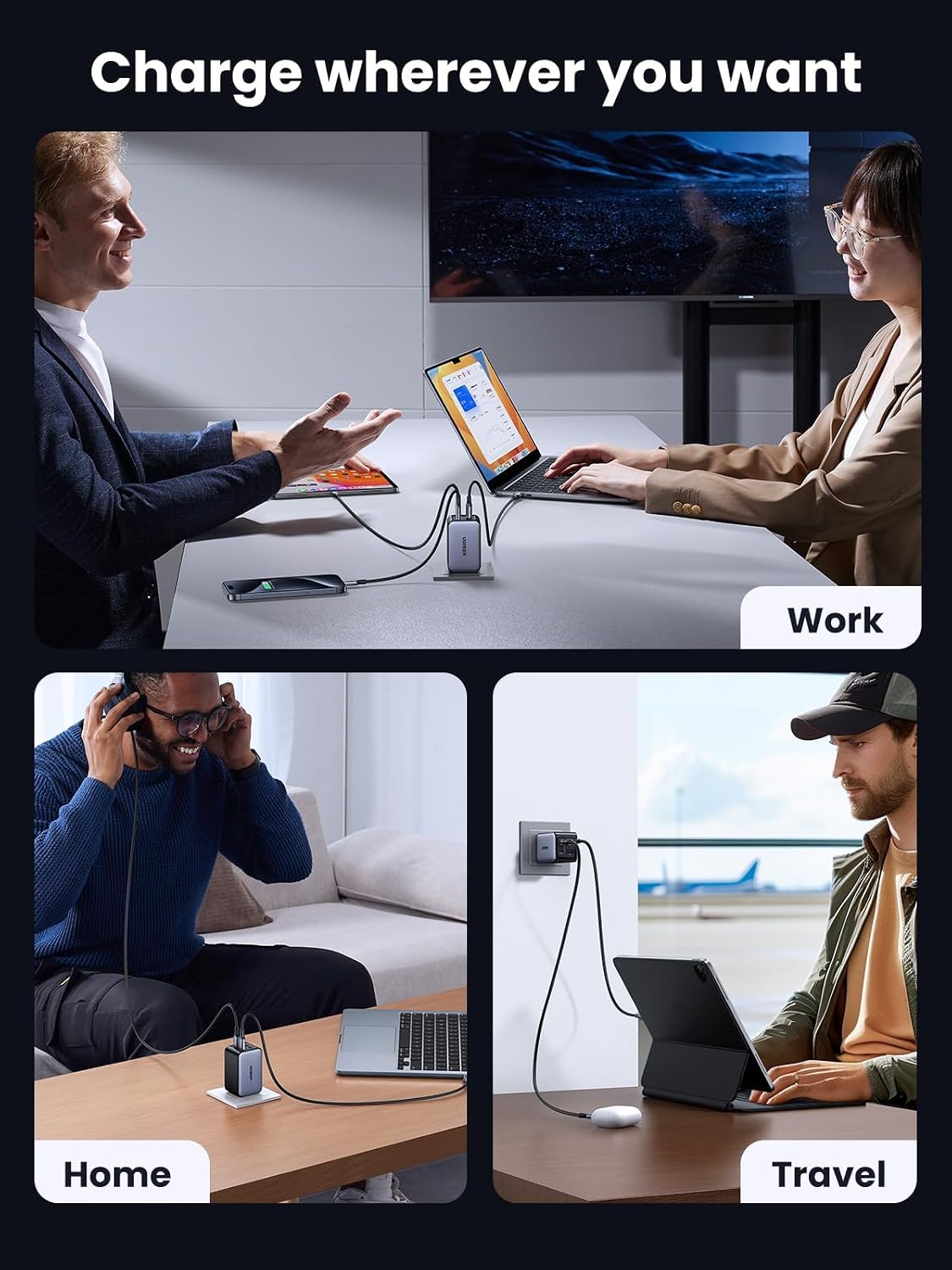
The UGREEN Nexode 65W charger is suitable for various charging scenarios, including work, home, and travel, due to its compact and versatile design.
Specifications
| Feature | Detail |
|---|---|
| Brand | UGREEN |
| Model | X559 |
| Manufacturer | Ugreen Group Limited |
| Hardware Interface | USB Type C |
| Compatible Devices | Cellular Phones, Laptops, Smartwatches, Tablets |
| Special Features | Fast Charging, Lightweight Design, Short Circuit Protection, Travel |
| Number of Items | 1 |
| Wattage | 65 watts |
| Power Source Type | Corded Electric |
| Number of Ports | 4 |
| Total USB Ports | 4 |
| Connector Type | USB Type A, USB Type C |
| Form Factor | Portable, Compact |
| Mounting Type | Wall Mount |
| Colour | Black |
| Input Voltage | 240 Volts (AC) |
| Amperage | 1.8 Amps |
| Product Dimensions | 3.9 x 4.2 x 6.7 cm |
| Item Weight | 145 g |
Maintenance
Proper maintenance ensures the longevity and optimal performance of your charger:
- Clean the charger regularly with a dry, soft, lint-free cloth.
- Do not use liquid cleaners, aerosols, or abrasive cleaning agents, as these may damage the surface or internal components.
- Store the charger in a cool, dry place away from direct sunlight and extreme temperatures when not in use.
- Avoid dropping or subjecting the charger to strong impacts.
Troubleshooting
If you encounter issues with your UGREEN Nexode 65W charger, refer to the following common problems and solutions:
Device not charging
- Ensure the charger is securely plugged into a functional wall outlet.
- Verify that the charging cable is firmly connected to both the charger and your device.
- Check if the charging cable is damaged. Try using a different, known-good cable.
- Confirm that your device is compatible with the charger's output specifications.
- Try connecting your device to a different port on the charger.
Slow charging speed
- Ensure your device and charging cable support fast charging protocols (e.g., Power Delivery, Quick Charge).
- When multiple devices are connected, the total 65W power is shared, which may reduce the charging speed for individual devices. For maximum speed, charge one device at a time using a USB-C port (C1 or C2) with a compatible cable.
- Check if your device is running power-intensive applications in the background, which can slow down charging.
Charger feels warm during use
- It is normal for the charger to become slightly warm during operation, especially when charging multiple devices or high-power devices, due to the efficiency of GaN technology.
- If the charger becomes excessively hot to the touch, disconnect it immediately from the power outlet and all devices. Allow it to cool down before attempting to use it again. If the issue persists, contact customer support.
Warranty and Support
UGREEN products typically come with a standard warranty. For specific warranty terms, conditions, and duration, please refer to the warranty card included with your product or visit the official UGREEN website. For technical support, troubleshooting assistance beyond this manual, or to inquire about repairs, please contact UGREEN customer service through their official channels.
Official Product Videos
No official product videos from the seller were found for this product in the provided data.