
1. Introduction
Thank you for choosing the Hoco M109 Wired Type-C Earphones. These earphones are designed to provide a high-fidelity audio experience with modern Type-C connectivity. This manual provides essential information for the proper setup, operation, and maintenance of your earphones.
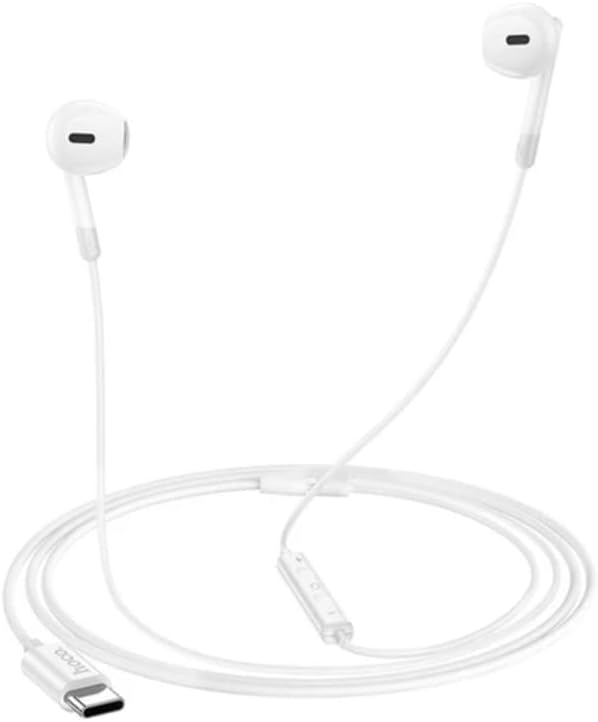
Image 1.1: The Hoco M109 Wired Type-C Earphones, showcasing their white color and Type-C connector.
Key Features:
- Premium Sound Quality: Equipped with 14mm dynamic drivers for clear audio, deep bass, and crisp treble.
- Type-C Digital Audio: Ensures enhanced sound fidelity and seamless connection with compatible devices.
- Built-In Microphone & Controls: Integrated in-line buttons for hands-free calls, volume adjustment, and playback management.
- Comfortable & Durable Design: Lightweight construction using ABS and TPE materials for extended wear.
- Universal Compatibility: Designed to work with most Type-C devices, including various smartphone and tablet brands.
2. Package Contents
Upon opening the package, please ensure all items are present and in good condition.
- Hoco M109 Wired Type-C Earphones
- User Manual (this document)

Image 2.1: The Hoco M109 earphones shown in their retail packaging, indicating the model and Type-C interface.
3. Setup
Setting up your Hoco M109 earphones is straightforward.
- Identify the Type-C Port: Locate the USB Type-C port on your compatible smartphone, tablet, or other audio device.
- Connect the Earphones: Gently insert the Type-C connector of the Hoco M109 earphones into your device's Type-C port until it is fully seated.
- Audio Output Selection: Your device should automatically detect the earphones and route audio through them. If not, check your device's audio settings to ensure the Type-C audio output is selected.
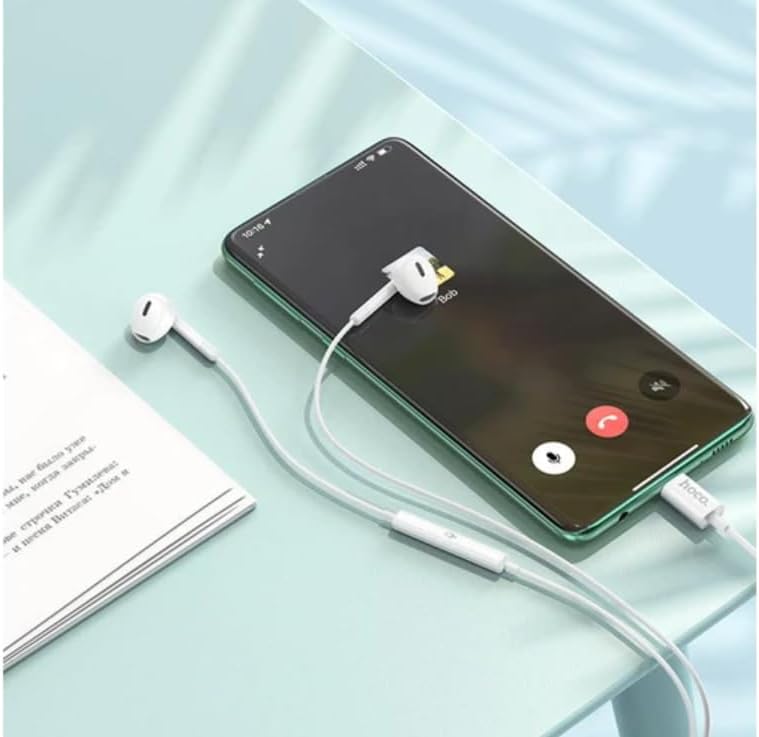
Image 3.1: The Hoco M109 earphones connected to a smartphone, demonstrating the Type-C connection and in-line controls.
4. Operating the Earphones
The Hoco M109 earphones feature an in-line remote control for convenient audio and call management.

Image 4.1: A user wearing the Hoco M109 earphones, illustrating their comfortable in-ear fit.
In-Line Remote Functions:
- Volume Up (+): Press the '+' button to increase the volume.
- Volume Down (-): Press the '-' button to decrease the volume.
- Multi-function Button (Center Button):
- Single Press: Play/Pause music; Answer/End a call.
- Double Press: Skip to the next track.
- Triple Press: Go back to the previous track.
- Press and Hold: Reject an incoming call; Activate voice assistant (device dependent).
Note: Functionality may vary slightly depending on your connected device's operating system and settings.
5. Maintenance and Care
Proper care will extend the lifespan and maintain the performance of your earphones.
- Cleaning: Gently wipe the earphones with a soft, dry, lint-free cloth. Do not use harsh chemicals, cleaning solvents, or strong detergents.
- Storage: When not in use, store the earphones in a clean, dry place, away from extreme temperatures and direct sunlight. Avoid tangling the cable.
- Moisture: Keep the earphones away from water and excessive moisture. They are not waterproof.
- Handling: Avoid pulling the cable forcefully when disconnecting from your device. Always grasp the Type-C connector.

Image 5.1: A close-up view of a Hoco M109 earbud, highlighting its design and the importance of keeping the speaker mesh clean.
6. Troubleshooting
If you encounter issues with your Hoco M109 earphones, please refer to the following common solutions.
- No Sound:
- Ensure the Type-C connector is fully inserted into your device.
- Check your device's volume settings and ensure it is not muted.
- Verify that your device's audio output is set to the Type-C earphones.
- Test the earphones with another compatible device to rule out a device-specific issue.
- Microphone Not Working:
- Ensure the earphones are fully connected.
- Check your device's privacy settings to ensure microphone access is granted to the relevant applications.
- Clean any debris from the microphone opening on the in-line remote.
- In-Line Controls Not Responding:
- Ensure the earphones are securely connected.
- Restart your connected device.
- Note that some control functions may not be supported by all devices or applications.
7. Specifications
| Feature | Detail |
|---|---|
| Model | M109 |
| Brand | hoco. |
| Connectivity Technology | Wired |
| Headphones Jack | USB Type-C |
| Ear Placement | In Ear |
| Form Factor | In Ear |
| Noise Control | Sound Isolation |
| Control Method | Push Button (In-line Remote) |
| Material | Acrylonitrile Butadiene Styrene (ABS), Thermoplastic Elastomer (TPE) |
| Item Weight | 20 Grams |
| Product Dimensions | 12 x 12 x 5 cm |
| Compatible Devices | Cellphones, Tablets with Type-C audio output |
| Special Features | Integrated Remote Control, Noise Isolation, Type-C Digital Audio |
8. Warranty and Support
For information regarding warranty coverage and customer support, please refer to the documentation provided at the point of purchase or contact your retailer.
Note: This manual does not contain specific warranty details.