
1. Product Overview
The Refoss Smart WiFi Plug (Model MSS210W) is a compact device designed to make your home appliances smart. It allows for remote control, scheduling, and voice control through compatible smart assistants like Alexa and Google Home. Its small size ensures it does not obstruct adjacent outlets.
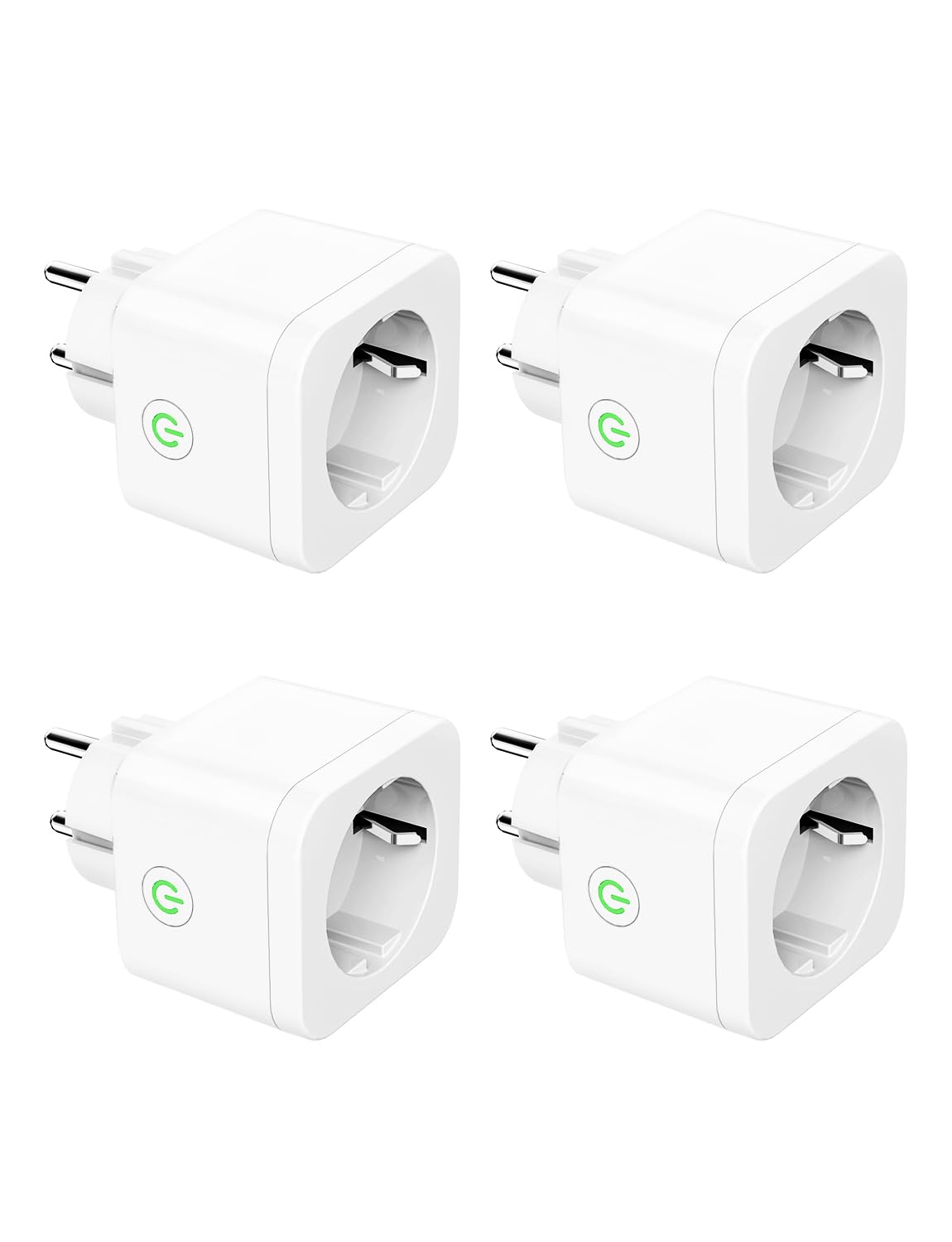
Image: Four Refoss Smart WiFi Plugs, showing their compact design.
Key Features:
- Compact Design: Measures approximately 5 x 5.7 x 6.3 cm, preventing blockage of adjacent sockets.
- Programmable Schedules & Timer: Automate device power on/off based on custom schedules, including sunrise and sunset.
- Stable Local Control: Experience millisecond response times for local control via the Refoss app when at home.
- Offline Control: Control plugs via the Refoss app even if your router loses internet connection, provided your phone and plugs are on the same WiFi network.
- Voice Control & Remote Access: Compatible with Amazon Alexa and Google Assistant for voice commands. Control your devices from anywhere using the free Refoss app.
2. Package Contents
Upon opening the package, you should find the following items:
- 4 x Refoss Smart WiFi Plugs (MSS210W)
- 1 x User Manual
3. Setup Guide
3.1. Download the Refoss App
Before starting, download the official Refoss app from your smartphone's app store (iOS or Android). Search for "Refoss" and install the application.
3.2. Initial Plug Setup
- Plug the Refoss Smart WiFi Plug into a standard wall outlet.
- Ensure your smartphone is connected to a 2.4 GHz WiFi network. The Refoss Smart Plug does not support 5 GHz WiFi networks.
- Open the Refoss app and create an account or log in.
- Tap the "+" icon in the top right corner of the app to add a new device.
- Follow the on-screen instructions to connect the smart plug to your WiFi network. This typically involves putting the plug into pairing mode (often indicated by a blinking LED) and entering your WiFi credentials.
- Once connected, you can rename the plug for easier identification (e.g., "Living Room Lamp", "Kitchen Coffee Maker").

Image: Diagram illustrating the connection process from the Refoss app to the smart plug and a connected appliance.
3.3. Integrating with Voice Assistants (Alexa/Google Home)
To enable voice control, link your Refoss account with Amazon Alexa or Google Home:
- For Amazon Alexa:
- Open the Alexa app.
- Go to "Skills & Games".
- Search for "Refoss" and enable the skill.
- Link your Refoss account when prompted.
- Discover devices.
- For Google Home:
- Open the Google Home app.
- Tap "+" > "Set up device" > "Works with Google".
- Search for "Refoss" and link your account.

Image: A woman using voice commands with an Alexa device to control a lamp connected to a Refoss Smart Plug.
4. Operating Instructions
4.1. Manual Control
Each smart plug has a physical button. Press it once to manually turn the connected appliance on or off.
4.2. App Control
Use the Refoss app to control your smart plugs from anywhere:
- Tap on a device icon to toggle its power state.
- Access device settings to set schedules, timers, and other advanced features.
4.3. Scheduling and Timers
The Refoss app allows you to create custom schedules and timers:
- Schedules: Set specific times for your devices to turn on or off daily or on selected days of the week.
- Sunrise/Sunset: Configure devices to activate or deactivate automatically at local sunrise or sunset times.
- Countdown Timer: Set a countdown for a device to turn off after a specified duration.

Image: Screenshot of the Refoss app displaying scheduling options like "Sunset" and "Sunrise" for automated control.
4.4. Offline Control Capability
The Refoss Smart Plugs support local control. If your internet connection is down, but your smartphone and the plugs are still connected to the same local WiFi network, you can continue to control them via the Refoss app without relying on cloud services.

Image: Diagram showing how smart plugs can be controlled locally via WiFi even when the internet connection is unavailable.
5. Maintenance
The Refoss Smart WiFi Plug requires minimal maintenance. Follow these guidelines:
- Cleaning: Disconnect the plug from the power outlet before cleaning. Use a dry, soft cloth to wipe the surface. Do not use liquid cleaners or sprays.
- Firmware Updates: Periodically check the Refoss app for available firmware updates for your plugs. Updates can improve performance and add new features.
- Storage: If storing the plugs for an extended period, keep them in a cool, dry place away from direct sunlight and extreme temperatures.
6. Troubleshooting
| Problem | Possible Cause | Solution |
|---|---|---|
| Plug not connecting to WiFi |
|
|
| Voice control not working |
|
|
| Plug unresponsive via app (offline) |
|
|
7. Specifications
| Feature | Detail |
|---|---|
| Model Number | MSS210W |
| Dimensions (L x W x H) | 50 x 57 x 63 mm (5 x 5.7 x 6.3 cm) |
| Weight | 332 g (for 4 units, approx. 83g per unit) |
| Rated Current | 10 Amperes |
| Operating Voltage | 240 Volts |
| Max Power Load | 2500 Watts |
| Connectivity Protocol | WiFi (2.4 GHz only) |
| Controller Compatibility | Amazon Alexa, Google Assistant, Google Home |
| Control Method | App (Refoss), Voice, Manual Button |
| Material | Plastic |
| IP Rating | IP00 (Indoor use only) |
| Operating Temperature | Up to 40°C |
8. Warranty and Support
Refoss products come with a standard manufacturer's warranty. For specific warranty details, please refer to the documentation included with your purchase or visit the official Refoss website.
For technical support, troubleshooting assistance, or any product-related inquiries, please contact Refoss customer service through their official website or the Refoss app.


