
Introduction
The iHome iPBT50L is a versatile device combining a Bluetooth speaker, dual wireless charger, and color-changing night light. Designed for convenience and multi-functionality, it allows you to stream audio wirelessly, charge your compatible devices simultaneously, and enhance your space with ambient lighting. This manual provides detailed instructions for setting up, operating, and maintaining your iHome iPBT50L.
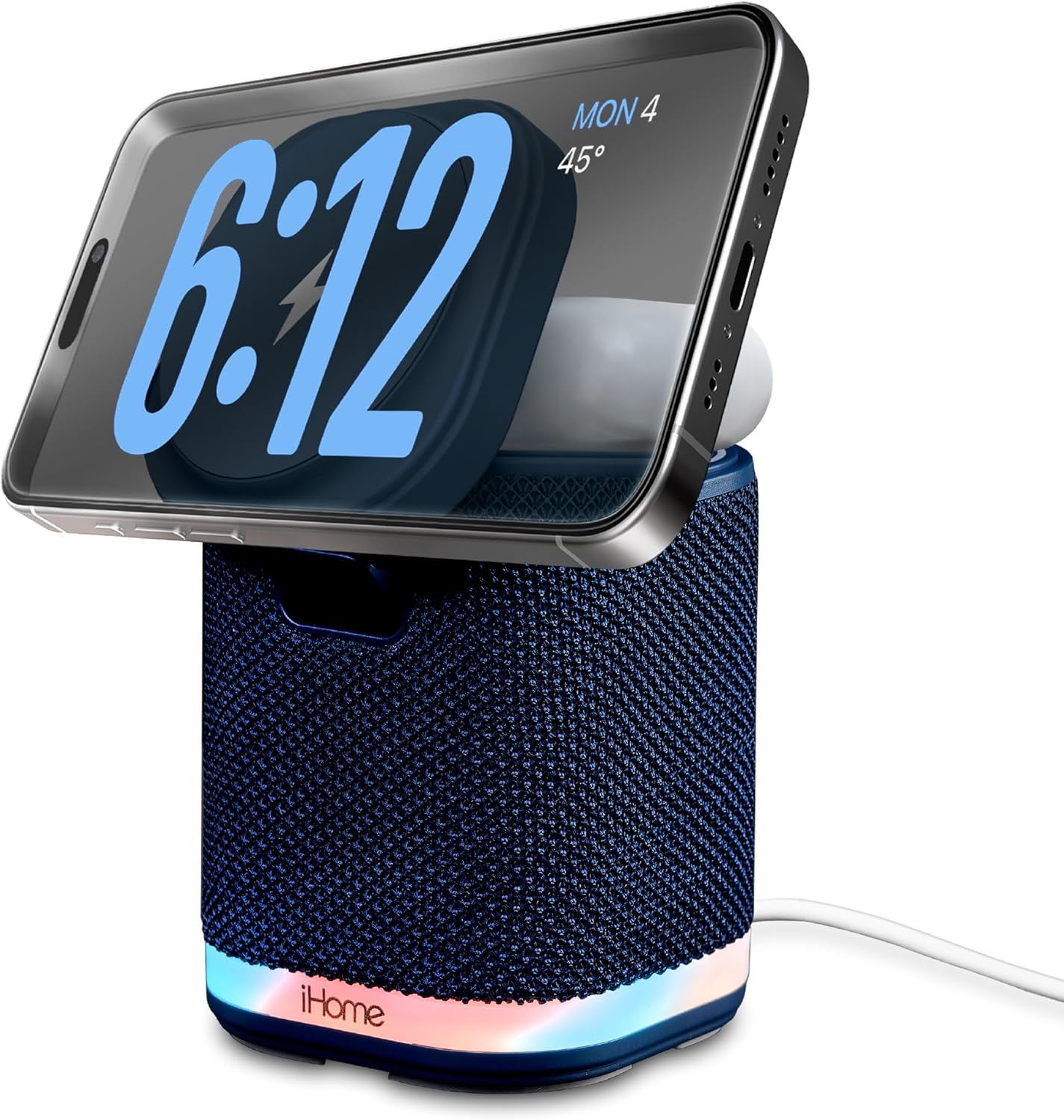
Figure 1: iHome iPBT50L Bluetooth Speaker with Wireless Charger and Night Light. This image shows the device with a smartphone magnetically attached to the charging pad, displaying a clock, and the base illuminated with a color-changing light.
Package Contents
- iHome iPBT50L Bluetooth Speaker with Wireless Charger
- 20W PD Power Adapter
- USB-C Charging Cable
- Quick Start Guide (not included in this digital manual)

Figure 2: The iHome Power Tower, showcasing the speaker unit alongside its power adapter and USB-C charging cable.
Controls and Indicators
Familiarize yourself with the various controls and indicators on your iPBT50L unit:
- Power Button: Located on the side/rear. Press and hold to power on/off.
- Bluetooth Pairing Button: Typically near the power button. Press to enter pairing mode.
- Night Light Button: Controls the color-changing mood light. Press to cycle through modes or turn off.
- Volume Buttons: Adjust audio playback volume.
- USB-C Port: For connecting the power adapter.
- 15W Flip-Up Magnetic Fast Wireless Charging Pad: Located on top, for smartphones.
- 5W Charging Pad: Located on the base of the flip-up pad, for AirPods or a second device.
- LED Indicator Light: Located at the base, indicates power status, charging status, and Bluetooth pairing status.
Setup
Follow these steps to set up your iHome iPBT50L for the first time:
- Connect the provided USB-C charging cable to the USB-C port on the back of the iPBT50L unit.
- Plug the other end of the USB-C cable into the 20W PD Power Adapter.
- Plug the power adapter into a standard wall outlet. The unit will power on automatically or can be powered on by pressing and holding the Power button.
- The LED indicator light at the base will illuminate, indicating the unit is powered and ready for use.
Video 1: Overview of iHome Bluetooth Speaker with Wireless Charger. This video demonstrates the product's features, including its compact design, magnetic wireless charging for phones, secondary charging pad for AirPods, color-changing mood light, and Bluetooth speaker functionality. It shows the device in various settings, highlighting its versatility.
Operating Instructions
Bluetooth Pairing
To stream audio wirelessly, you need to pair your device with the iPBT50L:
- Ensure the iPBT50L is powered on.
- Press and hold the Bluetooth Pairing button on the unit until the LED indicator light flashes rapidly, indicating it's in pairing mode.
- On your Bluetooth-enabled device (e.g., smartphone, tablet), go to the Bluetooth settings and search for available devices.
- Select "iHome iPBT50L" from the list.
- Once paired, the LED indicator light will turn solid, and you will hear an audible confirmation. The speaker allows for wireless audio streaming from up to 100 feet away.
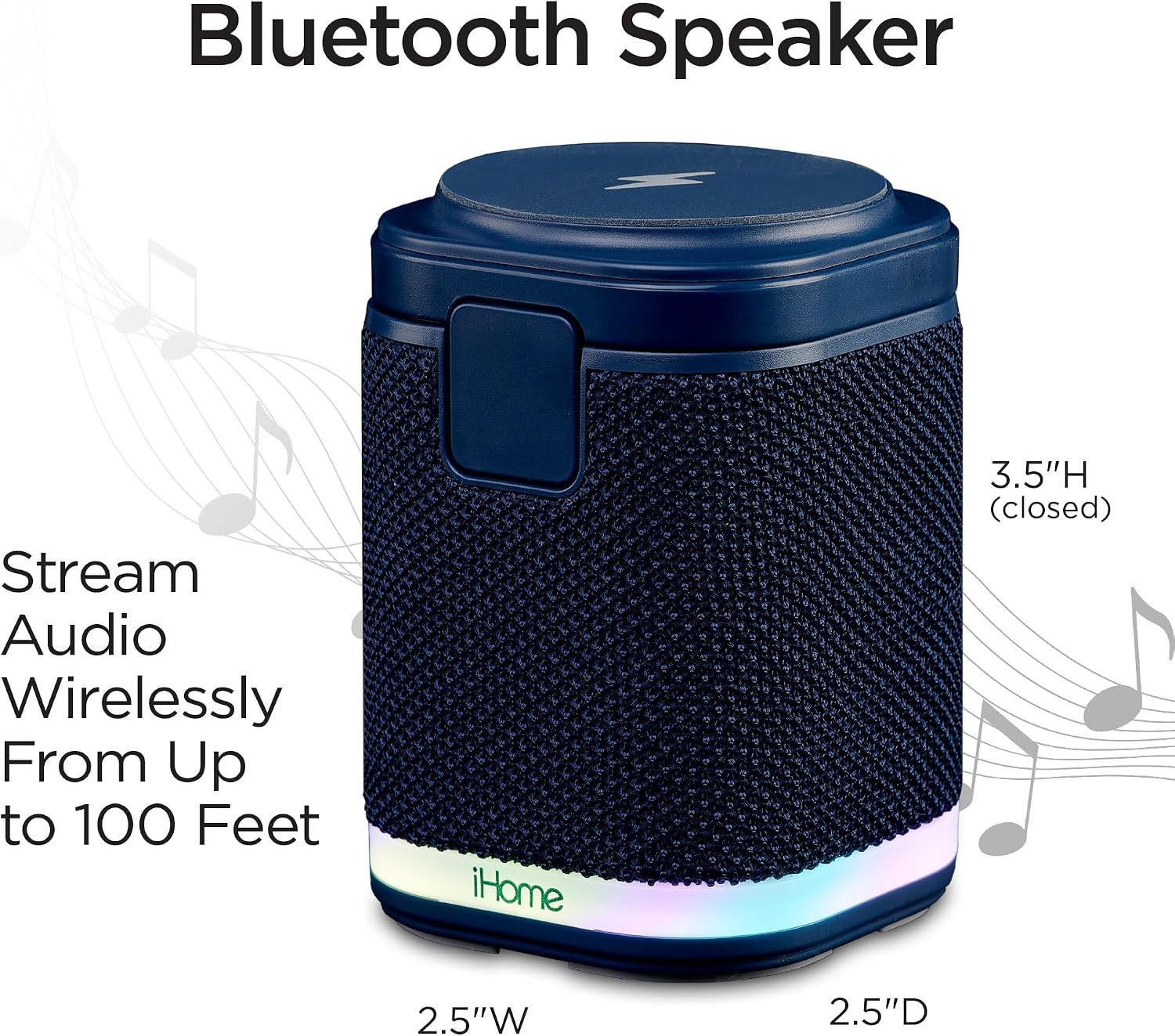
Figure 3: The iHome iPBT50L highlighting its compact dimensions (3.5"H, 2.5"W, 2.5"D) and its capability to stream audio wirelessly from up to 100 feet.

Auto Pairing

Manual Pairing

Resetting Bluetooth
Wireless Charging
The iPBT50L features two wireless charging pads:
- For Smartphones: Flip up the magnetic charging pad on top of the unit. Place your MagSafe-compatible iPhone (iPhone 12 and newer) directly onto the pad. The magnets will align your phone for optimal 15W fast wireless charging. For other wireless charging enabled devices, ensure they are centered on the pad.
- For AirPods/Second Device: A 5W charging pad is located at the base of the flip-up pad. Place your AirPods or another compatible wireless charging device on this pad.
- The LED indicator light at the base may change color or provide a visual cue when charging begins.

Figure 4: Illustration of the two wireless charging pads, showing a smartphone on the 15W magnetic flip-up pad and AirPods on the 5W base pad.

Figure 5: The iHome iPBT50L demonstrating MagSafe compatibility, securely holding and charging a smartphone.
Night Light Function
The integrated color-changing night light offers various modes to suit your preference:
- Press the Night Light button to cycle through the available modes:
- Slow Fade: Colors transition smoothly.
- Fast Change: Colors switch quickly.
- Single Color: Stays on a static color.
- Continue pressing the button to turn the night light off.

Figure 6: The iHome iPBT50L showcasing its color-changing mood light feature, illuminating the base with various hues.

Icon indicating how to use light modes.
Apple Standby Mode
When an iPhone running iOS 17 or later is placed horizontally on the magnetic charging pad, it automatically enters Standby Mode. This feature transforms your iPhone into a full-screen smart display, showing glanceable information like clocks, widgets, or Live Activities from a distance.

Figure 7: A smartphone positioned horizontally on the iHome iPBT50L, displaying the Apple Standby Mode interface with a clock and calendar.
Maintenance
To ensure the longevity and optimal performance of your iPBT50L, follow these maintenance guidelines:
- Cleaning: Disconnect the power adapter before cleaning. Use a soft, dry cloth to wipe the exterior surfaces. Do not use liquid cleaners, abrasive cleaners, or sprays.
- Storage: If storing the unit for an extended period, disconnect it from power and store it in a cool, dry place away from direct sunlight and extreme temperatures.
- Avoid Moisture: Keep the unit away from water and excessive humidity.
Troubleshooting
If you encounter issues with your iPBT50L, refer to the following common problems and solutions:
| Problem | Solution |
|---|---|
| Unit does not power on. | Ensure the power adapter is securely connected to both the unit and a working wall outlet. Try a different outlet. |
| Cannot pair via Bluetooth. | Ensure the unit is in pairing mode (flashing LED). Make sure your device's Bluetooth is enabled and within range. Forget the device from your phone's Bluetooth list and try pairing again. Reset the speaker's Bluetooth if necessary (refer to controls section for button). |
| Wireless charging is not working. | Ensure your device is wireless charging compatible and properly aligned on the charging pad. Remove any thick phone cases. Verify the unit is powered on. |
| No sound from speaker. | Check the volume levels on both the speaker and your connected Bluetooth device. Ensure the device is properly paired. |
| Night light is not changing colors. | Press the Night Light button repeatedly to cycle through modes. Ensure the unit is powered on. |
Specifications
| Feature | Detail |
|---|---|
| Model Number | iPBT50L |
| Product Dimensions | 2.54 x 2.51 x 3.55 inches |
| Item Weight | 15.5 ounces |
| Brand | iHome |
| Color | Blue |
| Hardware Interface | Bluetooth |
| Compatible Devices | AirPods Pro, iPhone 12 and newer |
| Number of Ports | 2 (USB-C for power, plus 2 wireless charging pads) |
| Wattage | 20W (Power Adapter) |
| Input Voltage | 2.4E+2 Volts |
| Wireless Charging Output | 15W (Magnetic Pad), 5W (Secondary Pad) |
| Bluetooth Range | Up to 100 feet (approx. 30 meters) |
Warranty and Support
For warranty information and technical support, please refer to the documentation included with your product or visit the official iHome website. You can also find additional support and product information by visiting the iHome Store on Amazon.