
FREEBOY J03
FREEBOY J03 Electric Scooter User Manual
Model: J03
1. Introduction
Thank you for choosing the FREEBOY J03 Electric Scooter. This manual provides essential information for the safe operation, assembly, maintenance, and troubleshooting of your scooter. Please read this manual thoroughly before your first ride to ensure proper use and to maximize your riding experience. Keep this manual for future reference.
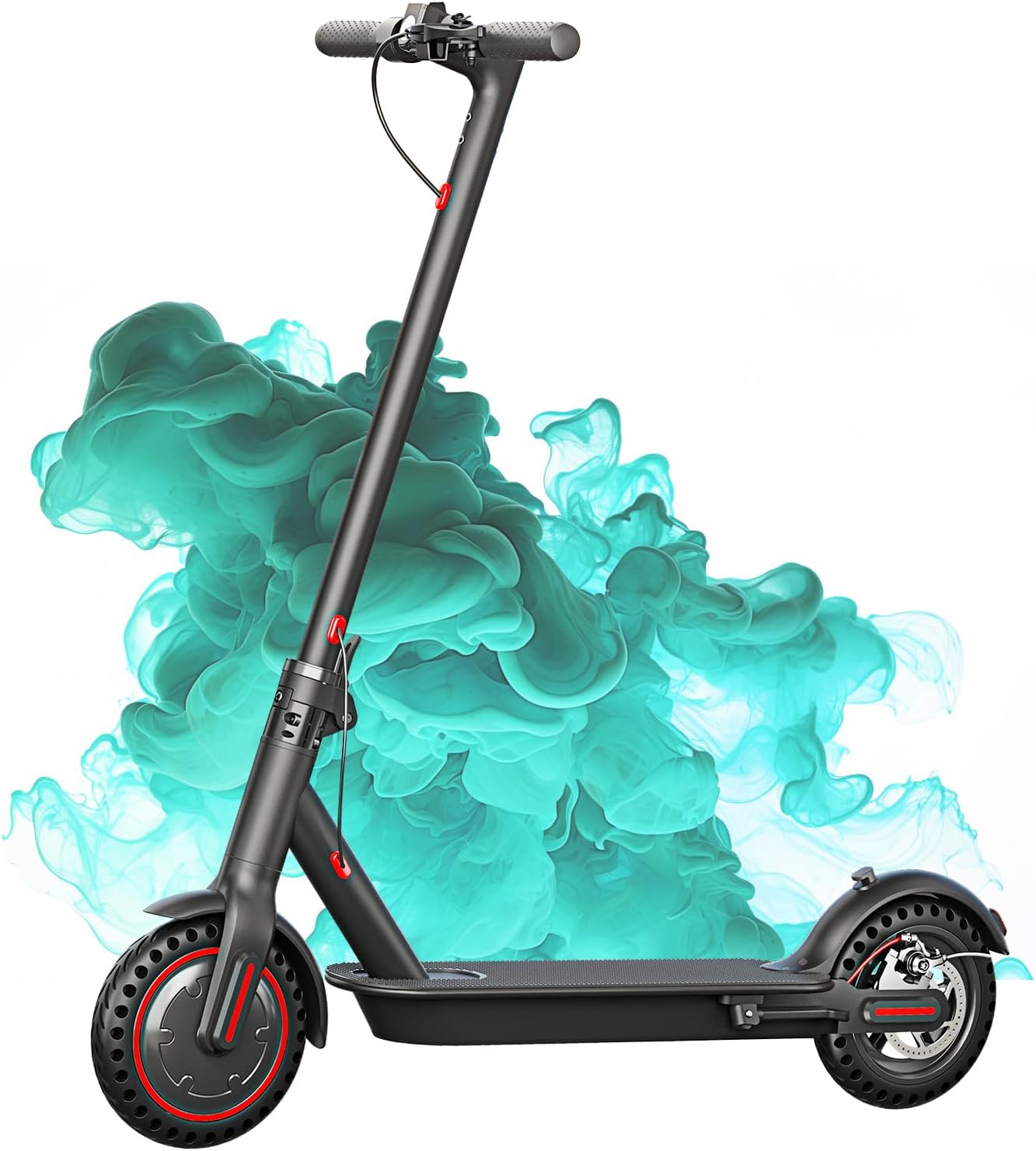
Image 1.1: The FREEBOY J03 Electric Scooter, a sleek black scooter with red accents on its wheels, designed for urban commuting.
2. Safety Guidelines
Your safety is paramount. Always adhere to the following guidelines:
- Always wear a helmet and appropriate safety gear (knee pads, elbow pads) when riding.
- Familiarize yourself with local laws and regulations regarding electric scooter use.
- Do not ride in heavy rain, snow, or on icy surfaces.
- Ensure the scooter is fully charged and all components are securely fastened before each ride.
- Maintain a safe distance from pedestrians and other vehicles.
- The maximum weight limit for this scooter is 264 pounds (120 kg).
- Avoid riding under the influence of alcohol or drugs.
3. Package Contents
Upon opening the package, verify that all items are present and undamaged:
- FREEBOY J03 Electric Scooter (main unit)
- Power Adapter
- Charging Cable
- User Manual (English Instructions)
- Assembly Tools (if applicable)
4. Assembly
The FREEBOY J03 Electric Scooter comes partially assembled. Follow these steps to complete the setup:
- Unboxing: Carefully remove the scooter and all accessories from the packaging.
- Unfolding the Scooter: Locate the folding mechanism near the base of the handlebar stem. Release the latch and carefully lift the handlebar stem until it locks into the upright position. Ensure the locking mechanism is fully engaged.
- Attaching the Handlebar: Connect the control cables from the handlebar to the main stem. Align the handlebar with the stem and secure it using the provided screws and tools. Ensure all screws are tightened firmly.
- Initial Charge: Before first use, fully charge the scooter's battery. Connect the power adapter to the charging port, typically located on the side of the deck. The indicator light on the charger will change when fully charged.
Video 4.1: FREEBOY Electric Scooter Assembly Guide

Image 4.2: Close-up of the scooter's folding mechanism, highlighting its compact design for portability.
5. Operating Instructions
5.1 Power On/Off
To power on the scooter, press and hold the power button on the handlebar display until the screen illuminates. To power off, press and hold the power button again until the display turns off.
5.2 Speed Modes
The FREEBOY J03 offers three speed modes to suit different riding conditions:
- Eco Mode (10 Mph): For energy efficiency and longer range.
- Drive Mode (15 Mph): Standard mode for balanced performance.
- Sport Mode (19 Mph): For maximum speed and acceleration.
Toggle between modes by pressing the power button briefly while the scooter is on.

Image 5.1: A visual representation of the three speed modes (Low, Medium, High) and their corresponding maximum speeds.
5.3 Cruise Control
To activate cruise control, maintain a consistent speed for a few seconds. You will hear a beep, indicating that cruise control is active. To deactivate, simply press the brake lever or the accelerator.
5.4 Braking System
The scooter is equipped with a dual braking system for enhanced safety: a rear wheel disc brake and a front wheel electronic brake. Apply the brake levers gently to slow down or firmly for an emergency stop.

Image 5.2: Illustration of the upgraded dual brake system, showing both the electronic front brake and the rear disc brake for effective stopping power.
5.5 App Control
Download the FREEBOY J03 App to unlock additional features. The app allows you to:
- Lock/unlock your scooter.
- Customize speed settings.
- Access cruise control functions.
- View real-time speed, battery life, and other metrics.

Image 5.3: Screenshot of the FREEBOY J03 mobile application interface, demonstrating its features for controlling the scooter.
Video 5.4: FREEBOY Electric Scooter Usage Demonstration
6. Maintenance
Regular maintenance ensures the longevity and optimal performance of your scooter:
- Cleaning: Wipe the scooter with a damp cloth. Do not use high-pressure water or corrosive cleaners.
- Tires: The 8.5-inch solid tires require no inflation. Regularly inspect them for wear and tear.
- Brakes: Periodically check the brake levers and cables for proper function and adjustment.
- Battery: Charge the battery regularly, even if not in use, to maintain its health. Avoid completely draining the battery.
- Storage: Store the scooter in a dry, cool place away from direct sunlight and extreme temperatures.
7. Specifications
| Feature | Specification |
|---|---|
| Brand | FREEBOY |
| Model Name | J03 |
| Motor | 350W Brushless Motor |
| Max Speed | 19 Mph (30 km/h) |
| Max Range | 19 Miles (30 km) |
| Tire Type | 8.5-inch Solid Tires |
| Braking System | Dual Braking System (Rear Disc Brake + Front Electronic Brake) |
| Weight Limit | 264 Pounds (120 kg) |
| Item Weight | 27 Pounds (12.5 kg) |
| Charging Time | 4 Hours |
| Climbing Angle | Up to 15° |
| Frame Material | Aluminum Alloy |
| Special Features | Foldable, LED Headlight & Rear Brake Light, App Control |
8. Troubleshooting
If you encounter any issues with your FREEBOY J03 Electric Scooter, please refer to the following common solutions:
- Scooter not turning on: Ensure the battery is charged. Check all cable connections.
- Reduced range or speed: Verify tire condition. Ensure the battery is fully charged. Riding conditions (hills, rider weight, temperature) can affect performance.
- Brakes not responding: Check brake lever tension and cable connections. Adjust as necessary.
- App connectivity issues: Ensure Bluetooth is enabled on your smartphone and the scooter is powered on. Try restarting both devices.
For persistent issues or complex problems, please contact FREEBOY customer support.
9. Warranty and Support
The FREEBOY J03 Electric Scooter comes with a warranty for different parts, typically 12 months for major components and 6 months for wear-and-tear parts. Please refer to the specific warranty details provided in your package for full terms and conditions.
For technical support, warranty claims, or any questions, please contact FREEBOY customer service. We aim to respond to all inquiries within 24 hours.
Contact Information:
- Email: tangsanscooter@126.com
Ask a question about this manual
Ask about setup, troubleshooting, compatibility, parts, safety, or missing instructions. Manuals+ will review the question and use this page’s manual context to help answer it.