
1. Introduction
Thank you for choosing the Proster PST224 Non-Contact AC Voltage Detector. This device is designed for safe and efficient detection of AC voltage without direct contact. It features adjustable sensitivity, live/neutral wire identification, breakpoint detection, and an integrated LED flashlight, making it an essential tool for electricians, homeowners, and DIY enthusiasts. Please read this manual thoroughly before use to ensure safe and proper operation.
2. Safety Information
Always prioritize safety when working with electricity. This device is designed to enhance safety, but it does not replace proper electrical safety practices. Failure to follow these safety guidelines may result in electric shock, injury, or death.
- Do not attempt to measure voltage beyond the specified range (12-1000V AC or 48-1000V AC).
- Always wear appropriate personal protective equipment (PPE), such as insulated gloves and safety glasses.
- Verify the detector's functionality on a known live circuit before and after use.
- Do not rely solely on this device for determining if a circuit is de-energized. Always follow Lockout/Tagout procedures where applicable.
- Keep the device dry and clean. Do not use it in wet conditions or if it appears damaged.
- Do not open the device or attempt to repair it. Refer all servicing to qualified personnel.
- Keep out of reach of children.
3. Package Contents
Upon opening the package, please ensure all items are present and in good condition:
- 1 x Proster PST224 Non-Contact AC Voltage Detector
- 2 x AAA 1.5V Batteries (included)
- 1 x User Manual

4. Product Features
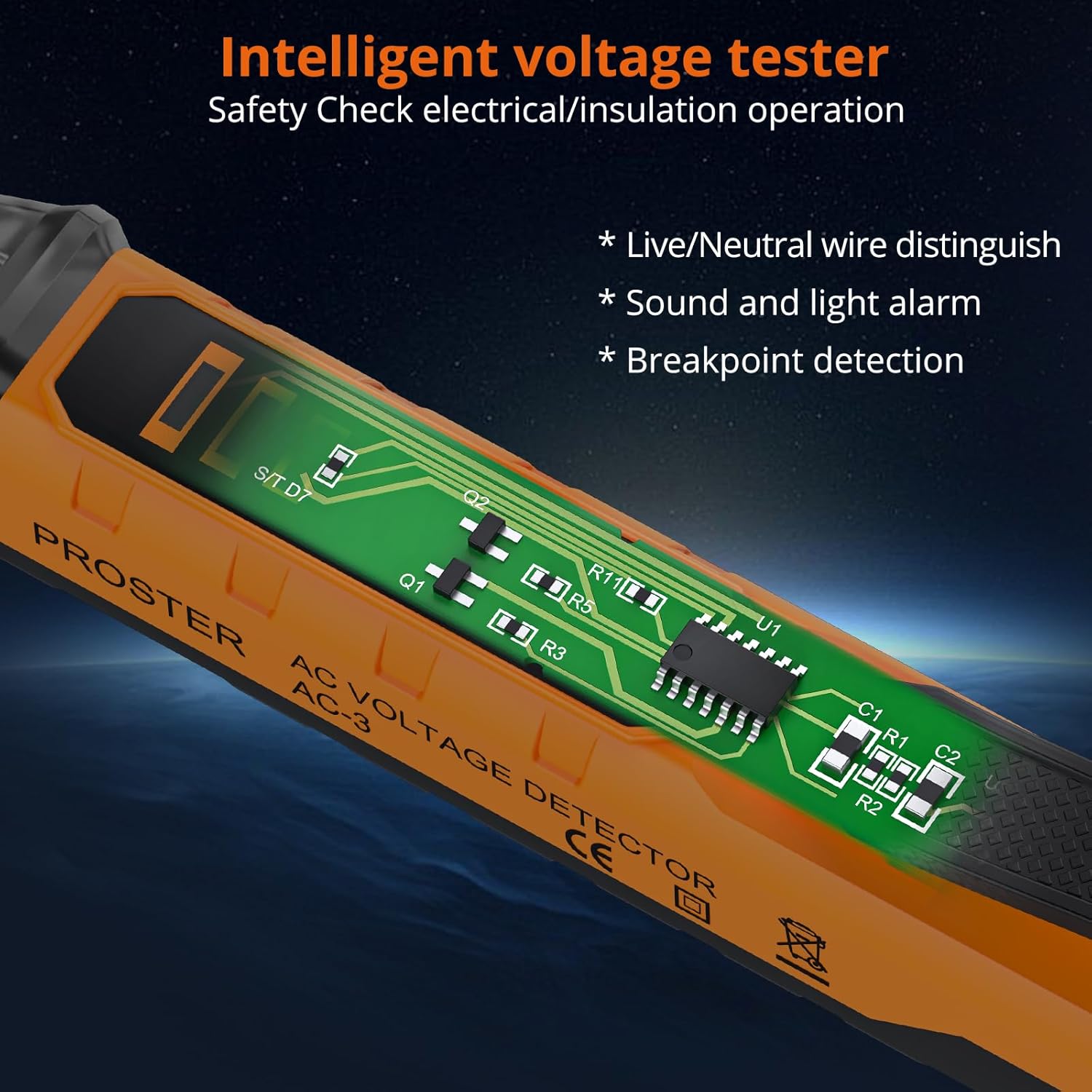
- Non-Contact Voltage Detection: Safely detects AC voltage without touching the live conductor.
- Dual Sensitivity Range: Automatically selects between 12-1000V AC (high sensitivity) and 48-1000V AC (low sensitivity) or allows manual selection.
- Live/Neutral Wire Identification: Distinguishes between live and neutral wires for accurate circuit analysis.
- Audible and Visual Alarms: Provides clear indications of voltage presence with sound and flashing LED lights.
- Integrated LED Flashlight: Illuminates dark work areas for improved visibility.
- Breakpoint Detection: Helps locate breaks in insulated wires.
- Automatic Power Off: Conserves battery life by automatically shutting down after a period of inactivity.
- Low Battery Indication: Alerts the user when batteries need replacement.
- Durable and Portable Design: Constructed with ABS and PVC, featuring a convenient pocket clip.
5. Setup
5.1 Battery Installation
The Proster PST224 requires two AAA 1.5V batteries for operation. These are typically included in the package.
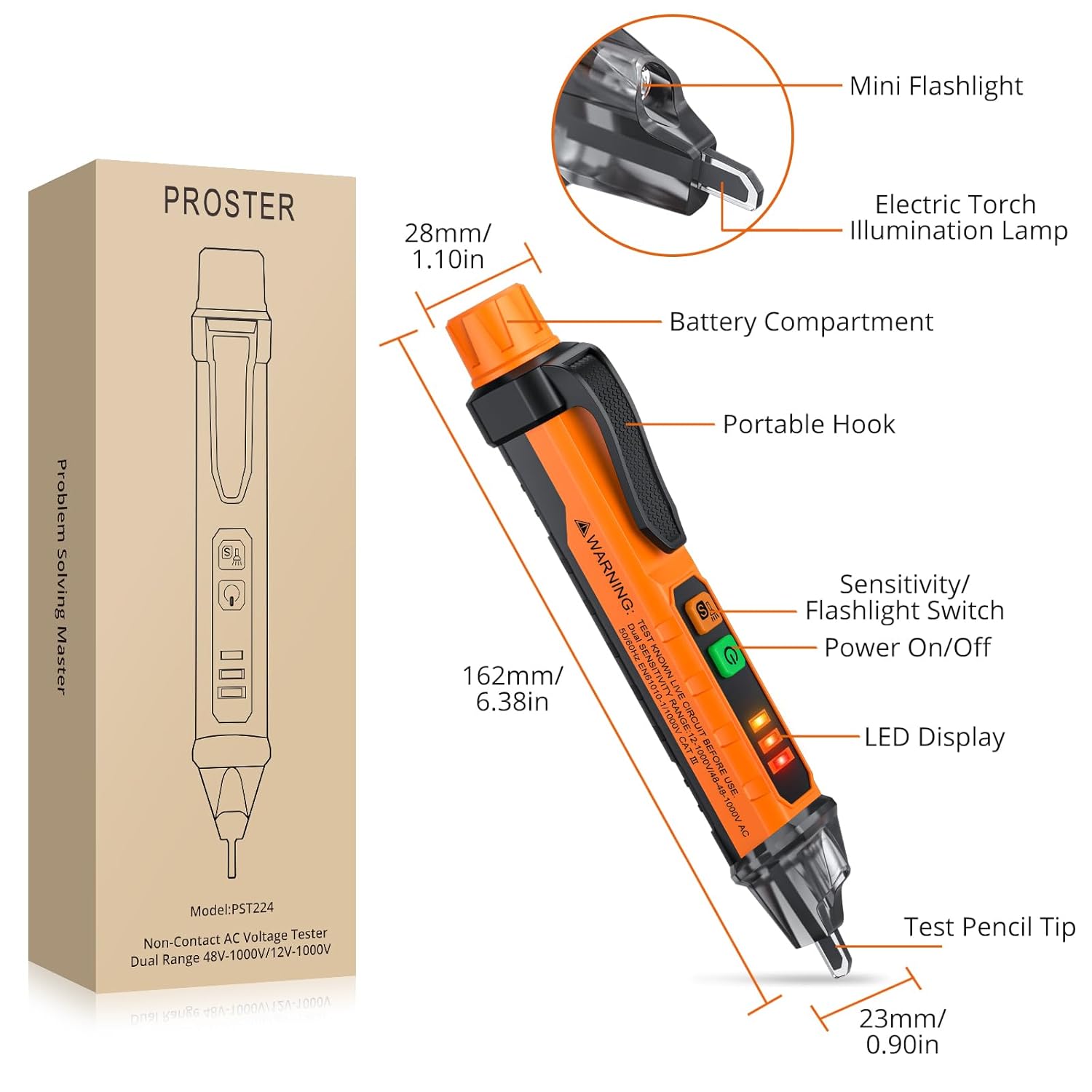
- Twist the battery cap at the top of the detector counter-clockwise to open the battery compartment.
- Insert two AAA 1.5V batteries, ensuring correct polarity (+ and -).
- Replace the battery cap by twisting it clockwise until securely locked.
Note: If the low battery indicator flashes, replace the batteries promptly to ensure accurate readings.
6. Operating Instructions
6.1 Power On/Off
- To power on the device, press the power button (green button with power symbol). The LED display will light up.
- To power off, press and hold the power button for approximately 2 seconds. The device will also automatically power off after a period of inactivity to save battery.
6.2 Sensitivity Adjustment
The detector offers two sensitivity modes:
- Default Mode (Low Sensitivity): 48-1000V AC. This mode is suitable for general voltage detection and reduces false positives.
- High Sensitivity Mode: 12-1000V AC. Press the "S" button (yellow button) to switch to this mode. This mode is ideal for detecting lower voltages or for more precise detection, such as breakpoint testing.

6.3 Live/Neutral Wire Identification
To identify live and neutral wires:
- Place the tip of the detector near the wire or outlet slot you wish to test.
- Live Wire: The detector will emit rapid beeps, the LED indicator will flash quickly, and the LCD will show a red light.
- Neutral Wire: The detector will emit slow beeps, the LED indicator will flash slowly, and the LCD will show a green light.


6.4 Breakpoint Testing
To locate a break in an insulated wire:
- Ensure the detector is in High Sensitivity Mode (12-1000V AC).
- Run the tip of the detector along the insulated wire.
- The detector will indicate voltage presence up to the point of the break. The alarm will stop or significantly decrease past the break point.

6.5 LED Flashlight
To activate the LED flashlight, press and hold the "S" button (yellow button) for approximately 2 seconds. Press and hold again to turn it off. This feature is useful for working in dimly lit environments.

7. Maintenance
- Cleaning: Wipe the device with a dry, soft cloth. Do not use abrasive cleaners or solvents.
- Storage: Store the detector in a cool, dry place, away from direct sunlight and extreme temperatures. If storing for extended periods, remove the batteries to prevent leakage.
- Battery Replacement: Replace batteries when the low battery indicator appears to ensure optimal performance.
8. Troubleshooting
| Problem | Possible Cause | Solution |
|---|---|---|
| Device does not power on. | Dead or incorrectly installed batteries. | Check battery polarity or replace batteries. |
| No voltage detected on a known live circuit. | Low battery; device malfunction. | Replace batteries. If problem persists, contact support. |
| False positives or inconsistent readings. | High sensitivity mode in a noisy electrical environment; interference from other electrical fields. | Switch to low sensitivity mode (48-1000V). Ensure no other strong electrical fields are nearby. |
| Flashlight not working. | Low battery; LED malfunction. | Replace batteries. If problem persists, contact support. |
9. Specifications
| Model Number | PST224 |
| AC Voltage Range | 12-1000V (High Sensitivity) / 48-1000V (Low Sensitivity) |
| Frequency | 50/60Hz |
| Alarm Mode | Sound and Light |
| Flashlight | White LED |
| Auto Power Off | Yes |
| Low Battery Indication | Yes |
| Power Supply | 2 x 1.5V AAA Batteries |
| Operating Temperature | 0°C to 40°C (32°F to 104°F) |
| Storage Temperature | -10°C to 50°C (14°F to 122°F) |
| Humidity | < 80% RH |
| Dimensions | 16.2 x 2.3 x 2.8 cm (6.38 x 0.91 x 1.10 inches) |
| Weight | 80 g (2.82 oz) |
| Safety Rating | CE |
10. Warranty and Support
Proster products are designed and manufactured to high-quality standards. For warranty information, technical support, or any questions regarding your Proster PST224 Non-Contact AC Voltage Detector, please refer to the contact information provided with your purchase or visit the official Proster website. Please retain your proof of purchase for warranty claims.