
Important Safety Information
Do not use with broken or damaged parts. Keep away from children. Avoid electrical outlets while in use. Not for use with certain medical conditions or while pregnant. Always follow the instructions provided.
For your safety, please read all instructions carefully before first use.
Product Overview
The DADA-TECH Cordless Water Flosser utilizes A+ grade pulse technology to deliver 1400-1800 pulses per minute at 30-120 PSI, ensuring a precise and stable water stream for effective oral cleaning. It is designed to reach gum grooves and hard-to-reach areas, offering superior cleaning compared to traditional flossing methods.

Image: Visual comparison highlighting the deep dental cleaning capabilities of the DADA-TECH Water Flosser, showing superior plaque and food residue removal.
Package Contents
Your DADA-TECH Cordless Water Flosser package includes:
- 1 x Cordless Water Flosser Unit
- 3 x Dense Hydro Nozzles (for daily efficient cleaning)
- 1 x U-shaped Nozzle (for cleaning the backs of teeth)
- 1 x Orthodontic Nozzle (for braces cleaning)
- 1 x Periodontal Nozzle (for alleviating periodontitis)
- 1 x Tongue Scraper Nozzle (for freshening breath)
- 1 x USB Charging Cable

Image: A display of the seven multifunctional nozzles included with the water flosser, highlighting their diverse applications for comprehensive oral care.
Key Features
Advanced Cleaning Technology
The water flosser features A+ grade pulse technology, delivering 1400-1800 pulses per minute at 30-120 PSI for a powerful and stable cleaning stream. This effectively removes up to 99.99% of debris and impurities.
Multiple Cleaning Modes & DIY Pressure Settings
Choose from four distinct cleaning modes: Soft for sensitive gums or new users, Normal for a balanced clean, Shoot for targeted stain removal, and Custom, which allows personalization with eight adjustable pressure levels (30-120 PSI).
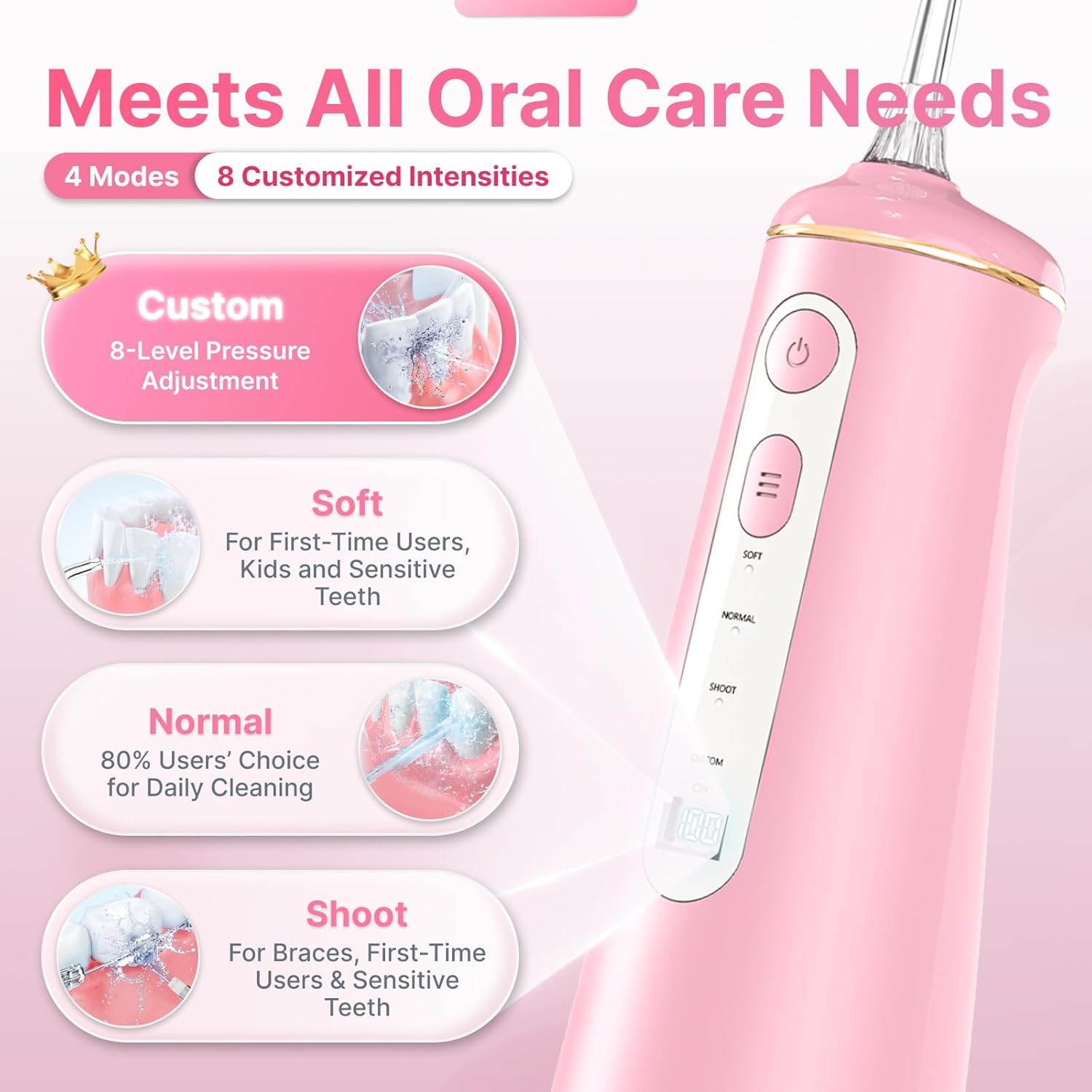
Image: The water flosser's control panel displaying the four cleaning modes (Soft, Normal, Shoot, Custom) and the 8-level pressure adjustment for personalized use.
Large 300ML Water Tank & Detachable Base
The 300ML (10 ounces) water tank provides sufficient capacity for a full mouth cleaning without refilling. Its detachable base allows for easy and thorough cleaning, reducing microbial growth.

Image: A woman demonstrating the use of the water flosser, highlighting its large 300ML water tank capacity for extended use.
IPX7 Waterproof Rating
With an IPX7 waterproof rating, the device can be safely used in the shower or bathtub, provided the charging port is securely covered.
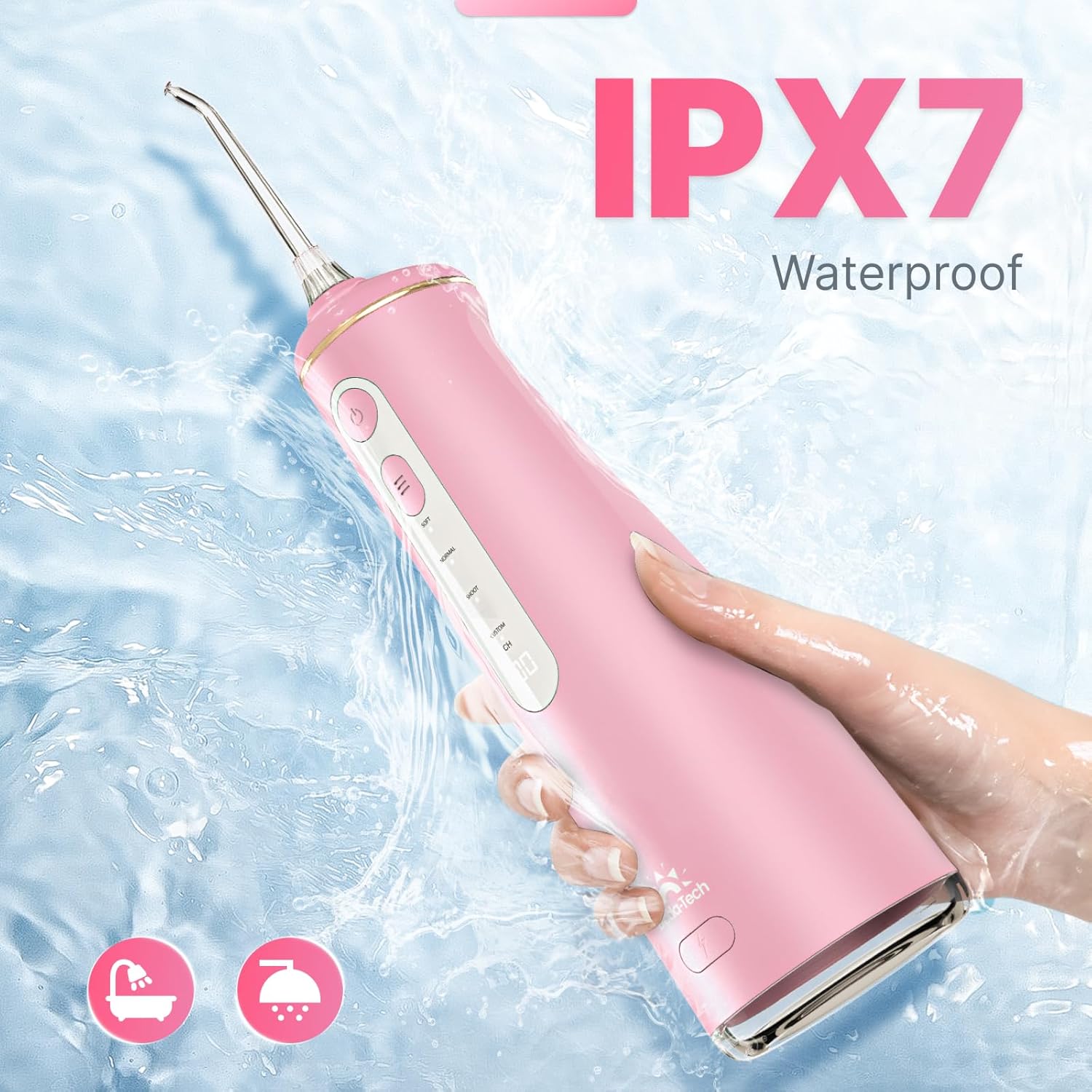
Image: The water flosser being used under a shower head, illustrating its IPX7 waterproof capability for safe use in wet environments.
Long-Lasting Battery
The high-capacity energy-efficient battery provides up to 60 days of use on a single 4-hour charge, ensuring consistent water flow and cleaning effectiveness.

Image: The water flosser being placed into a travel bag, emphasizing its portability and long 60-day battery life on a single charge.
Getting Started & Setup
1. Charge the Device
Before first use, fully charge the water flosser using the provided USB charging cable. The charging port is located at the bottom of the device and should be covered when not charging to maintain waterproofing.
2. Attach a Nozzle
Select the appropriate nozzle for your cleaning needs (refer to the 'Nozzle Guide' section). Insert the nozzle into the opening at the top of the flosser until it clicks securely into place.
3. Fill the Water Tank
Open the water tank cover located at the back of the device. Fill the 300ML tank with warm water. Close the cover securely to prevent leaks.
Video: An official DADA-TECH video demonstrating the installation of nozzles, filling the water tank, and an overview of the water flosser's features and operation.

Image: A visual guide illustrating the five key steps for using the water flosser, from adding water to directing the jet at the gumline.
Operating Instructions
1. Select a Mode
Press the 'Mode' button to cycle through Soft, Normal, Shoot, or Custom modes. For Custom mode, long-press the 'Mode' button for 3 seconds, then press it repeatedly to cycle through pressure levels 1-8. Once your desired level is set, press the power button to start.

Image: A step-by-step diagram explaining how to select and adjust the 8-level custom pressure mode on the water flosser.
2. Power On & Position
Press the 'Power' button to turn on the water flosser. Lean over the sink to avoid splashing. Aim the nozzle at the gum line at a 90-degree angle.
3. Floss Your Teeth
Move the nozzle along the gum line and between teeth, pausing briefly on each tooth. Ensure comprehensive cleaning of all oral surfaces.
4. Finish Cleaning
When finished, turn off the water flosser and remove the nozzle. Empty any remaining water from the tank.
Nozzle Guide
The DADA-TECH Water Flosser comes with 7 specialized nozzles to cater to various oral hygiene needs:
- Dense Hydro Nozzles (3x): For daily efficient cleaning with 360-degree rotation.
- U-shaped Nozzle (1x): Specifically designed for cleaning the backs of teeth.
- Orthodontic Nozzle (1x): Ideal for cleaning around braces and orthodontic appliances.
- Periodontal Nozzle (1x): Gentle cleaning for individuals with periodontitis or sensitive gums.
- Tongue Scraper Nozzle (1x): Helps remove bacteria and food debris from the tongue for fresher breath.

Image: An illustration detailing the seven different types of nozzles included with the water flosser, emphasizing their 360-degree rotation for versatile cleaning.
Maintenance and Cleaning
Regular cleaning ensures optimal performance and hygiene of your water flosser:
- Water Tank: The detachable base allows for thorough cleaning and drying of the 300ML water tank. This helps reduce microbial growth.
- Nozzles: After each use, remove the nozzle and rinse it under running water. Store nozzles in the designated clip within the water tank for convenient travel and protection.
- Exterior: Wipe the exterior of the device with a soft, damp cloth as needed.

Image: A visual demonstrating the detachable base of the DADA-TECH water flosser, highlighting its ease of cleaning compared to non-detachable designs to prevent bacterial growth.
Specifications
| Feature | Detail |
|---|---|
| Model Number | W2 |
| Package Dimensions | 9.65 x 4.09 x 3.46 inches |
| Item Weight | 1.06 Pounds |
| Power Source | Battery Powered (1 Lithium Ion battery included) |
| Water Tank Capacity | 300ML |
| Pressure Range | 30-120 PSI |
| Pulse Rate | 1400-1800 pulses per minute |
| Waterproof Rating | IPX7 |
| Battery Life | Up to 60 days on a single charge |
Warranty and Customer Support
The DADA-TECH Cordless Water Flosser comes with a 2-year warranty. For any assistance or inquiries, please follow these steps:
- Login to your Amazon account.
- Go to 'Your Orders'.
- Find the order ID for your DADA-TECH Water Flosser.
- Click 'Contact seller'.
Our customer support team is ready to assist you and values your feedback to improve our products and services.
Legal Disclaimer
Statements regarding dietary supplements have not been evaluated by the FDA and are not intended to diagnose, treat, cure, or prevent any disease or health condition.