
1. Safety Information
Please read and understand all safety instructions before using this product. Failure to follow these instructions may result in electric shock, fire, or serious injury.
1.1. Built-in Protection System (BMS)
The GENSROCK Portable Power Bank H120 features an advanced Battery Management System (BMS) to ensure safe and efficient operation. This system provides protection against:
- Overcharge Protection
- Over-discharge Protection
- Short Circuit Protection
- Overvoltage Protection
- Overcurrent Protection
- Intelligent Thermal Control (via cooling fan)
1.2. General Safety Guidelines
- Do not expose the unit to direct sunlight or extreme temperatures.
- Keep away from high humidity and dusty places.
- Do not disassemble, repair, or modify the unit.
- Do not drop or place heavy objects on the unit.
- Ensure proper ventilation; do not cover the unit with towels or other fabrics.
- This appliance is not intended for use by persons (including children) with reduced physical, sensory, or mental capabilities, or lack of experience and knowledge, unless they have been given supervision or instruction concerning use of the appliance by a person responsible for their safety.
- Disconnect the unit when fully charged.
- Use the unit properly to avoid electronic shock.
- The unit is designed for emergency situations and cannot replace standard DC or AC power in your home or office.
1.3. Cold Weather Usage
Cold temperatures (below freezing) can affect the unit's battery capacity. To maintain optimal performance, keep the unit in an insulated cooler and connected to a power source (e.g., solar panel) when operating in sub-zero conditions. The natural heat generated by the unit will help maintain battery capacity at its highest condition.
2. Product Overview
The GENSROCK Portable Power Bank H120 is a compact and versatile power solution designed for charging a wide range of electronic devices. With its high capacity and multiple output ports, it is ideal for outdoor activities, travel, home office use, and emergency backup.
2.1. Key Features
- High Capacity: 24,000mAh (88.8Wh) lithium-ion battery.
- Multi-Output: 8 output ports with 5 output methods, including 2 AC outlets (120W continuous, 150W peak), 2 DC ports, 1 Type-C port, 2 QC 3.0 USB ports, and 1 5V/2.4A USB port.
- Compact & Portable: Super slim size (6.6 x 4 x 3 inches) and lightweight (2.3 lbs) for easy transport.
- Emergency Lighting: Built-in LED light with 2 modes (always on, SOS).
- Digital Display: Shows real-time energy levels and output status.
2.2. Package Contents
- 1 x GENSROCK Portable Power Bank H120 (88Wh)
- 1 x AC Adapter
- 1 x Car Charger
- 1 x User Manual

Figure 2.1: GENSROCK Portable Power Bank H120 and included LED light accessory.

Figure 2.2: GENSROCK Portable Power Bank H120 with its AC adapter, car charger, and user manual.
3. Setup and Initial Charging
Before first use, it is recommended to fully charge your GENSROCK Portable Power Bank H120.
3.1. Charging Methods
The power bank supports three recharging modes:
- AC Wall Outlet: Use the included AC adapter to charge the unit from a standard wall outlet.
- Car Outlet: Use the included car charger to charge the unit from your vehicle's 12V cigarette lighter.
- Solar Panel (Not Included): Connect a compatible solar panel (15V-16V output) to the DC input port for charging.
The digital screen will display the real-time energy level and charging status. The unit can be used while charging via AC, car, or solar input.
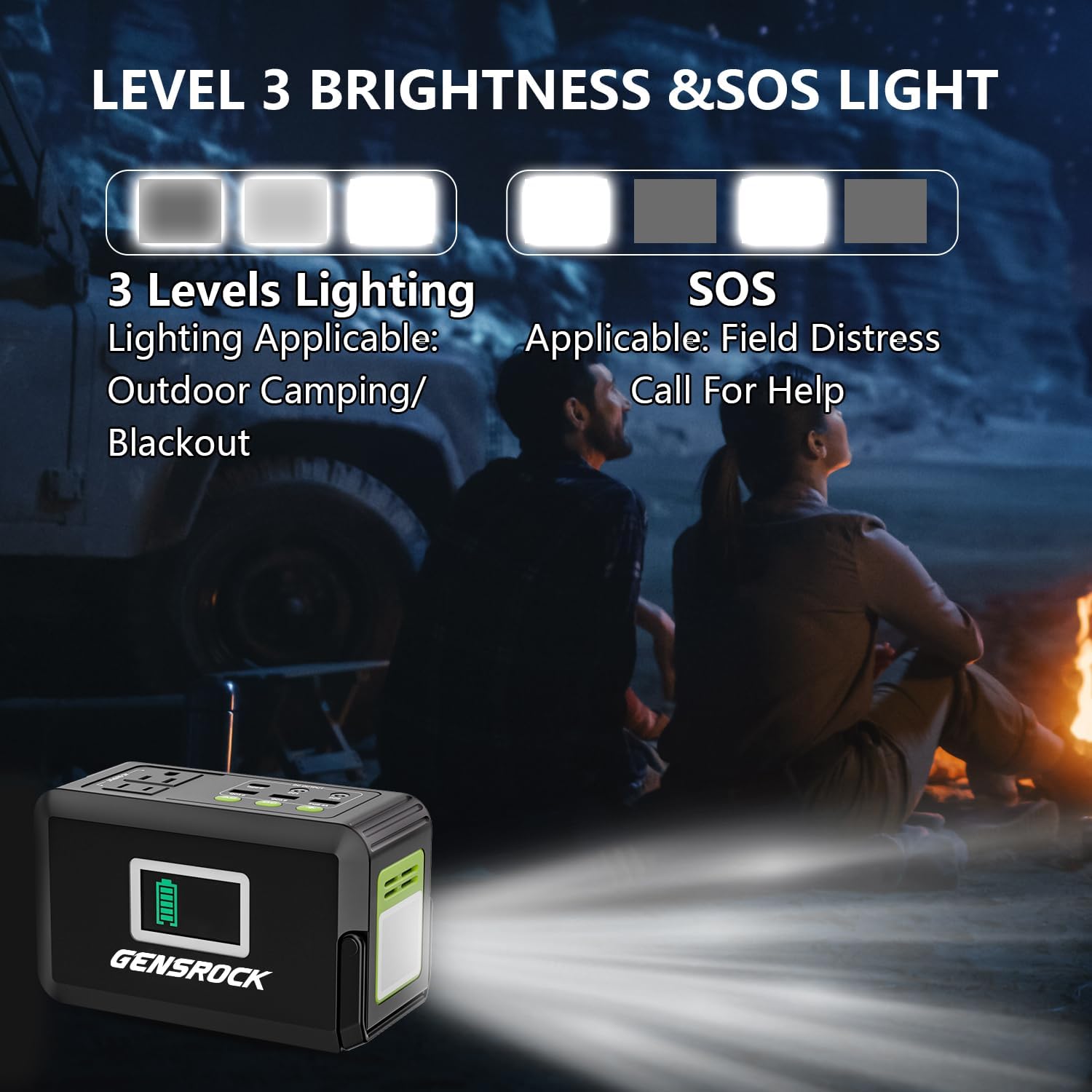
Figure 3.1: Charging the GENSROCK Portable Power Bank H120 via AC adapter, car charger, or solar panel.
4. Operating Instructions
The GENSROCK Portable Power Bank H120 offers various output options to power your devices.
4.1. Port Layout and Controls

Figure 4.1: Overview of GENSROCK Portable Power Bank H120 ports and controls.
- AC Output: 2 x 110V/120W (150W Peak) AC outlets.
- DC Output: 2 x 12V/10A DC ports.
- USB Output: 1 x Type-C (18W), 2 x QC 3.0 (5V/3A, 9V/2A, 12V/1.5A Max), 1 x 5V/2.4A USB port.
- Control Buttons: Separate ON/OFF buttons for AC, DC, and LED Light functions.
4.2. Powering AC Appliances
To use the AC outlets:
- Plug your AC appliance into one of the two AC output ports.
- Press the AC button to turn on the AC output. The digital display will show "AC Output" and the green indicator light will illuminate.
- To turn off, press the AC button again.
Note: The AC output is rated for 120W continuous power with a 150W peak. Do not connect appliances exceeding 150W to avoid triggering overload protection and potential damage to the unit.
4.3. Powering DC Appliances
To use the DC output ports:
- Connect your 12V DC appliance to one of the DC output ports.
- Press the DC button to turn on the DC output. The digital display will show "DC Output" and the green indicator light will illuminate.
- To turn off, press the DC button again.
Note: The 12V DC output voltage range is between 9V-12.6V. The maximum output current is 10A. If your 12V DC appliance is not built-in input voltage stabilizing function, it may shut down when the input voltage is too low. Please unplug your device from the unit to recharge the unit in time.
4.4. Charging USB Devices
To charge USB-powered devices:
- Connect your USB device to the appropriate USB port (Type-C, QC 3.0, or 5V/2.4A).
- The USB outputs are automatically active when a device is connected.
Note: The QC 3.0 ports support Quick Charge 3.0 for compatible devices, providing faster charging speeds. Actual output voltage and current depend on the smart device connected.

Figure 4.2: GENSROCK Portable Power Bank H120 charging multiple devices simultaneously.
4.5. Emergency LED Light
The unit includes a built-in LED light for emergency situations:
- Press the Light button once to turn on the light in constant illumination mode.
- Press the Light button a second time for SOS mode (flashing).
- Press the Light button a third time to turn off the light.
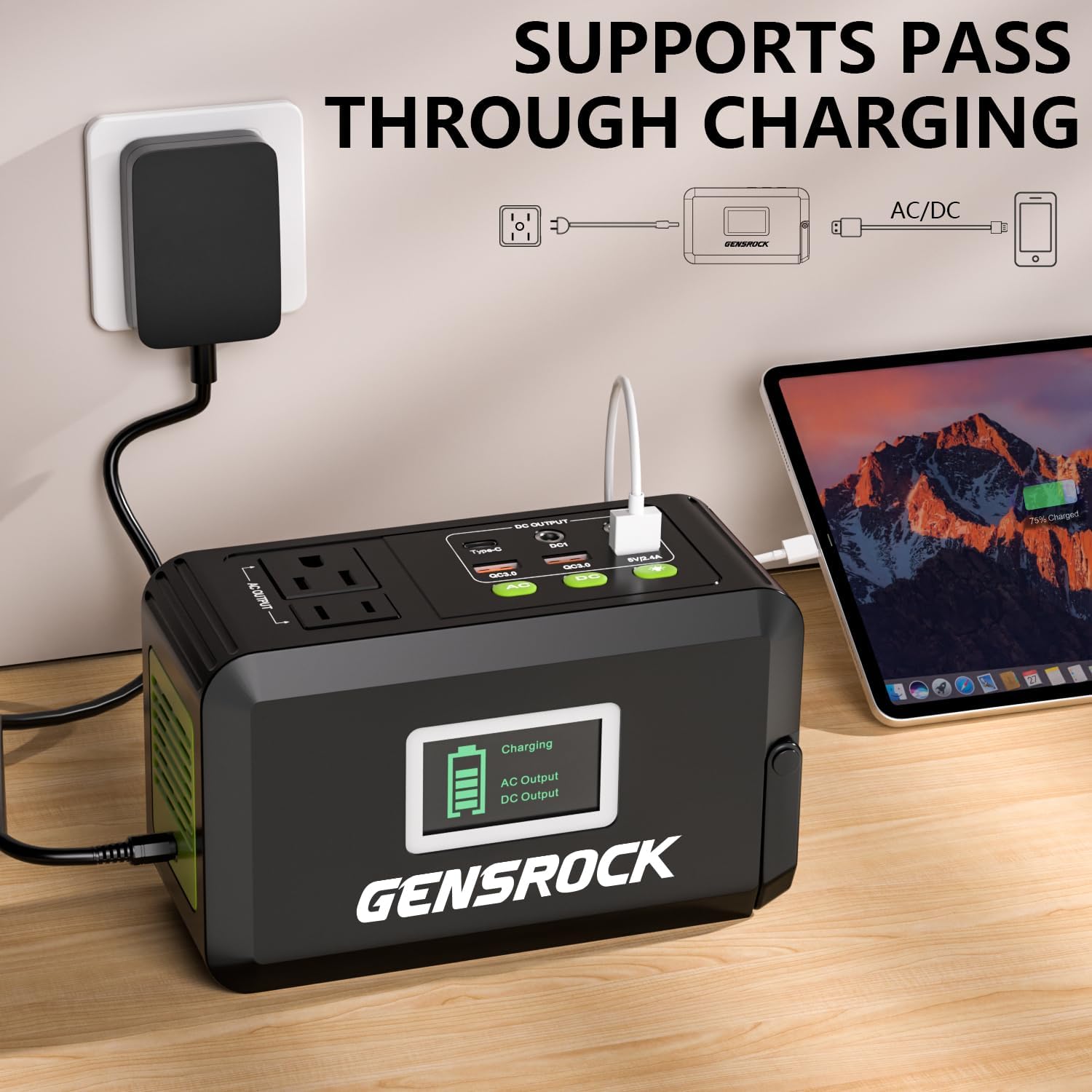
Figure 4.3: GENSROCK Portable Power Bank H120 LED light modes.
5. Maintenance and Storage
Proper maintenance ensures the longevity and optimal performance of your GENSROCK Portable Power Bank H120.
5.1. Battery Care
- Your unit includes an internal, non-removable, rechargeable lithium-ion battery.
- To prolong battery life, avoid completely depleting the battery before recharging.
- It is recommended to charge the unit at least once every two weeks when not in use.
- The battery is designed for over 1500 charge cycles.
5.2. Storage
- Store the unit in a cool, dry place, away from direct sunlight.
- Keep the unit away from all metal objects (e.g., coins, hairpins) to prevent short circuits.
- Avoid dropping or subjecting the unit to strong impacts.
6. Troubleshooting
If you encounter any issues with your GENSROCK Portable Power Bank H120, please refer to the following common solutions:
- Unit not turning on: Ensure the power button is pressed and held for 3 seconds to activate. Check battery level.
- AC output not working while charging: The AC output is disabled when the unit is being recharged for safety reasons. USB and DC outputs will still function.
- Device not charging: Ensure the power bank has sufficient charge. Check that the output port is activated (AC/DC buttons). Verify the device's power consumption does not exceed the power bank's limits (e.g., AC output under 150W).
- DC output voltage drops: The 12V DC output voltage may drop while battery capacity is low. If your appliance requires stable input voltage, unplug it and recharge the power bank.
For further assistance, please contact customer support.
7. Specifications
| Feature | Detail |
|---|---|
| Model Number | H120 |
| Battery Type | Lithium Ion |
| Battery Capacity | 88.8Wh (24,000mAh / 3.7V) |
| AC Output | 2 x 110V/60Hz, 120W (150W Peak) |
| DC Output | 2 x 12V/10A |
| USB Output | 1 x Type-C (18W), 2 x QC 3.0, 1 x 5V/2.4A |
| DC Input | 15V/2A |
| Product Dimensions | 6.6 x 4 x 3 inches |
| Item Weight | 2.3 lbs |
| Operating Temperature | 0°C - 40°C (32°F - 104°F) |
8. Warranty and Support
GENSROCK is committed to providing high-quality products and excellent customer service.
8.1. Product Support
We provide 24 months of support for our products, ensuring your satisfaction and peace of mind.
8.2. Customer Service
If you have any questions during use, need operation instructions, or require assistance with your product, our friendly customer support team is available 24/7.
Please refer to the contact information provided in your product packaging or on the official GENSROCK website for support.
9. Product Video Demonstration
Video 9.1: An official GENSROCK video demonstrating the portable power station's features and functionality.