
1. Introduction
The iGPSPORT iGS800 is a professional full-color touchscreen bike computer designed to enhance your cycling experience with advanced navigation, training analysis, and comprehensive data tracking. It features a 3.5-inch display, offline map capabilities, multi-band GNSS for precise positioning, and robust connectivity options.
2. Package Contents
Upon unboxing your iGS800, please verify that all components are present:
- 1 x iGS800 Bike Computer
- 1 x Standard Bike Mount
- 2 x Rubber Bands for Mount
- 1 x USB Type-C Charging Cable
- 1 x Quick Start Manual
- 1 x Protective Rubber Sheath

Image: Contents of the iGS800 package, including the bike computer, mount, and cables.
Video: An overview of what is included in the iGS800 package.
3. Setup
3.1 Initial Device Setup
Power on the iGS800 by pressing and holding the power button. Follow the on-screen prompts to select your preferred language and initial settings. The device features a responsive touchscreen and physical buttons for navigation.
3.2 App Connection and Pairing
Download the iGPSPORT app from your device's app store. Open the app and select "Add Device." The app will search for your iGS800. Once found, follow the pairing instructions on both the device and the app. This connection enables seamless data synchronization and advanced feature management.
Video: Demonstrates the initial setup and app pairing process for the iGS800.
4. Operating Instructions
4.1 General Operation
The iGS800 features a user-friendly interface with a combination of touchscreen gestures and physical buttons. Swipe left/right or up/down to navigate through data screens and menus. The physical buttons on the sides provide additional control, especially useful when wearing gloves.
4.2 Navigation
The iGS800 supports offline map navigation with built-in US maps and 32GB of storage for additional maps. Routes can be imported from the iGPSPORT app (which integrates with platforms like Strava and RideWithGPS). The device provides turn-by-turn directions and automatically plans new routes if you go off course. Saved point navigation allows you to easily return to predefined locations.

Image: The iGS800 displaying real-time map navigation during a ride.
4.3 Training Features
The iGS800 offers advanced training analysis algorithms. It supports real-time segment display, allowing you to track your performance against created segments. The iClimb Pro feature provides hill climbing planning with route previews to help manage physical exertion. The device also assesses training status, monitors physical fitness, and tracks recovery time.

Image: The iGS800 showing training effect and recovery time metrics.
4.4 Data Display and Customization
The device provides over 150 cycling data points, including speed, cadence, distance, slope, calories, mileage, power, and temperature. You can customize data screens with various widgets and choose from different display themes and font sizes to suit your preferences.
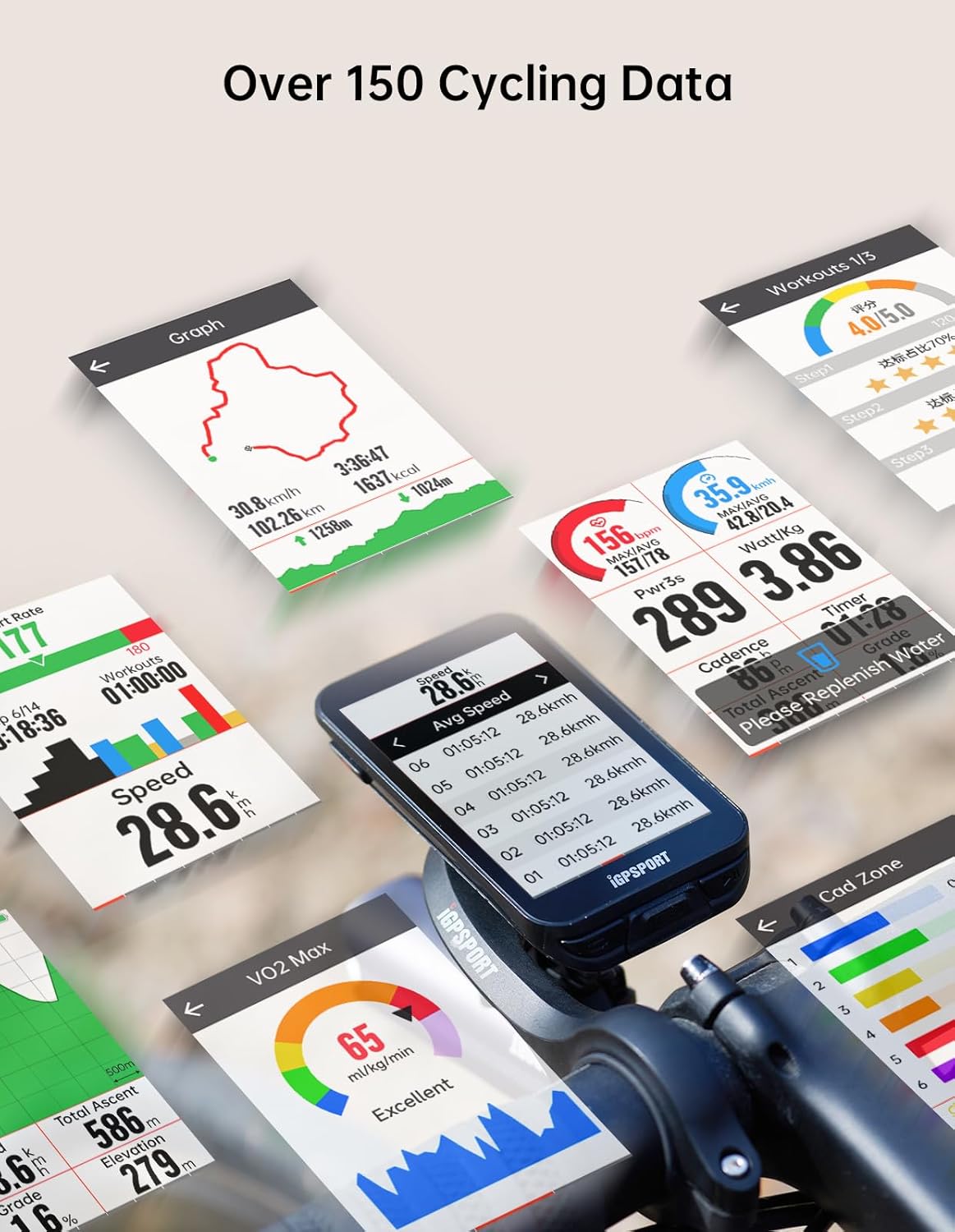
Image: A collage of iGS800 screens showing diverse cycling data.
5. Connectivity
The iGS800 supports Bluetooth, Wi-Fi, and ANT+ connectivity. It can pair with various sensors (heart rate monitors, speed sensors, cadence sensors, power meters) for comprehensive data collection. Dual-band GPS (L1 and L5) and support for 5 satellite positioning systems (GPS, Beidou, GLONASS, GALILEO, QZSS) ensure high accuracy and anti-interference capabilities globally.
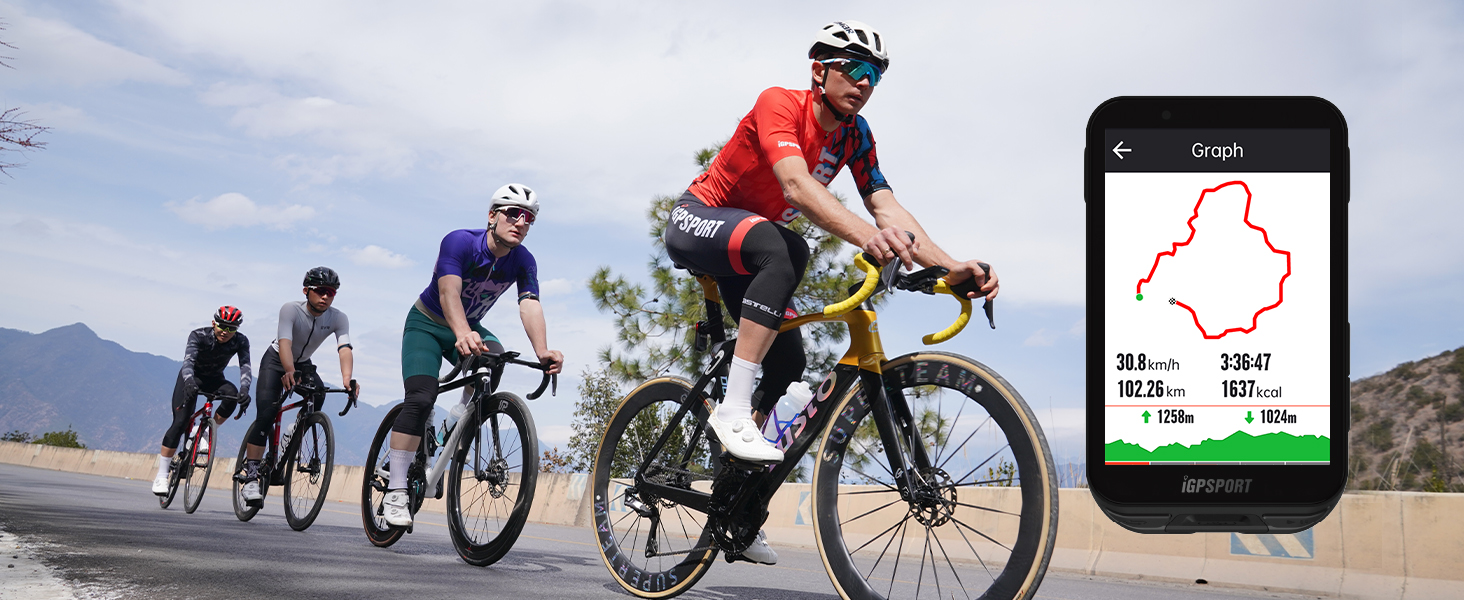
Image: Connectivity diagram illustrating ANT+ and Bluetooth sensor compatibility.
6. Battery Life
The iGS800 features a 50-hour super long battery life on a single full charge. Charging speed is increased by 50% for quick power-ups.
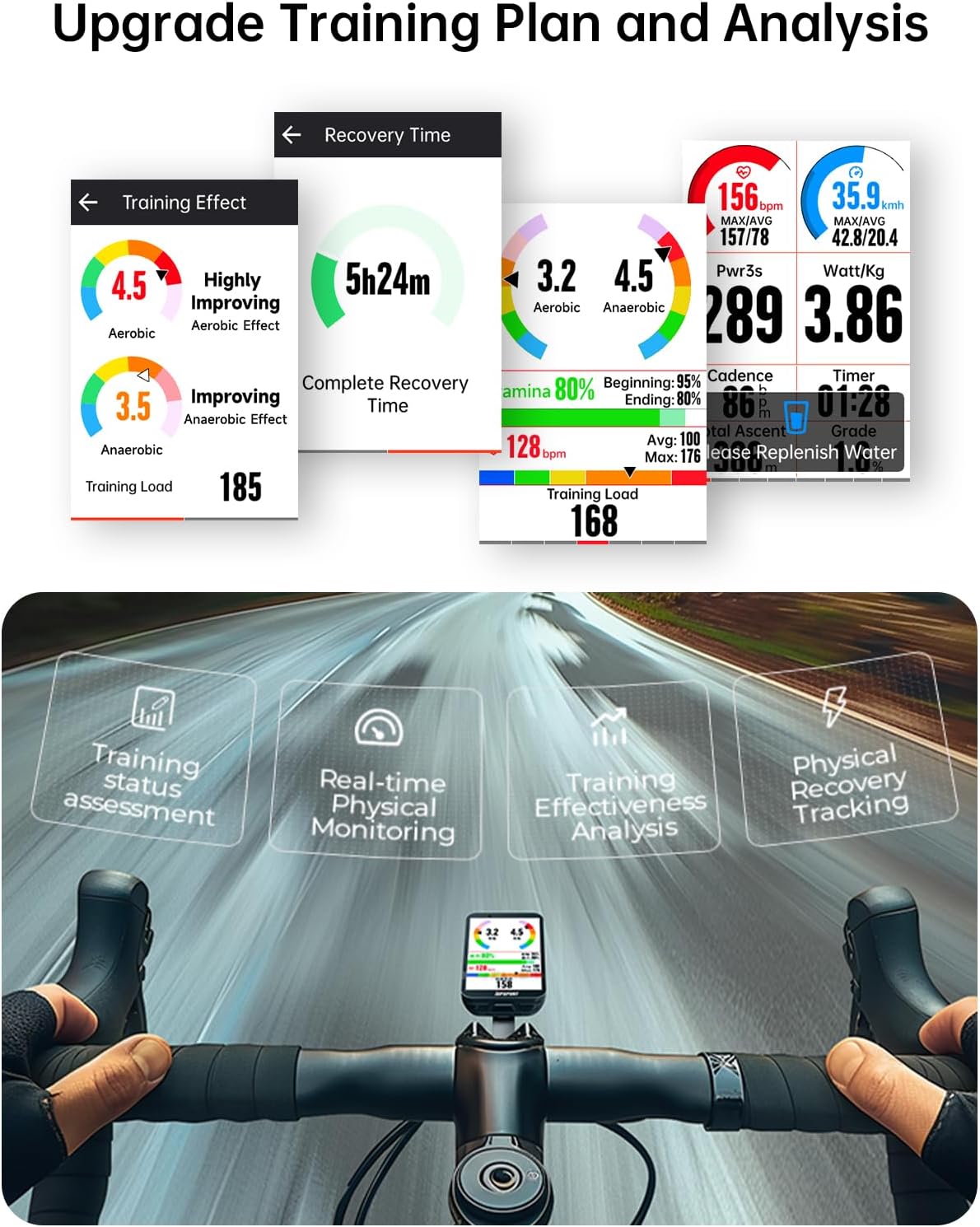
Image: Visual representation of the iGS800's extended battery life.
7. Maintenance
7.1 Cleaning
Wipe the device with a soft, damp cloth. Avoid using abrasive cleaners or solvents that may damage the screen or casing. Ensure the USB port cover is securely closed to maintain IPX7 waterproof rating.
7.2 Storage
Store the iGS800 in a cool, dry place away from direct sunlight and extreme temperatures. For long-term storage, ensure the battery is charged to approximately 50% to prolong its lifespan.
7.3 Firmware Updates
Regularly check for firmware updates via the iGPSPORT app to ensure optimal performance, new features, and bug fixes. It is recommended to update the firmware before initial use.
8. Troubleshooting
8.1 Device Not Powering On
- Ensure the device is fully charged. Connect it to a power source using the provided USB cable.
- Press and hold the power button for at least 10 seconds to attempt a forced restart.
8.2 GPS Signal Issues
- Ensure you are in an open area with a clear view of the sky.
- Verify that multi-band GNSS is enabled in the device settings for improved accuracy.
- Allow a few minutes for the device to acquire satellite signals, especially after initial setup or long periods of inactivity.
8.3 Sensor Pairing Problems
- Ensure the sensor's battery is not depleted.
- Bring the sensor close to the iGS800.
- Check the sensor's manual for specific pairing instructions.
- Restart both the iGS800 and the sensor, then attempt pairing again.
9. Specifications
| Feature | Detail |
|---|---|
| Brand | iGPSPORT |
| Model | iGS800 |
| Screen Size | 3.5 Inches |
| Display Type | LCD, Full-Color Touchscreen |
| Internal Storage | 32GB (Built-in US map) |
| Battery Life | Up to 50 Hours |
| Connectivity | Bluetooth, Wi-Fi, ANT+ |
| GPS | Dual-Band GPS (L1+L5), 5 Satellite Positioning (GPS+Beidou+GLONASS+GALILEO+QZSS) |
| Waterproof Rating | IPX7 |
| Dimensions (LxWxH) | 0.24"L x 0.08"W x 0.39"H |
| Material | Plastic (with Aluminum Alloy Base) |
10. Warranty and Support
The iGPSPORT iGS800 comes with a 1-Year Warranty. For any questions or concerns, please contact iGPSPORT customer service. They aim to respond within 24 hours.
Your satisfaction is our top pursuit. Please feel free to share your questions and concerns with us.