
Introduction
This manual provides essential information for the safe and effective use of your XUNATA 12V COB LED Band. Please read these instructions carefully before installation and operation, and retain them for future reference.
The XUNATA COB LED Band is a high-density, flexible LED strip designed for various indoor lighting projects. Featuring 528 LEDs per meter, it offers super bright, uniform illumination without visible dark spots, thanks to its Chip-on-Board (COB) technology. Its self-adhesive backing and cuttable design allow for versatile and creative lighting applications.
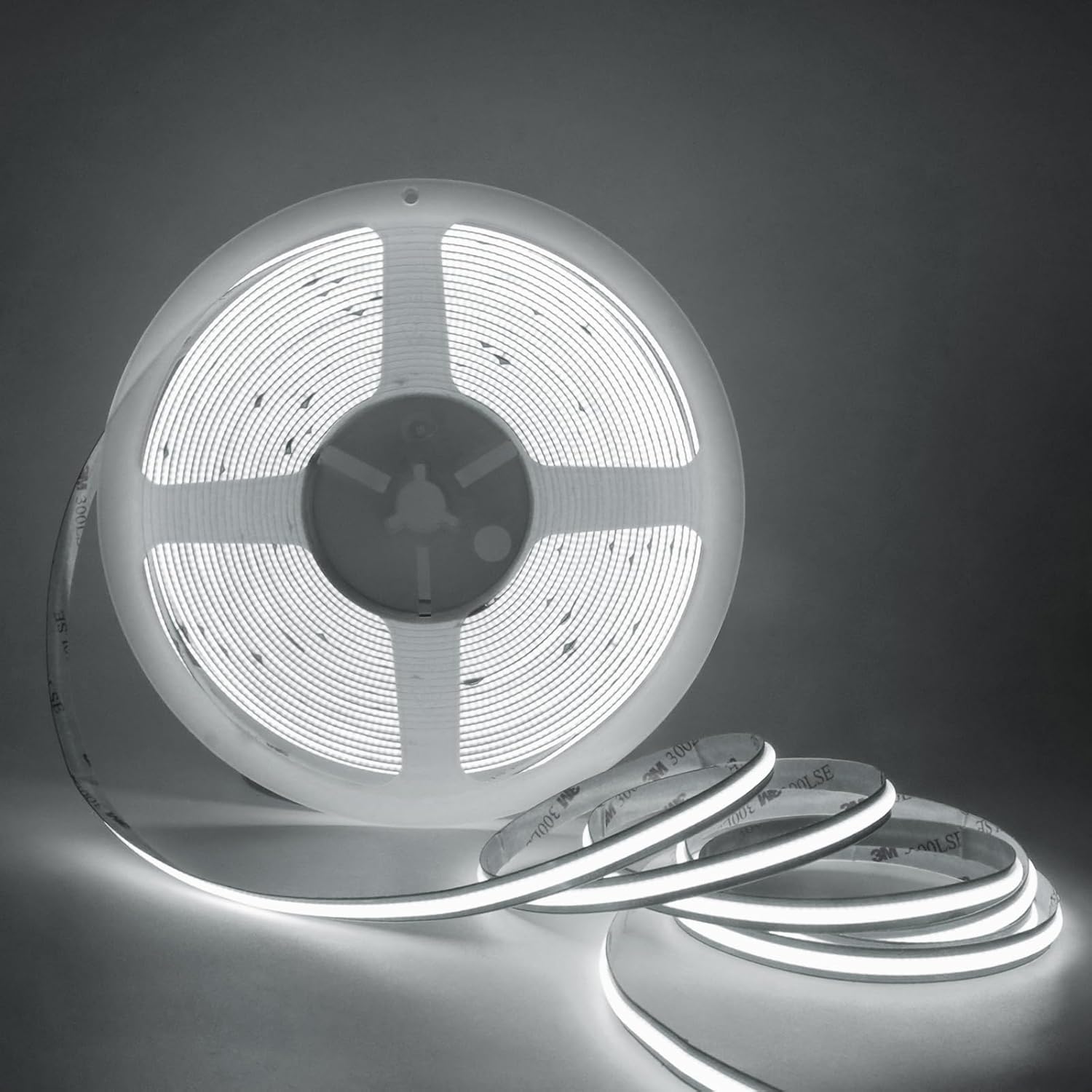
Figure 1: XUNATA 12V COB LED Band (Daylight White) on its spool.
Setup and Installation
Follow these steps for proper setup and installation of your COB LED Band.
1. Unpacking and Inspection
- Carefully remove the LED strip from its packaging.
- Unroll the entire length of the LED strip before testing. Do not power on the strip while it is still coiled, as this can lead to overheating and damage.
- Inspect the strip for any visible damage. If any damage is found, do not proceed with installation and contact customer support.
2. Power Supply Connection
The COB LED Band requires a 12V power adapter (not included). Ensure you use a compatible 12V adapter with sufficient wattage for the length of your LED strip.

Figure 2: Wiring diagram for connecting the LED strip to a power adapter. Connect the positive (+) wire from the strip to the positive output of the 12V/24V power adapter, and the negative (GND) wire to the negative output.
Important Note for Longer Strips: For LED strips longer than 5 meters (or 6-10 meters as specified for some variants), it is essential to power the strip from both ends to prevent voltage drop and ensure uniform brightness along the entire length. If only one side is powered, a noticeable drop in brightness may occur towards the end of the strip.
3. Cutting the LED Strip
The COB LED Band is designed for arbitrary cutting, allowing you to customize its length to fit your specific needs. Cut only at the designated cutting marks indicated on the strip to avoid damaging the circuit.

Figure 3: The LED strip can be cut at designated points to achieve desired lengths. It also features a strong 3M double-sided adhesive for easy installation.
4. Mounting the LED Strip
The LED strip features a strong 3M double-sided adhesive backing for easy installation. Ensure the surface where you intend to mount the strip is clean, dry, and smooth for optimal adhesion.
- Clean the installation surface thoroughly.
- Peel off the protective backing from the adhesive tape on the back of the LED strip.
- Carefully press the strip onto the desired surface, applying firm and even pressure along its entire length to ensure good contact.
Operating Instructions
Once properly installed and connected to a 12V power supply, the XUNATA COB LED Band will illuminate. Operation is straightforward, typically controlled by the power supply unit or an inline switch if one is integrated.
The flexible design of the COB LED Band allows for creative bending and shaping to fit various contours and designs, making it ideal for accent lighting, under-cabinet lighting, cove lighting, and decorative purposes.

Figure 4: The COB LED strip is highly flexible and can be bent 360 degrees, allowing for versatile installation in various shapes and around corners.

Figure 5: Example of the COB LED strip used for indoor decoration, such as under-cabinet lighting in a kitchen.
Maintenance
The XUNATA COB LED Band requires minimal maintenance.
- Cleaning: If necessary, gently wipe the surface of the LED strip with a soft, dry cloth. Do not use abrasive cleaners or excessive moisture.
- Handling: Avoid sharp bends or excessive force when handling the strip to prevent damage to the internal components.
- Environment: This product is not waterproof (IP21). Ensure it is installed in dry indoor environments only. Avoid exposure to water, high humidity, or extreme temperatures.
Troubleshooting
If you encounter issues with your XUNATA COB LED Band, refer to the following common troubleshooting tips:
| Problem | Possible Cause | Solution |
|---|---|---|
| LED strip does not light up. |
|
|
| Brightness decreases towards the end of the strip. | Voltage drop due to long length and single-end power supply. | For strips longer than 5 meters, ensure power is supplied from both ends of the strip. |
| Strip overheats when testing. | Strip was powered on while still coiled. | Always unroll the entire strip before applying power. If damage has occurred, the strip may need replacement. |
| Adhesive not sticking. | Surface is dirty, dusty, or not smooth. | Clean the installation surface thoroughly before applying the strip. Ensure it is dry and smooth. |
If the problem persists after attempting these solutions, please contact XUNATA customer support for further assistance.
Specifications
Key technical specifications for the XUNATA 12V COB LED Band (Model: ADCLED587):
| Feature | Detail |
|---|---|
| LED Type | COB LED (Chip-on-Board) |
| Operating Voltage | 12V DC |
| LED Quantity | 528 LEDs/meter |
| PCB Width | 8mm |
| Color Options | Daylight White (6000-6500K), Warm White (3000-3500K), Natural White (4000-4500K) |
| Color Temperature (Current Model) | 6000 Kelvin (Daylight White) |
| Waterproof Grade | IP21 (Not waterproof) |
| Cuttable | Yes, at designated marks |
| Adhesive | 3M Double-Sided Tape |
| Indoor/Outdoor Usage | Indoor Use Only |
| Item Weight | 0.423 ounces |
| Manufacturer | XUNATA |
| Date First Available | March 22, 2024 |

Figure 6: Visual representation of different color temperatures available for XUNATA COB LED strips (3000K Warm White, 4000K Natural White, 6000K Daylight White).
Warranty and Support
Specific warranty details for the XUNATA 12V COB LED Band are not provided in this manual. However, the product is certified with FCC, CE, and RoHS standards, indicating compliance with relevant safety and environmental regulations.
For any questions, technical support, or warranty inquiries, please contact XUNATA customer service through the retailer where the product was purchased or visit the official XUNATA brand store online.
Return Policy: Please note that a 30-day return policy may apply, as per the retailer's terms. Refer to your purchase documentation for specific return and refund information.