Introduction
The Airvana Bladeless Rechargeable Indoor/Outdoor Fan is designed to provide powerful and portable cooling wherever you need it. Its innovative bladeless design ensures safety and easy cleaning, while the built-in lithium battery offers extended operation without the need for a constant power outlet. This manual provides essential information for the safe and efficient use of your fan.

Image: The Airvana Bladeless Rechargeable Indoor/Outdoor Fan in graphite, showcasing its sleek, modern design.
Important Safety Instructions
Please read and follow all safety instructions before using this appliance to reduce the risk of fire, electric shock, or injury.
- Indoor/Outdoor Use: This fan is suitable for both indoor and covered outdoor areas. Do not expose to direct rain or immerse in water. Ensure the fan is placed in a covered area when used outdoors to prevent water damage.
- Power Source: Use only the provided AC adapter for charging. Do not use other adapters.
- Battery Safety: The fan contains a lithium-ion battery. Do not attempt to replace the battery yourself. Do not expose the battery to extreme temperatures or direct sunlight.
- Cleaning: Always unplug the fan before cleaning. Do not use abrasive cleaners or immerse the fan in water.
- Children and Pets: The bladeless design is safer for children and pets, but always supervise children around the appliance.
- Ventilation: Do not block the air inlets or outlets. Ensure adequate space around the fan for proper airflow.
- Damage: Do not operate the fan if it has a damaged cord or plug, or if it has been dropped or damaged in any manner. Contact customer support for assistance.
Product Overview
Familiarize yourself with the components and controls of your Airvana Bladeless Fan.
Key Features
- Lithium-Ion Battery Operated for portability.
- Dual Power Options: AC adapter or battery.
- Bladeless Technology for safety and easy cleaning.
- Four Fan Speeds: Low, Medium, High, and Turbo.
- Accent Light with multiple color options.
- Rotation Feature for wide area coverage.
- Timer Function (2, 4, and 8-hour intervals).
- Remote Control Included.
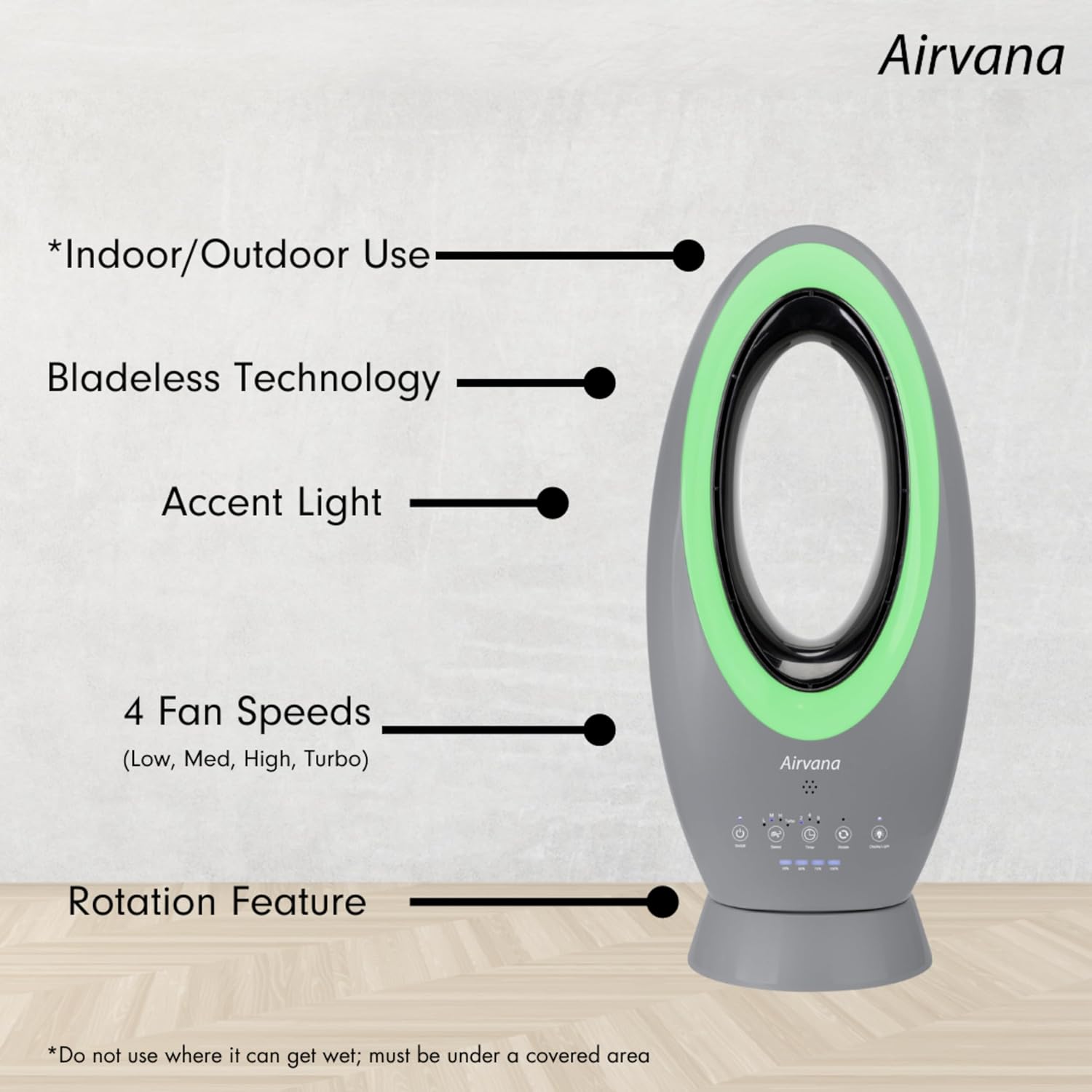
Image: A visual representation of the fan's main features, including its suitability for indoor/outdoor use, bladeless design, accent light, multiple fan speeds, and rotation capability.
Control Panel and Remote
The fan features an intuitive control panel on its base and comes with a convenient remote control.

Image: A detailed view of the fan's control panel, labeling the On/Off, Speed, Timer, Rotate, and Display Light buttons, along with battery indicators.

Image: The remote control for the Airvana fan, featuring buttons for power, rotation, speed adjustment, timer, turbo mode, and display lights.
Bladeless Design
The bladeless design not only enhances safety by eliminating exposed blades but also simplifies cleaning and creates a strong, consistent airflow.

Image: A graphic illustrating how the bladeless design generates a powerful stream of air, making it safer and easier to clean.
Accent Lighting
The fan includes an accent light feature with various color options to complement your environment.

Image: A display of the fan's accent light feature, showing five different color options: pink, blue, green, red, and white.
Product Dimensions
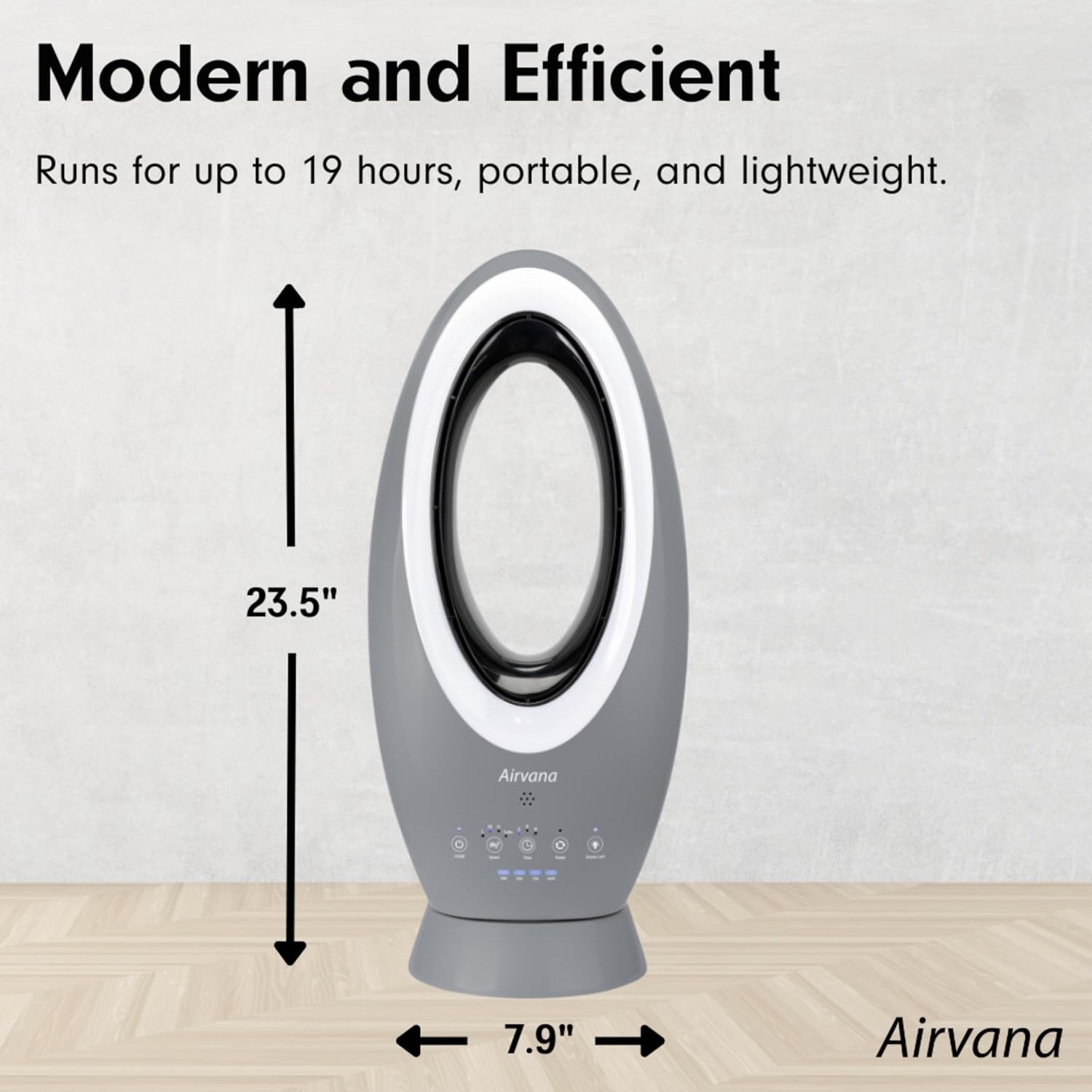
Image: A diagram illustrating the fan's height (23.5 inches) and width (7.9 inches), highlighting its compact and portable design.
Airvana Brand Video
Video: An official Airvana brand video showcasing various Airvana products, including air purifiers, humidifiers, and fans, highlighting their features and design. This video provides an overview of the brand's commitment to clean air solutions.
Setup
- Unpacking: Carefully remove the fan and all accessories from the packaging. Retain packaging for future storage or transport.
- Placement: Place the fan on a stable, flat surface. Ensure there are no obstructions to the air intake or outlet.
- Initial Charge: Before first use, fully charge the fan. Connect the AC adapter to the fan's power port and plug it into a standard electrical outlet. The LED display will indicate charging status. A full charge takes approximately 2 hours.
Operation
Your Airvana fan can be operated using the control panel on the unit or the included remote control.
Power On/Off
- Press the On/Off button (
) on the control panel or remote to turn the fan on or off.
Adjusting Fan Speed
The fan has four speed settings: Low (L), Medium (M), High (H), and Turbo.
- Press the Speed button (
- Alternatively, press the dedicated Turbo button on the remote for maximum airflow.
Battery Run Time (approximate on full charge):
- Low Speed: Up to 19 hours
- Medium Speed: Up to 12 hours
- High Speed: Up to 4 hours
- Turbo Speed: Up to 2 hours
Note: The fan can operate continuously while plugged into the AC adapter.
Timer Function
Set the fan to automatically turn off after a set period.
- Press the Timer button (
- To cancel the timer, press the Timer button until no timer indicator lights are on.
Rotation Mode
Enable oscillation for wider air distribution.
- Press the Rotate button (
Accent Light
Activate and change the color of the accent light.
- Press the Display Light button (
Maintenance
Regular maintenance ensures optimal performance and longevity of your fan.
- Cleaning the Exterior:
- Always unplug the fan before cleaning.
- Wipe the exterior surfaces with a soft, damp cloth.
- Do not use abrasive cleaners, waxes, or solvents as they may damage the finish.
- Cleaning Air Inlets/Outlets:
- Use a soft brush or a vacuum cleaner with a brush attachment to remove dust from the air inlets and outlets.
- The bladeless design makes internal cleaning easier; a soft cloth can be used to wipe the inside of the loop.
- Storage:
- If storing the fan for an extended period, ensure it is clean and dry.
- Store in a cool, dry place, away from direct sunlight and extreme temperatures.
- It is recommended to fully charge the battery before storage and recharge every 3-6 months to maintain battery health.
Troubleshooting
If you encounter any issues with your Airvana Bladeless Fan, please refer to the following common problems and solutions:
| Problem | Possible Cause | Solution |
|---|---|---|
| Fan does not turn on. | No power or low battery. Power button not pressed correctly. | Ensure the AC adapter is securely plugged in or the battery is charged. Press the On/Off button firmly. |
| Weak airflow. | Fan speed set too low. Air inlets/outlets are blocked or dusty. | Increase the fan speed. Clean the air inlets and outlets. |
| Fan does not oscillate. | Rotation feature not activated. | Press the Rotate button to activate oscillation. |
| Battery not charging. | AC adapter not connected properly. Faulty adapter or power outlet. | Ensure the AC adapter is fully inserted into the fan and wall outlet. Try a different outlet or contact customer support. |
| Remote control not working. | Battery in remote is dead or incorrectly inserted. Obstruction between remote and fan. | Replace the remote control battery (CR2025, not specified in input, but common). Ensure clear line of sight to the fan's sensor. |
If the problem persists after trying these solutions, please contact Airvana customer support.
Specifications
| Feature | Detail |
|---|---|
| Brand | Airvana |
| Model | B0CYR8ZPH2 |
| Color | Graphite |
| Power Source | Battery Powered (Lithium-Ion) / AC Adapter |
| Item Weight | 6.15 pounds |
| Product Dimensions (L x W x H) | 10.5 x 7.9 x 23.5 inches |
| Control Method | Control Panel / Remote Control |
| Special Feature | Portable, Bladeless, Accent Light, Timer, Oscillation |
| Indoor/Outdoor Usage | Indoor / Covered Outdoor |
| UPC | 810067453516 |
| Manufacturer | Airvana |
Warranty and Support
Airvana products are designed for quality and reliability. For information regarding warranty coverage, product registration, or technical support, please visit the official Airvana website or contact their customer service department.
Online Support: Visit the Airvana Store on Amazon
Please have your model number (B0CYR8ZPH2) and purchase date available when contacting support.


