
Introduction
This manual provides essential instructions for the safe and efficient operation, installation, and maintenance of your Ice-O-Matic Elevation Series CIM0320FA Commercial Cube Ice Machine. Please read this manual thoroughly before installation or operation and retain it for future reference.
The Ice-O-Matic Elevation Series CIM0320FA is a commercial cube ice maker designed for high-volume ice production, delivering approximately 313 lbs of full-size cube ice per 24 hours under optimal conditions. It features PURE ICE built-in protection, LED status display, and simplified maintenance controls.

Image: Front view of the Ice-O-Matic CIM0320FA commercial cube ice machine.
Safety Information
Important Safety Instructions:
- Always disconnect power before performing any maintenance or service.
- Ensure proper grounding to prevent electrical shock.
- Installation and service must be performed by qualified personnel.
- Do not operate the machine with damaged cords or plugs.
- Keep ventilation openings clear of obstructions.
- This appliance is intended for commercial use only.
- Refer to local codes and regulations for installation requirements.
Proposition 65 Warning: This product can expose you to chemicals including lead, which is known to the State of California to cause cancer and birth defects or other reproductive harm. For more information, go to www.P65Warnings.ca.gov.
Setup
Unpacking
Carefully remove the ice machine from its packaging. Inspect the unit for any shipping damage. Report any damage to the carrier immediately. Retain all packaging materials for inspection if damage is found.
Placement
Select a location that is level, stable, and capable of supporting the weight of the ice machine and its ice bin when full. Ensure adequate clearance around the unit for proper ventilation. The unit features dual exhaust top/side air discharge, allowing flexibility in placement. Avoid direct sunlight or heat sources.
- Dimensions: 22.25" W x 24.25" D x 21.25" H
- Allow sufficient space for air circulation around the condenser.
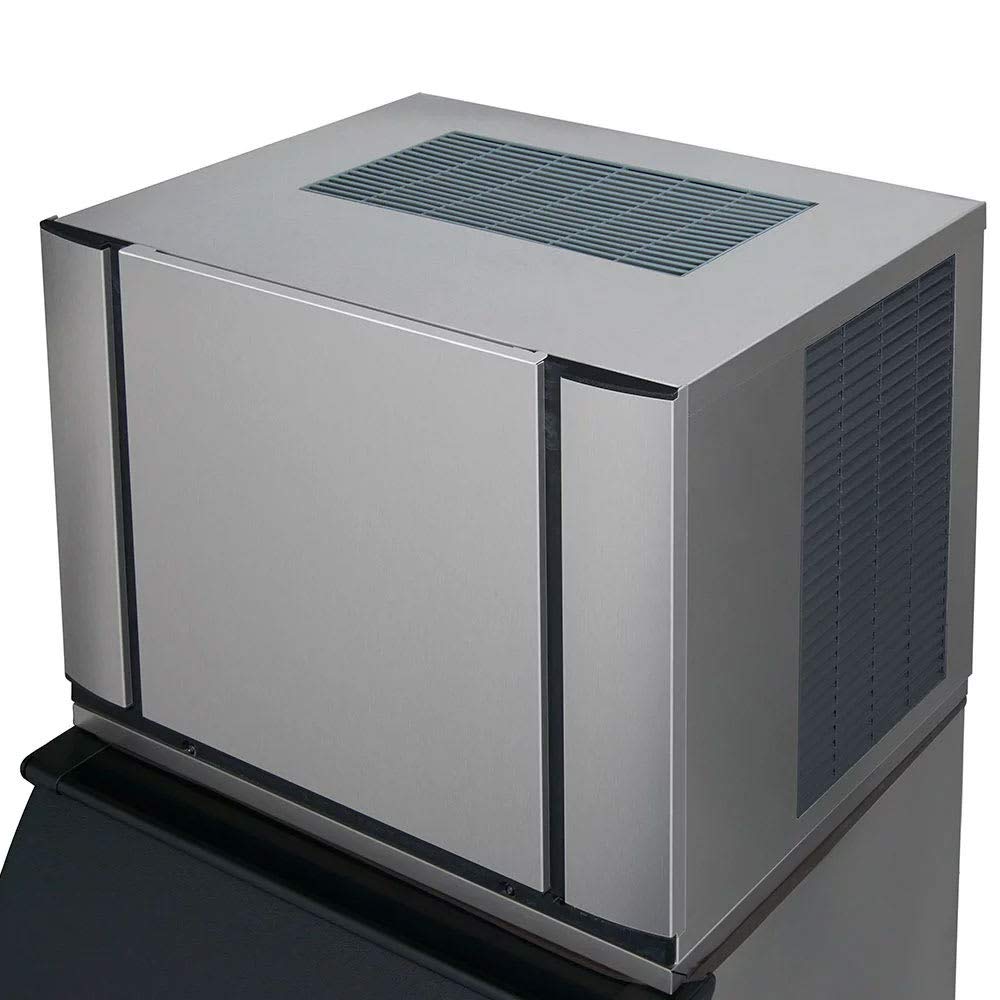
Image: Top and side view of the Ice-O-Matic CIM0320FA ice machine, highlighting the ventilation grilles for proper airflow.

Image: Dimensional diagram of the Ice-O-Matic CIM0320FA, indicating its width, depth, and height for installation planning.
Electrical and Plumbing Connections
All electrical and plumbing connections must comply with local and national codes. It is recommended that a licensed electrician and plumber perform these connections. Ensure the power supply matches the machine's requirements (voltage, amperage) and that a dedicated circuit is used. Connect to a potable water supply with appropriate pressure and filtration.
Operating Instructions
Initial Startup
- After all connections are secure, open the water supply valve.
- Plug the unit into a grounded electrical outlet.
- The machine will initiate a self-check and begin the ice-making cycle.
Ice Production Cycle
The Ice-O-Matic CIM0320FA automatically produces full-size cube ice. Water flows over a cold evaporator plate, freezing into cubes. Once the cubes reach the desired thickness, they are harvested and drop into the ice bin (sold separately).

Image: Internal components of the ice machine, illustrating the evaporator plate where ice is formed.
LED Status Display
The integrated LED status display provides real-time information on the machine's operational status and any potential issues. Refer to the display for monitoring performance and basic troubleshooting.
Maintenance
Regular maintenance is crucial for optimal performance and longevity of your ice machine. The Elevation Series features PURE ICE built-in protection to inhibit contaminants and simplify cleaning.
Cleaning Procedures
- One-Touch Sanitize/Descaling: Utilize the one-touch sanitize/descaling controls for automated cleaning cycles. Follow the instructions on the machine's control panel for initiating these cycles.
- Food Zone Components: The food zone components are dishwasher safe, allowing for easy removal and cleaning to maintain hygiene.
- Exterior Cleaning: Wipe down the exterior surfaces with a mild detergent and a soft cloth. Avoid abrasive cleaners.
- Condenser Cleaning: Periodically clean the condenser fins to ensure efficient heat exchange. Refer to the service manual for detailed instructions or contact a qualified technician.
Regular Checks
- Inspect water lines for leaks or damage.
- Check the ice bin for cleanliness and proper drainage.
- Monitor ice production for consistency and quality.
Troubleshooting
This section provides basic troubleshooting steps for common issues. For more complex problems, consult a qualified service technician.
| Problem | Possible Cause | Solution |
|---|---|---|
| No ice production | No power, water supply off, clogged filter, high ambient temperature. | Check power connection, ensure water supply is open, inspect/replace water filter, ensure proper ventilation. |
| Low ice production | Dirty condenser, restricted airflow, low water pressure, high water temperature. | Clean condenser, ensure adequate clearance, check water pressure, verify water temperature. |
| Unusual noise | Loose components, motor issue, fan obstruction. | Inspect for loose parts, clear any obstructions, contact service if noise persists. |
| LED status display error | Specific system fault. | Note the error code and consult the full service manual or contact customer support. |
Specifications
| Feature | Detail |
|---|---|
| Model Number | CIM0320FA |
| Brand | Ice-O-Matic |
| Ice Production Capacity | Approximately 313 lbs per 24 hours (at 70°F air / 50°F water) |
| Ice Type | Full-size cubes |
| Condenser Type | Air-cooled, self-contained |
| Air Discharge | Dual exhaust top/side |
| Product Dimensions (W x D x H) | 22.25" x 24.25" x 21.25" |
| Weight | 150 Pounds |
| Wattage | 223 watts |
| Certifications | cULus, NSF, CE |
Warranty and Support
Warranty Information
Ice-O-Matic products typically come with a manufacturer's warranty covering defects in materials and workmanship. Specific warranty terms, including duration and coverage for components like the compressor, are detailed in the warranty document provided with your purchase. Please retain your proof of purchase for warranty claims. For detailed warranty information, refer to the official Ice-O-Matic website or contact their customer service.
Customer Support
For technical assistance, service requests, or questions regarding your Ice-O-Matic ice machine, please contact Ice-O-Matic customer support. You may also reach out to the seller, Burkett and Sons, Inc., for support related to your purchase.
For general inquiries or to find authorized service providers, visit the official Ice-O-Matic website.


