
1. Introduction
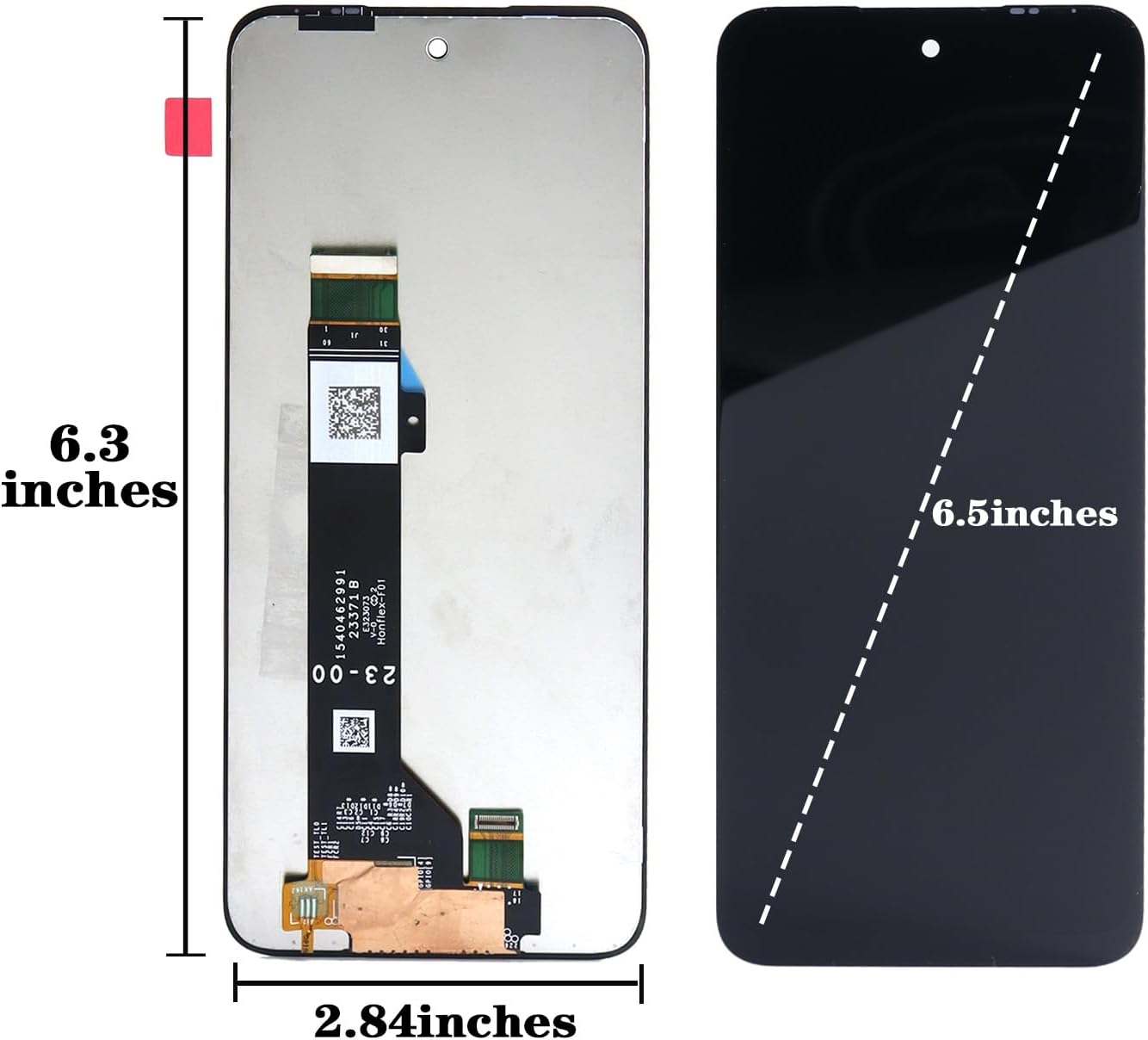
This instruction manual provides essential information for the proper testing, installation, and troubleshooting of your new Ygpmoiki LCD Screen Display Touch Digitizer Assembly Replacement for the Motorola Moto G Play 2024. This kit is compatible with models XT2413, XT2413-1, XT2413-2, and XT2413V, featuring a 6.5-inch display. Please read all instructions carefully before proceeding with any steps.
2. What's Included
Your Ygpmoiki screen replacement kit includes the following components:
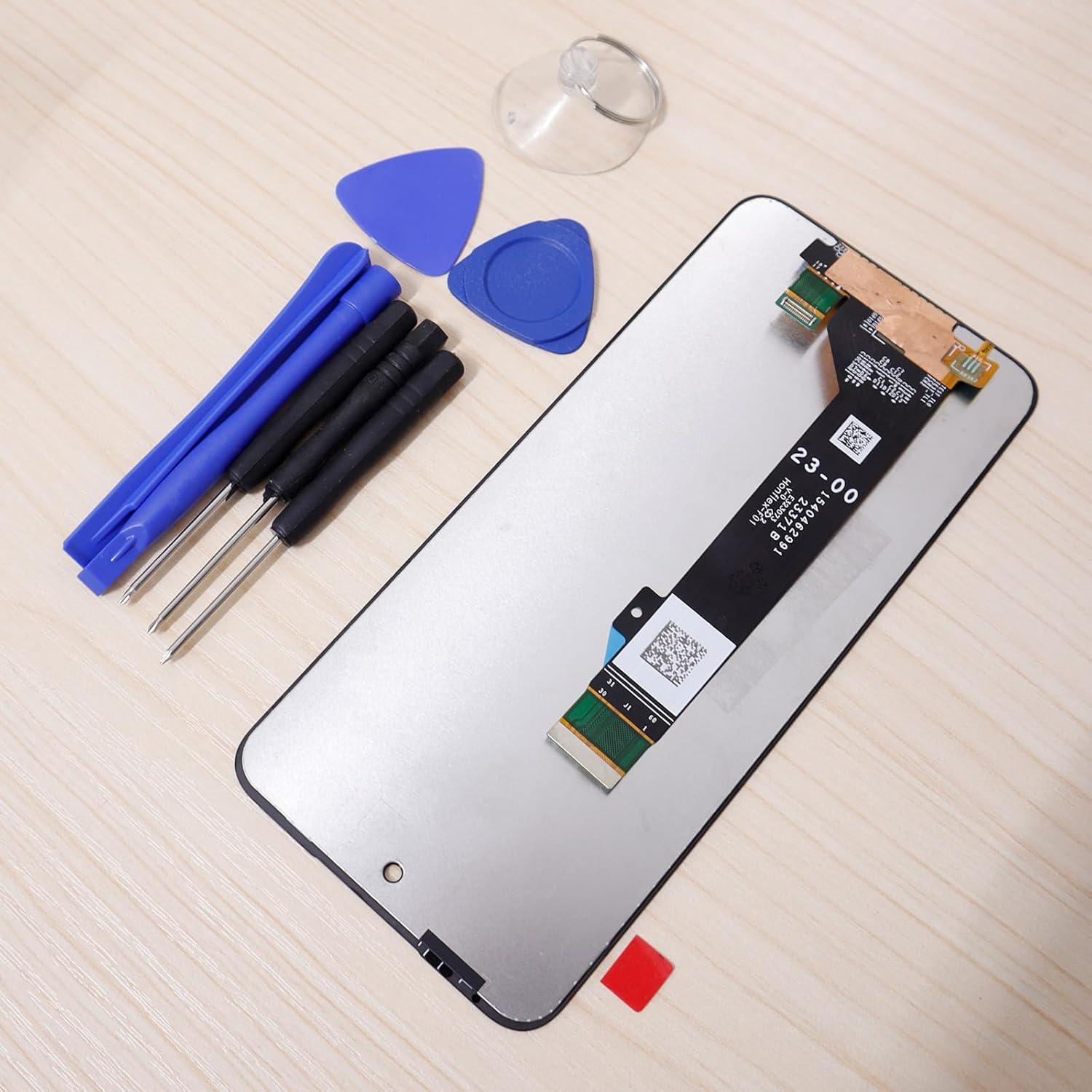
- LCD Display Touch Screen Digitizer Assembly Replacement (6.5 inches)
- Various repair tools (e.g., screwdrivers, prying tools, suction cup)
3. Important Precautions
- Professional Installation Recommended: Screen replacement requires technical skills. If you are unsure, seek professional assistance to avoid damage.
- Power Off Device: Always power off your phone completely and disconnect the battery before connecting or disconnecting any display components.
- Handle with Care: The flexible cables (flex cables) are delicate. Do not pull hard or bend them excessively, as this can easily cause damage.
- Avoid IC Part: Do not touch or apply excessive pressure to the IC (Integrated Circuit) part on the flex cable. Damage to the IC can lead to issues such as a black screen, screen lines, or unresponsive touch.
- Test Before Final Installation: Thoroughly test the new screen's functionality (display, touch, colors) before fully installing it into the phone frame.

4. Pre-Installation Testing
Before fully installing the new screen, it is crucial to test its functionality. Follow these steps:
- Power Off: Ensure your phone is completely powered off.
- Connect Display: Carefully connect the new display's flex cable to the phone's motherboard connector. Do not apply adhesive or fully install the screen yet.
- Enter Test Mode: Power on your phone. Once it boots up, open the dialer and enter *#0*# to access the test menu.
- Test Colors: In the test menu, press "Red," "Green," and "Blue" to check for dead pixels, discoloration, or uneven backlighting.
- Test Receiver & Vibration: Press "Receiver" to check the earpiece sound and "Vibration" to confirm the vibration function.
- Test Touch Sensitivity: Press "Touch" and draw across the screen to ensure all areas respond correctly and smoothly. The screen should register your touch without dead spots or delays.
- Power Off Again: After successful testing, power off your phone before proceeding with the full installation.
5. Installation Guide
Once the pre-installation test is successful, you can proceed with the full installation. This is a general guide; specific disassembly/assembly steps may vary slightly by device. Refer to device-specific repair guides if available.
- Prepare Workspace: Ensure a clean, well-lit, and static-free workspace.
- Disassemble Phone: Carefully disassemble your phone, following a reliable guide for your specific Motorola Moto G Play 2024 model. This typically involves removing the back cover, screws, and disconnecting the battery.
- Remove Old Screen: Gently heat the edges of the old screen to loosen the adhesive. Use prying tools to carefully separate the old screen from the phone frame.
- Clean Frame: Remove any old adhesive residue from the phone frame. Ensure the frame is clean and smooth for the new screen.
- Apply New Adhesive: Apply new adhesive (not included in this kit, typically sold separately) around the edges of the phone frame where the screen will sit.
- Install New Screen: Carefully align the new screen assembly with the phone frame. Connect the flex cables securely to the motherboard. Gently press the screen into place, ensuring even pressure around the edges.
- Reassemble Phone: Reconnect the battery and reassemble the phone by reversing the disassembly steps. Secure all screws and reattach the back cover.
- Final Check: Power on the phone and perform a final check of all functions.

6. Troubleshooting Common Issues
If you encounter problems after connecting the new display, consider the following:
6.1. "Can't Turn On" or "Black Screen"
Reason: The phone was not powered off before connecting the new display, or the battery cable was not properly connected/disconnected.
Solution:
- Disconnect the battery cable from the motherboard.
- Wait a few seconds, then reconnect the battery cable securely.
- Ensure the display flex cable is also securely connected.
- Power on the phone.
6.2. "Can't Touch" or "Touch Not Sensitive"
Reason: The display cable connector is loose, connected in the wrong position, or the connector itself is damaged (e.g., bent pins).
Solution:
- First, power off the phone completely.
- Carefully remove the display flex cable from its connector on the motherboard.
- Inspect the connector on both the display cable and the motherboard for any debris, bent pins, or signs of damage. Clean gently with a soft brush if necessary.
- Reconnect the display flex cable, ensuring it is seated perfectly straight and securely.
- Power on the phone and re-test the touch functionality using the *#0*# test menu.
If the IC (Integrated Circuit) on the flexible cable is broken or damaged due to improper handling or excessive pressure, it can cause permanent issues such as a black screen, screen lines, or unresponsive touch. In such cases, the screen may need to be replaced.
7. Product Specifications
| Feature | Specification |
|---|---|
| Compatible Model | Motorola Moto G Play 2024 / G Play GEN 3 XT2413, XT2413-1, XT2413-2, XT2413V |
| Screen Size | 6.5 inches |
| Product Dimensions | 6.3 x 2.9 x 0.3 inches |
| Item Weight | 3.53 ounces |
| Color | Black |
| Manufacturer | Ygpmoiki |
8. Warranty and Support
Specific warranty information for this product is not detailed in the provided product data. For any warranty claims, technical support, or further assistance, please contact the seller directly through your purchase platform. It is recommended to retain your proof of purchase for any support inquiries.