
1. Introduction
This manual provides essential information for the safe and efficient operation of your Candy Smart CSS4127TWR3/1-11 front load washing machine. Please read these instructions carefully before installation and use, and keep them for future reference. Your washing machine features a 7 kg capacity, 1200 rpm spin speed, and is rated Class C for energy efficiency. Key features include Smart Touch technology for smartphone connectivity, delayed start functionality, rapid wash programs, and a weight sensor for optimized resource usage.
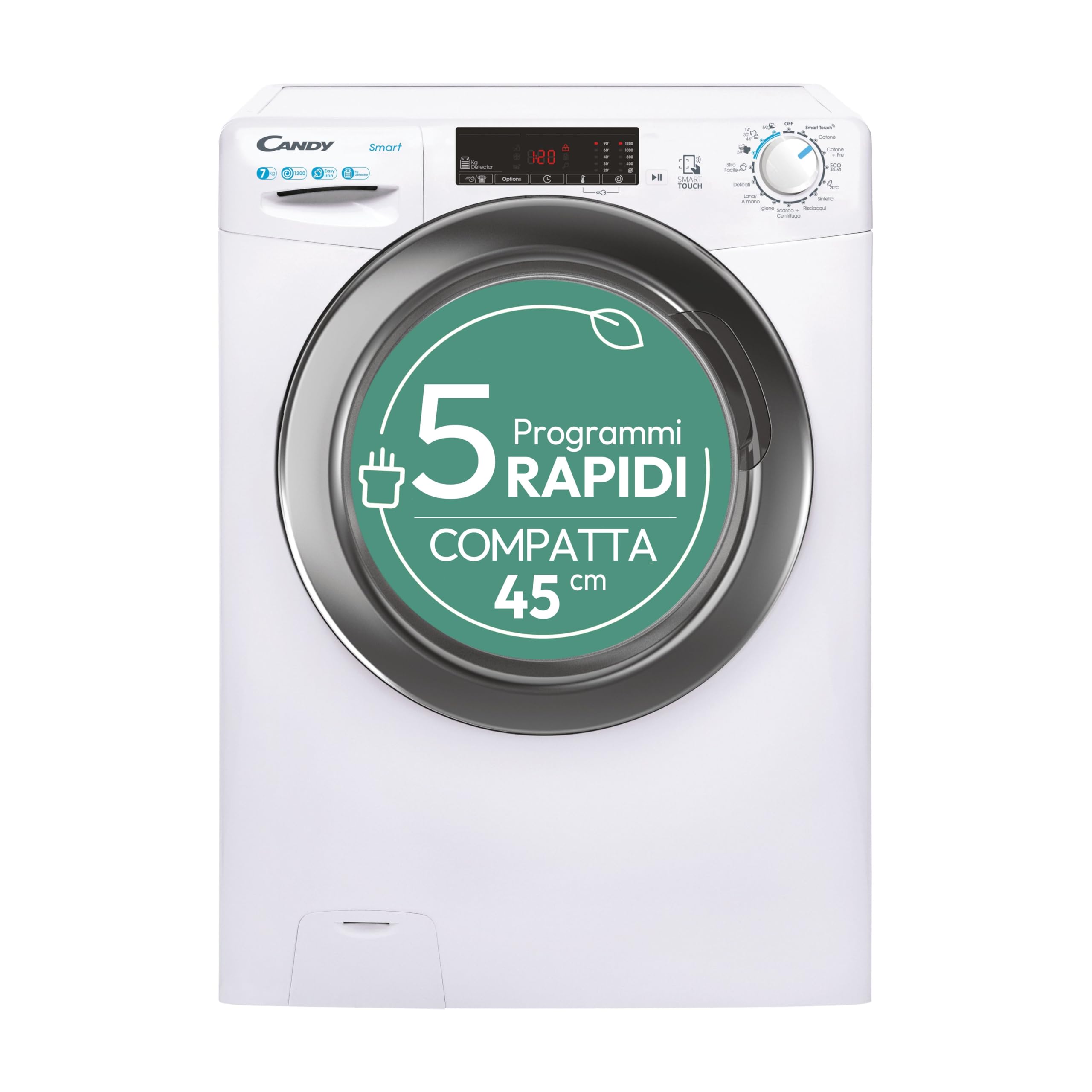
Figure 1: Front view of the Candy Smart CSS4127TWR3/1-11 Washing Machine.
2. Safety Information
Always follow basic safety precautions when using electrical appliances to reduce the risk of fire, electric shock, or injury to persons.
- Ensure the appliance is properly grounded.
- Do not allow children to play on or in the appliance.
- Keep packaging materials out of reach of children.
- Do not operate the appliance if it is damaged or malfunctioning.
- Never force the door open during a cycle.
- Unplug the appliance before cleaning or performing maintenance.
- Do not install or store the appliance where it will be exposed to the weather or freezing temperatures.
3. Setup and Installation
3.1 Unpacking
Carefully remove all packaging materials, including the polystyrene base and any protective film. Inspect the appliance for any damage during transit. Report any damage immediately to your retailer.
3.2 Removing Transit Bolts
Before using the washing machine, it is essential to remove the transit bolts located at the rear of the appliance. These bolts secure the drum during transport and must be removed to prevent damage during operation. Keep the bolts for future transport.
3.3 Location and Leveling
Place the washing machine on a firm, level surface. Adjust the feet at the bottom of the appliance to ensure it is perfectly level and stable. This prevents excessive vibration and noise during operation.

Figure 2: The washing machine's compact dimensions (45 cm depth) allow for space-saving installation.
3.4 Water and Drainage Connection
Connect the water inlet hose to a cold water tap with a 3/4" thread. Ensure the connections are tight to prevent leaks. Position the drain hose into a standpipe or over the edge of a sink, ensuring it is securely fastened to prevent displacement during draining.
3.5 Electrical Connection
Plug the power cord into a grounded electrical outlet. Ensure the voltage and frequency match the specifications on the appliance's rating plate.
4. Operating Instructions
4.1 Control Panel Overview
The control panel features a program selector dial, a digital display, and touch buttons for various functions.
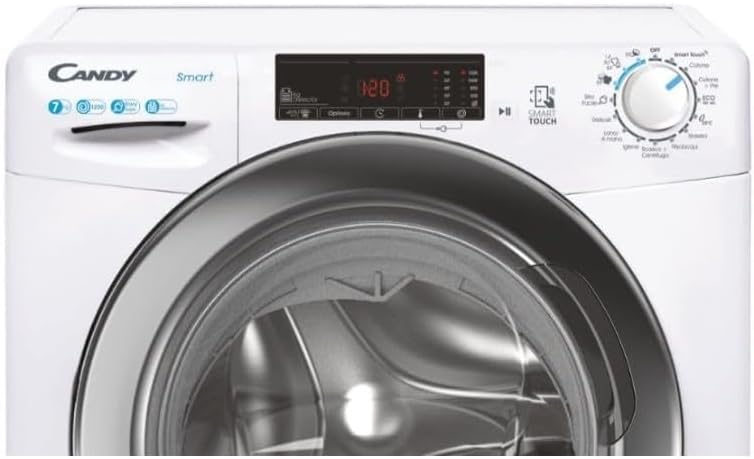
Figure 3: Detailed view of the control panel, showing the program dial and digital display.
4.2 Loading Laundry
Open the washing machine door and load laundry into the drum. Do not overload the machine; refer to the program guide for maximum load capacities. The machine has a 7 kg capacity.

Figure 4: The washing machine door open, revealing the drum ready for laundry.
4.3 Adding Detergent
Pull out the detergent dispenser drawer and add the appropriate amount of detergent and fabric softener to the designated compartments. Close the drawer gently.
4.4 Selecting a Program
Turn the program selector dial to choose your desired wash program. Available programs include:
- Cottons: For durable cotton items.
- Cottons + Prewash: For heavily soiled cottons.
- ECO 40-60: Energy-efficient program for cottons and mixed fabrics washable at 40°C or 60°C.
- Synthetics: For synthetic and mixed fabrics.
- 20°C: Low-temperature wash for lightly soiled items.
- Rinse: An extra rinse cycle.
- Spin + Drain: Drains water and performs a spin cycle.
- Hygiene: For items requiring a deep clean and sanitization.
- Wool/Hand Wash: For delicate woolens and hand-washable items.
- Delicates: For very delicate garments.
- Easy Iron: Program designed to reduce creases.
- Rapid Programs: Includes 14', 30', 44', and 59' cycles for quick washes.

Figure 5: The program dial features multiple rapid wash options, including a 59-minute full load cycle.
4.5 Special Functions
- Smart Touch (NFC Technology): Use your smartphone to access additional functions, receive usage tips, and troubleshoot issues.
- Delayed Start: Postpone the start of a wash cycle for up to 24 hours, allowing you to have laundry ready at your convenience.
- Weight Sensor: The machine automatically detects the load size and adjusts water and electricity consumption accordingly, optimizing efficiency.
- Steam Treatment: A dedicated 39-minute steam treatment program helps to reduce creases, making ironing easier, and removes odors from garments.

Figure 6: Steam treatment helps reduce creases and remove odors.
4.6 Starting and Ending a Cycle
After selecting the program and any desired options, press the Start/Pause button to begin the cycle. The display will show the remaining time. Once the cycle is complete, the machine will signal, and the door will unlock. Remove your laundry promptly.
5. Maintenance and Care
5.1 Cleaning the Exterior
Wipe the exterior surfaces of the washing machine with a soft, damp cloth. Do not use abrasive cleaners or solvents.
5.2 Cleaning the Detergent Dispenser
Regularly remove and clean the detergent dispenser drawer to prevent detergent residue buildup. Rinse it under running water and reinsert it.
5.3 Cleaning the Drum
Periodically run a maintenance wash cycle (e.g., a hot wash with no laundry and a descaling agent) to clean the drum and remove any residue or odors.

Figure 7: The stainless steel drum interior.
5.4 Cleaning the Filter
Locate the drain pump filter, usually at the bottom front of the machine. Open the cover, drain any residual water, and carefully unscrew the filter. Clean it of lint and debris, then reassemble securely.
5.5 Door Seal Care
After each wash, wipe the door seal to remove any moisture or lint. Leave the door slightly ajar when not in use to allow air circulation and prevent mold growth.
6. Troubleshooting
If you encounter issues with your washing machine, refer to the following common problems and solutions. For more detailed assistance, use the Smart Touch feature on your smartphone.
- Machine does not start: Check if the power cord is plugged in, the door is fully closed, and the Start/Pause button has been pressed.
- No water filling: Ensure the water tap is open and the water inlet hose is not kinked.
- Water not draining: Check the drain hose for kinks or blockages. Clean the drain pump filter.
- Excessive vibration/noise: Ensure the machine is level and all transit bolts have been removed. Redistribute the laundry inside the drum.
- Error codes: Consult the Smart Touch app or the full user manual for specific error code meanings and solutions.
7. Specifications
| Feature | Specification |
|---|---|
| Brand | Candy |
| Model Number | CSS4127TWR3/1-11 |
| Capacity | 7 Kilograms |
| Dimensions (D x W x H) | 45 x 60 x 85 cm |
| Weight | 61 Kilograms |
| Color | White |
| Material | Stainless steel (drum) |
| Special Features | NFC Technology, Smart Touch, Smart check-up function |
| Access Position | Front load |
| Control Type | Touch |
| Alternate Options | Rapid wash, Additional cycles |
8. Warranty and Support
Your Candy Smart CSS4127TWR3/1-11 washing machine is covered by a manufacturer's warranty. Please refer to the warranty card included with your purchase or contact your retailer for specific terms and conditions. For technical support or service inquiries, please contact Candy customer service or your authorized service center. You may also utilize the Smart Touch app for guided troubleshooting and support.


