
Silonn SLIM30T
Silonn Nugget Ice Maker User Manual
Model: SLIM30T | Brand: Silonn
Introduction
Thank you for choosing the Silonn Nugget Ice Maker. This manual provides essential information for the safe operation, maintenance, and troubleshooting of your new ice machine. Please read it thoroughly before first use and keep it for future reference.
Safety Instructions
To reduce the risk of fire, electric shock, or injury when using your appliance, follow these basic precautions:
- Read all instructions before use.
- Do not touch the evaporator when the unit is making ice, as it may cause frostbite.
- Do not immerse cord, plug, or any part of the unit in water or other liquids.
- Close supervision is necessary when any appliance is used by or near children.
- Unplug from outlet when not in use and before cleaning.
- Do not operate any appliance with a damaged cord or plug, or after the appliance malfunctions or has been damaged in any manner.
- Use only attachments recommended or sold by the manufacturer.
- Do not use outdoors.
- Do not let cord hang over edge of table or counter or touch hot surfaces.
- Do not place on or near a hot gas or electric burner, or in a heated oven.
- Ensure the appliance is placed on a stable, level surface.
- Do not use for other than intended household use.
- This appliance must be grounded.
- Do not use hot water to fill the water reservoir.
- Do not store explosive substances such as aerosol cans with a flammable propellant in this appliance.
Product Overview
Familiarize yourself with the components of your Silonn Nugget Ice Maker.
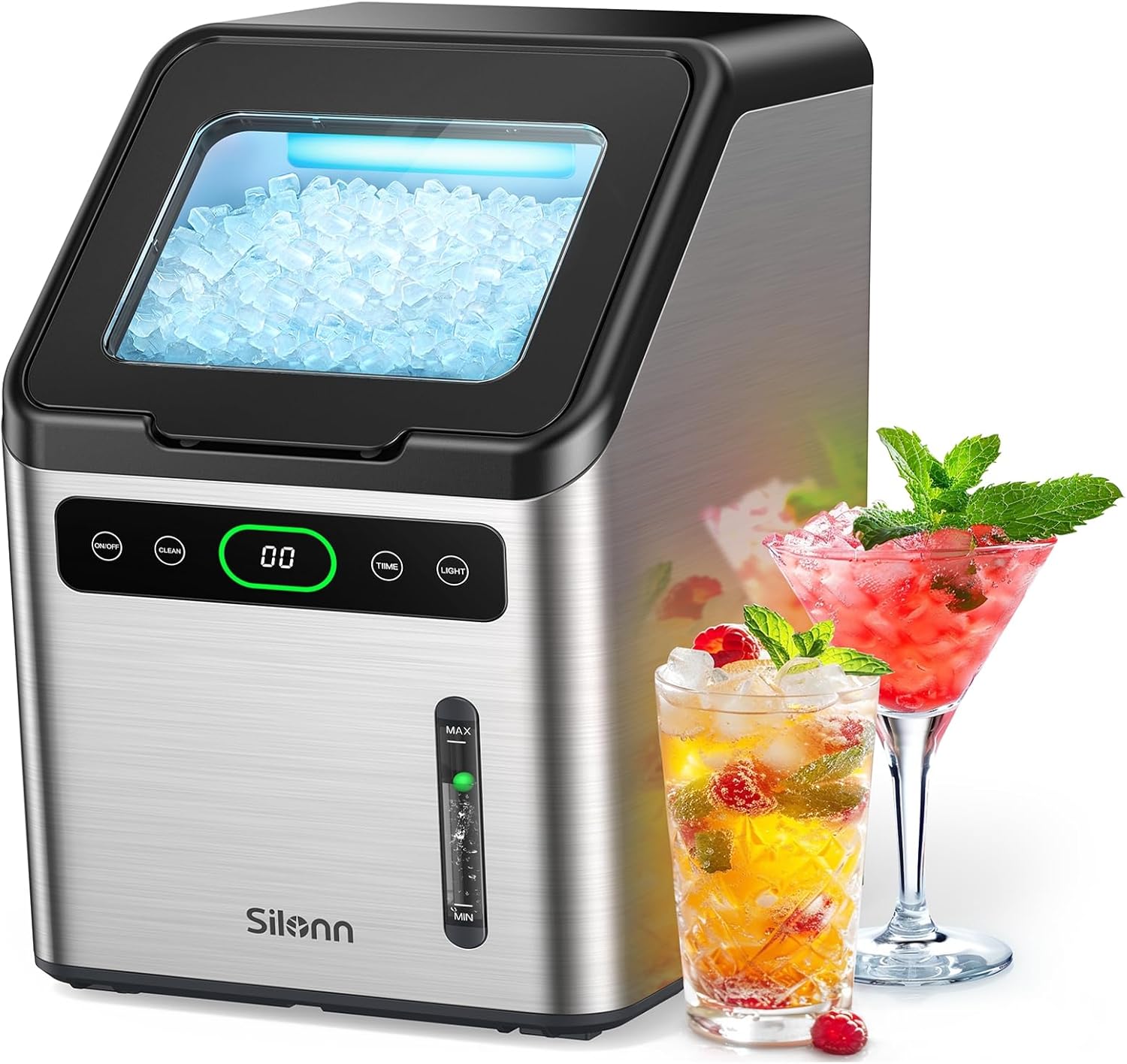
Figure 1: Front view of the Silonn Nugget Ice Maker, showing the control panel, ice viewing window, and water level indicator. Two glasses with ice and beverages are placed next to the machine.
Main Components:
- Ice Viewing Window
- Control Panel (On/Off, Clean, Timer, Light buttons, Display)
- Water Level Window (MAX/MIN indicators)
- Ice Basket (removable)
- Water Reservoir
- Scoop
- Air Outlet (rear)
Setup
- Unpacking: Carefully remove the ice maker from its packaging. Remove all packing materials, including tape and foam.
- Placement: Place the ice maker on a flat, stable surface away from direct sunlight and heat sources. Ensure there is at least 3 inches of clearance around the unit for proper ventilation.
- Initial Cleaning: Before first use, clean the interior of the ice maker. Refer to the "Self-Cleaning Function" section for detailed instructions.
- Fill Water Reservoir: Open the lid and fill the water reservoir with potable water up to the "MAX" line indicated on the water level window. Do not use hot water.
- Power Connection: Plug the power cord into a grounded electrical outlet.
Operating Instructions
Starting Ice Production:

Figure 2: The intuitive touch control panel allows for simple operation, with illuminated buttons indicating status.
- Ensure the water reservoir is filled.
- Press the ON/OFF button to start the ice making process. The display will show the current time or a countdown if the timer is set. The button will illuminate white.
- The ice maker will begin producing nugget ice. The first batch may take slightly longer.
- When the ice basket is full, the Ice Basket Full indicator (green light) will illuminate, and the machine will automatically stop making ice.
- When the water level is low, the Low Water indicator (red light) will illuminate. Refill the water reservoir to resume ice production.
Timer Function:
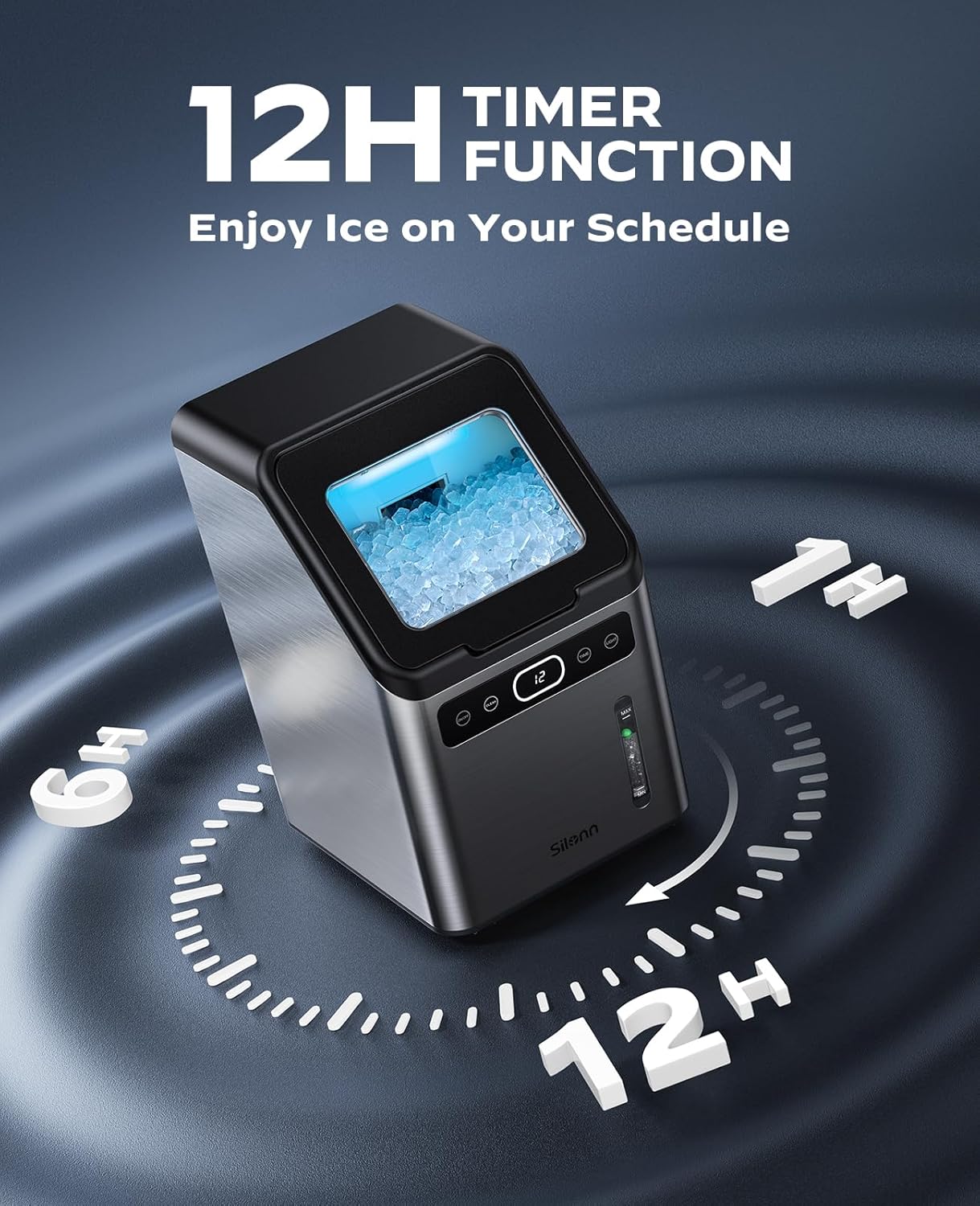
Figure 3: The 12-hour timer function allows you to schedule ice production according to your needs.
The ice maker features a 12-hour timer for scheduled ice production.
- While the machine is running, press the TIME button. The display will show "00".
- Use the + and - buttons (often integrated with Timer button or adjacent) to set the desired delay time in hours (up to 12 hours).
- The machine will automatically start or stop ice production after the set time.
Light Function:
Press the LIGHT button to turn the internal light on or off, illuminating the ice basket.
Maintenance
Self-Cleaning Function:
The self-cleaning function helps maintain hygiene and extends the life of your ice maker.
- Ensure the ice maker is empty of ice and water.
- Fill the water reservoir with clean water up to the MAX line.
- Press and hold the CLEAN button for 3 seconds. The Self-Cleaning indicator (blue light) will illuminate.
- The cleaning cycle will run for approximately 15 minutes.
- Once the cycle is complete, drain the water from the unit by unplugging the drain plug located at the bottom or rear of the unit (refer to product diagram if available).
- Rinse the reservoir with clean water and drain again.
Regular Cleaning:
For optimal performance and hygiene, regular manual cleaning is recommended.
- Wipe the exterior with a soft, damp cloth.
- Remove the ice basket and wash it with mild soap and water. Rinse thoroughly.
- Clean the interior of the water reservoir and ice chute with a soft cloth and a solution of water and mild vinegar or a food-grade cleaning solution.
- Ensure all parts are dry before reassembling and using the machine.
Descaling:

Figure 4: Descaling frequency depends on water hardness. Monthly descaling is recommended for moderately hard water, and every two to three weeks for hard to very hard water.
Mineral deposits from water can build up over time, affecting ice quality and machine performance. Descale your ice maker regularly:
- Frequency: Descale monthly in moderately hard water areas. Descale every two or three weeks in hard to very hard water areas.
- Solution: Use a descaling solution specifically designed for ice makers, or a mixture of white vinegar and water (1:1 ratio).
- Process: Follow the instructions for the self-cleaning function, but use the descaling solution instead of plain water. After the descaling cycle, run two or three cycles with clean water to rinse thoroughly.
Troubleshooting
| Problem | Possible Cause | Solution |
|---|---|---|
| Ice maker not producing ice. | No water in reservoir; Power not connected; Ambient temperature too high. | Fill water reservoir; Check power plug and outlet; Move unit to a cooler location. |
| "Low Water" indicator (red light) is on. | Water level is below the minimum line. | Add water to the reservoir up to the MAX line. |
| "Ice Basket Full" indicator (green light) is on. | Ice basket is full. | Remove ice from the basket. |
| Ice tastes strange or has an odor. | Unit needs cleaning; Stale water in reservoir. | Perform self-cleaning and regular cleaning; Replace water in reservoir daily. |
| Machine is unusually noisy. | Unit not level; Fan obstruction; Internal component issue. | Ensure unit is on a level surface; Check for obstructions around air vents; Contact customer support if noise persists. |
| Water leakage. | Drain plug not properly sealed; Unit not level; Overfilled water reservoir. | Check and secure drain plug; Ensure unit is level; Do not overfill past MAX line. |
Specifications
| Brand | Silonn |
| Model Name | SLIM30T |
| Product Dimensions | 13"D x 9"W x 16"H |
| Capacity | 45 Pounds (ice production per day) |
| Water Tank Capacity | 2 Liters |
| Ice Basket Capacity | 2.6 Pounds |
| Wattage | 160 watts |
| Voltage | 120 Volts |
| Refrigerant | R290a |
| Material | Stainless Steel |
| Item Weight | 33.5 pounds |
| Installation Type | Countertop |
| Included Components | Portable Basket, Scoop |
| UPC | 810158822450 |
Warranty and Support
For warranty information and customer support, please refer to the official Silonn website or contact their customer service directly. Keep your purchase receipt for warranty claims.
You can also find additional support and product information on the Silonn Store on Amazon.
A PDF version of the user manual is available at: User Manual (PDF)
Related documentsSLIM30T


Ask a question about this manual
Ask about setup, troubleshooting, compatibility, parts, safety, or missing instructions. Manuals+ will review the question and use this page’s manual context to help answer it.