
Introduction
The E-FAST Smart Battery Charger is an all-in-one solution designed for charging, maintaining, trickle charging, and desulfating various types of 12V and 24V batteries. It is ideal for automotive, RV, Powersports, and deep cycle batteries, including flooded, gel, AGM, SLA, GEL, and LiFePO4 batteries.
This intelligent charger features advanced pulse repair technology to help restore lost performance in old or idle batteries. It provides comprehensive charging protections to ensure safety and extend battery life. The large digital display offers clear information on charging status, voltage, current, and battery percentage, with easy one-click mode selection.
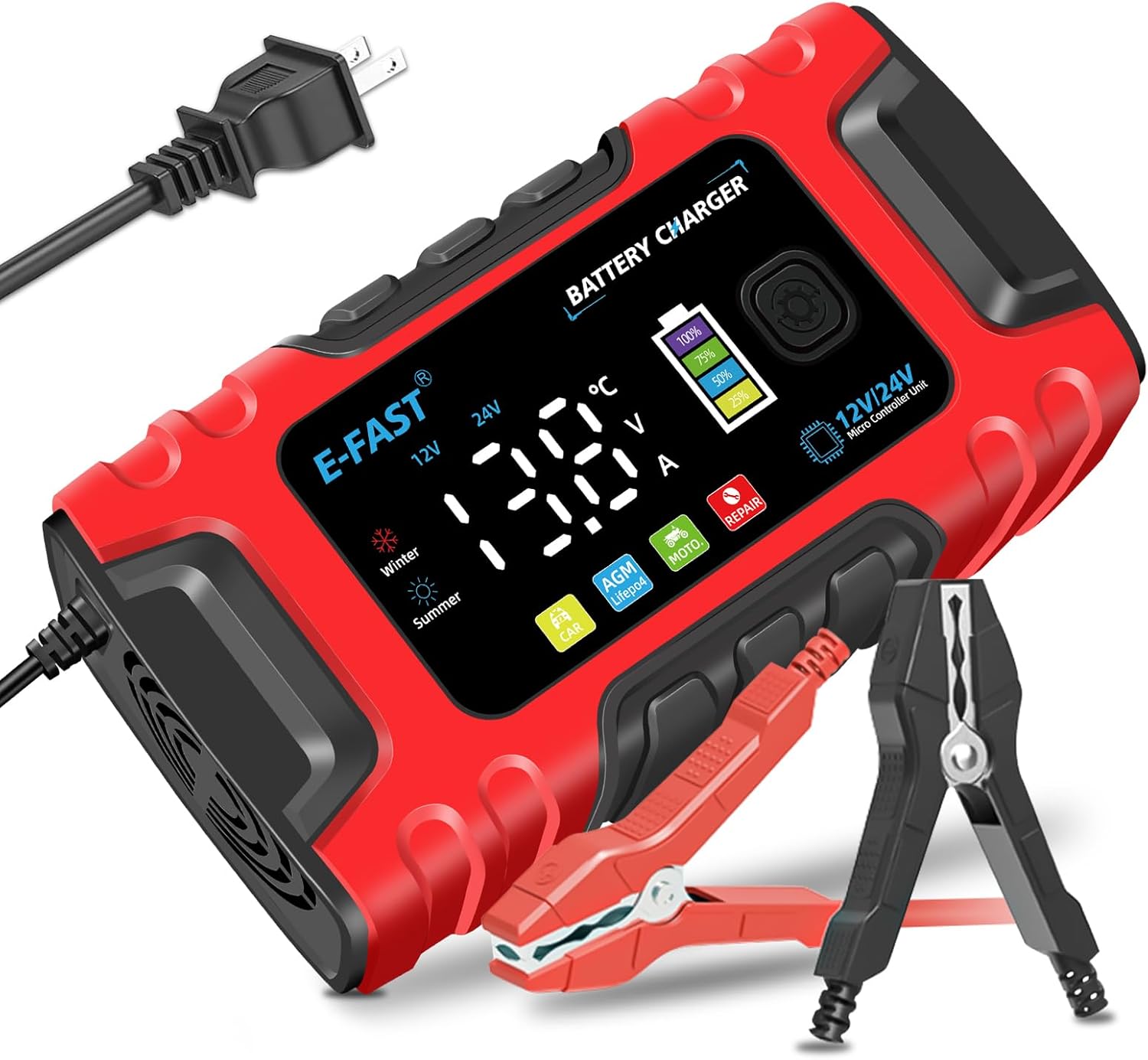
Figure 1: E-FAST Smart Battery Charger with its components.
Key Features
- Universal Compatibility: Supports 12V and 24V lead-acid batteries, including flooded, gel, AGM, SLA, GEL, and LiFePO4 types, suitable for cars, trucks, motorcycles, boats, and more.
- Efficient Pulse Repair: Utilizes high-power, high-frequency, low-frequency pulse technology to desulfate batteries and restore performance. Note: This function cannot activate completely dead batteries or repair severely damaged ones.
- Large Digital Display: Features a clear color screen showing charging status, battery voltage, current, and percentage. Easy one-click mode switching.
- Advanced Protections: Includes cooling, overcurrent, fireproof materials, overvoltage, and short-circuit protection for safe and reliable operation.
- Temperature Compensation: Automatically adjusts charging parameters based on ambient temperature for optimal performance in both winter and summer conditions.
- Lightweight and Portable: Weighing only 1.4 lbs, it is easy to carry and store. Features an automatic stop function upon full charge.

Figure 2: All-round protection features of the E-FAST Smart Battery Charger.

Figure 3: The E-FAST charger is compatible with a wide range of battery types and vehicles.
Setup
Connecting the Charger
- Prepare the Battery: Ensure the battery terminals are clean and free of corrosion. For vehicle batteries, ensure the vehicle is turned off.
- Connect to Battery: Connect the red (+) clamp of the charger to the positive (+) terminal of the battery. Connect the black (-) clamp to the negative (-) terminal of the battery. Ensure a secure connection.
- Connect to Power: Plug the charger's power cord into a standard 100-240V AC electrical outlet. The charger's display will illuminate.
- Select Mode: Use the mode button on the charger to select the appropriate charging mode for your battery type (e.g., Car, Moto, AGM/LiFePO4, Repair). The charger will automatically detect 12V or 24V.
- Begin Charging: The charger will automatically begin the charging process. Monitor the display for charging status and battery percentage.
- Disconnect: Once charging is complete (display shows "FUL" or 100%), first unplug the charger from the AC outlet, then disconnect the black (-) clamp, and finally the red (+) clamp from the battery.

Figure 4: Proper connection of the charger to a car battery.
Operating Instructions
Understanding the Digital Display
The E-FAST Smart Battery Charger features a large, intuitive digital display that provides real-time information about the charging process. The display shows:
- Charging Status: Indicates if the charger is active, in repair mode, or fully charged ("FUL").
- Battery Voltage (V): Displays the current voltage of the connected battery.
- Charging Current (A): Shows the amperage being delivered to the battery.
- Battery Percentage: A visual battery icon with percentage indicators (25%, 50%, 75%, 100%) to show charge level.
- Temperature: Displays the ambient temperature, which influences the automatic temperature compensation.
- Selected Mode: Icons for Car, Moto, AGM/LiFePO4, and Repair modes.
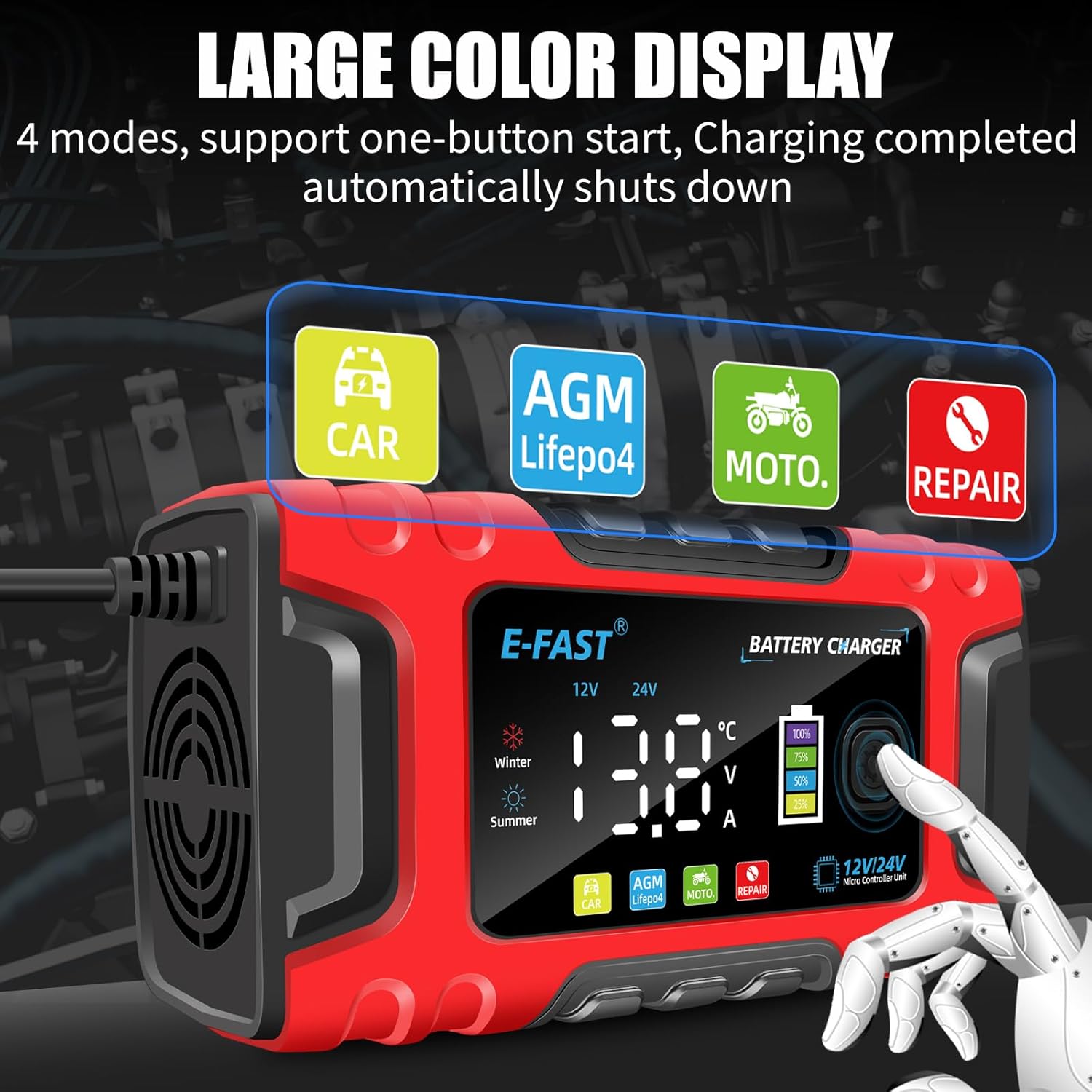
Figure 5: The charger's display provides clear information and mode selection.

Figure 6: The large screen digital display allows intuitive monitoring and mode selection.
Charging Modes
Press the "MODE" button to cycle through the available charging modes:
- CAR Mode: Standard charging mode for 12V/24V automotive batteries.
- MOTO Mode: Optimized charging for 12V/24V motorcycle batteries.
- AGM/LiFePO4 Mode: Specific charging profile for AGM and Lithium Iron Phosphate (LiFePO4) batteries.
- REPAIR Mode: Pulse repair function for desulfating and restoring old or idle batteries. This process can take up to 24 hours.
Temperature Compensation
The charger automatically detects the ambient temperature and adjusts the charging voltage accordingly. This ensures efficient and safe charging in varying climates:
- Winter Mode (below 10°C/50°F): The charger enters a powerful winter charging mode.
- Summer Mode (above 28°C/82.4°F): The charger automatically switches to a safety charging mode to prevent overcharging in high temperatures.

Figure 7: Automatic temperature compensation for optimal charging.
Product Overview Video
Video 1: An overview of the E-FAST Smart Battery Charger, demonstrating its features and operation. This video is provided by the seller.
Maintenance
- Cleaning: Regularly wipe the charger's exterior with a soft, dry cloth. Do not use harsh chemicals or abrasive cleaners. Ensure the cooling vents are clear of dust and debris.
- Cable Inspection: Periodically inspect the power cord and battery clamps for any signs of damage, fraying, or corrosion. Replace if necessary.
- Storage: Store the charger in a cool, dry place away from direct sunlight and extreme temperatures when not in use. Ensure cables are neatly coiled to prevent damage.
- Battery Terminals: Keep battery terminals clean to ensure optimal contact and charging efficiency.
Troubleshooting
| Problem | Possible Cause | Solution |
|---|---|---|
| Charger display is OFF or unresponsive. | No power supply; loose connection; internal fault. | Ensure the charger is securely plugged into a live AC outlet. Check all cable connections. If the issue persists, contact customer support. |
| Charger not charging or showing "FUL" when battery is low. | Incorrect mode selected; severely discharged or damaged battery; poor connection. | Verify the correct charging mode is selected for your battery type. Ensure clamps are securely attached to clean battery terminals. The charger cannot activate completely dead or severely damaged batteries. |
| Display shows error code or unusual readings. | Internal error; battery fault; short circuit. | Disconnect the charger from both power and battery. Reconnect after a few minutes. If the error persists, consult the manufacturer's support. |
| Charger gets excessively hot. | Blocked ventilation; prolonged use in high temperatures; internal issue. | Ensure cooling vents are not obstructed. Use in a well-ventilated area. The charger has built-in thermal protection and will reduce output or shut down if overheating. If it frequently overheats, contact support. |
Specifications
| Feature | Detail |
|---|---|
| Model Number | TK600 |
| Input Voltage | 100-240V AC, 50/60Hz |
| Output Voltage | 12V / 24V (Auto-detection) |
| Output Current | 12V 10A, 24V 5A |
| Battery Range | 6-180Ah |
| Thermal Protection | 65°C +/- 5°C |
| Product Dimensions | 2.4 x 6.7 x 3.5 inches (6.1 x 17 x 8.9 cm) |
| Item Weight | 1.4 pounds (0.64 kg) |
| Color | Red, Black |
| Country of Origin | China |

Figure 8: Key electrical specifications of the E-FAST Smart Battery Charger.

Figure 9: Physical dimensions of the E-FAST Smart Battery Charger.
Warranty and Support
For warranty information, technical support, or any inquiries regarding your E-FAST Smart Battery Charger, please contact the manufacturer directly through the retailer's platform or the contact information provided with your purchase. Keep your purchase receipt as proof of purchase for warranty claims.