
1. Introduction
Thank you for choosing the Wpsoert 100-Pint Dehumidifier, Model WP08. This appliance is designed to efficiently remove excess moisture from your indoor environment, improving air quality and comfort. It is suitable for various large spaces such as basements, homes, offices, and laundry rooms. This manual provides essential information for safe operation, installation, maintenance, and troubleshooting.
2. Important Safety Instructions
Please read all safety warnings and instructions carefully before operating the dehumidifier to prevent injury or damage. Keep this manual for future reference.
- Ensure the power supply matches the voltage specified on the rating label.
- Do not operate the unit with a damaged cord or plug.
- Always place the dehumidifier on a level, stable surface.
- Maintain at least 8 inches (20 cm) of clear space around the unit for proper airflow.
- Do not insert objects into the air inlet or outlet.
- Unplug the unit before cleaning or performing any maintenance.
- This appliance is not intended for use by persons (including children) with reduced physical, sensory or mental capabilities, or lack of experience and knowledge, unless they have been given supervision or instruction concerning use of the appliance by a person responsible for their safety.
- Do not use the dehumidifier near flammable gases or combustible materials.
3. Product Overview
Familiarize yourself with the components of your Wpsoert dehumidifier.

Image 3.1: Front view of the Wpsoert 100-Pint Dehumidifier, Model WP08. The unit is white with a black top panel featuring a digital display and control buttons. The brand name "Wpsoert" is visible below the display.

Image 3.2: Close-up view of the Wpsoert dehumidifier's intuitive smart control panel. The panel features touch-sensitive buttons for Child Lock, Fan Speed, Timer, Humidity Setting, Mode selection (DEHU, DRY, CONT), and Power. A digital display shows the current humidity level.
Control Panel Functions:
- Power Button: Turns the unit on or off.
- Mode Button: Cycles through DEHU (Dehumidify), DRY (Clothes Drying), and CONT (Continuous) modes.
- Humidity Setting Button: Adjusts the desired humidity level (30% to 80% RH).
- Timer Button: Sets the 24-hour on/off timer.
- Fan Speed Button: Selects between low and high fan speeds.
- Child Lock Button: Locks the control panel to prevent accidental changes.
- Display: Shows current humidity, timer settings, and mode indicators.
4. Setup
4.1 Unpacking
Carefully remove the dehumidifier from its packaging. Inspect the unit for any shipping damage. Retain the packaging for future storage or transport.
4.2 Placement
Place the dehumidifier on a firm, level surface in the area where moisture removal is desired. Ensure there is at least 8 inches (20 cm) of space around the unit to allow for proper air circulation. Avoid placing it against walls or furniture that could obstruct airflow.
4.3 Drainage Options
Your Wpsoert dehumidifier offers two methods for water removal:
- Manual Drainage (Water Tank): The unit collects water in its internal 1.6-gallon (6 L) water tank. When the tank is full, the dehumidifier will automatically shut off and an indicator light will illuminate. Empty the tank and reinsert it to resume operation.
- Continuous Drainage (Drain Hose): For uninterrupted operation, you can connect the included drain hose for continuous drainage.
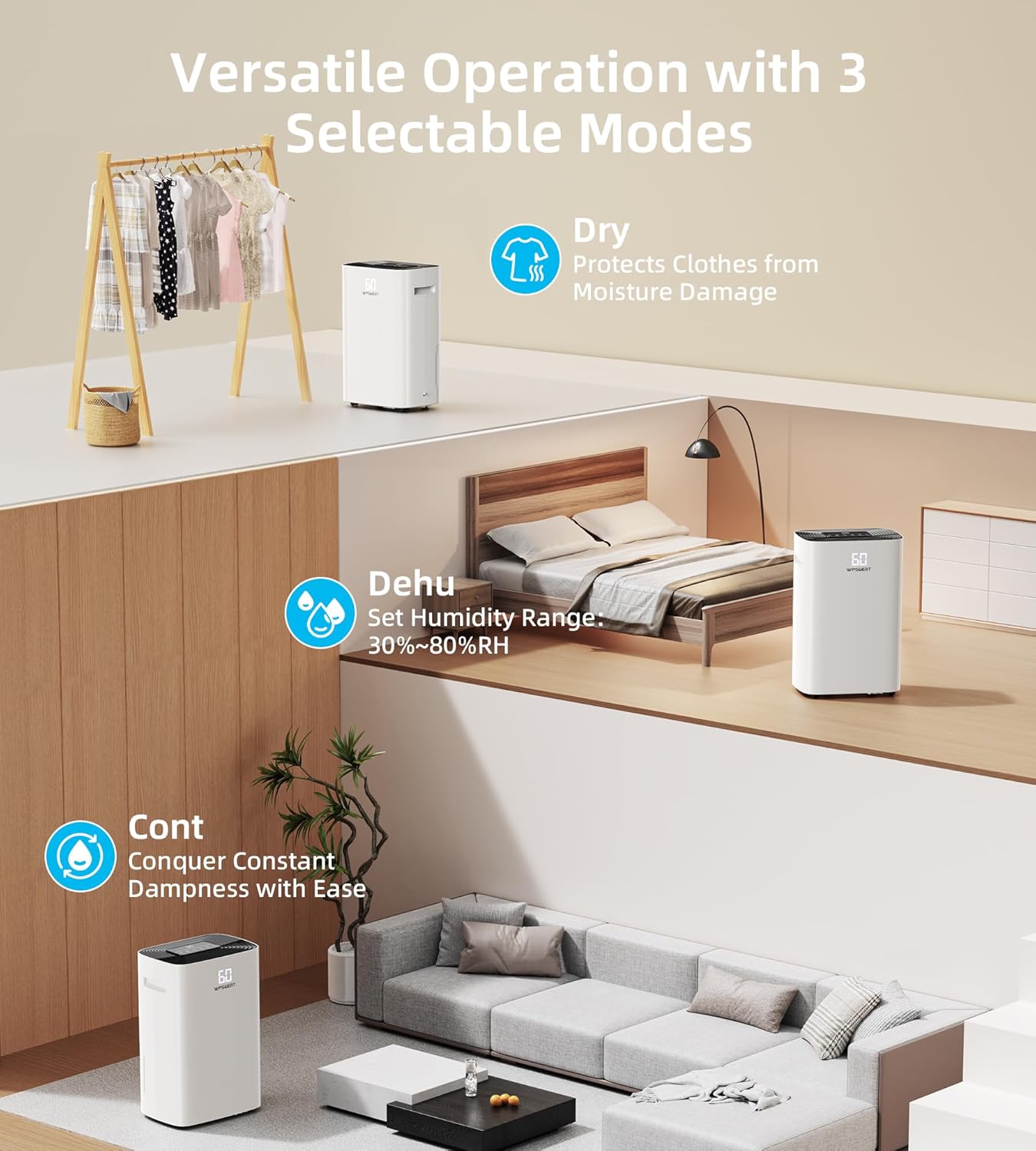
Image 4.1: Illustration of the Wpsoert dehumidifier's drainage options. On the left, the unit is shown with its 1.6-gallon water tank removed for manual emptying. On the right, a close-up shows the continuous drain hose connection point. To enable continuous drainage, unscrew the water outlet cap and remove the gray piston before connecting the drain hose. If the gray piston is not removed, water will flow to the water tank, and continuous drainage will not function.
To set up continuous drainage:
- Locate the drain outlet on the back or side of the unit.
- Unscrew the water outlet cap.
- Carefully remove the gray piston from the drain outlet. Failure to remove this piston will prevent continuous drainage.
- Connect the included drain hose to the outlet, ensuring a secure fit.
- Direct the other end of the hose to a suitable drain (e.g., floor drain, sink) ensuring it is sloped downwards for gravity drainage.
5. Operating Instructions
5.1 Power On/Off
Plug the dehumidifier into a grounded electrical outlet. Press the Power button to turn the unit on or off.
5.2 Mode Selection
Press the Mode button to cycle through the available operating modes:
- DEHU Mode (Dehumidify): The unit operates to achieve and maintain a user-set humidity level. It will automatically start and stop as needed.
- DRY Mode (Clothes Drying): The unit operates at a high fan speed to assist in drying clothes and linens.
- CONT Mode (Continuous): The unit runs continuously regardless of the ambient humidity level, ideal for persistently damp areas.

Image 5.1: Visual representation of the three operating modes: DEHU, DRY, and CONT. DEHU mode is shown in a living room setting, DRY mode in a laundry area with clothes drying, and CONT mode in a bathroom.
5.3 Setting Desired Humidity
In DEHU mode, press the Humidity Setting button to adjust the target humidity level between 30% and 80% Relative Humidity (RH). The unit will operate until the set humidity is reached, then cycle on and off to maintain it.
5.4 Timer Function
The 24-hour timer allows you to schedule the unit to turn on or off automatically. Press the Timer button to set the desired operating duration.
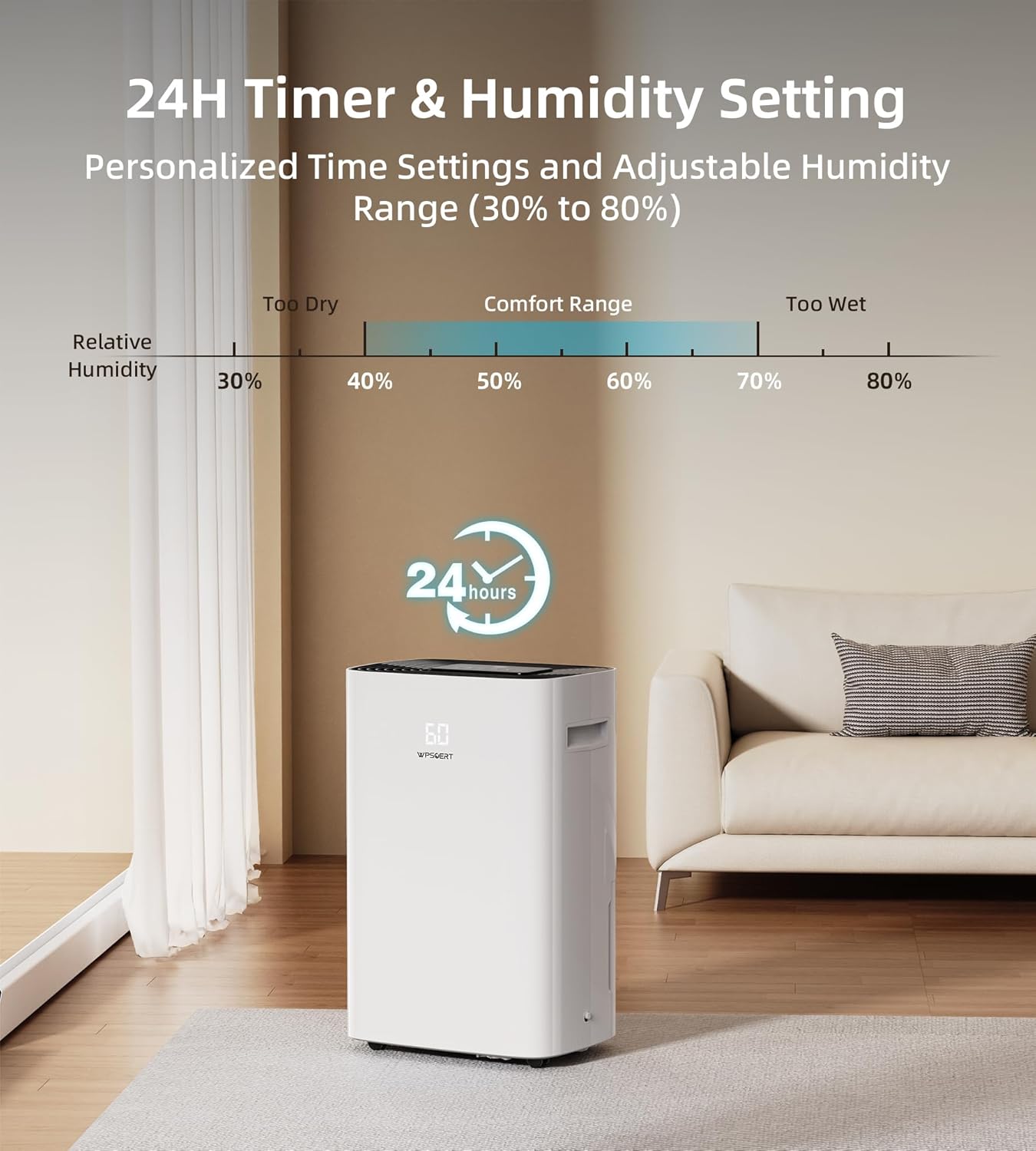
Image 5.2: The Wpsoert dehumidifier operating in a living room, illustrating the 24-hour timer and adjustable humidity settings. A graphic shows the relative humidity comfort range between 40% and 60%, with the unit capable of setting humidity from 30% to 80%.
5.5 Fan Speed
Press the Fan Speed button to switch between low and high fan speeds, adjusting the rate of dehumidification and noise level.
5.6 Child Lock
Activate the Child Lock feature to prevent unintended changes to settings. Press and hold the Child Lock button for a few seconds to engage or disengage it.
6. Maintenance
Regular maintenance ensures the longevity and efficient operation of your dehumidifier. Always unplug the unit before cleaning.
6.1 Cleaning the Air Filter
The removable and washable air filter should be cleaned every two weeks or more frequently depending on usage and air quality.
- Turn off and unplug the dehumidifier.
- Remove the filter from the back of the unit.
- Wash the filter with warm, soapy water. Rinse thoroughly.
- Allow the filter to air dry completely before reinstalling. Do not use a dryer or direct heat.
- Reinsert the dry filter into the unit.
6.2 Cleaning the Unit Exterior
Wipe the exterior of the dehumidifier with a soft, damp cloth. Do not use harsh chemicals, abrasives, or solvents, as these can damage the surface.
6.3 Storage
If storing the unit for an extended period, ensure the water tank is empty and clean. Clean the air filter. Coil the power cord neatly. Store the dehumidifier in an upright position in a cool, dry place, preferably in its original packaging.
7. Troubleshooting
Before contacting customer support, please refer to the following table for common issues and their solutions.
| Problem | Possible Cause | Solution |
|---|---|---|
| Dehumidifier does not turn on. | No power, power cord loose, water tank full or incorrectly inserted. | Check power connection. Ensure water tank is empty and correctly seated. |
| Unit runs but does not dehumidify. | Air filter clogged, room temperature too low, humidity setting too high. | Clean air filter. Ensure room temperature is above 41°F (5°C). Lower the desired humidity setting. |
| Water leaks from the unit. | Water tank improperly installed, drain hose loose or clogged. | Reinstall water tank correctly. Check drain hose connection and clear any blockages. |
| Unit is noisy. | Unit not on a level surface, air filter clogged. | Place unit on a level surface. Clean air filter. |
| Display shows "DF" or "Defrost". | Unit is in defrost mode (normal operation at low temperatures). | This is normal. The unit will automatically resume dehumidification once defrosting is complete. |
If the problem persists after trying these solutions, please contact Wpsoert customer support.
8. Specifications
| Feature | Detail |
|---|---|
| Brand | Wpsoert |
| Model Name | WP08 |
| Dehumidification Capacity | 100 Pints/Day (at 95°F, 90% RH) |
| Coverage Area | Up to 6,000 Sq. Ft. |
| Water Tank Volume | 1.6 Gallons (6 Liters) |
| Humidity Setting Range | 30% - 80% RH |
| Operation Modes | DEHU, DRY, CONT |
| Timer | 24-Hour Programmable |
| Special Features | Child Lock, Auto Shut-off (full tank), Continuous Drainage, Washable Filter, 360° Wheels, Hidden Handles |
| Product Dimensions | 19.7"D x 13.8"W x 9.8"H |
| Item Weight | 34.6 pounds |
| Material | Acrylonitrile Butadiene Styrene (ABS) |
9. Warranty and Customer Support
Wpsoert provides a warranty for this product. Please refer to the warranty card included with your purchase for specific terms and conditions. For technical assistance, troubleshooting beyond this manual, or warranty claims, please contact Wpsoert customer support through the official website or the contact information provided in your product packaging.
For more information, visit the Wpsoert Store.