

1. Introduction
The Aqara Smart Curtain Motor E1 (Rod Version) is designed to automate your existing curtains, providing convenience and smart control. This device integrates with various smart home ecosystems, allowing for scheduled operations, voice control, and automation based on environmental conditions or other smart devices. This manual provides essential information for the safe and effective use of your curtain motor.
2. Important Safety Information
- Read all instructions carefully before installation and use.
- Keep the device away from water or humid environments.
- Do not attempt to disassemble, repair, or modify the product.
- Ensure the power source matches the device's requirements.
- Keep children and pets away from the device during operation.
- Avoid placing heavy objects on the device.
- Operate within the specified temperature and humidity ranges.
3. Package Contents
Verify that all components are present in the package:
- Aqara Curtain Motor E1 (Rod Version)
- USB-C to USB-A Cable × 1
- Clip × 8
- Rubber Strip (3m) × 1
- Rod Accessory × 1
4. Product Overview
The Aqara Smart Curtain Motor E1 is a compact device designed to attach to your curtain rod. It features an internal motor that drives the curtain open and closed. The device includes a rechargeable battery and a USB-C port for charging. It communicates wirelessly via Zigbee 3.0 to an Aqara Hub.

Image: The Aqara Smart Curtain Motor E1 (Rod Version) device.
5. Compatibility Requirements
Before installation, ensure your setup meets the following requirements:
- Aqara Hub: An Aqara Zigbee 3.0 Hub (e.g., M2, M1S, E1, M1S Gen2, Camera Hub G2H Pro/G2H, G3) is required and sold separately. Hubs from other brands are not compatible.
- Wi-Fi Network: A secured 2.4 GHz Wi-Fi network is needed for Hub M2/M1S/E1/M1S Gen2 and Camera Hub G2H Pro/G2H. For Camera Hub G3, 2.4/5 GHz Wi-Fi is supported. Ensure the hub and Wi-Fi router are on the same local area network (LAN).
- Curtain Rod: The motor supports most popular rods with uniform thickness. It does not support telescopic or extendable rods with varying thicknesses. The supported rod diameter range is 0.99 - 1.25 inches (25-32mm).
- Curtain Type: Compatible with grommet curtains (minimum space between grommets >95mm) and ring top curtains (minimum ring thickness >4mm).
- Proximity: For a stable connection, the Aqara Curtain Motor E1 should be within 400 inches of the Aqara Zigbee hub.

Image: Visual guide for compatible curtain rod types and dimensions. Note: Extendable rods and U-rail gliders without wheels are not supported.

Image: Detailed compatibility requirements for grommet and ring top curtains, including minimum spacing and thickness, and supported rod diameter.
6. Setup and Installation
The Aqara Curtain Motor E1 is designed for easy installation without specialized tools. Follow these steps:
- Prepare the Curtain Rod: Ensure your curtain rod is clean and free of obstructions. Confirm it meets the diameter and uniform thickness requirements (0.99 - 1.25 inches).
- Attach Clips: Secure the provided clips to the curtain motor.
- Mount the Motor: Gently attach the motor to your curtain rod. The motor should sit securely on the rod, integrating behind the curtain.
- Pair with Aqara Hub:
- Download the Aqara Home App from your device's app store.
- Ensure your Aqara Hub's firmware and the Aqara Home App are updated to the latest versions.
- Follow the in-app instructions to add the Curtain Motor E1 to your Aqara Hub.
- Calibration: After pairing, use the Aqara Home App to calibrate the curtain motor. This involves setting the open and closed positions for your curtains.

Image: A user installing the Aqara Curtain Motor E1 onto a curtain rod, demonstrating the ease of attachment.
Video: An official video demonstrating the installation process of the Aqara Smart Curtain Motor E1.
7. Operation
Once installed and calibrated, you can control your curtains using various methods:
- Aqara Home App: Use the Aqara Home App to manually open, close, or set the curtain to a specific percentage.
- Voice Control: Integrate with HomeKit, Alexa, or IFTTT to use voice commands (e.g., "Hey Siri, open the curtain," "Alexa, close all the curtains").
- Automations: Set up automated routines based on time, weather, lighting conditions (using the built-in light sensor), or triggers from other Aqara devices. For example, schedule curtains to open at sunrise or close when a smart sensor detects high temperature.
- Manual Pull: The motor supports a manual pull feature, allowing you to gently pull the curtain to trigger the motor to open or close it fully.

Image: Overview of various control methods available for the Aqara Curtain Motor E1, including voice, remote, built-in sensor, scheduling, geofencing, and automations.
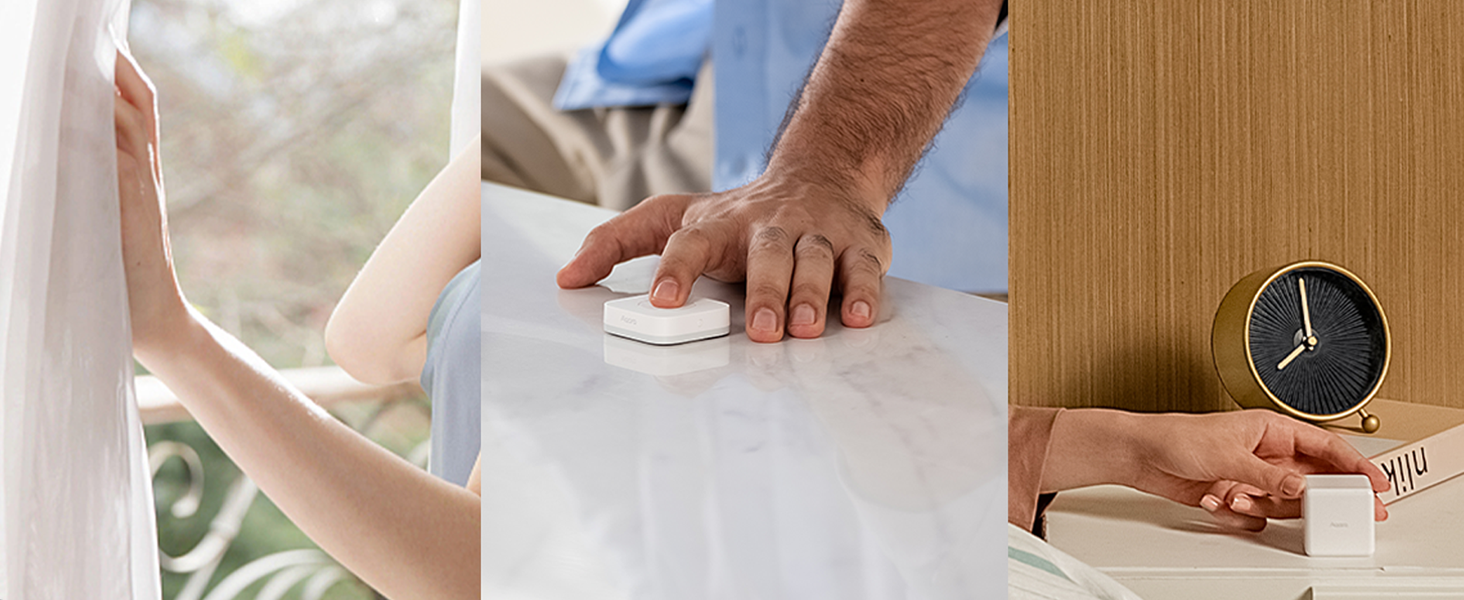
Image: Illustration of smart home automations, showing how the curtain motor can be controlled by actions or events.

Image: Illustration of smart home automations, showing how the curtain motor can be controlled by time schedules or app settings.
8. Battery Life and Charging
The Aqara Curtain Motor E1 is equipped with a 6000 mAh rechargeable battery, providing up to one year of usage on a single charge. Battery life may vary depending on curtain weight, track length, and friction. The device can be charged using the included USB-C to USB-A cable with a power bank or a power supply (not included).

Image: Visual representation highlighting the 1-year battery life and 6000 mAh capacity of the Aqara Curtain Motor E1.
9. Maintenance
To ensure optimal performance and longevity of your Aqara Smart Curtain Motor E1, follow these maintenance guidelines:
- Cleaning: Wipe the device with a soft, dry cloth. Do not use liquid cleaners or abrasive materials.
- Curtain Rod: Periodically check your curtain rod for any dust or debris that might impede the motor's movement.
- Battery: Recharge the battery when indicated by the Aqara Home App to avoid interruptions in service.
- Firmware Updates: Regularly check for and install firmware updates for both the curtain motor and your Aqara Hub via the Aqara Home App to ensure compatibility and access to new features.
10. Troubleshooting
If you encounter issues with your Aqara Smart Curtain Motor E1, refer to the following common troubleshooting steps:
| Problem | Possible Solution |
|---|---|
| Motor not responding/pairing: |
|
| Curtains not moving smoothly: |
|
| Voice control not working: |
|
| Battery drains quickly: |
|
11. Specifications
| Feature | Detail |
|---|---|
| Model | E1 (Rod Version) |
| Dimensions | 5.7 x 3.78 x 1.81 inches |
| Item Weight | 1.85 pounds |
| Color | White |
| Battery | 1 Lithium Ion battery (included), 6000 mAh |
| Connectivity | Zigbee 3.0 |
| Max Load | 12 kg |
| Rod Diameter Support | 0.99 - 1.25 inches (25-32mm) |
| Manufacturer | Lumi United Technology Co., Ltd |
12. Warranty and Support
Warranty: Aqara products typically come with a limited warranty. Please refer to the warranty card included with your product or visit the official Aqara website for detailed warranty terms and conditions specific to your region.
Customer Support: For technical assistance, troubleshooting beyond this manual, or warranty claims, please contact Aqara customer support. You can find contact information and additional resources on the official Aqara website: www.aqara.com.


