
Introduction
Welcome to your new LEVN CT002 Wireless Headset. This manual provides detailed instructions for setting up, operating, and maintaining your headset to ensure optimal performance.
Package Contents
- LEVN CT002 Wireless Headset
- USB Dongle
- USB-C Charging Cable
- User Manual
Product Overview
Familiarize yourself with the components and controls of your LEVN CT002 Wireless Headset.

A clear image of the LEVN CT002 Wireless Headset, showcasing its sleek black design and adjustable microphone boom, ready for use.
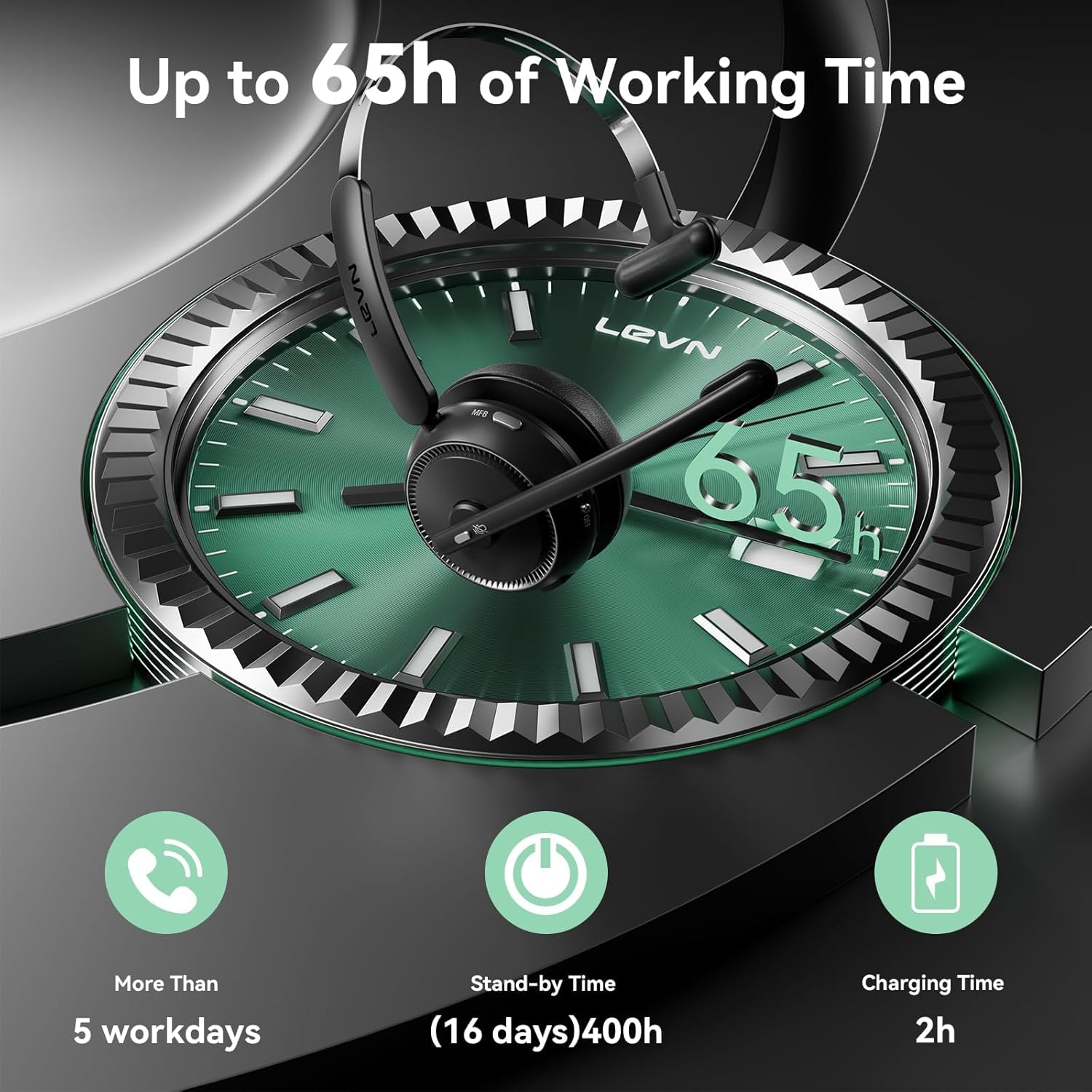
The image displays the LEVN CT002 headset with an overlay indicating its impressive battery life: up to 65 hours of working time, over 5 workdays, 400 hours (16 days) standby time, and a 2-hour charging time.

A detailed view of the headset's features, including the microphone's 270-degree rotation for flexible positioning, a conveniently located one-click mute button for privacy during calls, and soft, comfortable earmuffs designed for extended wear.
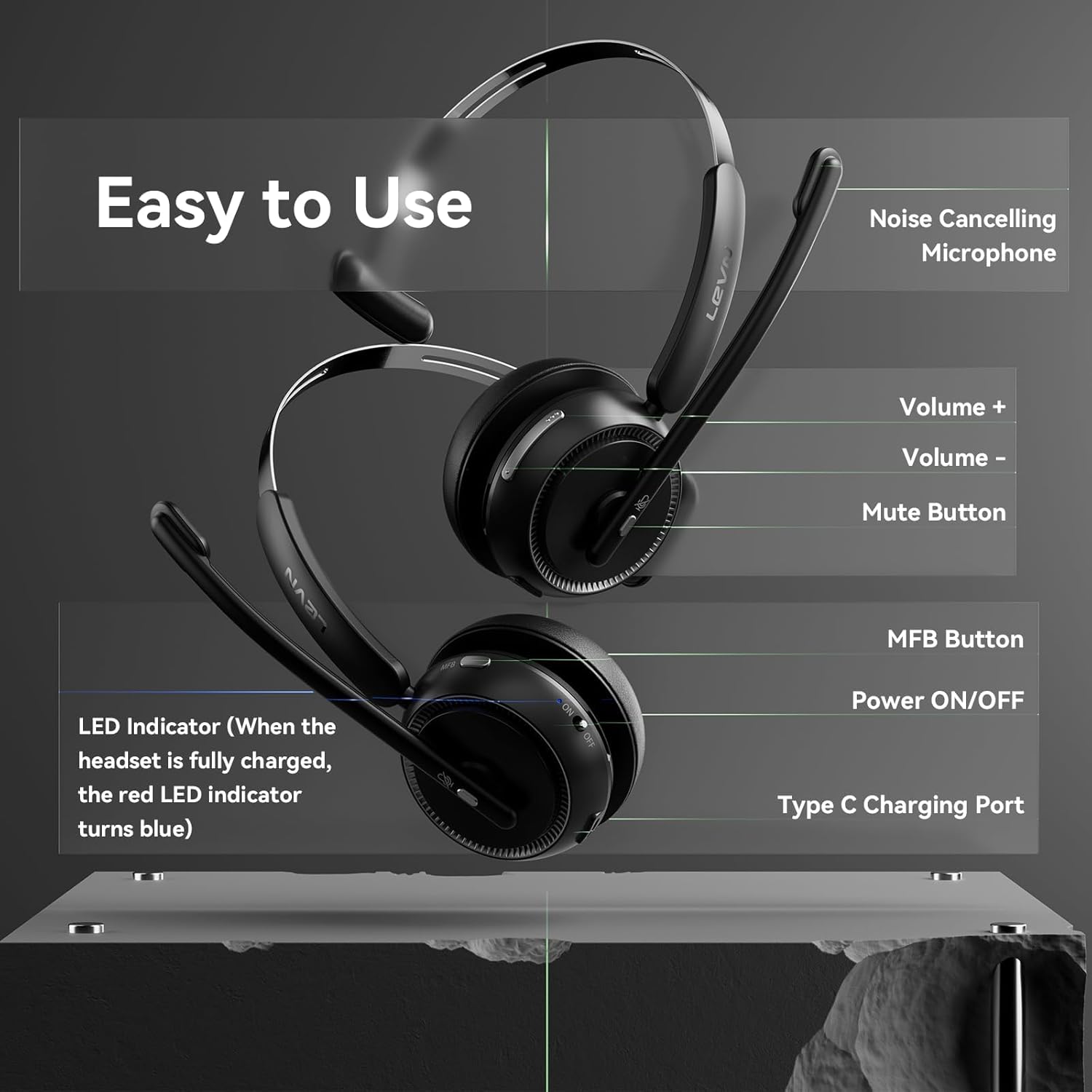
This diagram illustrates the various controls on the headset. It points out the noise-cancelling microphone, volume up and down buttons, the mute button, the Multi-Function Button (MFB), the Power ON/OFF switch, the Type-C charging port, and the LED indicator which turns blue when fully charged.
Official product video demonstrating the LEVN CT002 Wireless Headset, its features, and how to use it for work. This video provides a visual guide to the headset's functionality and design.
Setup
1. Charging the Headset
Before first use, fully charge your headset.
- Connect the provided USB-C charging cable to the headset's charging port (refer to Product Overview for location).
- Connect the other end of the cable to a USB power source (e.g., computer, wall adapter).
- The LED indicator will show charging status and turn solid blue when fully charged. A full charge takes approximately 2 hours.
2. Connecting to Devices
Your LEVN CT002 headset offers two connection methods: Bluetooth and USB Dongle.
Bluetooth Connection (for phones, tablets, or Bluetooth-enabled computers)
- Ensure the headset is powered off.
- Slide the Power ON/OFF switch to the "ON" position. The LED indicator will flash, indicating pairing mode.
- On your device, enable Bluetooth and search for "CT002".
- Select "CT002" from the list of available devices to connect. The LED will turn solid blue upon successful connection.
USB Dongle Connection (for computers without Bluetooth or for a more stable connection)
- Plug the USB dongle into an available USB port on your computer.
- Ensure the headset is powered off.
- Slide the Power ON/OFF switch to the "ON" position. The headset will automatically connect to the USB dongle. The LED will turn solid blue upon successful connection.

The image illustrates the versatility of the headset, showing it can connect via Bluetooth 5.2 for mobile devices or a USB dongle for computers, offering flexible connectivity options.
Operating Instructions
Power On/Off
Slide the Power ON/OFF switch located on the headset to turn it on or off.
Answering/Ending Calls
- To answer an incoming call, press the Multi-Function Button (MFB) once.
- To end an active call, press the MFB once.
Adjusting Volume
Use the Volume Control Buttons (+/-) on the headset to increase or decrease the audio volume.
Mute/Unmute Microphone
Press the Mute Button on the microphone boom to mute or unmute your microphone during a call.
Microphone Adjustment
The microphone is 270° rotatable. Adjust its position for optimal voice pickup.
Maintenance
- Keep the headset clean by wiping it with a soft, dry cloth.
- Avoid exposing the headset to extreme temperatures, moisture, or corrosive substances.
- Store the headset in a cool, dry place when not in use.
Troubleshooting
No Power
- Ensure the headset is fully charged. Connect it to a power source using the USB-C cable.
Cannot Connect via Bluetooth
- Make sure the headset is in pairing mode (LED flashing).
- Ensure Bluetooth is enabled on your device and "CT002" is selected.
- Try restarting both the headset and your device.
No Sound
- Check the volume levels on both the headset and your connected device.
- Ensure the headset is properly connected (Bluetooth or USB dongle).
- Verify the microphone is not muted.
Poor Audio Quality
- Move closer to your connected device to ensure you are within the operating range (up to 15 meters).
- Check for interference from other wireless devices.
- Adjust the microphone position for clarity.
Specifications
| Feature | Detail |
|---|---|
| Model Name | CT002 |
| Connectivity Technology | Wireless (Bluetooth 5.2) |
| Battery Life | Up to 65 Hours |
| Charging Time | Approximately 2 Hours |
| Microphone | Noise Cancelling, 270° Rotatable |
| Controls | Mute Button, Volume Control, MFB, Power ON/OFF |
| Weight | 7.4 ounces (approx. 210g) |
| Compatible Devices | Computers, Laptops, Tablets, Telephones |
| Material | Metal, Plastic |
Warranty and Support
For warranty information and customer support, please refer to the official LEVN website or contact their customer service directly.
Safety Information
- Do not disassemble or modify the headset.
- Keep out of reach of children.
- Avoid prolonged listening at high volumes to prevent hearing damage.
- Dispose of the product responsibly according to local regulations.

