
Introduction
This user manual provides detailed instructions for the LifePro Portable Eye Massager, designed to offer soothing relief for eye fatigue, headaches, and other related discomforts. Please read this manual thoroughly before use to ensure proper operation and maintenance.
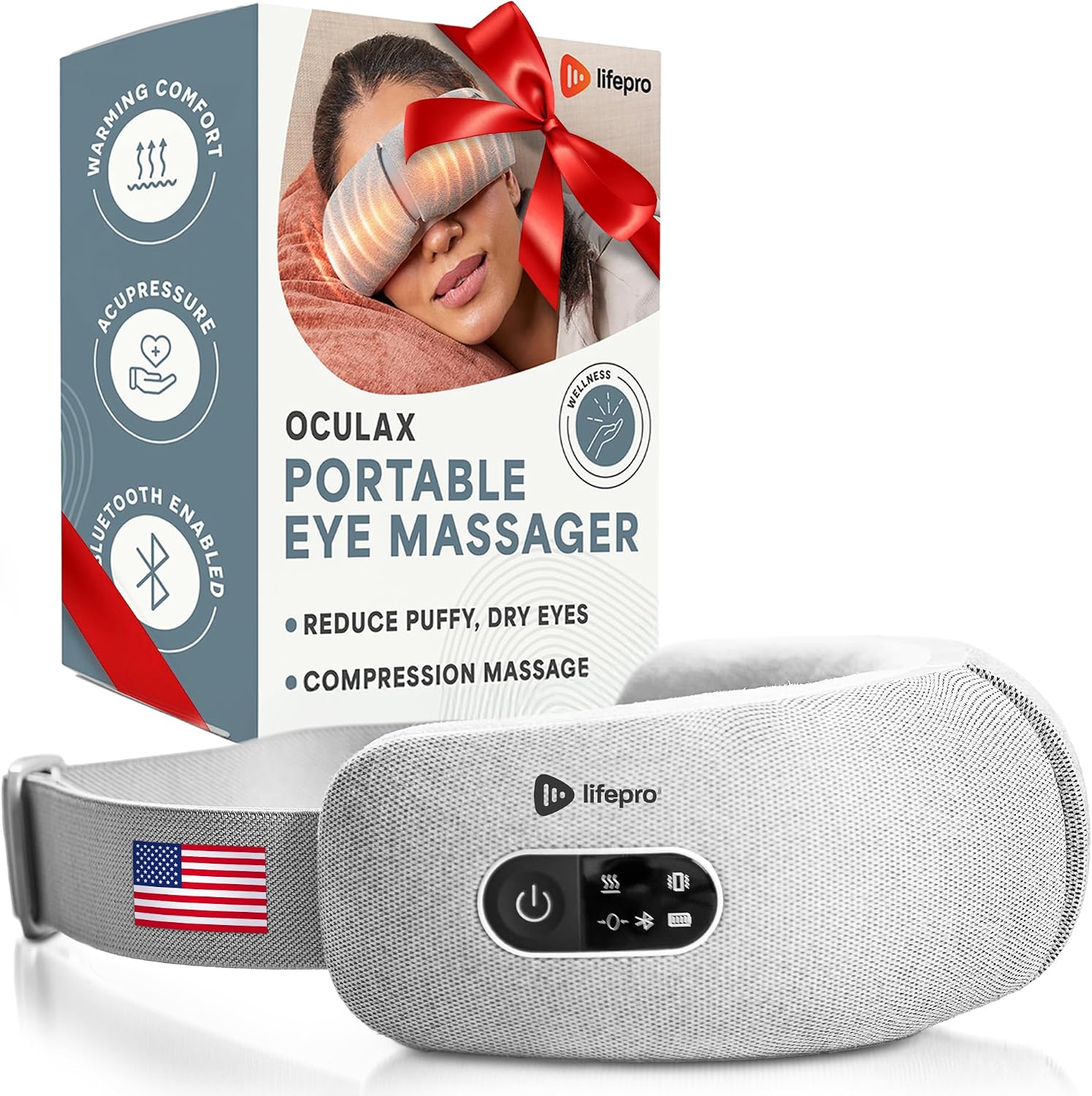
Image: The LifePro Portable Eye Massager, shown with its retail packaging, highlighting its compact design and key features.
Safety Information
Before using this product, read all safety warnings and operating instructions. Failure to do so may result in burns, fire, electric shock, serious injury or death, or damage to the product or property. Do not use this product if you have open wounds, eye conditions, recent surgeries, or other health concerns without consulting a physician. Always wear a disposable eye-guard during operation to maintain hygiene. Avoid using the device in wet or damp conditions. Store it in a cool, dry place. Do not modify or tamper with the device. Operate the device within the specified temperature range and disconnect the charging adapter promptly after use. Refrain from using the device while under the influence of drugs or alcohol.
Package Contents
- LifePro Portable Eye Massager
- USB-C Charging Cable
- Carrying Bag
- User Manual
Product Features
The LifePro Portable Eye Massager is designed to provide comprehensive eye care with multiple functions:
- Heat Function: Provides soothing warmth to help alleviate eye strain and promote relaxation. Heats up to 104-107 degrees Fahrenheit in 5 seconds.
- Compression Massage: Utilizes gentle air pressure to massage the eye area, reducing puffiness and promoting circulation.
- Vibration Massage: Offers gentle vibrations to soothe tired eyes and relieve tension headaches.
- Acupressure: Targets key acupoints around the eyes for enhanced relief.
- Bluetooth Connectivity: Allows connection to your device for playing music during massage sessions.
- Multiple Modes: Features 4 distinct massage programs and 2 program modes for customizable relief.

Image: A man demonstrating the eye massager, illustrating the four powerful modes: Heat, Massage, Compression, and Acupressure, along with a bonus vibration setting.

Image: A woman using the eye massager, highlighting its rapid heating capability to 104-107 degrees Fahrenheit within 5 seconds for quick comfort.
Setup
- Charging the Device: Ensure the device is powered off. Connect the USB-C cable to the massager and to a computer or a 5V USB adapter. The charging indicator will show the charging status. A full charge typically takes approximately 2 hours and provides roughly 4 hours of use.
- Initial Power On: Press and hold the Power button for 2 seconds to turn on the device.
Operating Instructions
- Wearing the Massager: Position the device over your eyes with the elastic strap secured comfortably behind your head. Ensure a disposable eye-guard is used for hygiene.
- Selecting a Massage Program: After powering on, tap the Power button to cycle through the four available massage programs. Each tap will switch to the next mode.
- Bluetooth Music Pairing: To enjoy music during your massage, activate Bluetooth on your personal device. Search for "Oculax Smart Eye Massager" in your Bluetooth settings and pair. You can then play your favorite music through the massager's built-in speakers.
- Adjusting Settings: Refer to the included user manual for detailed instructions on adjusting specific settings within each mode, such as intensity or duration, if applicable.
- Power Off: After use, press and hold the Power button to turn off the device.

Image: A woman enjoying the eye massager while listening to music, demonstrating the Bluetooth connectivity feature for enhanced relaxation.
Maintenance
- Cleaning: Gently wipe the surface of the massager with a soft, damp cloth. Do not use harsh chemicals or abrasive cleaners. Ensure the device is completely dry before storage.
- Storage: Store the device in a cool, dry place, away from direct sunlight and extreme temperatures. Utilize the provided carrying bag for protection when not in use or during travel.
- Battery Care: To prolong battery life, avoid fully discharging the battery frequently. Charge the device regularly, even if not in constant use.
Troubleshooting
| Problem | Possible Cause | Solution |
|---|---|---|
| Device does not turn on. | Low battery or not charged. | Charge the device fully using the provided USB-C cable. |
| Bluetooth connection issues. | Device not in pairing mode or too far from source. | Ensure the massager is on and within range. Re-pair the device in your phone's Bluetooth settings. |
| Massage intensity feels weak. | Incorrect mode selected or low battery. | Cycle through modes to find desired intensity. Ensure device is fully charged. |
Specifications
| Feature | Detail |
|---|---|
| Model Name | LP-OCLX |
| Brand | LifePro |
| Color | Gray |
| Material | Plastic, Steel |
| Item Weight | 1.31 Pounds |
| Item Dimensions (LxWxH) | 7.68 x 4.13 x 2.56 inches |
| Power Source | Battery Powered |
| Charging Time | Approx. 2 hours |
| Operating Time | Approx. 4 hours |
Warranty and Support
LifePro products are designed for durability and performance. For warranty information, product registration, or technical support, please refer to the official LifePro website or contact their customer service directly. The full user manual PDF is also available for download from the product's Amazon listing page for more detailed information.
For further assistance, please visit: LifePro Official Store