
1. Introduction
This manual provides detailed instructions for the safe and efficient operation of your Yunir M26B (Quad Core) 8GB MP3 Player. Please read this manual thoroughly before using the device to ensure proper functionality and to prevent damage. Keep this manual for future reference.
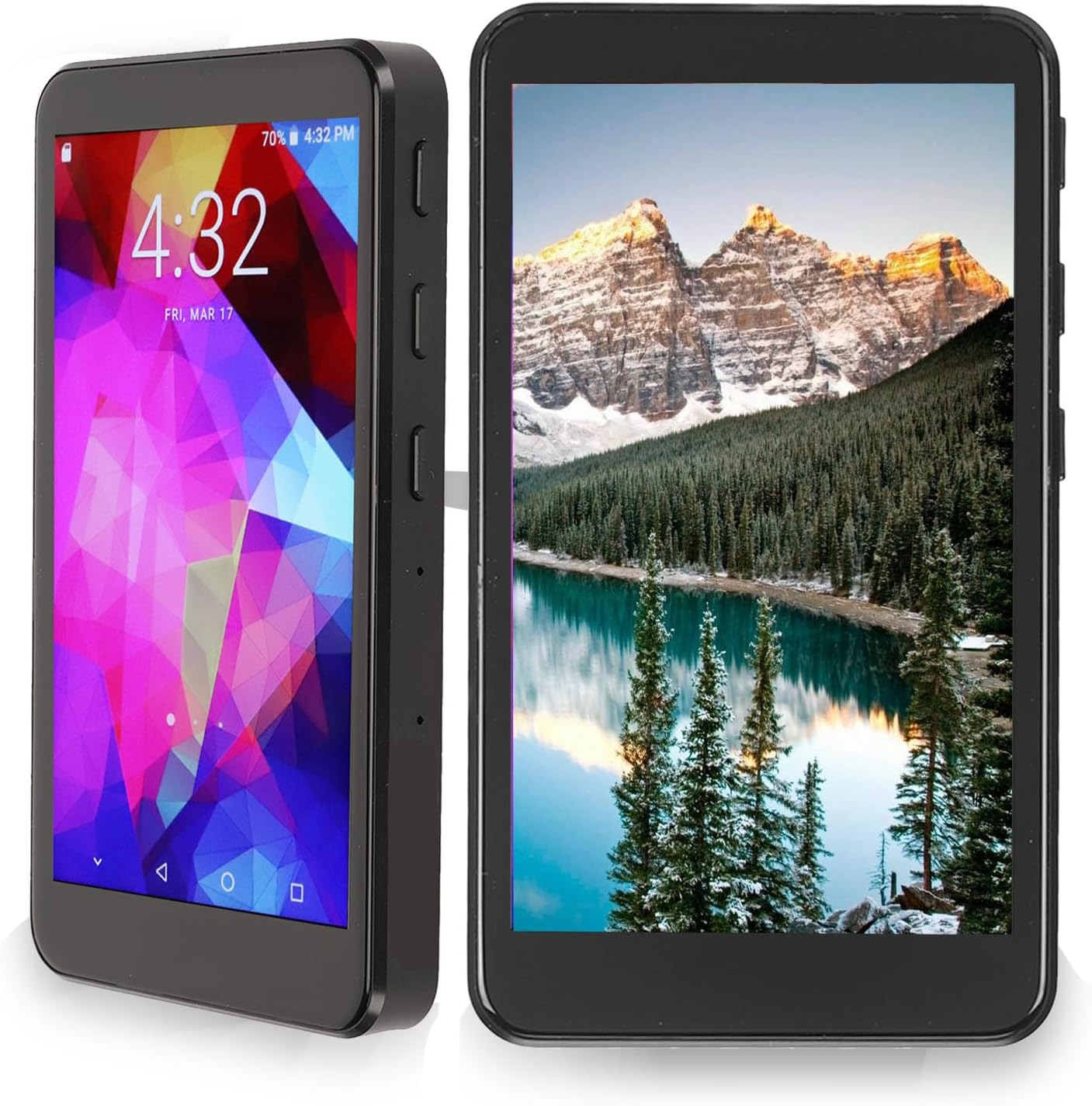
Image 1.1: Front view of the Yunir M26B MP3 Player, showcasing its display and compact design.
2. Package Contents
Verify that all items are present in the package:
- Yunir M26B (Quad Core) 8GB MP3 Player
- Earphones
- USB Type-C Charging Cable
- User Manual (this document)

Image 2.1: The Yunir M26B MP3 Player displayed alongside its standard accessories: earphones, a USB Type-C charging cable, and a Micro SD card.
3. Product Overview
The Yunir M26B MP3 Player is a versatile portable media device featuring a 3.97-inch IPS touch screen, Bluetooth 5.0, Wi-Fi connectivity, and a voice-activated recorder. It operates on an Android intelligent operating system with a quad-core processor, supporting various audio and video formats.
Key Features:
- Android Operating System: Provides a familiar interface and access to compatible applications.
- Bluetooth 5.0: For wireless audio connections with headphones and speakers.
- Wi-Fi Connectivity: Enables internet access for browsing and app downloads.
- HD Noise Reduction Voice Recorder: High-quality audio recording capabilities.
- Multi-format Decoding: Supports a wide range of video and audio file types.
- Expandable Storage: Compatible with Micro SD cards for additional memory.
- Type-C Charging: Modern and convenient charging port.

Image 3.1: The device screen displaying various application icons, highlighting its smart operating system and multi-format decoding capabilities.
4. Setup
4.1 Charging the Device
- Connect the included USB Type-C charging cable to the device's charging port.
- Plug the other end of the cable into a compatible USB power adapter (not included) or a computer's USB port.
- The charging indicator will appear on the screen. A full charge typically takes approximately 2-3 hours.

Image 4.1: The device screen showing the charging status, indicating the use of a Type-C charging port.
4.2 Power On/Off
- To Power On: Press and hold the Power button (usually located on the side) until the screen illuminates.
- To Power Off: Press and hold the Power button until a power-off menu appears on the screen. Select "Power Off" and confirm.
4.3 Initial Configuration
Upon first power-on, follow the on-screen prompts to set up your device:
- Select your preferred language.
- Connect to a Wi-Fi network (if available) to enable internet features and app downloads.
- Set date and time.
4.4 Inserting a Micro SD Card
The device supports expandable storage via a Micro SD card (not included, unless specified in package contents). To insert:
- Locate the Micro SD card slot on the side of the device.
- Gently insert the Micro SD card into the slot until it clicks into place.
- The device will recognize the card, and you can then use it for additional storage for music, videos, and other files.

Image 4.2: The device screen indicating expandable storage, allowing for more movies, music, and novels to be downloaded and stored locally.
5. Operating Instructions
5.1 Navigation (Touch Screen)
The device features a responsive touch screen for navigation:
- Tap: To select an item or open an application.
- Swipe: To scroll through lists or switch between screens.
- Pinch-to-Zoom: In supported applications, use two fingers to zoom in or out.

Image 5.1: A close-up of the device's ultra-wide viewing angle IPS touch screen, showcasing rich and delicate color reproduction.
5.2 Connecting Bluetooth Devices
To connect Bluetooth headphones or speakers:
- Go to Settings > Connected devices > Bluetooth.
- Turn on Bluetooth.
- Put your Bluetooth device into pairing mode.
- Select your device from the list of available devices on the MP3 player's screen.
- Confirm pairing if prompted.

Image 5.2: The Yunir M26B MP3 Player wirelessly connected to a pair of headphones, demonstrating its two-way Bluetooth 5.0 capability.
5.3 Wi-Fi Connectivity
To connect to a Wi-Fi network:
- Go to Settings > Network & internet > Wi-Fi.
- Turn on Wi-Fi.
- Select your desired network from the list.
- Enter the password if required and tap Connect.
5.4 Transferring Files
You can transfer files to and from the device using the USB Type-C cable:
- Connect the device to your computer using the USB Type-C cable.
- On the device screen, a notification will appear. Tap on it and select "File transfer" or "MTP" mode.
- Your computer will recognize the device as a removable storage drive. You can then drag and drop files into the internal storage or the Micro SD card.
5.5 Playing Music and Videos
Use the pre-installed music and video player applications to enjoy your media files. Navigate to the respective app, browse your library, and select a file to play.
5.6 Voice Recording
To use the voice recorder function:
- Open the "Recorder" application.
- Tap the record button to start recording.
- Tap the stop button to end the recording.
- Recordings are saved and can be played back within the app.
5.7 App Installation
The device comes with an Android market application. You can use this to download and install compatible applications. Ensure you have a stable Wi-Fi connection for downloads.

Image 5.3: The device screen displaying features related to reading, such as eye protection mode, voice reading aloud, font switching, and automatic page turning.
6. Maintenance
6.1 Cleaning
To clean your device:
- Use a soft, lint-free cloth to wipe the screen and body.
- Do not use abrasive cleaners, alcohol, or solvents, as these can damage the device's surface.
- Avoid getting moisture into openings.
6.2 Software Updates
Periodically check for software updates in the device's settings menu (Settings > System > System update). Keeping your software updated ensures optimal performance and security.
6.3 Storage Management
Regularly manage your device's storage to maintain performance:
- Delete unnecessary files and applications.
- Move large media files to an inserted Micro SD card.
- Clear cache data from applications in Settings > Apps & notifications.
7. Troubleshooting
| Problem | Possible Cause | Solution |
|---|---|---|
| Device does not power on. | Low battery; device frozen. | Charge the device for at least 30 minutes. If still unresponsive, press and hold the Power button for 10-15 seconds to force a restart. |
| Cannot connect to Wi-Fi. | Incorrect password; out of range; router issue. | Verify Wi-Fi password. Move closer to the router. Restart your Wi-Fi router. |
| Bluetooth device not pairing. | Device not in pairing mode; too far apart. | Ensure both devices are in pairing mode. Bring devices closer. Try restarting both devices. |
| Apps not installing or crashing. | Insufficient storage; app incompatibility; unstable Wi-Fi. | Clear storage space. Ensure a stable Wi-Fi connection. Some apps may not be fully compatible with the device's Android version or hardware. |
| Poor audio quality. | Damaged earphones; low-quality audio file; incorrect settings. | Test with different earphones. Ensure audio files are of good quality. Check audio settings on the device. |
8. Specifications
| Feature | Detail |
|---|---|
| Model Name | M26B (Quad Core) 8GB |
| Manufacturer | Yunir |
| Screen Size | 3.97 Inches |
| Memory Storage Capacity | 8 GB (Expandable via Micro SD) |
| Connectivity Technology | Bluetooth 5.0, Wi-Fi |
| Special Feature | Voice Recorder, HD Noise Reduction |
| Operating System | Android |
| Processor | Quad Core |
| Compatible Devices | Headphones, Earphones |
| Media Type | Micro SD |
| Item Weight | 8.4 ounces |
| Dimensions | 5.67 x 3.46 x 1.69 inches |
9. Warranty and Support
For warranty information and technical support, please refer to the documentation provided at the time of purchase or contact your retailer. Keep your proof of purchase for warranty claims.