
1. Introduction
This manual provides essential instructions for the safe and efficient use of your Tekswamp Hoioto ADS-65HI-19A-1 65W AC Adapter. Please read this manual thoroughly before using the product and retain it for future reference.
2. Safety Information
To prevent injury or damage to your device, observe the following safety precautions:
- Indoor Use Only: This adapter is designed for indoor use. Do not expose it to rain, moisture, or extreme temperatures.
- Dangerous Voltage Inside: The adapter contains dangerous voltage. Do not open the casing. Refer all servicing to qualified personnel.
- Correct Voltage and Polarity: Ensure the adapter's output voltage, current, and connector tip size match your device's requirements. Incorrect specifications can damage your device.
- Overheating Protection: The adapter includes safeguards against internal overheating. Ensure adequate ventilation around the adapter during use.
- Short Circuit Protection: Built-in protection against short circuits helps prevent damage to the adapter and connected devices.
- Proper Handling: Avoid dropping or subjecting the adapter to strong impacts. Do not pull the cord to disconnect from the outlet.
3. Package Contents
Verify that all items are present in your package:
- 1 x Hoioto ADS-65HI-19A-1 AC Adapter
- 1 x Power Cord

Image: The Hoioto ADS-65HI-19A-1 AC Adapter shown with its detachable power cord. The adapter is black and rectangular, connected to a black power cord with a standard US plug.
4. Specifications
Detailed technical specifications for the AC adapter:
| Model | ADS-65HI-19A-1 19065E |
| Brand | Hoioto (Sold by Tekswamp) |
| Wattage | 65W |
| Input Voltage | 100-240V~1.5A 50/60Hz (Worldwide Compatible) |
| Output Voltage | 19V |
| Output Current | 3.42A |
| Connector Tip Size | 5.5 x 1.7 mm |
| Special Features | Short Circuit Protection, Overheating Protection, Incorrect Voltage Protection |
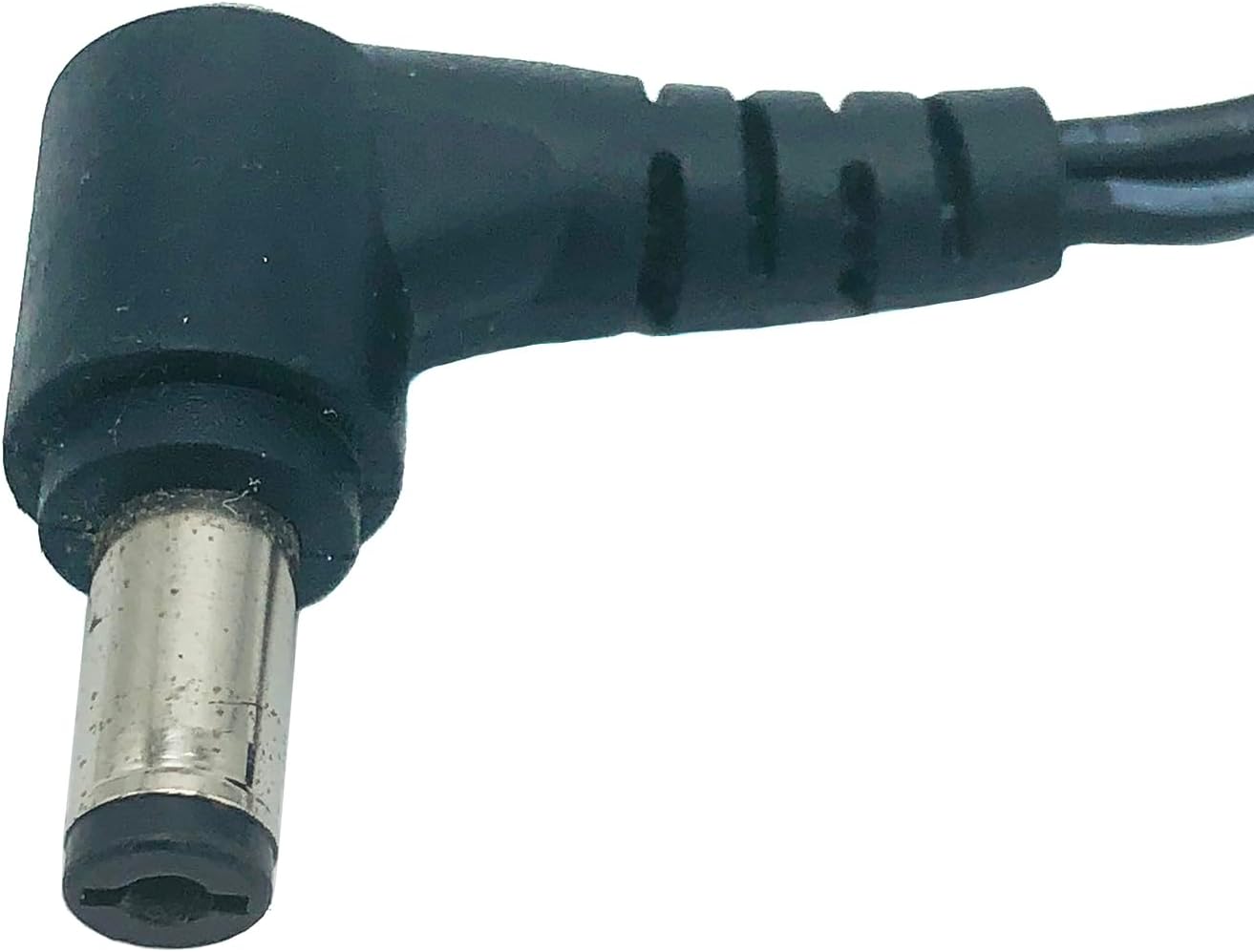
Image: A close-up view of the adapter's label, displaying model number, input/output specifications, and safety certifications.
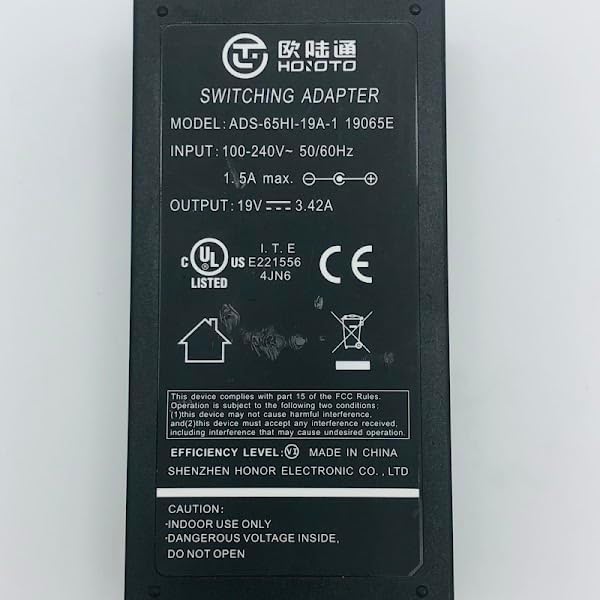
Image: A detailed view of the 5.5x1.7 mm barrel connector tip, which is angled at 90 degrees.
5. Setup Instructions
Follow these steps to connect your AC adapter:
- Connect Power Cord: Insert the female end of the power cord firmly into the AC input port on the adapter.
- Plug into Outlet: Insert the male end of the power cord into a standard wall outlet (100-240V AC).
- Connect to Device: Carefully insert the adapter's output connector tip (5.5x1.7 mm) into the power input port of your compatible laptop or device.
- Verify Connection: Ensure all connections are secure. Your device should now receive power or begin charging.

Image: The AC adapter with the power cord securely plugged into its input port, ready for connection to a wall outlet.
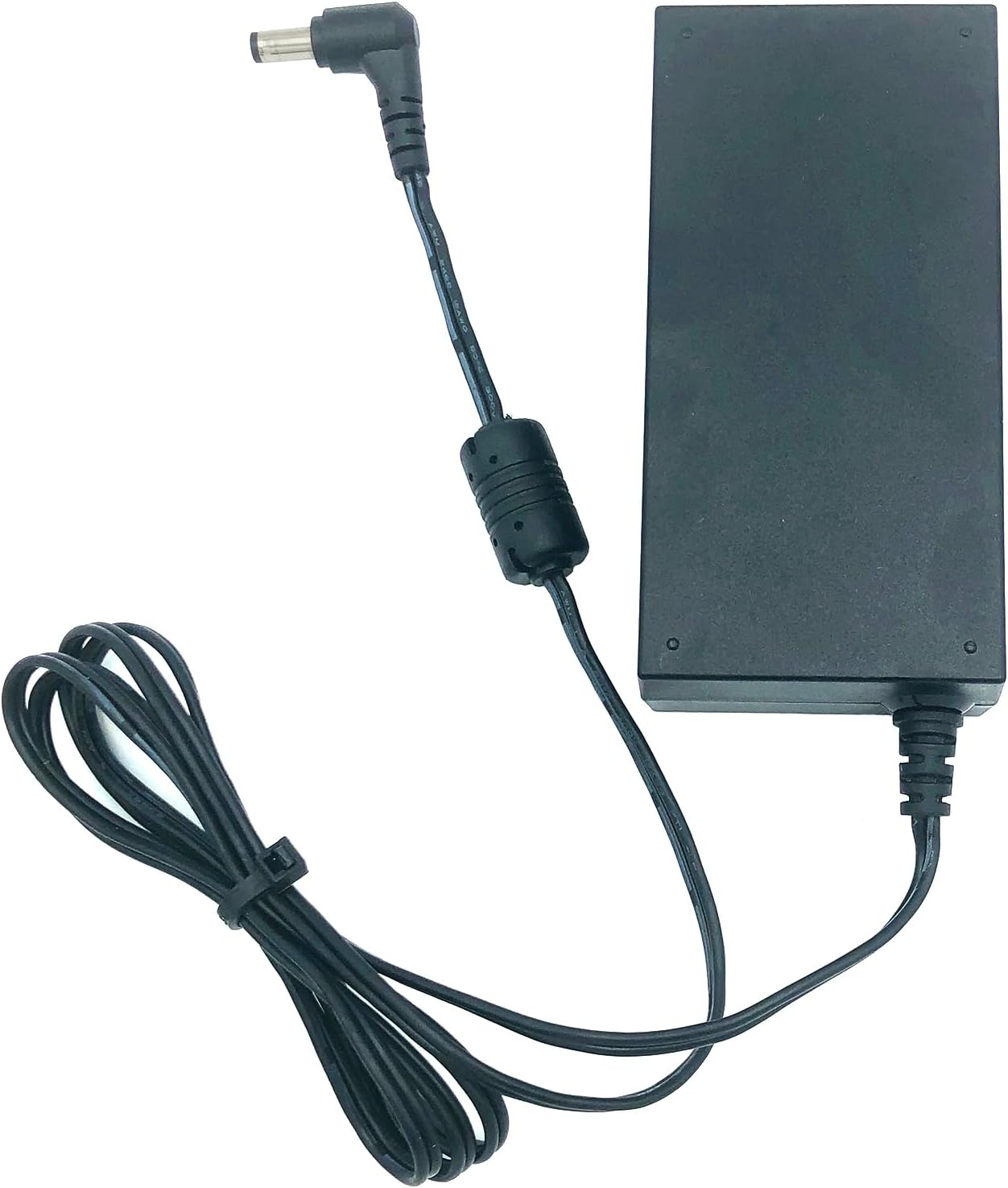
Image: A view of the AC adapter showing both the detachable power cord connected to the input and the integrated output cable with its 5.5x1.7 mm connector tip.
6. Operating Instructions
Once connected, the adapter will automatically supply power to your device. No further user interaction is typically required for basic operation.
- Ensure the adapter is placed in a well-ventilated area to prevent heat buildup.
- Avoid covering the adapter with cloths or other materials during operation.
- Disconnect the adapter from the power outlet when not in use for extended periods.
7. Maintenance
Proper maintenance ensures the longevity and safe operation of your adapter:
- Cleaning: Disconnect the adapter from all power sources before cleaning. Use a soft, dry cloth to wipe the exterior. Do not use liquid cleaners or solvents.
- Storage: When not in use, store the adapter in a cool, dry place, away from direct sunlight and moisture. Avoid tightly wrapping the cables to prevent damage.
- Inspection: Periodically inspect the power cord and adapter casing for any signs of damage, such as cuts, fraying, or cracks. If damage is found, discontinue use and replace the adapter.
8. Troubleshooting
If you encounter issues with your AC adapter, refer to the following common problems and solutions:
- No Power to Device:
- Ensure the power cord is securely connected to both the adapter and the wall outlet.
- Verify the wall outlet is functional by testing it with another device.
- Check that the adapter's output connector is fully inserted into your device's power port.
- Confirm that the adapter's specifications (voltage, current, tip size) match your device's requirements.
- Adapter Overheating:
- Ensure the adapter is in a well-ventilated area and not covered.
- If overheating persists, disconnect the adapter immediately and contact support.
- Sparking or Unusual Noises:
- Immediately disconnect the adapter from the power outlet and your device. Do not attempt to use it again.
- Contact customer support for assistance.
9. Warranty and Support
This product is sold by Tekswamp. For warranty information or technical support, please refer to the documentation provided with your purchase or contact Tekswamp customer service directly. Keep your purchase receipt as proof of purchase.
You can visit the Tekswamp store on Amazon for more information: Tekswamp Amazon Store


