
Introduction
Thank you for choosing ZIPFORCE True Wireless Earbuds. This manual provides detailed instructions on how to set up, operate, and maintain your earbuds to ensure optimal performance and longevity. Please read this manual thoroughly before using the product.
Package Contents
- ZIPFORCE True Wireless Earbuds (Left and Right)
- Charging Case
- USB-C Charging Cable
- User Manual
Product Overview
The ZIPFORCE True Wireless Earbuds are designed for comfort and high-quality audio, featuring Bluetooth 5.3 connectivity, Environmental Noise Cancellation (ENC) for clear calls, and intuitive touch controls.

Figure 1: ZIPFORCE True Wireless Earbuds and Charging Case. The earbuds are shown in their charging case, which is a compact, rounded design.

Figure 2: Internal Acoustic Structure. This diagram illustrates the internal components responsible for clear, acoustic sound, including the 13mm big drivers and ENC noise cancelling technology.
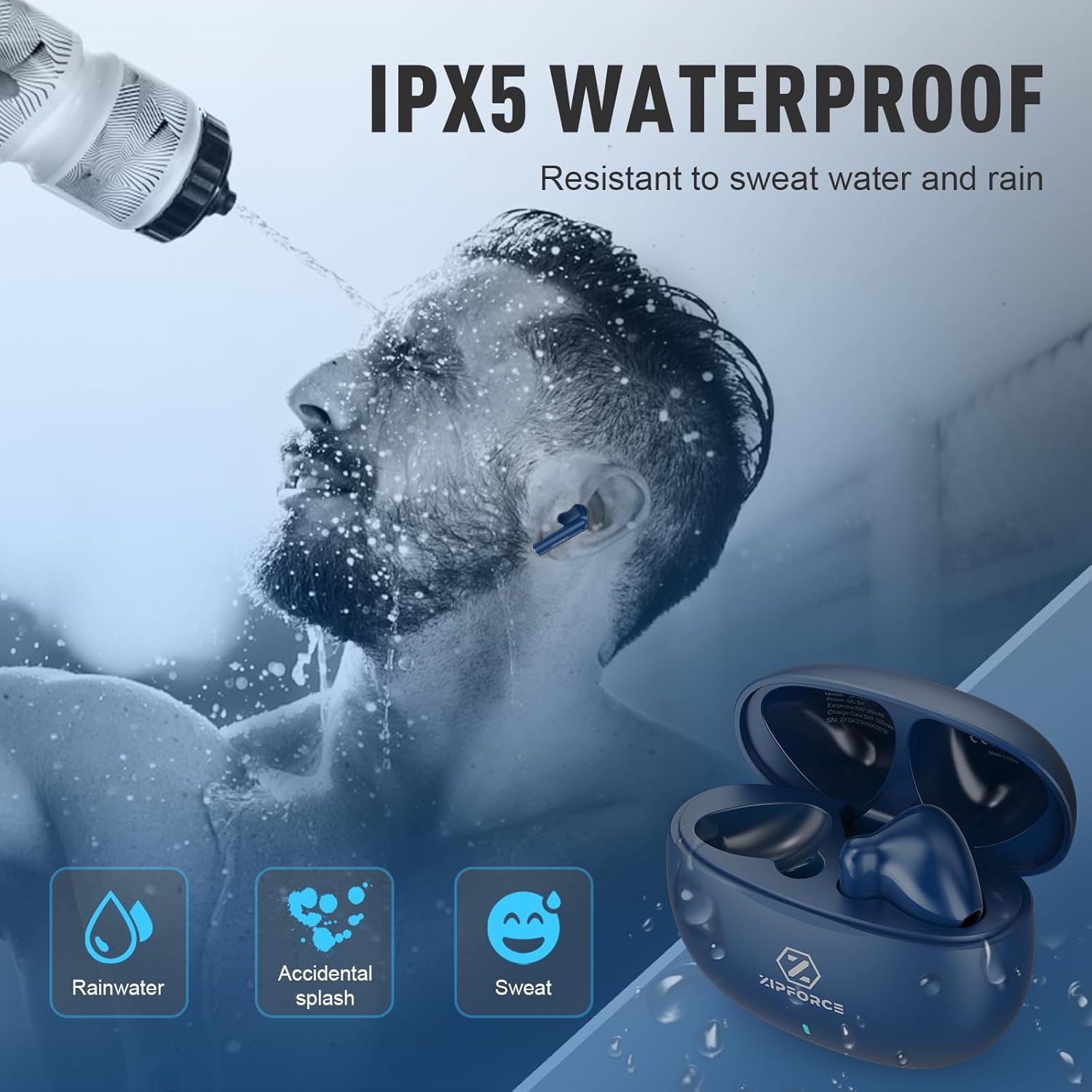
Figure 3: Ergonomic Design. The earbud is shown comfortably seated in a human ear, highlighting its 45-degree in-ear design for a secure and comfortable fit.
Setup
Charging the Earbuds and Case
Before first use, fully charge the earbuds and the charging case. The earbuds provide approximately 5 hours of playtime on a single charge, and the charging case extends this to a total of 40 hours. A full charge for the earbuds takes about 30 minutes, while the case takes approximately 1 hour.

Figure 4: Long Battery Life. This image illustrates the impressive battery life, showing 200 hours of standby time, 30 hours of music playtime (with case), and 1 hour charge time for the case.
Use the provided USB-C cable to charge the case. The indicator light on the case will show charging status.
Pairing with Your Device
The earbuds feature one-step auto pairing for convenience.
- Ensure your device's Bluetooth is enabled.
- Open the charging case. The earbuds will automatically enter pairing mode.
- On your device, search for Bluetooth devices and select "ZF Luna Pro" from the list.
- Once connected, the earbuds are ready for use. They will automatically reconnect to the last paired device when taken out of the case.

Figure 5: One-Step Pairing. This visual guide demonstrates the simple pairing process, showing a smartphone successfully connected to "ZF Luna Pro".
The earbuds are compatible with iOS, Android, and Windows devices.
Operating Instructions
Touch Controls
The ZIPFORCE earbuds feature intuitive touch controls on each earbud for managing audio playback and calls.
| Action | Control |
|---|---|
| Play/Pause | Tap once (L/R earbud) |
| Next Song | Double-tap Right earbud |
| Previous Song | Double-tap Left earbud |
| Answer/Hang up Call | Tap once (L/R earbud) |
| Reject Call | Long-press (L/R earbud) for 2 seconds |
| Volume Up | Triple-tap Right earbud |
| Volume Down | Triple-tap Left earbud |
| Voice Assistant | Long-press (L/R earbud) for 2 seconds |
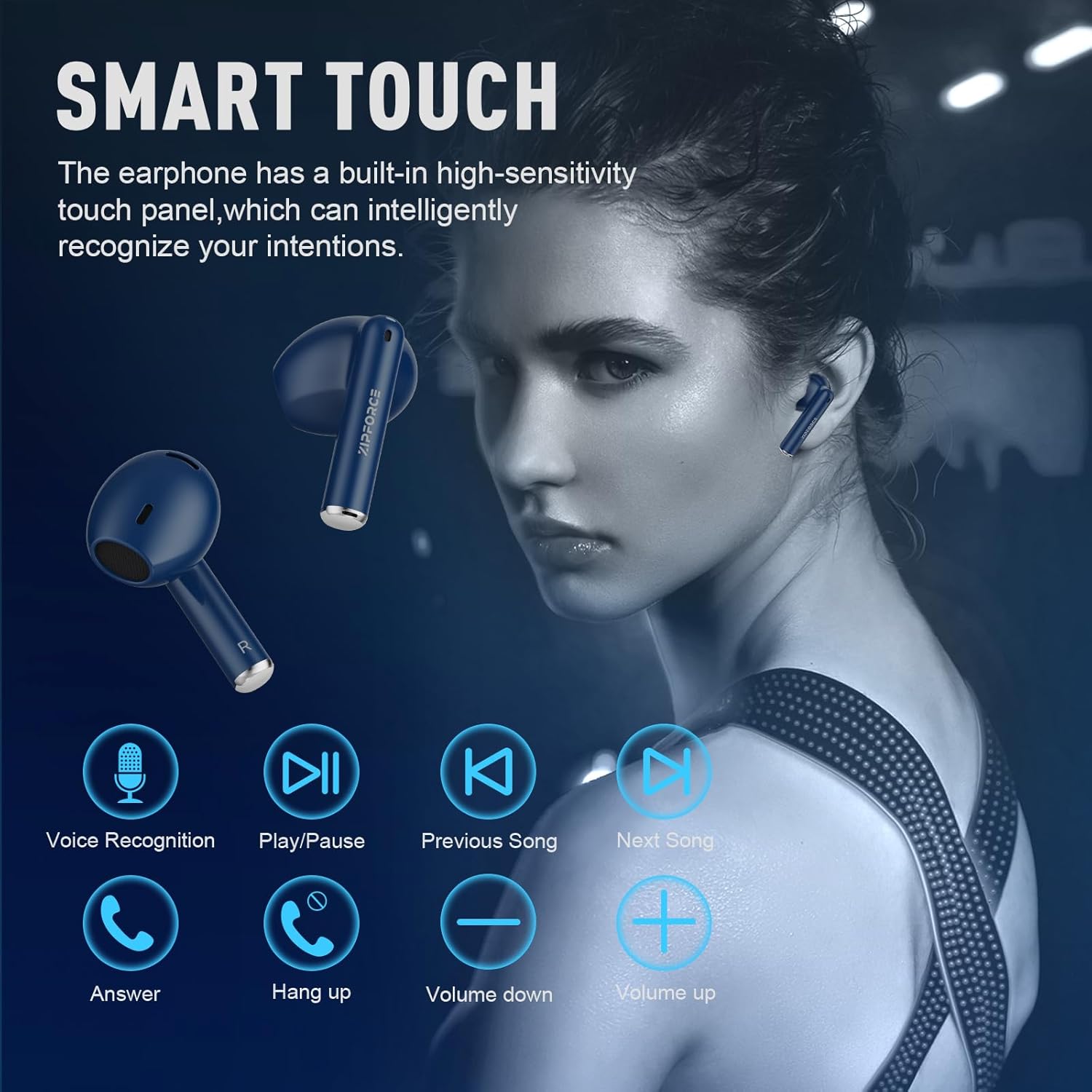
Figure 6: Smart Touch Controls. This visual guide details the various touch gestures for controlling music playback, calls, and voice assistant functions.
Call Functionality with ENC
Each earbud is equipped with 2 built-in microphones and Environmental Noise Cancellation (ENC) technology. This system intelligently enhances your voice while suppressing up to 80% of background noise, ensuring clear communication during calls.

Figure 7: Clear Call with Built-in 4 Mics. This image shows a user making a call, emphasizing the 4-microphone setup and ENC technology for superior call clarity in various environments.
Maintenance
To ensure the longevity and optimal performance of your ZIPFORCE earbuds, follow these maintenance guidelines:
- Cleaning: Regularly clean the earbuds and charging case with a soft, dry, lint-free cloth. Do not use abrasive cleaners or solvents.
- Water Resistance: The earbuds are IPX6 waterproof, meaning they are resistant to sweat, splashes, and rain. Do not submerge them in water or expose them to high-pressure water jets. Dry them thoroughly before placing them back in the charging case.
- Storage: When not in use, store the earbuds in their charging case to protect them from dust and damage. Store in a cool, dry place away from extreme temperatures.
- Charging Port: Keep the USB-C charging port free of dust and debris.

Figure 8: IPX5 Waterproof. This image depicts the earbuds' resistance to rainwater, accidental splashes, and sweat, making them suitable for various activities. Note: Product title states IPX6, which is a higher rating than IPX5 shown in the image. Adhere to IPX6 for water resistance.
Troubleshooting
If you encounter issues with your ZIPFORCE earbuds, refer to the following common solutions:
- Earbuds not pairing:
- Ensure both earbuds are charged.
- Place earbuds back in the case, close the lid, wait a few seconds, then open the lid to re-initiate pairing mode.
- Delete "ZF Luna Pro" from your device's Bluetooth list and try pairing again.
- No sound from one earbud:
- Check battery level of both earbuds.
- Try placing both earbuds back in the case and taking them out again.
- Reset the earbuds (refer to manufacturer's specific reset instructions if available, otherwise a full charge and re-pairing often resolves this).
- Charging issues:
- Ensure the charging cable is securely connected to both the case and a power source.
- Try a different USB-C cable and power adapter.
- Clean the charging contacts on the earbuds and inside the case with a dry cotton swab.
- Touch controls not responding:
- Ensure your fingers are clean and dry.
- Try restarting the earbuds by placing them in the case and taking them out.
Specifications
| Feature | Detail |
|---|---|
| Model Name | ZF-430 |
| Connectivity Technology | Wireless (Bluetooth 5.3) |
| Bluetooth Range | 10 meters (33 feet) |
| Audio Latency | 65 Milliseconds |
| Noise Control | Environmental Noise Cancellation (ENC) for calls |
| Microphones | 4 (2 per earbud) |
| Battery Life (Earbuds) | Up to 5 hours |
| Total Playtime (with Case) | Up to 40 hours |
| Charging Time (Case) | Approx. 1 hour |
| Water Resistance | IPX6 |
| Control Method | Touch |
| Frequency Range | 20 Hz - 20,000 Hz |
| Earbud Weight | 3.3 grams (each) |
| Case Dimensions | 3.54 x 2.95 x 1.77 inches |
Warranty and Support
ZIPFORCE products are designed and manufactured to the highest quality standards. For warranty information and technical support, please refer to the contact details provided with your purchase or visit the official ZIPFORCE website. Keep your proof of purchase for warranty claims.
For further assistance, you may contact ZIPFORCE customer support through their official channels. The seller for this product is ZIPFORCE.
