
1. Introduction
This user manual provides detailed instructions for the installation, operation, and maintenance of your NAPCAT N2804 Camera Kit Bundle. Please read this manual thoroughly before using the product to ensure proper setup and optimal performance. This system is designed to enhance your home or business security with advanced surveillance capabilities.

Figure 1.1: NAPCAT N2804 Camera Kit Bundle showing the NVR unit and four bullet cameras.
2. Product Features
The NAPCAT N2804 Camera Kit Bundle offers a range of features designed for comprehensive security monitoring:
- 4MP Super HD Camera System: Provides clear surveillance with F1.0 super aperture for vibrant color night vision.
- Accurate Alerts: Utilizes human and vehicle detection to minimize false alarms, with customizable behavior detection like intrusion and line crossing.
- PoE Installation: Simplifies setup with a single network cable for both data and power.
- Remote & Local Access: Access footage via smartphone app, PC software, or locally on a connected monitor.
- Smart Deterrence: Features dynamic strobe light and siren for proactive crime prevention.
- IP67 Weatherproof: Robust design suitable for both indoor and outdoor use, withstanding various weather conditions.
- Two-Way Audio: Built-in microphone and speaker for enhanced interaction and communication.
- 2TB Hard Drive: Included for up to 32 days of continuous recording, with expandable storage options.
3. Setup and Installation
The NAPCAT N2804 system utilizes Power over Ethernet (PoE) for simplified installation.
3.1. Unboxing and Component Check
Before beginning installation, ensure all components are present:
- NVR Unit
- 4K Bullet Cameras (quantity as per bundle)
- Ethernet Cables
- Power Adapter for NVR
- Mounting Screws and Plugs
- User Manual (this document)
3.2. NVR Placement
Place the NVR unit in a secure, dry location, preferably near your internet router for network connectivity. Ensure adequate ventilation around the unit.
3.3. Camera Mounting
Select appropriate locations for your cameras, considering coverage area and power access (via PoE). Use the provided mounting hardware to securely attach cameras to walls or ceilings.

Figure 3.1: True Plug-and-Play: Power and Data in One Cable. This image demonstrates the simplicity of PoE installation, where a single Ethernet cable provides both power and data to the camera from the NVR.
3.4. Connecting Cameras to NVR
Connect each camera to an available PoE port on the NVR using an Ethernet cable. The NVR will automatically power the cameras and establish a data connection.
3.5. Initial Setup
Connect the NVR to a monitor via HDMI/VGA and a mouse for initial configuration. Follow the on-screen prompts to set up network settings, date/time, and hard drive initialization.
4. Operating Instructions
4.1. Remote Access (Smartphone App / PC Software)
Download the official NAPCAT security app from your device's app store or the PC software from the NAPCAT website. Register an account and add your NVR by scanning the QR code or entering its serial number. This allows you to view live feeds, playback recordings, and receive alerts remotely.
4.2. Motion Detection and Alerts
The system features intelligent human/vehicle detection. Configure detection zones and sensitivity settings through the NVR interface or the remote access application. When motion is detected, the system can send push notifications to your smartphone or trigger the smart deterrence features.

Figure 4.1: Human/Vehicle Detection to Minimize False Alarms. This image illustrates how the system identifies humans and vehicles, reducing unnecessary alerts.
4.3. Smart Deterrence
The cameras are equipped with dynamic strobe lights and a siren. These can be configured to activate automatically upon detection of suspicious activity or manually triggered via the app to deter intruders.
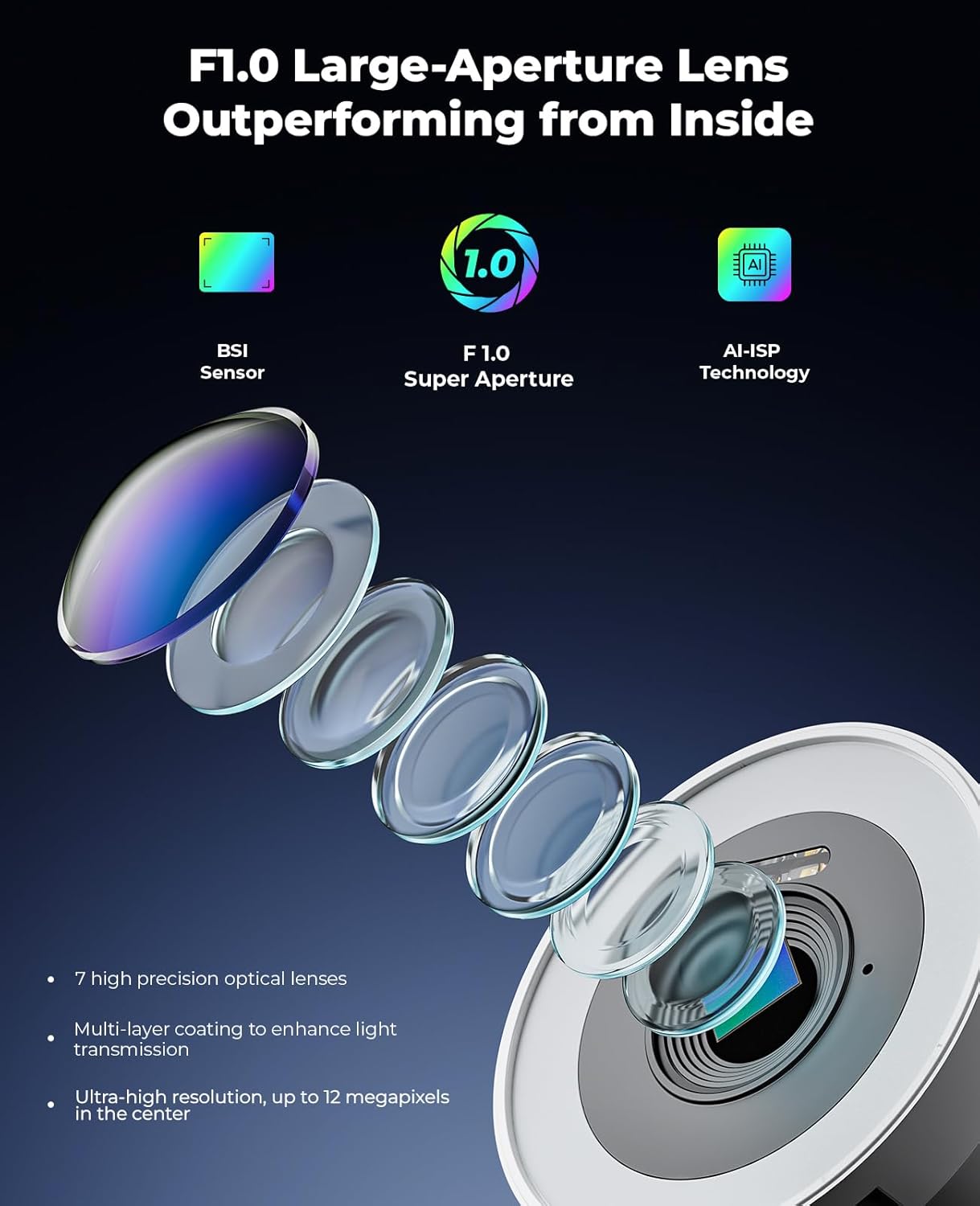
Figure 4.2: Dual Alerts Optional: Proactive Deterrent, Crime Prevention. This image shows the system's ability to use both strobe lights and a siren alarm to deter potential threats.
4.4. Two-Way Audio
Utilize the built-in microphone and speaker on the cameras for two-way communication. This feature is useful for speaking with visitors, delivery personnel, or deterring unwanted individuals.

Figure 4.3: Two-Way Audio, Instant Talk. This image demonstrates the two-way audio capability, allowing communication through the camera.
4.5. Night Vision
The F1.0 super aperture technology provides vibrant color night vision, ensuring clear and detailed images even in low-light conditions.

Figure 4.4: F1.0 Super Aperture: Turn the Night into Day. This image highlights the superior night vision capabilities of the NAPCAT camera compared to a standard mobile phone camera.

Figure 4.5: F1.0 Large-Aperture Lens Outperforming from Inside. This image provides an internal view of the lens technology, detailing its components like the BSI Sensor, F1.0 Super Aperture, and AI-ISP Technology, which contribute to its high performance.
5. Maintenance
Regular maintenance ensures the longevity and optimal performance of your NAPCAT security system.
5.1. Camera Lens Cleaning
Periodically clean the camera lenses with a soft, lint-free cloth to remove dust, dirt, or water spots that may obstruct the view. Do not use harsh chemicals.
5.2. NVR Ventilation
Ensure the NVR unit's ventilation openings are clear of obstructions to prevent overheating. Avoid placing the NVR in enclosed spaces without airflow.
5.3. Firmware Updates
Check for and install firmware updates for your NVR and cameras regularly. Updates often include performance improvements, bug fixes, and new features. Refer to the NAPCAT website or app for update instructions.
5.4. Weather Protection
The cameras are IP67 weatherproof, designed to withstand various environmental conditions. However, extreme conditions or prolonged exposure to direct harsh elements might still require occasional inspection.
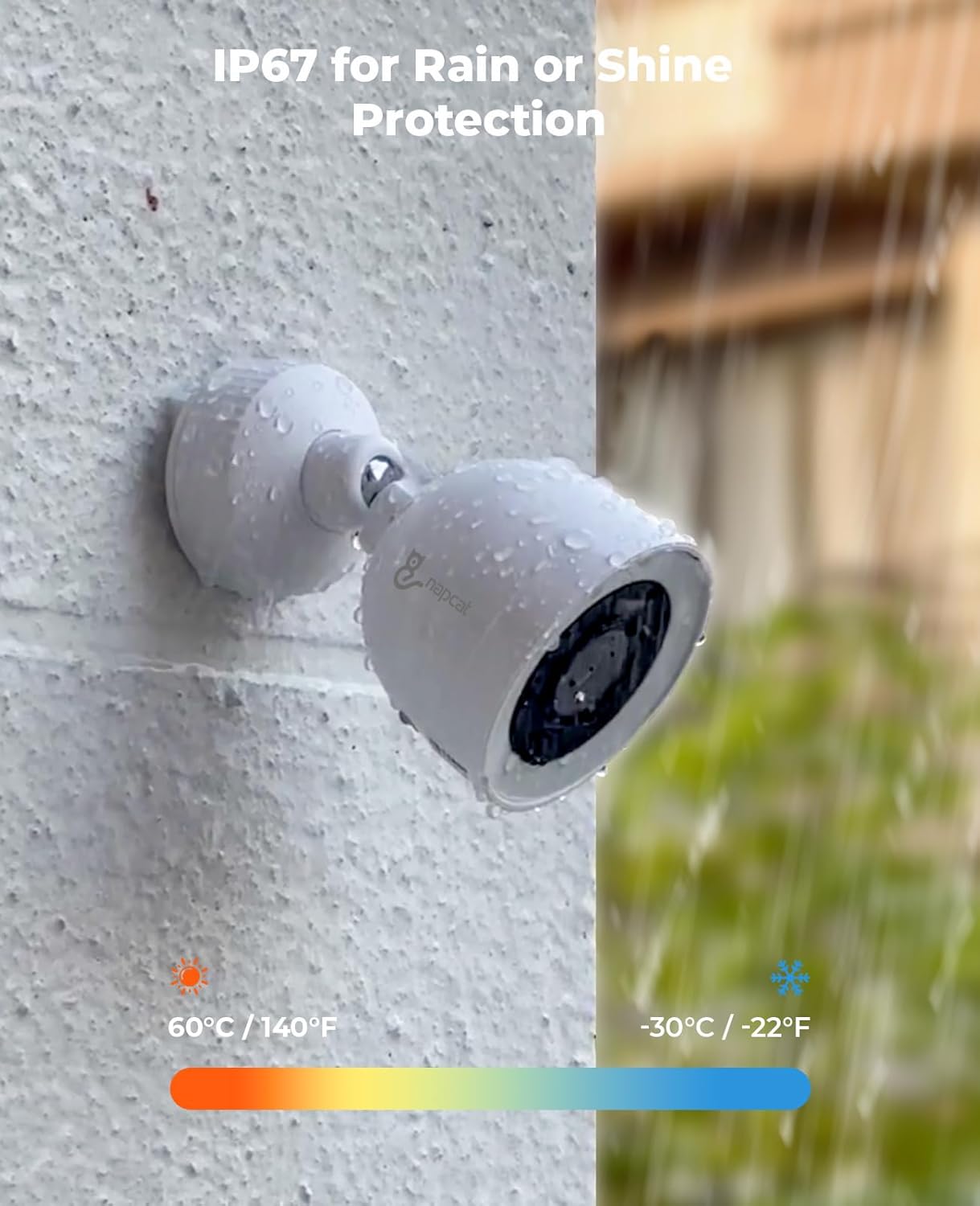
Figure 5.1: IP67 for Rain or Shine Protection. This image demonstrates the camera's IP67 weather resistance, showing it enduring water exposure and indicating its operational temperature range.
6. Troubleshooting
This section addresses common issues you might encounter with your NAPCAT security system.
6.1. No Video Feed from Camera
- Check the Ethernet cable connection at both the camera and NVR ends.
- Ensure the NVR is powered on and functioning correctly.
- Verify the camera's status indicator light (if available).
- Try connecting the camera to a different PoE port on the NVR.
6.2. No Remote Access
- Ensure the NVR is connected to the internet. Check network cables and router status.
- Verify that the NVR's network settings (IP address, DNS) are correct.
- Restart the NVR and your router.
- Ensure your smartphone or PC has a stable internet connection.
- Check if the app or software is updated to the latest version.
6.3. False Motion Alerts
- Adjust the motion detection sensitivity settings in the NVR or app.
- Refine the detection zones to exclude areas with frequent irrelevant movement (e.g., trees swaying, busy roads).
- Ensure the human/vehicle detection feature is enabled and configured correctly.
6.4. Poor Image Quality at Night
- Ensure the camera lens is clean and free from smudges or dirt.
- Check for any obstructions near the camera that might reflect IR light back into the lens.
- Verify that the camera's night vision mode is active.
If you continue to experience issues, please refer to the support section.
7. Specifications
| Feature | Detail |
|---|---|
| Brand | NAPCAT |
| Connectivity Technology | Wired (PoE) |
| Special Features | Motion Sensor, Night Vision, Two-Way Audio, Smart Deterrence (Strobe Light, Siren) |
| Memory Storage Capacity | 2 TB (expandable) |
| Power Source | Corded Electric (PoE) |
| Compatible Devices | Cameras |
| Low Light Technology | Night Vision (F1.0 Super Aperture) |
| Weather Resistance | IP67 Rated |
8. Warranty and Support
Your NAPCAT N2804 Camera Kit Bundle comes with comprehensive support to ensure your peace of mind.
- 2-Year Manufacturer Service Coverage: This product is covered by a 2-year manufacturer service warranty from the date of purchase.
- Lifetime Customer Support: NAPCAT provides lifetime customer support for this product. For technical assistance, troubleshooting, or any inquiries, please contact our support team.
For support, please visit the official NAPCAT website or refer to the contact information provided with your product packaging.

