
1. Introduction
Thank you for choosing the ID-COOLING TF-12025-PRO-SW Trio 120mm White Computer Case Fans. These high-performance cooling fans are designed to provide efficient airflow and quiet operation for your computer system. This manual provides detailed instructions for installation, operation, and maintenance to ensure optimal performance and longevity of your fans.
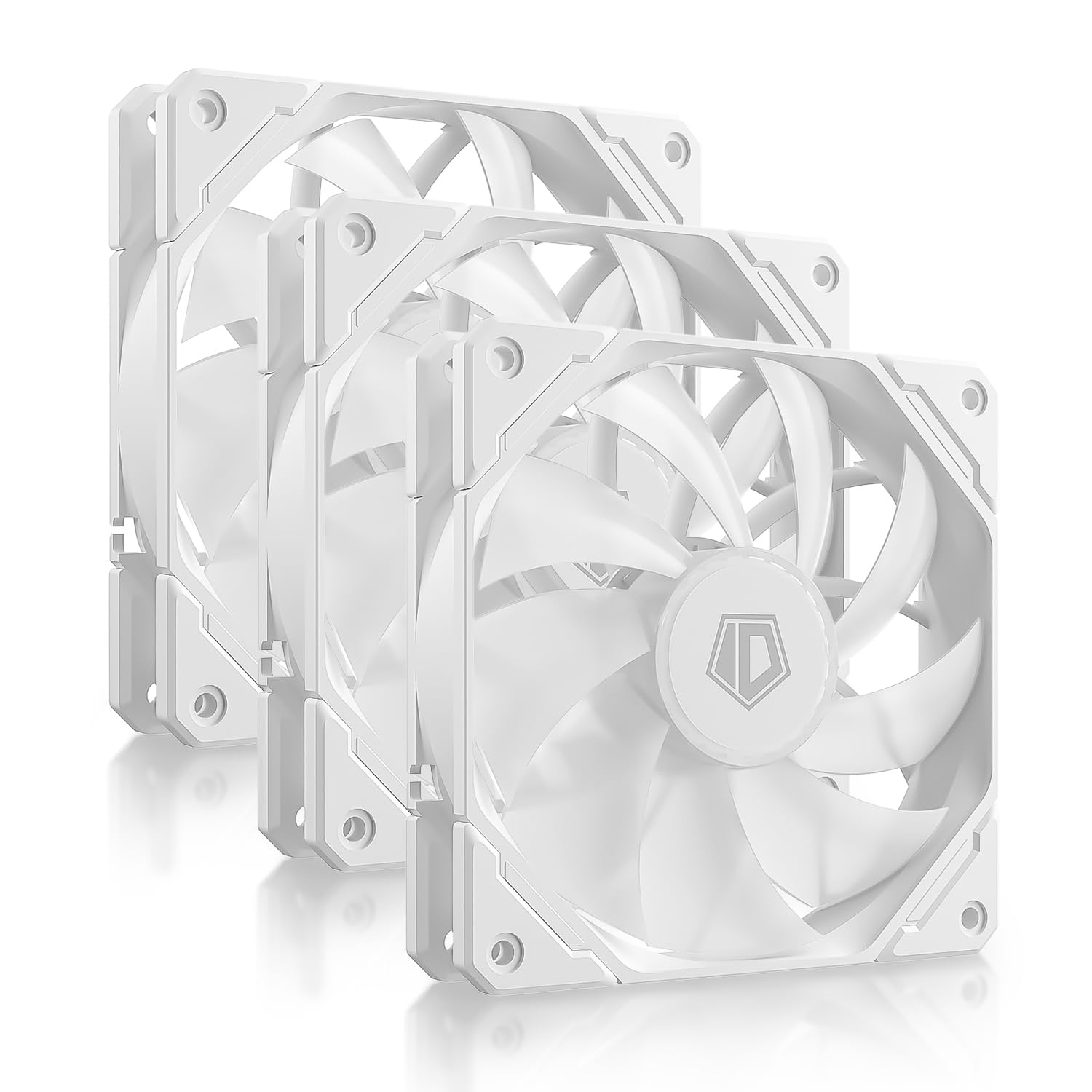
Figure 1: Front view of the ID-COOLING TF-12025-PRO-SW 120mm White Computer Case Fan.
2. Product Features
- High-Performance Cooling: Designed for effective heat dissipation within your computer case.
- Low Noise Operation: Engineered to operate quietly, with a maximum noise level of 28.9 dB(A).
- Precise PWM Control: Supports Pulse Width Modulation (PWM) for dynamic fan speed adjustment from 300 RPM to 1,500 RPM, optimizing between cooling performance and noise levels.

Figure 2: Illustration of precise PWM control for fan speed adjustment.
- Dual-Purpose Design: Optimized for use as both intake and exhaust fans, providing flexibility in system airflow configuration.
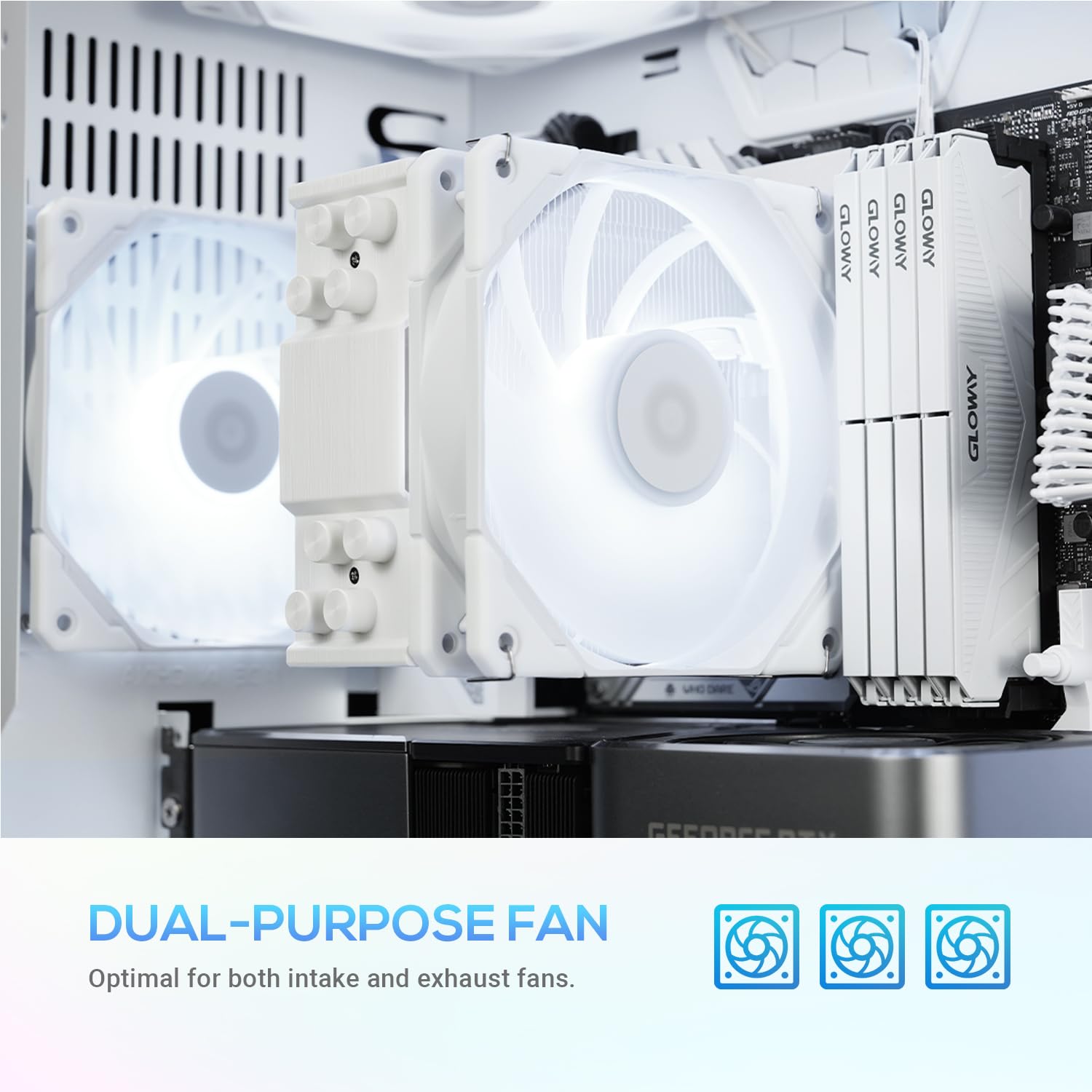
Figure 3: Fans installed in a PC case, demonstrating their versatility for intake or exhaust.
- Daisy Chain Connectivity: Simplifies cable management by allowing multiple fans to be connected in series.

Figure 4: Daisy chain connectors for streamlined cable routing.
- Hydraulic Bearing: Ensures a long lifespan and stable operation.
- Wide Compatibility: Ideal for CPU air coolers, radiators, and various PC case configurations.

Figure 5: Fans integrated into a computer system, showcasing broad compatibility.
3. Package Contents
Please verify that all items are present in your package:
- ID-COOLING TF-12025-PRO-SW 120mm White Computer Case Fan (x3)
- Mounting Screws (x12)
- User Manual (this document)
4. Installation Guide
Before beginning installation, ensure your computer is powered off and unplugged from the wall outlet. Refer to your computer case or component manual for specific mounting locations and procedures.
- Identify Mounting Location: Determine where you want to install the fans (e.g., front intake, rear exhaust, top exhaust, CPU cooler, radiator).
- Secure the Fan: Position the fan in the desired location. Use the provided mounting screws to secure the fan to the case or component. Ensure the fan is oriented correctly for desired airflow (intake or exhaust).
- Connect Power: Connect the 4-pin PWM connector of the fan to an available 4-pin fan header on your motherboard or fan controller.
- For multiple fans, utilize the daisy chain feature by connecting the output of one fan to the input of the next, then connect the final fan's input to the motherboard.
- Cable Management: Route the fan cables neatly to avoid interference with other components and to improve airflow.
- Power On: Once all connections are secure, close your computer case, plug it back in, and power it on.
5. Operating Instructions
The ID-COOLING TF-12025-PRO-SW fans utilize PWM (Pulse Width Modulation) technology for precise speed control. This allows your motherboard or fan controller to dynamically adjust fan speed based on system temperature, optimizing for either quiet operation or maximum cooling performance.
- Automatic Control: Most modern motherboards automatically detect PWM fans and adjust their speed based on CPU or system temperatures. You can configure fan curves in your motherboard's BIOS/UEFI settings or through manufacturer-provided software.
- Manual Control: If using a dedicated fan controller, refer to its manual for instructions on manually adjusting fan speeds.
- Noise Level: The fans are designed for low noise operation. At lower RPMs, they are exceptionally quiet. Noise levels increase with higher RPMs as airflow increases.

Figure 6: Visual representation of the fan's low noise output during operation.
6. Maintenance
Regular maintenance helps ensure optimal performance and extends the lifespan of your fans.
- Cleaning: Periodically clean dust from the fan blades and frame using compressed air or a soft brush. Ensure the computer is powered off and unplugged before cleaning.
- Inspection: Check fan cables for any signs of wear or damage. Ensure all mounting screws are secure.
- Avoid Lubrication: The hydraulic bearing is sealed and does not require external lubrication. Attempting to lubricate the bearing may damage the fan.
7. Troubleshooting
| Problem | Possible Cause | Solution |
|---|---|---|
| Fan not spinning |
|
|
| Excessive noise |
|
|
| Poor airflow |
|
|
8. Specifications
| Feature | Detail |
|---|---|
| Model | TF-12025-PRO-SW |
| Fan Dimensions | 120mm x 120mm x 25mm (4.72"L x 4.72"W x 4.72"H) |
| Fan Speed | 300 - 1,500 RPM (PWM controlled) |
| Air Flow Capacity | 70 CFM (Cubic Feet Per Minute) |
| Noise Level | 28.9 dB(A) Max |
| Power Connector | 4-Pin PWM |
| Bearing Type | Hydraulic Bearing |
| Rated Voltage | 12V DC |
| Wattage | 105 watts (Note: The provided wattage of 105W may be a general system power rating; individual fan wattage is typically much lower, around 2-5W.) |
| Material | Copper (Note: Fan frames are typically plastic; 'Copper' may refer to internal components or a related product type.) |
| Compatible Devices | Desktop, Laptop, Graphic Cards, Gaming Console (Note: These fans are primarily designed for desktop PC cases and components.) |
9. Warranty and Support
ID-COOLING products are manufactured to the highest quality standards. For information regarding warranty coverage, technical support, or service inquiries, please visit the official ID-COOLING website or contact their customer support directly.
Official Website: www.idcooling.com